
Expense Tracker
MonAi is an AI expense tracker that logs spending by voice, text, photo, or automatic Apple Pay prompts.
If your budgeting failure has always been data entry, MonAi removes the excuse better than anything else at this price — voice parsing of multi-expense sentences and the post-Apple Pay prompt are the two features that do the work. At $4.99/mo or $39.99/yr it undercuts YNAB while asking far less of you. Just know the magic is Apple-only and there's no bank sync, so Android users and auto-import shoppers should look elsewhere.
Verified 4d ago · liveness 81/100 · cite: rightaichoice.com/tools/expense-tracker
- Apple users who want spending logged the moment they tap to pay
- People who have quit budgeting apps because manual entry felt like a chore
- Couples or groups splitting household bills with real-time shared lists
- Fans of Shortcuts automation who want entries created without opening the app
- Android-first users — the Apple Pay prompt and Action Button, the main draws, don't apply
- Anyone who wants transactions imported automatically from a bank account
- Investors wanting portfolio, asset, or net-worth tracking
We scan live Reddit threads, YouTube comments, X posts, G2 reviews and other communities — and hand you an honest verdict in under a minute.
- Honest verdict, not marketing
- Real pros & cons from real users
- Attributed quotes with receipts
3 free scans · no card needed
Skip MonAi if you need automatic bank or card syncing to capture every transaction, or if you're on Android and can't use the Apple Pay prompts and Action Button capture that justify the subscription.
The free tier is a trial in practice — voice entry and AI chat sit behind the Premium subscription at $4.99/mo or $39.99/yr, so budgeting for it means paying from month two.
At $4.99/mo or $39.99/yr, MonAi sits at the budget end of paid expense trackers — well under YNAB's subscription and comparable to or cheaper than most bank-syncing apps, but more expensive than free spreadsheet or Notes-based tracking. It's priced for individuals and couples who value capture speed over reporting depth; teams needing shared seats buy the one Family plan covering up to 6 people rather than per-seat licenses.
In short
Expense Tracker — MonAi is an AI expense tracker that logs spending by voice, text, photo, or automatic Apple Pay prompts. Best for Apple users who want spending logged the moment they tap to pay, People who have quit budgeting apps because manual entry felt like a chore, Couples or groups splitting household bills with real-time shared lists. Free to start; paid plans from $4.99/mo.
What's new in Expense Tracker
Checked yesterdayAcross the latest 4 updates: 4 community discussions.
Shared Household Finances Without the Mental Load
MonAi blog post on splitting shared household expenses: capture quickly, set clear rules, avoid recurring money meetings.
Bill Splitting Without the Awkward Follow Up
MonAi blog post on splitting shared expenses early and following up without turning friends into bookkeepers.
Choosing a Mobile Expense App for Travelers
MonAi blog post advising travelers to pick an app with fast capture, clear currency handling, and daily trip budgets.
How to Review Weekly Spending Without the Stress
MonAi blog post on reviewing weekly spending in minutes to spot habits early without spreadsheets.
What people actually say about Expense Tracker — is it worth it?
We scanned public community sources for Expense Tracker on Jul 4, 2026 and could not establish that the discussion we found is about this tool rather than something else sharing its name. Our own analysis of that scan says the posts were off-subject. Rather than publish a sentiment score built on the wrong subject, we publish nothing here and re-run the scan.
Viability Score
How well maintained and how widely used is Expense Tracker? Built from what the vendor actually publishes (docs, changelog, tutorials, integrations, pricing), whether the site is live, and how much real users discuss it. How we calculate this
Last calculated: October 2026
How we score →Key Features
- Voice input with natural language processing that parses multiple expenses in one sentence
- Plain-text logging that auto-detects amount, date, and category from context
- Understands relative dates like "yesterday" and "last Friday"
- Instant post-payment prompt after every Apple Pay tap
- Apple Shortcuts automation that turns any trigger into an expense entry
- Action Button voice capture on iPhone for hands-free logging
- Photo-to-transaction OCR that pulls details off a receipt
- Screenshot-to-entry: a purchase confirmation becomes a transaction
- Email forwarding that logs receipts automatically
- Message trigger: text yourself an expense and it gets captured
- AI chat answering "How much did I spend on food this month?"
- Pattern insights and trend analysis from your spending data
- Real-time shared expense lists for couples and groups with easy splitting
- Family plan covering up to 6 people via Apple Family Sharing
- Multi-currency support and recurring transactions
About Expense Tracker
MonAi — listed on the App Store as "Expense Tracker" — is an AI expense tracker for iOS and Android built for people who have bounced off budgeting apps because manual entry felt like a chore. Instead of tapping through forms, you say it: "Coffee this morning was $4, then I spent $40 on groceries," and its natural language processing pulls out amounts, dates, and categories, including several expenses inside one sentence. Typing works too — "lunch $12" or "groceries 45.50 yesterday" — with amount, date, and category detected from context, relative dates like "last Friday" included. The zero-effort path is iPhone-only: after every Apple Pay tap, MonAi prompts you to log the purchase while it's still fresh, so there's no end-of-day catch-up. Failing that, entries arrive through Apple Shortcuts automations, a press of the Action Button, a receipt photo parsed by OCR, a purchase-confirmation screenshot, a forwarded receipt email, or a text message to yourself. Beyond capture, transactions land in clean lists with per-category budget progress bars and Home Screen widgets showing remaining budget as you add an expense. Shared expense lists keep couples and groups in sync in real time with straightforward splitting, and one Family plan covers up to 6 people via Apple Family Sharing. Multi-currency support, recurring transactions, and an AI chat that answers questions like "How much did I spend on food this month?" or "What's my biggest expense category?" finish the set. The interface is deliberately thin — no bloated dashboard, no portfolio tools. Data syncs through iCloud and no login is needed for basic use. It holds 4.8 stars across more than 8,500 reviews. Against Mint-era dashboards, YNAB, or Copilot Money, MonAi gives up bank syncing and investment tracking and wins on tracking speed — logging takes seconds. Free to download and try, then $4.99/mo or $39.99/yr.
Behind the Verdict
Where this app earns its keep is the gap between paying and remembering. Most trackers ask you to reconstruct a day at 10pm; MonAi interrupts you at the till instead. That single design choice — the Apple Pay prompt — is why so many of the 8,500+ reviews talk about finally sticking with it, which is unusual praise in a category where churn is the norm. Pick it if you're in the Apple ecosystem and your problem is capture, not analysis. The voice parser handles compound sentences, the Action Button turns a walk to the car into an entry, and Shortcuts can wire nearly any trigger into a logged expense. Couples splitting rent and groceries get real-time shared lists, and the Family plan covering 6 people through Apple Family Sharing makes that cheap per head. Pass if you need transactions to appear without you doing anything at the moment of purchase. There's no bank connection here, whatever the reviews imply — "automatic" means automations you set up, not a feed that fills itself. Android users also lose the Apple Pay prompt and the Action Button, which is most of the argument for paying. And if you want portfolio tracking, net-worth charts, or PDF exports, several reviewers already flag the reporting as thin. Our closest alternative is Copilot Money for anyone who'd rather import than log, or YNAB if you want budgeting rules and real bank feeds — both cost more and demand more attention. MonAi's trade is the opposite: less data, dramatically less friction. In practice the habit piece matters more than the feature list. The vendor's recent writing is all habit framing — daily check-ins, spending alerts, cash-tracking routines, splitting household bills — not report depth, and that tells you who the product is really for. If you want to interrogate your spending
Researching Expense Tracker? Get your full AI stack in 60 seconds.
Free, no signup — tell us your goal and get tools matched to your budget & existing stack.
Real-world workflow fit
Concrete scenarios for the personas Expense Tracker actually fits — and what changes day-one when you adopt it.
You tap to pay for coffee and groceries throughout the day; each Apple Pay transaction triggers a MonAi prompt and you confirm in one tap, or press the Action Button and say "parking $6" when you pay cash.
Outcome: By evening every expense is already logged with a category and amount, and the category progress bars show you're at 70% of your food budget before you order dinner.
You both join the same shared list through Apple Family Sharing; one of you forwards the utility receipt email and the other logs the grocery run by voice, both syncing in real time.
Outcome: You can see the month's combined spend and split it without an awkward end-of-month reconciliation conversation.
You log expenses by voice in the local currency as you go, then open the AI chat and ask how much you spent on food this month.
Outcome: You get an instant answer and trend view without building a spreadsheet or converting manually.
Use Cases
- Log daily expenses hands-free by speaking into the app right after a purchase
- Automate recording by tapping to pay with Apple Pay and answering the instant log prompt
- Split shared costs with a partner and view synchronized spending lists in real time
- Ask the AI assistant how much you spent on food this month or your biggest expense category
- Set category budgets and monitor progress via Home Screen widgets and visual bars
- Forward receipt emails or screenshot purchase confirmations to auto-log transactions
- Track spending across currencies while traveling
- Automate recurring bills and subscriptions so they log themselves
Limitations
- MonAi is a mobile app for iOS and Android; no desktop or web version is mentioned in the vendor material.
- The core tracking relies on manual, voice, or text entry plus automated capture from Apple Pay and Apple Shortcuts, with no mention of bank account connectivity, so completeness depends on your capture habits.
- Free to download and try, after which a subscription is required to keep using it.
- Several headline automations (Apple Pay prompts, Action Button, Shortcuts) are Apple-specific, so the product is meaningfully weaker on Android.
as of 2026-09-13
Verification history
We have re-verified Expense Tracker 8 times since . Each pass re-reads the vendor's own pages and re-checks every listed field against that evidence; passes where nothing had changed are marked as such.
- — re-verified summary, description, our verdict, our analysis, pricing model, pricing tiers, features, integrations, who it suits, who should skip it
- — re-verified summary, description, our verdict, our analysis, pricing model, pricing tiers, features, integrations, who it suits, who should skip it
- — re-verified summary, description, our verdict, our analysis, pricing model, pricing tiers, features, integrations, who it suits, who should skip it
- — re-verified summary, description, our verdict, our analysis, pricing model, pricing tiers, features, integrations, who it suits, who should skip it
- — re-verified summary, description, our verdict, our analysis, pricing model, pricing tiers, features, integrations, who it suits, who should skip it
- — re-verified summary, description, our verdict, our analysis, pricing model, pricing tiers, features, integrations, who it suits, who should skip it
Showing the 6 most recent of 8 verification passes.
Free to cite with attribution — this page re-verifies continuously.
12-month cost
Project the real annual outlay, including the implied monthly cost when only an annual tier is published.
Vendor list price only. Add-on usage, seat overages, and contract minimums are surfaced under Hidden costs & gotchas.
Plans compared
For each published Expense Tracker tier: who it actually fits, and what it adds vs. the previous tier. Cross-reference the cost calculator above for projected annual outlay.
Free
$0/mo
Ideal for
New users testing whether voice and text expense capture actually fits their routine before paying.
What this tier adds
Free entry point with basic expense logging plus voice and text entry; full features stay locked.
Premium
$4.99/mo or $39.99/yr
Ideal for
Individuals, couples, and families who log daily and want Apple Pay automation, AI chat, shared lists, and budgets.
What this tier adds
Adds full feature access on top of Free: Apple Pay automation, AI chat, shared lists, multi-currency, and budget tracking at $4.99/mo or $39.99/yr.
Where the pricing makes sense
The company stage and team size where Expense Tracker's pricing actually pencils out — and where peers do it cheaper.
At $4.99/mo or $39.99/yr, MonAi sits at the budget end of paid expense trackers — well under YNAB's subscription and comparable to or cheaper than most bank-syncing apps, but more expensive than free spreadsheet or Notes-based tracking. It's priced for individuals and couples who value capture speed over reporting depth; teams needing shared seats buy the one Family plan covering up to 6 people rather than per-seat licenses.
Setup time & first value
How long it actually takes to get something useful out of Expense Tracker — broken out by persona, not the marketing-page minute.
Individuals on iPhone: about 5 minutes to download, enable Apple Pay post-payment prompts, and add the Action Button or a Shortcuts trigger. Couples or groups: roughly 10-15 minutes, mostly spent inviting members and agreeing on shared categories. Android users: no Apple Pay setup available, so expect a plain voice-and-text logging setup in a few minutes with none of the automation benefits.
Switching to or from Expense Tracker
How to bring data in from common predecessors and how to get it back out — written for the switcher, not the buyer.
- →From a spreadsheet: stop logging in Excel or Sheets and record new expenses by voice or Apple Pay prompt, keeping the old file for historical reference only.
- →From Mint: export or note your category list, then recreate the categories you actually use as budgets in MonAi and log forward.
- →From YNAB: abandon envelope assignment and switch to MonAi's category spending limits with visual progress bars.
- →From a manual notes app: replace the running text list with voice or text entries that auto-detect amount, date, and category.
- ↗To YNAB: import or re-enter MonAi history as a starting balance and rebuild your category budgets in YNAB's envelope model.
- ↗To Copilot Money: switch for automatic bank syncing when manual and automation-based capture stops being enough.
- ↗To a spreadsheet: export your transaction list periodically and continue in Excel or Sheets for custom reporting.
- ↗To a net-worth tracker: keep MonAi for daily capture and pair it with a portfolio tool since MonAi doesn't track investments.
Integrations
Resources & Guides
Tutorials & Learning
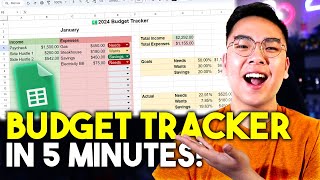
EASY Budget & Expense Tracker with Google Sheets! *FULL TUTORIAL*
Jeremy's Tutorials
![How To Create This Excel Expense Tracker With Mobile Receipt Upload From Scratch [Free Download]](https://img.youtube.com/vi/oCb8q55hpEQ/mqdefault.jpg)
How To Create This Excel Expense Tracker With Mobile Receipt Upload From Scratch [Free Download]
Excel For Freelancers
YouTube returned 6 videos for “Expense Tracker”, and we withheld 4: 4 did not mention Expense Tracker. Showing the 2 we can prove are about Expense Tracker.
Official links
Tools that pair well with Expense Tracker
Common stack mates teams adopt alongside Expense Tracker, with the specific reason each pairing earns its keep.

TrackFi
TrackFi is an AI expense tracker that logs spending via WhatsApp, voice, receipt photos, and email forwarding.

Cleo AI
Cleo AI is a chat-based money coach that analyzes your spending, automates savings goals, and delivers blunt, funny feedback on bad habits.

Amigo AI
Amigo AI is an AI-powered personal finance tracker for iOS and web with OCR document capture, GST tracking for India, and encrypted local storage.
Featured Head-to-Head Comparisons
Expense Tracker vs Cryptohopper
These tools serve completely different needs — Cryptohopper is a crypto trading bot platform for automating buy/sell strategies across exchanges, while Expense Tracker is a personal finance app for logging everyday spending via voice or Apple Pay. Choose Cryptohopper if you actively trade crypto and want algorithmic or copy-trading features. Choose Expense Tracker if you need a no-fuss way to track daily expenses, especially on iPhone. There is no overlap; your decision depends entirely on whether you need crypto trading automation or personal expense management.
Expense Tracker vs Bitsgap
If your goal is automated crypto trading with bots across multiple exchanges, Bitsgap is the clear winner with its rich bot library and demo mode. If you need a simple, AI-powered expense tracker that works with voice or Apple Pay, Expense Tracker (MonAi) is the better choice—especially for iOS users. They serve entirely different needs; decide based on your primary use case.
Expense Tracker vs Transfix
Transfix and Expense Tracker serve completely different markets: freight brokerage vs. personal finance. If you're a freight broker looking for AI-driven pricing with custom cost models and end-to-end TMS, Transfix is the clear choice. For an individual wanting to log expenses effortlessly via voice or Apple Pay, Expense Tracker (MonAi) offers a frictionless, minimalist solution. Choose based on your domain—don't cross-shop these.
Alternatives to Expense Tracker
View all


Frequently Asked Questions
Categories
Used Expense Tracker? Help shape our editorial sentiment research.