
Face Filters
Face Filters is 360 Co's mobile app for one-tap AI selfie and video filters, built around whatever look is trending right now.
Face Filters is the app you reach for when the goal is a shareable selfie in under a minute, not a graded image. The trend-led template library and one-tap apply are genuinely useful for Reels and Stories, and the lack of manual controls is a feature if you never wanted them. The moment your work needs exposure, curves, or masking, Lightroom and VSCO own that lane. Pick Face Filters when trend velocity and immediacy beat finishing control, and pick something else when it doesn't.
Verified 6d ago · liveness 65/100 · cite: rightaichoice.com/tools/face-filters
- Social media creators who need a trendy post fast
- Selfie enthusiasts wanting instant effects
- Casual users who do not want to learn an editor
- Short-form video creators making Reels, Stories, or TikTok-style clips
- Professional photo editors needing exposure, curves, or masking
- Users who need a desktop app or API access
- Teams needing shared brand grading across assets
We scan live Reddit threads, YouTube comments, X posts, G2 reviews and other communities — and hand you an honest verdict in under a minute.
- Honest verdict, not marketing
- Real pros & cons from real users
- Attributed quotes with receipts
3 free scans · no card needed
Skip Face Filters if your work needs exposure, curves, or masking controls, or if your workflow starts on a desktop and has to stay there.
Face Filters's pricing fits teams whose volume aligns with the published tiers. Compare against the alternatives listed below for stage-specific value.
In short
Face Filters — Face Filters is 360 Co's mobile app for one-tap AI selfie and video filters, built around whatever look is trending right now. Best for Social media creators who need a trendy post fast, Selfie enthusiasts wanting instant effects, Casual users who do not want to learn an editor. Free to use.
What people actually say about Face Filters — is it worth it?
We ran a structured research pass across product reviews, community discussions, and post-purchase forum threads to surface the patterns vendors won't publish themselves. Below: the recurring strengths, the hidden costs people mention most, and the cohort that consistently regrets adopting this tool.
72 mentions across 4 sources (Hacker News, YouTube, Bluesky, Lemmy) · researched Jul 24, 2026.
Average across the 4 sources that answered — each source counts once, not each post.
- +One-tap application makes it easy for anyone to use.
- +Trend-driven templates keep content fresh and social-media ready.
- +Real-time video effects work without noticeable lag.
- +Wide variety of styles from retro to old money aesthetics.
- +Social media sharing integration streamlines posting.
- −All filters are behind a subscription; no free features.
- −Community criticism over promoting unrealistic beauty standards.
- −No manual controls for advanced editing or customization.
- −Potential privacy concerns with facial data storage.
- −May contribute to body dysmorphia among users.
- • All usable filters require a premium subscription
- • No one-time purchase option; recurring cost
Viability Score
How well maintained and how widely used is Face Filters? Built from what the vendor actually publishes (docs, changelog, tutorials, integrations, pricing), whether the site is live, and how much real users discuss it. How we calculate this
Last calculated: October 2026
How we score →Key Features
- AI face filters applied in real time
- Real-time video effects for clips and Stories
- One-tap photo editing with no manual sliders
- Trending template library updated for current looks
- Retro style filters
- Old Money aesthetic filters
- Seasonal filter packs
- Curated filter categories instead of endless settings
- Works on both photos and video
- Mobile app for iOS and Android
- Capture with filter applied while shooting
- Quick apply with no editing skills required
- Share finished results to social platforms
About Face Filters
Face Filters is a mobile app published by 360 Co that applies AI face filters and real-time video effects to photos and video while you shoot. You open the app, pick a look from a curated template library, and capture — there is no timeline, layer stack, or export step between you and a post. The library leans on current trends, from retro throwbacks to 'old money' aesthetics, so the output stays current without any editing skill. The app handles both stills and video and is a practical companion for Stories, Reels, and short-form clips where speed matters more than fine control. Filter categories are curated rather than endlessly configurable, and applying one is a single tap. Casual users get a usable result on the first try. What you give up is control. There are no manual exposure, color curve, or masking tools, and there is no desktop path in the product as described. The publisher's own site is a portfolio page for its app portfolio, so feature specifics beyond this should be confirmed in-app. The trade is trend velocity and immediacy instead of darkroom depth. Next to VSCO or Adobe Lightroom, Face Filters is a filter dispenser, not a photo editor. Lightroom and VSCO reward users who want to tune an image; this app rewards users who want to post one.
Behind the Verdict
Face Filters is a narrow, honest tool. It does one thing — apply a trending AI face filter or real-time video effect and get out of the way — and it does that without asking you to learn anything. The curated categories (retro, old money, seasonal packs) are the actual product: 360 Co is selling trend awareness, not image processing. For a Reel or a Story that needs to look current today, that framing is exactly right. The strengths are speed and immediacy. Capture happens with the filter already applied, so there is no import-edit-export loop. Still and video share the same path, which means the app covers the two formats social platforms actually reward. One-tap apply means the first result is usually the posted result. The weaknesses follow from the same design decision. There are no manual exposure, color curve, or masking controls, so you cannot rescue a shot the filter doesn't suit — you just pick another filter. The template library is curated rather than searchable or infinitely configurable, which means you get what 360 Co thinks is trending. And the product is mobile-only as described, with no desktop or developer path, so it cannot slot into a team pipeline where assets need to be handled in one place. Where it fits: individual creators and casual users producing short-form social content at volume. Where it doesn't: anyone grading photos for print or client delivery, anyone who needs consistent brand grading across a team, and anyone whose workflow starts on a desktop. One caution on sourcing. The publisher's website (360comobile.com) is a portfolio landing page listing its apps; it carries no feature list, documentation, or pricing table. Everything above reflects the product as described for this review, and you should confirm current feature scope and subscription terms in the app store listing before subscribing, since those change more often than a portfolio site does.
Researching Face Filters? Get your full AI stack in 60 seconds.
Free, no signup — tell us your goal and get tools matched to your budget & existing stack.
Real-world workflow fit
Concrete scenarios for the personas Face Filters actually fits — and what changes day-one when you adopt it.
You open the app, tap a trending filter from the curated categories, shoot, and share to Instagram in one pass.
Outcome: A current-looking post in under a minute with no editing step in between.
You record a clip with a real-time video effect already applied, aiming at whatever trend is running on TikTok or Reels this week.
Outcome: A trend-aligned clip that ships without an import-edit-export loop.
You switch to a seasonal filter pack for holiday-themed photos and video across a batch of posts.
Outcome: A consistent themed set of posts without per-image tuning.
Use Cases
- Apply retro-style filters to selfies before posting on Instagram
- Create videos with real-time effects for TikTok trends
- Enhance casual photos with Old Money aesthetic filters
- Try seasonal filter packs for holiday-themed content
- Share edited photos directly to social media from the app
- Capture a Reel or Story look without opening a separate editor
Limitations
- Mobile only as described — no desktop or developer path.
- No manual exposure, color curve, or masking controls, so you cannot rescue a shot the filter doesn't suit; you pick a different filter instead.
- The template library is curated rather than searchable or infinitely configurable, so the looks available are the ones 360 Co chooses to ship.
- The publisher's site is a portfolio page with no feature list, so verify current feature scope and subscription terms in the app store listing before you commit.
as of 2026-10-02
Verification history
We have re-verified Face Filters 7 times since . Each pass re-reads the vendor's own pages and re-checks every listed field against that evidence; passes where nothing had changed are marked as such.
- — re-verified summary, description, our verdict, our analysis, pricing model, pricing tiers, features, integrations, who it suits, who should skip it
- — re-checked, vendor evidence unchanged
- — re-verified summary, description, our verdict, our analysis, pricing model, pricing tiers, features, integrations, who it suits, who should skip it
- — re-verified summary, description, our verdict, our analysis, pricing model, pricing tiers, features, integrations, who it suits, who should skip it
- — re-verified summary, description, our verdict, our analysis, pricing model, pricing tiers, features, integrations, who it suits, who should skip it
- — re-verified summary, description, our verdict, our analysis, pricing model, pricing tiers, features, integrations, who it suits, who should skip it
Showing the 6 most recent of 7 verification passes.
Free to cite with attribution — this page re-verifies continuously.
12-month cost
Project the real annual outlay, including the implied monthly cost when only an annual tier is published.
Vendor list price only. Add-on usage, seat overages, and contract minimums are surfaced under Hidden costs & gotchas.
Plans compared
For each published Face Filters tier: who it actually fits, and what it adds vs. the previous tier. Cross-reference the cost calculator above for projected annual outlay.
Free
$0/mo
Ideal for
Casual users testing whether the curated filter library fits their posting style before paying anything.
What this tier adds
Starting tier — core AI face filters, real-time video effects, and one-tap editing with ad support.
Premium
Subscription
Ideal for
Regular posters who want the full trend library and seasonal packs without interruptions.
What this tier adds
Adds an ad-free experience, an expanded template library, and premium trend categories.
Where the pricing makes sense
The company stage and team size where Face Filters's pricing actually pencils out — and where peers do it cheaper.
Face Filters's pricing fits teams whose volume aligns with the published tiers. Compare against the alternatives listed below for stage-specific value.
Setup time & first value
How long it actually takes to get something useful out of Face Filters — broken out by persona, not the marketing-page minute.
Install and first filtered shot: a couple of minutes for a casual user — there is nothing to configure. A short-form creator refining which template matches the current trend should budget a few minutes more to browse the categories, since the library is curated rather than searchable.
Switching to or from Face Filters
How to bring data in from common predecessors and how to get it back out — written for the switcher, not the buyer.
- →From a native camera app: capture in Face Filters instead, applying the look while shooting rather than editing afterward
- →From VSCO or Lightroom Mobile: keep those for images that need tuning and use Face Filters only for fast trend-driven posts
- ↗To Adobe Lightroom: move the shots that need exposure, curves, or masking into a real editor
- ↗To VSCO: move to preset-based editing when you want more finishing control than one-tap filters give you
Resources & Guides
Tutorials & Learning
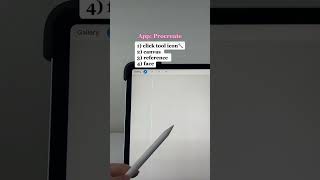
How to make a Face Filter on Procreate and Filta Tutorial ✍️ #facefilters #filtertutorial
Filta

StreamFog Tutorial: Free Face Filters for OBS in 2026
Michael Feyrer Jr.
YouTube returned 6 videos for “Face Filters”, and we withheld 4: 4 did not mention Face Filters. Showing the 2 we can prove are about Face Filters.
Official links
Tools that pair well with Face Filters
Common stack mates teams adopt alongside Face Filters, with the specific reason each pairing earns its keep.

Reface
Mobile AI studio for face-swap videos, AI avatars, and a family of companion apps.

B612 AI Photo&Video Editor
Free mobile photo and video editor from SNOW Corp. with daily filters, one-tap AI beauty tools, and custom filter creation.

AI Face Maker & Dance Video
M2R's mobile app turns selfies into AI dance videos and Ghibli-style art on iOS and Android.
Featured Head-to-Head Comparisons
Face Filters vs Splice
Face Filters and Splice serve entirely different creative needs: Face Filters is a casual mobile app for quick social media selfies with trendy AI filters, while Splice is a professional music production platform with millions of royalty-free samples, rent-to-own plugins, and a new DAW plugin. Pick Face Filters for instant fun, or Splice for serious music production.
Face Filters vs The New Black
If you're a casual social media user wanting quick, trendy selfie effects, Face Filters is your fun, lightweight choice. But if you're a fashion brand or designer needing AI-powered concept-to-prototype tools, The New Black is purpose-built with features like tech pack exports and high-res outputs. Buyers should align their core need: entertainment vs. serious fashion design.
Face Filters vs Storyfile
Face Filters and StoryFile serve entirely different worlds. Face Filters is a lightweight mobile app for quick, trend-driven selfie effects—perfect for casual social media users. StoryFile is a premium conversational AI platform for museums and legacy preservation, using real footage to create authentic interactive avatars. Choose Face Filters for fun, disposable content; choose StoryFile for meaningful, archival-quality human interaction.
Alternatives to Face Filters
View all
B612 AI Photo&Video Editor
Free mobile photo and video editor from SNOW Corp. with daily filters, one-tap AI beauty tools, and custom filter creation.

AI Face Maker & Dance Video
M2R's mobile app turns selfies into AI dance videos and Ghibli-style art on iOS and Android.
Frequently Asked Questions
Categories
Used Face Filters? Help shape our editorial sentiment research.