
Fixkey
Fixkey is a native macOS writing assistant that rewrites, polishes, and dictates text in any app with one keyboard shortcut.
Fixkey earns its place on a Mac. The one-shortcut rewrite that works in every app — Gmail, Slack, Notion, Apple Notes — is the feature Grammarly on Mac still can't match system-wide, and the April 2025 expansion of voice to 180+ languages makes dictation viable for non-English speakers. At $48/year it undercuts most cross-platform writing assistants. Choose it if you live on macOS and want keyboard-first text polish. Skip it if you're on Windows or Linux, need team collaboration and admin controls, or write long-form documents that need structural AI editing rather than sentence-level fixes.
Verified 8h ago · liveness 71/100 · cite: rightaichoice.com/tools/fixkey
- macOS power users who write across many apps
- Non-native English speakers polishing messages in real time
- Writers and creators who dictate frequently
- Individual professionals wanting keyboard-driven AI without leaving their app
- Windows or Linux users — macOS only
- Teams needing collaboration, shared prompts, or admin controls
- Writers wanting long-form document editing and structural AI rewriting
We scan live Reddit threads, YouTube comments, X posts, G2 reviews and other communities — and hand you an honest verdict in under a minute.
- Honest verdict, not marketing
- Real pros & cons from real users
- Attributed quotes with receipts
3 free scans · no card needed
Skip Fixkey if your team is on Windows or needs shared prompts, style governance, or admin controls — it's a single-user macOS tool, not a collaborative writing platform.
The Pro plan is priced annually at $48/year; if you need the monthly option shown on the pricing page, expect to pay more per month than the annual effective rate.
At $48/year ($4/month effective), Fixkey Pro is cheaper than Grammarly Premium and far below per-seat prices for Notion AI or ChatGPT Plus. It fits solo Mac users and small startup teams paying out of pocket. There's no enterprise contract, no seat management, and no volume pricing — so it's priced for individuals, not for procurement departments.
In short
Fixkey — Fixkey is a native macOS writing assistant that rewrites, polishes, and dictates text in any app with one keyboard shortcut. Best for macOS power users who write across many apps, Non-native English speakers polishing messages in real time, Writers and creators who dictate frequently. Free to start; paid plans from $48/yr.
What's new in Fixkey
Checked 5 days agoAcross the latest 1 update: 1 feature update.
What people actually say about Fixkey — is it worth it?
We ran a structured research pass across product reviews, community discussions, and post-purchase forum threads to surface the patterns vendors won't publish themselves. Below: the recurring strengths, the hidden costs people mention most, and the cohort that consistently regrets adopting this tool.
32 mentions across 2 sources (YouTube, Product Hunt) · researched Aug 15, 2026.
Average across the 2 sources that answered — each source counts once, not each post.
- +Sub-200ms response times for quick fixes.
- +Native macOS integration works system-wide in all apps.
- +Lightweight app with low memory usage.
- +Customizable shortcuts and prompts for power users.
- +Dictation in 180+ languages with automatic punctuation.
- −macOS only — no Windows version.
- −No collaboration features or long-form editing.
- −Limited community feedback; mostly Product Hunt early adopters.
- −Advanced features require internet; offline limited.
- −Potential privacy concerns with AI text processing.
- • No clear free tier details; may require subscription for full features
- • Potential upgrade for offline or local model features
Viability Score
How well maintained and how widely used is Fixkey? Built from what the vendor actually publishes (docs, changelog, tutorials, integrations, pricing), whether the site is live, and how much real users discuss it. How we calculate this
Last calculated: October 2026
How we score →Key Features
- One-shortcut system-wide text fix and rewrite
- Real-time speech-to-text dictation
- Voice support for 180+ languages (April 2025 update)
- Translation across 180+ languages
- AI grammar and style correction
- Tone rewriting (formal, casual, and other registers)
- Custom AI prompts for personal workflows
- Custom dictionary for specialized terms
- Voice commands for formatting and hands-free editing
- Automatic punctuation and formatting in dictation
- Native macOS app with system-wide integration
- Works in all macOS apps including browsers
- Ultra-fast response times under 200ms
- Fully customizable keyboard shortcuts
- Lightweight native performance with low memory footprint
About Fixkey
Fixkey is a native macOS app that acts as a system-wide AI layer over your writing. Select text in any Mac application — Gmail, Slack, Notion, Apple Notes, or your browser — press a customizable shortcut, and Fixkey fixes grammar, rewrites for tone, translates, or runs a custom prompt you define. The same shortcut system powers real-time speech-to-text: talk and Fixkey turns your voice into formatted, punctuated text, with voice commands for hands-free editing. Voice now supports 180+ languages as of the April 2025 update, and the vendor advertises support for over 200 languages overall for translation and improvement. The company claims sub-200ms response times and a lightweight native footprint rather than a browser extension or Electron wrapper. It is freemium: the Free tier handles essential corrections with limits, and Fixkey Pro at $48/year unlocks unlimited AI rewrites, unlimited speech-to-text, custom AI prompts, and a custom dictionary for specialized terms. It's built for macOS power users, non-native English speakers, and heavy dictators who want AI assistance without leaving the app they're typing in. What it is not: a Windows app, a long-form document editor, or a collaborative writing platform.
Behind the Verdict
Fixkey's core bet is placement. Most AI writing tools live in a browser tab or an extension, which means you copy text out, paste it back, and lose context. Fixkey sits in the OS instead: select text anywhere, hit a shortcut, and the rewrite lands in place. That is a genuinely different workflow, and the testimonials from Blinkist founder Niklas Jansen and RemNote founder Moritz Wallawitsch both circle the same point — it removes the copy-paste-to-ChatGPT step. Strengths: the shortcut-driven architecture works in native macOS apps and browsers alike, so there's no per-app integration to configure. Real-time speech-to-text with automatic punctuation and formatting, plus voice commands for editing, covers the dictation use case well, and 180+ language voice support (updated April 2025) makes it credible for multilingual writers and non-native English speakers. Custom AI prompts and a user-editable dictionary let you shape output for specialized vocabulary instead of accepting generic rewrites. The vendor claims sub-200ms response times and a lightweight native build — no browser engine running in the background. Weaknesses: it is macOS-only, full stop. There is no Windows, Linux, web, or browser-extension option in the scraped content, so a mixed-OS team can't standardize on it. There are no collaboration features, no shared prompts, and no admin controls, which rules it out for teams that need governance over AI writing. It's a sentence-and-paragraph tool, not a document editor — it won't restructure a draft or manage long-form projects. The pricing page shows only the Pro tier at $48/year (annual) with a monthly option toggled in the same interface; the free tier described in older community material is not visibly detailed on the current pricing page. Where it fits: individual Mac users who write across many apps and want a consistent AI layer over all of them — support reps, founders answering email all day, non-native English speakers polishing messages, and anyone who prefers speaking to typing. Where it doesn't: teams needing shared style guides and audit trails, Windows shops, and writers doing structural work on long documents.
Researching Fixkey? Get your full AI stack in 60 seconds.
Free, no signup — tell us your goal and get tools matched to your budget & existing stack.
Real-world workflow fit
Concrete scenarios for the personas Fixkey actually fits — and what changes day-one when you adopt it.
Writes an important client email in Gmail, selects the whole draft, and triggers a Fixkey shortcut to correct grammar and set a formal tone.
Outcome: The email reads as native-level English and gets sent in the same window without switching to a browser assistant.
Uses real-time speech-to-text to dictate replies to Slack and email, relying on automatic punctuation and voice commands for edits.
Outcome: Writes roughly 3x faster than typing while keeping formatting consistent across every app.
Dictates notes in one language, then translates a snippet into another with the same shortcut — voice now covers 180+ languages.
Outcome: Produces multi-language drafts without a separate translation tool or manual copy-paste.
Use Cases
- Fix grammar and tone in a Gmail message with one shortcut, without leaving the compose window
- Dictate a Slack reply hands-free and have punctuation and formatting applied automatically
- Rewrite a Notion sentence to sound more professional or more casual in place
- Translate a snippet from English to Spanish inside any Mac app instantly
- Build a custom prompt that converts bullet points into a narrative paragraph
- Clean up voice-transcribed Apple Notes into readable prose
- Polish customer-support replies in any helpdesk app on macOS
Limitations
- Fixkey is a native macOS app, so it is limited to that platform and does not run on Windows or other operating systems.
- It focuses on fast, system-wide text fixes, rewrites, and speech-to-text rather than long-form document editing.
- The pricing page lists only a Fixkey Pro tier at $48 per year with a monthly toggle, and no API access is described.
- It is built for individuals, with no collaboration or team admin features mentioned.
as of 2026-09-15
Verification history
We have re-verified Fixkey 10 times since . Each pass re-reads the vendor's own pages and re-checks every listed field against that evidence; passes where nothing had changed are marked as such.
- — re-checked, vendor evidence unchanged
- — re-checked, vendor evidence unchanged
- — re-verified summary, description, our verdict, our analysis, pricing model, pricing tiers, features, integrations, who it suits, who should skip it
- — re-checked, vendor evidence unchanged
- — re-verified summary, description, our verdict, our analysis, pricing model, pricing tiers, features, integrations, who it suits, who should skip it
- — re-checked, vendor evidence unchanged
Showing the 6 most recent of 10 verification passes.
Free to cite with attribution — this page re-verifies continuously.
12-month cost
Project the real annual outlay, including the implied monthly cost when only an annual tier is published.
Vendor list price only. Add-on usage, seat overages, and contract minimums are surfaced under Hidden costs & gotchas.
Plans compared
For each published Fixkey tier: who it actually fits, and what it adds vs. the previous tier. Cross-reference the cost calculator above for projected annual outlay.
Free
$0/mo
Ideal for
Mac users who want to test system-wide rewrites and basic dictation before committing to a paid plan
What this tier adds
Starting tier — capped AI rewrites and speech-to-text with grammar, style, and translation access build the habit.
Pro Annual
$48/yr
Ideal for
Daily Mac writers and non-native speakers who hit the free limits and need unlimited rewrites plus custom prompts, with a monthly option shown alongside the $48/year price
What this tier adds
Removes the rewrite and dictation caps from Free and adds custom AI prompts, dictionary entries, and millisecond-scale edits.
Where the pricing makes sense
The company stage and team size where Fixkey's pricing actually pencils out — and where peers do it cheaper.
At $48/year ($4/month effective), Fixkey Pro is cheaper than Grammarly Premium and far below per-seat prices for Notion AI or ChatGPT Plus. It fits solo Mac users and small startup teams paying out of pocket. There's no enterprise contract, no seat management, and no volume pricing — so it's priced for individuals, not for procurement departments.
Setup time & first value
How long it actually takes to get something useful out of Fixkey — broken out by persona, not the marketing-page minute.
Most users are productive in under five minutes: download the native Mac app, grant accessibility permissions so shortcuts work system-wide, set the rewrite and dictation keys, and start using it in Gmail or Slack. Custom prompts and the personal dictionary take another ten to fifteen minutes if you want tuned output.
Switching to or from Fixkey
How to bring data in from common predecessors and how to get it back out — written for the switcher, not the buyer.
- →From Grammarly: Install Fixkey alongside Grammarly, keep the OS-level shortcut for in-app rewrites, and drop the browser extension once you trust the output.
- ↗To Grammarly: Move to the cross-platform option if you need Windows support or team style guides, accepting that rewrites happen in the browser extension rather than system-wide.
- ↗To ChatGPT or another chat assistant: Keep a browser tab open and paste text for rewrites — you lose the one-shortcut, in-place workflow but gain model flexibility.
Resources & Guides
Tutorials & Learning
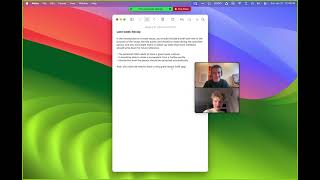
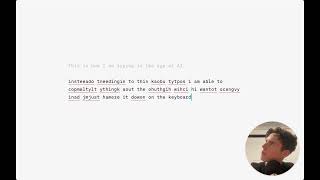
YouTube returned 6 videos for “Fixkey”, and we withheld 4: 4 could not be judged, because “Fixkey” is a single word that other videos use for other things. Showing the 2 we can prove are about Fixkey.
Official links
Tools that pair well with Fixkey
Common stack mates teams adopt alongside Fixkey, with the specific reason each pairing earns its keep.

Typeless for iOS
AI voice keyboard for iOS that cleans up your speech into formatted text as you talk, about 4x faster than typing

Vavus AI
Vavus AI turns speech and text into fluent writing across 200+ languages, with dictation, translating calls, a system keyboard, and a customer-service agent in

Superwhisper
Superwhisper turns your voice into clean, formatted text in any app on macOS, Windows, iOS, and Android.
Featured Head-to-Head Comparisons
Fixkey vs Poke Interaction Co
If you're a macOS power user who needs instant, keyboard-driven text polish across all apps, Fixkey is the no-brainer. But if you want a proactive AI assistant that manages email, calendar, and smart home data from your messaging app, Poke is far more versatile. Choose Fixkey for writing, Poke for managing.
Fixkey vs Letterhead
Fixkey and Letterhead serve entirely different needs. Fixkey is a system-wide writing assistant for individual macOS users who want instant text polishing without leaving their app. Letterhead is a full-blown newsletter OS for teams managing multiple publications, with AI agents, portfolio analytics, and enterprise governance. Buy Fixkey if you are a solo writer needing fast AI text help; choose Letterhead if you run a newsletter operation at scale.
Fixkey vs Gem
Gem and Fixkey solve entirely different problems: Gem is a comprehensive AI-powered recruiting platform for talent teams, while Fixkey is a lightweight macOS writing assistant for individuals. Choose Gem if you need an all-in-one ATS/CRM with AI agents for sourcing, screening, and fraud detection. Choose Fixkey if you want to fix, rewrite, or dictate text instantly in any Mac app with a single shortcut.
Alternatives to Fixkey
View all
Typeless for iOS
AI voice keyboard for iOS that cleans up your speech into formatted text as you talk, about 4x faster than typing

Vavus AI
Vavus AI turns speech and text into fluent writing across 200+ languages, with dictation, translating calls, a system keyboard, and a customer-service agent in

Superwhisper
Superwhisper turns your voice into clean, formatted text in any app on macOS, Windows, iOS, and Android.
Frequently Asked Questions
Categories
Best-of guides
Used Fixkey? Help shape our editorial sentiment research.