
Godot Mcp Pro
MCP server with 187 tools that lets Claude or Cursor drive the Godot 4 editor live over WebSocket.
For $15 one-time with lifetime updates, Godot MCP Pro costs less than a few months of most hosted MCP tooling and reaches ground generic file servers can't: live play-testing, input simulation, runtime inspection, editor selection control. The v1.17.1 release (September 25, 2026) is the reason to look now rather than six months ago — Godot 4.6 and 4.7 support plus nine new tools, and an adversarial-review pass the changelog describes as 98 fixes. The catches are real: you pay the $15 before you can run a single tool, and the whole thing is dead weight if you're not on Godot 4.4+ or don't already use Claude or Cursor. If you tick both boxes, it's a low-risk buy; if you don't, a file-based
Verified 3d ago · liveness 58/100 · cite: rightaichoice.com/tools/godot-mcp-pro
- Godot 4.4+ developers using Claude or Cursor who want editor-level AI control
- Indie teams automating play-testing, input simulation, and stress testing
- Solo devs speeding up 2D or 3D prototyping inside the editor
- Developers auditing signal flow, physics layers, and collision setup across a project
- Developers working in Godot 3 or any pre-4.4 Godot release
- Teams that need multi-user seats, roles, or shared team management
- Users who only need an AI to read and edit plain project files
We scan live Reddit threads, YouTube comments, X posts, G2 reviews and other communities — and hand you an honest verdict in under a minute.
- Honest verdict, not marketing
- Real pros & cons from real users
- Attributed quotes with receipts
3 free scans · no card needed
Skip Godot MCP Pro if your project is on Godot 3, you need shared seats and role management, or you don't already use Claude or Cursor — you'd be paying $15 for tools your AI client can't call.
The $15 purchase buys the plugin only — you still pay separately for your Claude or Cursor subscription, so the real monthly cost is whatever that client charges.
At $15 one-time with lifetime updates, this sits below nearly every hosted MCP or AI coding tool, which typically charge a monthly subscription. It fits solo devs and small indie teams on Godot 4.4+ who already pay for Claude or Cursor. Teams wanting seats, roles, or admin controls will need to look at platforms built around per-seat subscriptions, and will pay accordingly.
In short
Godot Mcp Pro — MCP server with 187 tools that lets Claude or Cursor drive the Godot 4 editor live over WebSocket. Best for Godot 4.4+ developers using Claude or Cursor who want editor-level AI control, Indie teams automating play-testing, input simulation, and stress testing, Solo devs speeding up 2D or 3D prototyping inside the editor. Plans from $15.
What's new in Godot Mcp Pro
Checked 3 days agoAcross the latest 2 updates: 2 feature updates.
Godot 4.6 / 4.7 support, 9 new tools
v1.17.1 adds Godot 4.6/4.7 support and nine tools built on the new engine APIs, including get_unsaved_state, save_all, export_patch_pck, and setup_ik_modifier. Tool count moved from 178 to 187; still $15 one-time.
Editor selection tools + legacy TileMap support
v1.15.0 adds get_editor_selection, select_nodes, and clear_editor_selection so the agent can read and control the Scene-dock selection. Tool count moved from 172 to 175; legacy multi-layer TileMap support added across tilemap_* commands.
What people actually say about Godot Mcp Pro — is it worth it?
We ran a structured research pass across product reviews, community discussions, and post-purchase forum threads to surface the patterns vendors won't publish themselves. Below: the recurring strengths, the hidden costs people mention most, and the cohort that consistently regrets adopting this tool.
1 mentions across 1 source (Hacker News) · researched Jul 3, 2026.
Average across the 1 source that answered — each source counts once, not each post.
- +Real-time bidirectional WebSocket connection, no file polling.
- +169 tools covering scenes, animation, physics, particles, audio.
- +Successfully found and fixed regressions during automated walkthrough.
- +One-time $15 purchase with lifetime updates.
- +Works on Windows, macOS, and Linux.
- −Only one community report available – reliability unproven.
- −No dedicated support channel mentioned on product page.
- −Requires Godot 4.4+; no backward compatibility.
- −Limited integration documentation for non-CLI tools.
- −Potential undiscovered bugs due to sparse user base.
- • No hidden costs identified; single price on itch.io
Viability Score
How well maintained and how widely used is Godot Mcp Pro? Built from what the vendor actually publishes (docs, changelog, tutorials, integrations, pricing), whether the site is live, and how much real users discuss it. How we calculate this
Last calculated: October 2026
How we score →Key Features
- 187 MCP tools across 26 categories for Godot development
- Real-time bidirectional WebSocket link to the Godot editor, no file polling
- Works across Godot 4.4 through 4.7
- Create, open, save, delete, and instance scenes from AI prompts
- Add, delete, rename, duplicate, and reparent nodes with smart type parsing
- Create, read, edit, and syntax-validate GDScript files
- Editor selection control: get_editor_selection, select_nodes, clear_editor_selection
- Simulate keyboard, mouse clicks, mouse moves, InputActions, and multi-event sequences
- Automated play-testing: launch, capture frames, assert node state, run stress tests with random input
- Runtime analysis: inspect the live scene tree and tweak node properties while playing
- Record and replay input sessions inside a running game
- AnimationTree state machines with transitions, blend trees, and condition parameters
- CharacterBody3D, RigidBody, collision shapes, raycasts, and physics layer setup
- GPUParticles2D/3D presets (fire, smoke, rain, snow, sparks) with gradient tuning
- TileMap editing including legacy multi-layer TileMap scenes
About Godot Mcp Pro
Godot MCP Pro is a Model Context Protocol server that connects AI assistants like Claude and Cursor directly to the Godot 4 editor through a WebSocket, so the assistant works on your live project rather than a folder of text files. Install the addon into addons/godot_mcp/, enable it in Project Settings, run npm install && npm run build in the server/ directory, and point your AI client's MCP config at the compiled TypeScript server — the vendor's guides put setup at about five minutes. After that your assistant can create scenes, write and validate GDScript, drive the running game, and inspect runtime state. Scope is the pitch: 187 tools across 26 categories, per v1.17.1 (September 25, 2026). That release added 9 tools built on the engine APIs of Godot 4.6 and 4.7 — get_unsaved_state, save_all, close_script, reload_open_scripts, get_gridmap_info, setup_ik_modifier, set_game_speed, add_virtual_joystick, export_patch_pck — and the server runs on Godot 4.4 through 4.7. Earlier coverage spans project metadata and autoloads, scene creation and instancing, node manipulation, script editing, input simulation, AnimationTree state machines, physics and collision layers, particle presets, signals, and TileMap. v1.15.0 (June 24, 2026) added editor selection tools — get_editor_selection, select_nodes, clear_editor_selection — plus legacy multi-layer TileMap support. Every mutating call supports undo/redo. The automated play-testing loop is where it earns its keep. You can launch a scene, simulate keyboard and mouse input or a multi-event sequence, capture frames, assert node state, and run stress tests with random input, with no test framework to wire up. The v1.17.1 release hardened this further: back-to-back simulate_* calls no longer drop events, and input is never lost, duplicated, or replayed into the next play session. It is built for Godot 4.4+ developers who already pay for an MCP-capable client and want editor-level control rather than generic file manipulation. Against file-based MCP servers that only read and write text, this one reasons about live scene trees, physics, animation, and signals. Windows, macOS, and Linux are supported.
Behind the Verdict
The interesting thing about Godot MCP Pro isn't the tool count — it's the architecture. The plugin starts a WebSocket server inside the Godot editor, the Node.js MCP server bridges to it over stdio, and the vendor explicitly contrasts this with file polling and CLI subprocess spawning. That design choice is what makes the play-testing category possible at all: you can call play_scene, simulate_key, capture_frames, assert_node_state, and run_stress_test against a game that is actually running, not a static representation of one. The published tutorial for that flow is the "walk right for 2 seconds, jump, verify the player reached the platform" example, and it holds together. Strength one is breadth within a single engine rather than across many. 187 tools across 26 categories, with the vendor claiming 16 categories no competitor covers. You get project metadata and autoload management, scene creation and instancing, node manipulation with type parsing, GDScript editing with syntax validation, AnimationTree state machines with transitions and blend parameters, physics bodies and raycasts and collision layers, GPUParticles2D/3D presets (fire, smoke, rain, snow, sparks), signal flow analysis, and TileMap editing including legacy multi-layer scenes. Strength two is safety, which is unusual for this category. All mutating operations support undo/redo, and the v1.14.0 overhaul (May 18, 2026) routed save_scene through the editor API so writes no longer trigger the "modified outside the editor" dialog that could wipe in-memory work. Open scene tabs return a structured conflict instead of being silently overwritten, and execute_editor_script blocks unsafe direct file-write APIs unless explicitly allowed. v1.17.1's patch export never destroys an existing pack. For an AI agent issuing dozens of mutations a minute, that matters more than another ten tools. Strength three is the recent engineering velocity, and it cuts both ways. In the five months between v1.12.0 and v1.17.1, the project shipped Android remote deploy, editor selection tools, Godot 4.6/4.7 support, and a parallel-session port-race fix (sessions now bind-retry across ports 6505–6509 rather than silently failing). Weaknesses. First, the vendor's own numbers disagree: the changelog page header reads "Now 175 tools" on the same site whose homepage and pricing pages say 187 and whose own v1.17.1 entry records the jump from 178 to 187. The 175 in that header is the v1.15.0 figure that was never updated, but a buyer reading the changelog sees two different products. Second, you cannot try before you buy. Third, the setup assumes a real toolchain — a TypeScript build via npm and an MCP client config file. Windows, macOS, and Linux are all covered, but this is not a double-click installer, and the changelog documents bugs like a project name containing a period (#39) that suggest an early-stage codebase still finding edges. Fourth, the editor-closed case is unaddressed in everything published:
Researching Godot Mcp Pro? Get your full AI stack in 60 seconds.
Free, no signup — tell us your goal and get tools matched to your budget & existing stack.
Real-world workflow fit
Concrete scenarios for the personas Godot Mcp Pro actually fits — and what changes day-one when you adopt it.
You install the addon, build the TypeScript server, and add it to your Claude MCP config. You prompt for a Reversi game with an 8x8 board, click-to-place, an AI opponent, and a score display. The assistant calls create_scene, add_node, create_script, and connect_signal against your live editor.
Outcome: A playable board game in a project that started empty, with the scene tree and scripts already in your editor rather than pasted into files.
You ask the assistant to play the game, walk right for two seconds, jump, and verify the player reached the platform. It calls play_scene, simulate_key, capture_frames, and assert_node_state — no test framework configured.
Outcome: A repeatable play-test you can rerun after each change, with frames captured for review and state asserted rather than eyeballed.
You prompt for a 3D scene with terrain, a character using x_bot.fbx with walk/run/jump animations, and a follow camera. The assistant calls add_mesh_instance, setup_lighting, create_animation_tree, setup_physics_body, and setup_camera_3d.
Outcome: A working CharacterBody3D controller with an AnimationTree state machine and a SpringArm3D camera, built and adjusted live in the editor.
Use Cases
- Build a complete 2D board game like Reversi from an empty project in one AI conversation, then play-test it with simulated mouse clicks.
- Create a third-person 3D character controller with Mixamo animations, an AnimationTree state machine, SpringArm3D camera, and terrain via prompts.
- Automate play-testing by launching a scene, simulating keyboard input, capturing frames, and asserting node state — no test framework required.
- Audit and visualize signal flow across a project to find disconnected signals left over from Godot 3 signal syntax.
- Set up CharacterBody2D collision shapes, raycasts, and physics layers grouped by type (player, enemy, environment).
- Generate AnimationTree state machines with transitions, blend trees, and parameter conditions from natural language.
- Add particle effects like fire or rain to a scene with presets, then tune emission shape, velocity curves, and color gradients.
- Inspect and edit legacy multi-layer TileMap scenes through the assistant.
Models Under the Hood
as of 2026-09-23
Limitations
- Requires Godot 4.4 or newer — the current release supports 4.4 through 4.7, so a Godot 3 project gets nothing.
- Setup is not a one-click install: you copy the addon, enable it in Project Settings, compile the TypeScript server with npm install && npm run build, and hand-edit your AI client's MCP config.
- It is editor-level control, so the Godot editor has to be running, and you need an MCP-capable client (Claude or Cursor) that you're already paying for.
- Published setup assumes comfort with Node.js tooling.
- The vendor's tool count is inconsistent in its own materials: the changelog page header still reads "175 tools" while the homepage, pricing page, and release notes say 187, and the v1.17.1 changelog entry records the 178 to 187 jump.
- There is no way to run a tool before paying.
as of 2026-10-04
Verification history
We have re-verified Godot Mcp Pro 9 times since . Each pass re-reads the vendor's own pages and re-checks every listed field against that evidence; passes where nothing had changed are marked as such.
- — re-verified summary, description, our verdict, our analysis, pricing model, pricing tiers, features, integrations, who it suits, who should skip it
- — re-checked, vendor evidence unchanged
- — re-verified summary, description, our verdict, our analysis, pricing model, pricing tiers, features, integrations, who it suits, who should skip it
- — re-verified summary, description, our verdict, our analysis, pricing model, pricing tiers, features, integrations, who it suits, who should skip it
- — re-verified summary, description, our verdict, our analysis, pricing model, pricing tiers, features, integrations, who it suits, who should skip it
- — re-verified summary, description, our verdict, our analysis, pricing model, pricing tiers, features, integrations, who it suits, who should skip it
Showing the 6 most recent of 9 verification passes.
Free to cite with attribution — this page re-verifies continuously.
12-month cost
Project the real annual outlay, including the implied monthly cost when only an annual tier is published.
Vendor list price only. Add-on usage, seat overages, and contract minimums are surfaced under Hidden costs & gotchas.
Plans compared
For each published Godot Mcp Pro tier: who it actually fits, and what it adds vs. the previous tier. Cross-reference the cost calculator above for projected annual outlay.
One-time purchase
$15
Ideal for
Solo Godot 4.4+ developers or small indie teams already paying for Claude or Cursor who want editor-level AI control without a recurring bill.
What this tier adds
Single tier — $15 once, covering all 187 tools across 26 categories, lifetime updates, and undo/redo on every mutating call.
Where the pricing makes sense
The company stage and team size where Godot Mcp Pro's pricing actually pencils out — and where peers do it cheaper.
At $15 one-time with lifetime updates, this sits below nearly every hosted MCP or AI coding tool, which typically charge a monthly subscription. It fits solo devs and small indie teams on Godot 4.4+ who already pay for Claude or Cursor. Teams wanting seats, roles, or admin controls will need to look at platforms built around per-seat subscriptions, and will pay accordingly.
Setup time & first value
How long it actually takes to get something useful out of Godot Mcp Pro — broken out by persona, not the marketing-page minute.
The vendor's own guide says roughly five minutes to first contact: copy addons/godot_mcp/ into your project, enable it in Project Settings, run npm install && npm run build in server/, then add the server to your AI client's MCP config. Budget closer to ten if you're new to Node.js tooling or hand-editing MCP configs. The first real task — building a small 2D game end to end — is pitched at
Switching to or from Godot Mcp Pro
How to bring data in from common predecessors and how to get it back out — written for the switcher, not the buyer.
- →From a file-based MCP server: point your AI client's MCP config at the Godot MCP Pro server instead, then switch from editing .gd files to live editor calls like create_scene and add_node.
- →From manual Godot editor work: install the addon, build the server, then describe the scene you want — the assistant builds it in the editor with undo/redo on every mutation.
- ↗To a file-based MCP server: keep editing scenes and scripts by hand or through file writes, and rebuild any play-test or input-simulation steps yourself since those depend on the live editor link.
- ↗To no AI tooling: your project stays a normal Godot project — the addon lives in addons/godot_mcp/ and can be disabled in Project Settings without touching your scenes or scripts.
Integrations
Resources & Guides
Tutorials & Learning
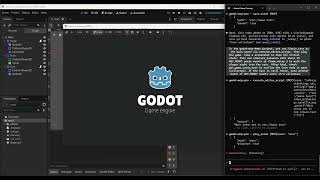
YouTube returned 6 videos for “Godot Mcp Pro”, and we withheld 5: 5 did not mention Godot Mcp Pro. Showing the 1 we can prove is about Godot Mcp Pro.
Official links
Tools that pair well with Godot Mcp Pro
Common stack mates teams adopt alongside Godot Mcp Pro, with the specific reason each pairing earns its keep.

Glade Mcp
Project-aware AI assistant for Unity and Godot that reads your scripts, scenes, and hierarchy, then acts in the editor

Opus
Opus converts text prompts into playable 2D and 3D game worlds, with AI co-pilots and multi-platform export.

agentcad
Open-source MCP server that lets a coding agent write Python CAD scripts, render them, and export STEP, STL, GLB, or OBJ parts.
Featured Head-to-Head Comparisons
Godot Mcp Pro vs Spider Cloud
Spider Cloud and Godot MCP Pro serve completely different markets — the former is a web data extraction API for AI pipelines, the latter is a Godot 4 editor assistant. Choose Spider Cloud if you need real-time crawled data for LLMs or RAG; choose Godot MCP Pro if you are a Godot 4 developer wanting AI to build scenes, scripts, and physics interactively. No direct competition.
Godot Mcp Pro vs Temporal Ai
Pick Temporal AI if you need a robust durable execution engine for AI agents or microservices that can survive crashes and retries; it's proven by companies like OpenAI and Replit. Pick Godot MCP Pro if you're a Godot 4 game developer wanting to speed up prototyping and testing with AI assistance — its one-time $15 price and 169 tools make it a no-brainer for indie devs. They serve completely different use cases, so choose based on your domain.
Godot Mcp Pro vs Voyage Ai
These tools serve entirely different needs. Choose Voyage AI if you're building enterprise RAG pipelines requiring high-accuracy, domain-specific embeddings with long-context support. Choose Godot MCP Pro if you are a Godot 4 developer seeking affordable, one-time AI-assisted game development automation. There is no overlap in use cases.
Alternatives to Godot Mcp Pro
View all


Frequently Asked Questions
Used Godot Mcp Pro? Help shape our editorial sentiment research.