
Google NotebookLM
Source-grounded AI research notebook that turns your documents into cited answers and podcast-style Audio Overviews.
If your research lives in PDFs, lecture notes, and long videos, this does the synthesis work for free and shows its receipts. The grounding is the reason to choose it over a general chatbot, even though it will not answer anything outside your sources. Where it bites: no live web research, no team collaboration, and no API for automation, so agencies and engineering teams will hit walls fast.
Verified 23d ago · liveness 65/100 · cite: rightaichoice.com/tools/google-notebooklm
- Students synthesizing course PDFs and lecture notes into study guides and FAQs
- Researchers cross-referencing findings across dozens of papers in one notebook
- Writers and journalists building cited research outlines before drafting
- Knowledge workers turning a document pile into a briefing with verifiable sources
- Anyone who needs answers from live web search or today's news
- Teams that want shared notebooks and collaborative editing
- Developers who need an API to automate document workflows
We scan live Reddit threads, YouTube comments, X posts, G2 reviews and other communities — and hand you an honest verdict in under a minute.
- Honest verdict, not marketing
- Real pros & cons from real users
- Attributed quotes with receipts
3 free scans · no card needed
Skip Google NotebookLM if you need live web search, team collaboration, or API access—it only works with materials you upload and is strictly free with no paid or enterprise tiers.
The free tier caps the number of notebooks and sources you can create; heavy researchers may hit these limits and have no way to buy more.
NotebookLM is free for everyone with a Google account, making it a zero-cost addition to your research toolbox. For deep, cited research on your own documents, it outclasses free tiers of ChatGPT or Perplexity, which lack source grounding. If you need team collaboration or automation, plan for a paid tool like Notion AI or an enterprise plan of ChatGPT.
In short
Google NotebookLM — Source-grounded AI research notebook that turns your documents into cited answers and podcast-style Audio Overviews. Best for Students synthesizing course PDFs and lecture notes into study guides and FAQs, Researchers cross-referencing findings across dozens of papers in one notebook, Writers and journalists building cited research outlines before drafting. Free to use.
What people actually say about Google NotebookLM — is it worth it?
We ran a structured research pass across product reviews, community discussions, and post-purchase forum threads to surface the patterns vendors won't publish themselves. Below: the recurring strengths, the hidden costs people mention most, and the cohort that consistently regrets adopting this tool.
65 mentions across 3 sources (Hacker News, App Store, Lemmy) · researched Jul 3, 2026.
Average across the 3 sources that answered — each source counts once, not each post.
- +Source-grounded Q&A virtually eliminates hallucination on your documents.
- +Audio Overview turns notes into a polished podcast-like discussion.
- +Automatic citation links make fact-checking fast and trustworthy.
- +Supports multiple upload formats: PDF, Google Docs, web URLs, text.
- +Free to use with just a Google account — no subscription required.
- −No official API forces developers to use unofficial, fragile SDKs.
- −Voice cloning lawsuit could lead to feature removal or legal risk.
- −AI sometimes ignores 'stop' commands, wasting hours of work.
- −Hallucinates rows when extracting complex tables from documents.
- −Audio Overview conversations can feel robotic and too short.
Viability Score
How well maintained and how widely used is Google NotebookLM? Built from what the vendor actually publishes (docs, changelog, tutorials, integrations, pricing), whether the site is live, and how much real users discuss it. How we calculate this
Last calculated: October 2026
How we score →Key Features
- Source-grounded AI chat that cites back to your uploaded documents
- Audio Overview turns sources into a podcast-style two-host discussion
- Upload PDFs, Google Docs, Google Slides, web URLs, YouTube videos, and audio files
- Summarize and cross-reference findings across multiple sources
- Auto-generate study guides, FAQs, and briefing documents
- Suggested questions generated from your source set
- Organize research into separate notebooks
- Runs on the web with an Android mobile app
- Answers restricted to your sources to reduce hallucination
- Data not used for training unless you share feedback
- Powered by Gemini models
- Rebranded from NotebookLM to Gemini Notebook in July 2026 with no functional changes
About Google NotebookLM
Gemini Notebook — the tool formerly known as Google NotebookLM — is a free, source-grounded AI research assistant for people who work through dense material: students, academics, analysts, and writers. You load a notebook with PDFs, Google Docs, Google Slides, web URLs, YouTube videos, or audio files, then ask questions in plain language. Answers come back with automatic citations pointing back to the passages they came from, and the system only draws on the sources you supplied, which is the whole point — you can check every claim rather than trusting a model's memory. The feature people talk about most is Audio Overview, which converts your sources into a podcast-style conversation between two AI hosts. That is genuinely useful for a commute or a workout, but the day-to-day value is quieter: summarizing a stack of papers, cross-referencing where two documents disagree, and generating study guides, FAQs, or briefing documents you can hand to someone else. Suggested questions help when you don't yet know what to ask a new corpus. Notebooks keep your sources organized across projects, and the tool runs on the web plus an Android app. On privacy, Google states your data is not used for training unless you share feedback. In July 2026 the product was rebranded to Gemini Notebook with no functional changes, tying it to Google's wider Gemini ecosystem. Against alternatives: Perplexity and ChatGPT are better when you need answers from the live web or a general-purpose assistant. Gemini Notebook is narrower by design — it reasons over what you gave it and nothing else. That constraint is the selling point, and it is why the free tier is hard to beat for document-heavy research.
Behind the Verdict
Pick Gemini Notebook when the bottleneck is volume of documents, not lack of information. A grad student with forty papers, an analyst handed a folder of PDFs before a Monday briefing, a writer who needs a sourced outline — all of them get real leverage here, at zero cost. I'd steer away if your question requires the open web. This tool answers from your uploads only, so it has no idea what happened this morning. Perplexity covers that ground; a paid ChatGPT plan sits somewhere in the middle. The closest comparison isn't a chatbot at all — it's reading the documents yourself with better notes. The audio overviews are the differentiator: if you commute, they convert dead time into review time, but treat them as a first pass, not a substitute for the sources. Real-world caveats. The citation trail is the trust mechanism, so spot-check it before you quote anything in published work. Notebooks are personal workspaces — if your team needs a shared knowledge base, look elsewhere. Developers wanting to wire this into a pipeline are out of luck without an API, and anyone outside Google's ecosystem will find the Docs and Slides ties convenient only if they already live there. Watch the name change. If a colleague or a tutorial references NotebookLM, that's the same product; only the branding moved to Gemini Notebook. Nothing else about how it works changed, so older guides and videos are still largely accurate.
Researching Google NotebookLM? Get your full AI stack in 60 seconds.
Free, no signup — tell us your goal and get tools matched to your budget & existing stack.
Real-world workflow fit
Concrete scenarios for the personas Google NotebookLM actually fits — and what changes day-one when you adopt it.
Upload lecture slides and a textbook PDF into a notebook, then ask for a chapter summary and generate practice questions.
Outcome: Get a concise, cited overview and a set of review questions to prepare for exams, all grounded in the actual course material.
Load multiple related research papers into a notebook, then ask for a cross-paper literature review.
Outcome: Receive a synthesized review that highlights agreements and conflicts, with inline citations to each paper for verification.
Input meeting transcripts and a requirements document, then ask for a project briefing and key decisions summary.
Outcome: Get a concise brief that captures decisions and action items, with citations to the exact transcript moments, saving manual note consolidation.
Use Cases
- Upload a syllabus and lecture notes to get study guides and practice questions.
- Paste multiple research papers and ask for a literature review with citations.
- Upload a book PDF and generate a summary or chapter-by-chapter breakdown.
- Combine meeting transcripts to create a project briefing document.
- Feed a set of articles and generate an Audio Overview podcast for review.
- Use suggested questions to explore a law case file for key arguments.
- Create a FAQ for a product manual from multiple PDFs.
- Generate a timeline of events from historical documents.
Models Under the Hood
as of 2026-09-08
Limitations
- NotebookLM (now Gemini Notebook) is a source-grounded AI notebook; its responses are based only on uploaded sources, and it cannot access the internet unless a web URL source is provided.
- It is not available in all countries, and the free tier has limits on the number of notebooks and sources.
- Audio Overview generation may take several minutes.
- There is no team collaboration or API access, and the rebrand to Gemini Notebook involved no functional changes.
as of 2026-09-09
Verification history
We have re-verified Google NotebookLM 9 times since . Each pass re-reads the vendor's own pages and re-checks every listed field against that evidence; passes where nothing had changed are marked as such.
- — re-verified summary, description, our verdict, our analysis, pricing model, pricing tiers, features, integrations, who it suits, who should skip it
- — re-verified summary, description, our verdict, our analysis, pricing model, pricing tiers, features, integrations, who it suits, who should skip it
- — re-verified summary, description, our verdict, our analysis, pricing model, pricing tiers, features, integrations, who it suits, who should skip it
- — re-verified summary, description, our verdict, our analysis, pricing model, pricing tiers, features, integrations, who it suits, who should skip it
- — re-verified summary, description, our verdict, our analysis, pricing model, pricing tiers, features, integrations, who it suits, who should skip it
- — re-verified summary, description, our verdict, our analysis, pricing model, pricing tiers, features, integrations, who it suits, who should skip it
Showing the 6 most recent of 9 verification passes.
Free to cite with attribution — this page re-verifies continuously.
12-month cost
Project the real annual outlay, including the implied monthly cost when only an annual tier is published.
Vendor list price only. Add-on usage, seat overages, and contract minimums are surfaced under Hidden costs & gotchas.
Plans compared
For each published Google NotebookLM tier: who it actually fits, and what it adds vs. the previous tier. Cross-reference the cost calculator above for projected annual outlay.
Free
$0/mo
Ideal for
Individual students, researchers, and writers who need source-grounded AI for deep research without a budget.
What this tier adds
Free entry point: no cost, includes all core features—chat with citations, audio overviews, document uploads—with limits on notebooks and sources.
Where the pricing makes sense
The company stage and team size where Google NotebookLM's pricing actually pencils out — and where peers do it cheaper.
NotebookLM is free for everyone with a Google account, making it a zero-cost addition to your research toolbox. For deep, cited research on your own documents, it outclasses free tiers of ChatGPT or Perplexity, which lack source grounding. If you need team collaboration or automation, plan for a paid tool like Notion AI or an enterprise plan of ChatGPT.
Setup time & first value
How long it actually takes to get something useful out of Google NotebookLM — broken out by persona, not the marketing-page minute.
You can set up a notebook in under five minutes: sign in with a Google account, create a notebook, and upload your first source (PDF, Google Doc, URL, or video). You can immediately start asking questions. Audio Overview generation takes several minutes per request.
Switching to or from Google NotebookLM
How to bring data in from common predecessors and how to get it back out — written for the switcher, not the buyer.
- →From Google Drive documents: Since NotebookLM natively syncs with Google Drive, you can add files directly without exporting—just select the file in the source picker.
- →From a folder of local PDFs: Upload each PDF as a source, and the AI will index it for asking questions.
- ↗To ChatGPT or Perplexity: Export your notes or copy the generated summaries and questions into a ChatGPT conversation for broader queries.
- ↗To Notion AI: Manually copy source documents, NotebookLM-generated summaries, and FAQs into your Notion workspace, then use Notion AI to build on them.
- ↗To Google Docs: Directly export any generated content—summaries, FAQs, or briefings—as a Google Doc for sharing and further editing.
Integrations
Resources & Guides
Tutorials & Learning
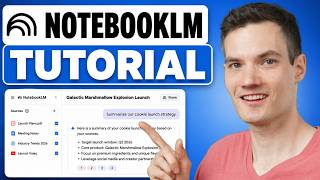
How to Use Google NotebookLM (Full Tutorial)
Kevin Stratvert
![Google Notebook LM Tutorial - [Become A Power User in 15 min]](https://img.youtube.com/vi/UG0DP6nVnrc/mqdefault.jpg)
Google Notebook LM Tutorial - [Become A Power User in 15 min]
Santrel Media
YouTube returned 6 videos for “Google NotebookLM”, and we withheld 4: 4 did not mention Google NotebookLM. Showing the 2 we can prove are about Google NotebookLM.
Official links
Tools that pair well with Google NotebookLM
Common stack mates teams adopt alongside Google NotebookLM, with the specific reason each pairing earns its keep.

Humata AI
Humata AI is a PDF AI that answers questions across your documents with cited links into the exact source section — citations you can trace

PaperBrain
Turn open-access research papers into audio podcasts and ask them questions by chat.
Perplexity
Perplexity is a cited AI answer engine that puts clickable sources on every web search answer.
Featured Head-to-Head Comparisons
Google Notebooklm vs Praktika
Choose Praktika if your primary goal is conversational language fluency with real-time AI feedback; it's unmatched for intermediate learners seeking speaking practice. Choose NotebookLM if you need to analyze, synthesize, and generate insights from your own research or study materials—it's a powerful, free tool for knowledge management, not language learning.
Google Notebooklm vs Surge Ai
Choose NotebookLM if you need a free, source-grounded AI assistant for personal research and study. Choose Surge AI if you are a frontier AI lab or enterprise requiring expert human feedback for RLHF, red teaming, or complex benchmarks—Surge’s recent benchmarks (e.g., Riemann where frontier models score <10%) and Microsoft partnership (MAI-Thinking-1 evaluation) prove its value for cutting-edge AI alignment.
Alternatives to Google NotebookLM
View all
Humata AI
Humata AI is a PDF AI that answers questions across your documents with cited links into the exact source section — citations you can trace

PaperBrain
Turn open-access research papers into audio podcasts and ask them questions by chat.
Perplexity
Perplexity is a cited AI answer engine that puts clickable sources on every web search answer.
Frequently Asked Questions
Best-of guides
Used Google NotebookLM? Help shape our editorial sentiment research.