
Guidde
Guidde turns screen captures of web apps into narrated, translated how-to videos and in-app guidance in minutes.
Guidde is worth shortlisting if your bottleneck is producing software walkthroughs and onboarding videos at volume, not editing them. The step capture plus Magic Mic narration and 50+ language translation does in minutes what a screencast-plus-editing workflow takes hours to do. Broadcast, included from the Business tier at $39 per creator per month on annual billing, is the differentiator Loom and Camtasia do not match: it puts the answer inside Salesforce, SAP, or ServiceNow instead of a video library nobody opens. Pick Camtasia if you need timeline-level control, or Loom if you just want quick screen recordings. The free tier's 25-video cap and web-app-only capture are the real
Verified 47m ago · liveness 51/100 · cite: rightaichoice.com/tools/guidde
- Customer education and customer success teams
- L&D and onboarding teams without video editors
- Support teams building multilingual help centers
- Enterprise software implementation teams (Salesforce, SAP, ServiceNow)
- Advanced video editors who need timeline-based frame control
- Teams running desktop-only or non-web applications
- Organizations with strict data residency requirements beyond standard SaaS regions
We scan live Reddit threads, YouTube comments, X posts, G2 reviews and other communities — and hand you an honest verdict in under a minute.
- Honest verdict, not marketing
- Real pros & cons from real users
- Attributed quotes with receipts
3 free scans · no card needed
Skip Guidde if the software you need to document runs on the desktop rather than in a browser, or if you need frame-level timeline editing, since capture is web-app only and the editor is built for instructional clarity rather than polish.
The free plan stops at 25 how-to videos, so a pilot that looks free starts costing per creator the moment your library grows.
Guidde sits between free screen recorders and enterprise video platforms. Pro at $19 per creator per month on annual billing undercuts a Camtasia license for teams that don't need timeline editing, while Business at $39 per creator per month billed annually is where the value actually is, because Broadcast and analytics arrive there. Compare Loom's per-creator pricing if you only need quick recordings; Guidde's premium is justified only if you use translation and in-app delivery. Per-creator
In short
Guidde — Guidde turns screen captures of web apps into narrated, translated how-to videos and in-app guidance in minutes. Best for Customer education and customer success teams, L&D and onboarding teams without video editors, Support teams building multilingual help centers. Free to start; paid plans from $29/mo.
What people actually say about Guidde — is it worth it?
We ran a structured research pass across product reviews, community discussions, and post-purchase forum threads to surface the patterns vendors won't publish themselves. Below: the recurring strengths, the hidden costs people mention most, and the cohort that consistently regrets adopting this tool.
1 mentions across 1 source (Hacker News) · researched Jul 3, 2026.
Average across the 1 source that answered — each source counts once, not each post.
- +AI narration via Magic Mic saves manual voiceover time.
- +Automatic transcription and subtitles enhance accessibility.
- +Custom branding helps maintain consistent company identity.
- +Team workspaces enable collaborative video creation.
- +Analytics track engagement to measure tutorial effectiveness.
- −No community reviews or real user complaints available.
- −Lack of independent validation for core AI features.
- −Pricing details beyond freemium are unclear.
- −Specific integrations not listed — uncertain compatibility.
- −Magic Mic quality unverified by external users.
- • Pricing details for Pro and Enterprise not publicly listed — may require sales call.
Viability Score
How well maintained and how widely used is Guidde? Built from what the vendor actually publishes (docs, changelog, tutorials, integrations, pricing), whether the site is live, and how much real users discuss it. How we calculate this
Last calculated: October 2026
How we score →Key Features
- Automatic step capture from any web app
- AI voiceover narration with Magic Mic
- Auto-transcription and subtitles
- Auto-translate videos into 50+ languages
- Built-in editor with trim, transitions, and soundtracks
- Export videos as MP4, PPT, or PDF
- Blur sensitive information before sharing
- Public and private link sharing
- Chrome extension for capturing web apps
- Team workspaces for collaborative creation
- Viewer analytics and engagement tracking
- Broadcast for delivering guidance inside apps like Salesforce, SAP, and ServiceNow
- Ask for direct, cited answers from your video library
- Brand kit for consistent branding
- Embeddable player for websites and knowledge bases
About Guidde
Guidde is an AI video documentation platform. You open a web app, click through a workflow once, and Guidde detects each step and builds a step-by-step tutorial from the capture. From there it adds AI narration (Magic Mic), subtitles, and auto-translation, and you can polish the result in a built-in editor with trimming, transitions, soundtracks, and blur for sensitive fields. Finished videos export as MP4, PPT, or PDF, or stay as shareable links and embeds. Beyond recording, Guidde offers Broadcast, which pushes guidance into the apps your team already uses (it publishes dedicated pages for Salesforce, SAP, NetSuite, HubSpot, ServiceNow, Microsoft Dynamics 365, and Workday), and Ask, which returns direct, cited answers from the video library you have already built. Team workspaces and viewer analytics cover collaboration and adoption tracking. It suits customer education, employee onboarding, L&D, support, sales enablement, and enterprise software rollouts. Compared with Loom it adds auto-translation, richer export formats, and in-app delivery; compared with Camtasia or Premiere it is far faster but far less granular for frame-level editing.
Behind the Verdict
Guidde's pitch is narrow and defensible: institutional knowledge lives in people's heads and in tribal clicks, and turning it into video documentation traditionally requires a screencast tool plus an editor plus a translator. Guidde collapses those into capture, auto-generated steps, Magic Mic narration, subtitles, auto-translation, and export to MP4, PPT, or PDF. The built-in editor handles trim, transitions, soundtracks, and blurring of sensitive information, which is enough for instructional content and not enough for anyone who wants frame-level control. The strategic differentiator is delivery rather than production. Broadcast places guidance inside the applications your team already works in, with published pages for Salesforce, SAP, NetSuite, HubSpot, ServiceNow, Microsoft Dynamics 365, and Workday, and Ask returns direct, cited answers from the video library you already built. Those two features are what turn a pile of how-to videos into self-serve support and onboarding infrastructure, and they are why Guidde is included with team collaboration, analytics, and engagement tracking from the Business tier rather than sold separately by most competitors. The honest weaknesses: capture is limited to web applications, which rules out desktop-only software and anything native to a laptop, and the free plan caps at 25 how-to videos so you will hit the ceiling during a real evaluation. Editing is deliberately shallow, so a team with a brand video function will still keep a dedicated editor. And because pricing scales per creator, a large L&D department that wants everyone authoring will find the per-seat math more expensive than a shared Loom workspace, which is worth modelling before you standardize. Used as designed, by customer success, support, L&D, and implementation teams who need multilingual, branded how-to content without video editors, it pays back quickly.
Researching Guidde? Get your full AI stack in 60 seconds.
Free, no signup — tell us your goal and get tools matched to your budget & existing stack.
Real-world workflow fit
Concrete scenarios for the personas Guidde actually fits — and what changes day-one when you adopt it.
You click through a new feature in your own product with the Chrome extension, Guidde detects the steps, and you record a Magic Mic voiceover instead of writing a script.
Outcome: A narrated, subtitled how-to video is embedded in your help center the same afternoon, with translations generated for your three largest non-English markets.
You capture the top five ticket-driving ServiceNow workflows once, then publish them through Broadcast so the guidance appears inside ServiceNow itself.
Outcome: Agents stop filing repeat tickets for known procedures, and analytics show which guides are actually being watched so you can retire the dead ones.
You record role-specific walkthroughs of the internal tools each job family touches and bundle them into a new-hire playbook.
Outcome: Onboarding video production drops from a scheduled editing session to a capture-and-share loop, and new hires get answers from Ask instead of pinging a colleague.
Use Cases
- Record a software walkthrough once and auto-generate a narrated, step-by-step tutorial.
- Create role-based onboarding videos so new hires learn the tools they actually use.
- Produce product demo videos for sales enablement without a video editor.
- Build a self-serve how-to library that deflects repetitive support tickets.
- Document SOPs visually for compliance and change-management programs.
- Deliver in-app guidance inside Salesforce or ServiceNow with Broadcast.
- Translate training content into 50+ languages for global teams.
- Publish troubleshooting videos as embedded MP4, PPT, or PDF in your help center.
Limitations
- Capture is limited to web applications, so desktop-only software and native laptop apps are out of scope.
- The free plan caps you at 25 how-to videos, which a real evaluation will hit quickly.
- Editing is shallow by design: trim, transitions, soundtracks, and blur, but no timeline-based frame control, and there is no real-time simultaneous co-editing of a video.
- Data residency is limited to standard SaaS regions, which rules out organizations with strict in-country requirements.
- Pricing is per creator, so broad authoring across a large L&D department costs more than a shared flat-rate recording tool.
- Published rates: Pro is $29/creator/mo monthly or $19/creator/mo billed annually; Business is $59/creator/mo monthly or $39/creator/mo billed annually; Enterprise is custom-priced.
as of 2026-10-08
Verification history
We have re-verified Guidde 8 times since . Each pass re-reads the vendor's own pages and re-checks every listed field against that evidence; passes where nothing had changed are marked as such.
- — re-checked, vendor evidence unchanged
- — re-verified summary, description, our verdict, our analysis, pricing model, pricing tiers, features, integrations, who it suits, who should skip it
- — re-verified summary, description, our verdict, our analysis, pricing model, pricing tiers, features, integrations, who it suits, who should skip it
- — re-verified summary, description, our verdict, our analysis, pricing model, pricing tiers, features, integrations, who it suits, who should skip it
- — re-checked, vendor evidence unchanged
- — re-checked, vendor evidence unchanged
Showing the 6 most recent of 8 verification passes.
Free to cite with attribution — this page re-verifies continuously.
12-month cost
Project the real annual outlay, including the implied monthly cost when only an annual tier is published.
Vendor list price only. Add-on usage, seat overages, and contract minimums are surfaced under Hidden costs & gotchas.
Plans compared
For each published Guidde tier: who it actually fits, and what it adds vs. the previous tier. Cross-reference the cost calculator above for projected annual outlay.
Free
$0/creator/mo
Ideal for
An individual or a small team trialling Guidde on two or three workflows before committing budget.
What this tier adds
Free entry point: up to 25 how-to videos, works with any web app, voiceover recording, link sharing, and transitions and soundtracks.
Pro
$29/creator/mo monthly or $19/creator/mo billed annually
Ideal for
A solo creator or small team producing customer-facing tutorials that need branding and clean exports.
What this tier adds
Adds unlimited how-to videos, watermark removal, Brand kit, export to MP4, PPT, and PDF, and blurring of sensitive information.
Business
$59/creator/mo monthly or $39/creator/mo billed annually
Ideal for
Customer education, support, and L&D teams that need collaboration, adoption data, and in-app delivery.
What this tier adds
Adds team workspaces and collaboration, viewer analytics and engagement tracking, Broadcast for in-app guidance, and Ask for cited answers from your library.
Enterprise
Custom
Ideal for
Large organizations standardizing knowledge management across departments with security and integration requirements.
What this tier adds
Adds scaled knowledge management, advanced security and SSO, custom integrations, and dedicated support.
Where the pricing makes sense
The company stage and team size where Guidde's pricing actually pencils out — and where peers do it cheaper.
Guidde sits between free screen recorders and enterprise video platforms. Pro at $19 per creator per month on annual billing undercuts a Camtasia license for teams that don't need timeline editing, while Business at $39 per creator per month billed annually is where the value actually is, because Broadcast and analytics arrive there. Compare Loom's per-creator pricing if you only need quick recordings; Guidde's premium is justified only if you use translation and in-app delivery. Per-creator
Setup time & first value
How long it actually takes to get something useful out of Guidde — broken out by persona, not the marketing-page minute.
First value is fast: install the Chrome extension, click through one workflow in a web app, and you have a draft tutorial in a single sitting. Expect under an hour to a shareable narrated video, and an afternoon to a branded, translated version on the Pro tier. Broadcast and Ask require the Business tier and some library-building time before they pay off, so budget a week for in-app delivery to
Switching to or from Guidde
How to bring data in from common predecessors and how to get it back out — written for the switcher, not the buyer.
- →From Loom: re-record key flows with the Chrome extension so Guidde captures discrete steps instead of one continuous clip, then export as MP4 or embed the player in your help center.
- →From Camtasia: keep your polished brand videos as-is and move only the recurring how-to and onboarding content into Guidde, where translation and updates are cheaper.
- →From a text knowledge base: record the walkthroughs behind your top-viewed articles first, since those are the pages where a video demonstrably shortens resolution time.
- →From manual onboarding decks: capture each tool walkthrough individually, then use Brand kit and Broadcast to deliver them inside the applications you onboard people onto.
- ↗To Loom: if you only ever needed quick screen recordings and never used translation, Broadcast, or Ask, a simpler recorder covers the same ground.
- ↗To Camtasia or Premiere: move out when your content is marketing video that needs frame-level control rather than instructional how-to documentation.
- ↗To a static knowledge base: if your audience prefers reading and you are not using in-app delivery, video maintenance costs more than it returns.
Integrations
Resources & Guides
- Resourceguidde.com
How It Works · Guidde
Helpful link from guidde.com
- Resourceguidde.com
Gallery · Guidde
Helpful link from guidde.com
- Resourceguidde.com
Integrations · Guidde
Helpful link from guidde.com
- Resourceguidde.com
Roi Calculator · Guidde
Helpful link from guidde.com
- Resourceguidde.com
Blog · Guidde
Helpful link from guidde.com
Tutorials & Learning
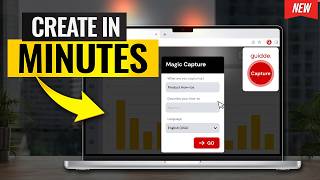
このAIツールは数分でステップバイステップのガイドを作成します - Guidde Tutorial
Howfinity
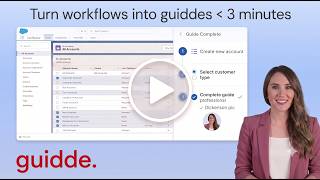
Guidde Product Demo: Instantly Create AI Video Documentation
Guidde
YouTube returned 6 videos for “Guidde”, and we withheld 4: 4 could not be judged, because “Guidde” is a single word that other videos use for other things. Showing the 2 we can prove are about Guidde.
Official links
Tools that pair well with Guidde
Common stack mates teams adopt alongside Guidde, with the specific reason each pairing earns its keep.

Vidocu
Vidocu turns one screen recording, deck, or PDF into a tutorial, SOP, help article, slides, reel, and quiz.

Clueso
Clueso turns raw screen recordings, slide decks and PDFs into polished product demos, training videos and step-by-step SOPs with AI.

Loom
Free AI-powered screen recorder that turns quick video messages into Jira tickets, docs, and async updates.
Featured Head-to-Head Comparisons
Guidde vs Landr Mastering
If you need AI-powered video documentation for customer onboarding or internal tutorials, Guidde is the clear choice with its Magic Mic, auto-translate, and CRM integrations. For musicians and producers seeking fast, affordable AI mastering, LANDR Mastering offers unlimited previews, reference track matching, and a new stem mastering feature — making it the go-to. They serve completely different needs, so pick based on whether you're creating video guides or polishing audio tracks.
Guidde vs Storyfile
Guidde and StoryFile serve entirely different needs: Guidde is a fast, affordable tool for creating screen-recorded video documentation, while StoryFile is a premium conversational AI platform for preserving authentic human interactions. Choose Guidde if you need quick tutorials for onboarding or support; choose StoryFile if you're a museum or family wanting a realistic, interactive digital legacy. There's no direct overlap.
Guidde vs Splice
Choose Splice if you're a music producer seeking a massive royalty-free sample library and rent-to-own premium plugins like Serum 2. Choose Guidde if you need to create professional video documentation or tutorials with AI voiceover and fast sharing — ideal for customer success and support teams.
Alternatives to Guidde
View all


Frequently Asked Questions
Categories
Best-of guides
Used Guidde? Help shape our editorial sentiment research.