
HelpKit AI
HelpKit AI turns your Notion knowledge base into a 24/7 AI support chatbot for +$49/month.
If your docs already live in HelpKit and Notion, $49/month to stand up an assistant with source-cited answers beats spinning up a second content pipeline. The retrieval layer plus the MCP server is the actual product here — the OpenAI model is replaceable and HelpKit says it swaps in newer ones. Skip it if you need human handoff, agent workflows, or a bot that reads anything beyond your Notion pages.
Verified 8h ago · liveness 77/100 · cite: rightaichoice.com/tools/helpkit-ai
- SaaS teams already on HelpKit whose docs live in Notion and want ticket deflection
- Indie makers and small startups after an affordable, brandable AI support agent
- Support orgs that need answers cited back to the exact help article
- Teams that want the same knowledge base available to Claude, ChatGPT, Cursor or Codex via MCP
- Teams whose documentation does not live in Notion or HelpKit
- Buyers who need a standalone chatbot independent of a help center platform
- Support flows requiring human handoff, escalation or agent workflows
We scan live Reddit threads, YouTube comments, X posts, G2 reviews and other communities — and hand you an honest verdict in under a minute.
- Honest verdict, not marketing
- Real pros & cons from real users
- Attributed quotes with receipts
3 free scans · no card needed
Skip HelpKit AI if your docs do not live in Notion and HelpKit already, if you need a standalone chatbot with human handoff, or if your policy forbids passing content to the OpenAI API.
The $49/month is only the add-on: you still pay for a HelpKit subscription underneath it, so budget for both.
At $49/month on top of a HelpKit plan, this fits solo founders, indie makers and small SaaS support teams that would otherwise be comparing against Intercom's Finn or a custom GPT build. Larger teams with multiple knowledge bases, many languages or seats will need HelpKit's custom plan and should price that in, since the add-on does not scale down per seat.
In short
HelpKit AI — HelpKit AI turns your Notion knowledge base into a 24/7 AI support chatbot for +$49/month. Best for SaaS teams already on HelpKit whose docs live in Notion and want ticket deflection, Indie makers and small startups after an affordable, brandable AI support agent, Support orgs that need answers cited back to the exact help article. Plans from $49/mo.
What's new in HelpKit AI
Checked todayAcross the latest 2 updates: 1 feature update and 1 changelog entry.
HelpKit ships Lumen, a rebuilt documentation layout
New doc theme Lumen rebuilt from scratch: tighter reading width, top-nav categories, first-article homepage option, Ask AI moved beside search.
HelpKit adds llms.txt, Markdown export and per-article AI menu
HelpKit goes AI-ready: llms.txt files, Markdown export per page, and an AI context menu to open content in ChatGPT, Claude or Perplexity.
What people actually say about HelpKit AI — is it worth it?
We ran a structured research pass across product reviews, community discussions, and post-purchase forum threads to surface the patterns vendors won't publish themselves. Below: the recurring strengths, the hidden costs people mention most, and the cohort that consistently regrets adopting this tool.
25 mentions across 2 sources (YouTube, Product Hunt) · researched Aug 30, 2026.
Average across the 2 sources that answered — each source counts once, not each post.
- +Easy setup if you already use Notion for help docs.
- +Clickable references build trust by showing sources.
- +Works on web, embeddable widget, and React Native mobile.
- +Customizable chatbot language and behavior to match brand.
- +Insights dashboard tracks queries and satisfaction.
- −Tight Notion dependency; not for non-Notion users.
- −Pricing considered high, especially with 25-article limits.
- −No built-in user tier/content gating for different customers.
- −Complex database views may not be fully supported.
- −Limited independent reviews; mostly launch feedback.
- • Requires an existing HelpKit subscription (base cost)
- • Potential overage costs if just article limits (like $15/mo for 25 articles mentioned in community)
Viability Score
How well maintained and how widely used is HelpKit AI? Built from what the vendor actually publishes (docs, changelog, tutorials, integrations, pricing), whether the site is live, and how much real users discuss it. How we calculate this
Last calculated: October 2026
How we score →Key Features
- AI support chatbot trained on your Notion knowledge base
- Answers drawn only from indexed help articles, with clickable source references
- Runs on the latest OpenAI model series with HelpKit's own retrieval and prompting layer
- Slide-over "Ask AI" panel on the Help Center layout
- AI chat inside the search command bar on the Documentation layout
- Lumen documentation theme (shipped June 2026) with top-nav categories and first-article homepage
- Embeddable AI widget for sites outside the knowledge base
- Mobile SDK for native help centers in React Native apps
- Customizable chatbot language and behavior to match your brand
- Insights 2.0 dashboard showing questions, replies and satisfaction
- Optional email capture before a chat starts
- HelpKit MCP server exposing your knowledge base to Claude, ChatGPT, Cursor and Codex
- Automatic llms.txt and llms-full.txt generation for AI crawlers
- Per-article Markdown export by appending .md to the article URL
- Copy-page menu with open-in-ChatGPT / Claude / Perplexity options
About HelpKit AI
HelpKit AI is a chatbot add-on that turns the Notion docs you already write into a customer-facing AI support agent. Activate it from your HelpKit dashboard and an "Ask AI..." button appears once users start typing in the search bar. Clicking it opens a chatbot that answers strictly from your indexed help articles, with clickable references back to the source pages. Nothing outside your Notion content feeds the answers. It is built for teams already running a HelpKit help center who want deflected tickets without assembling a separate content pipeline. The assistant wears the right shape for your layout. On the Help Center theme it slides over from the right; on the Documentation theme it lives inside the search command bar. HelpKit's June 2026 Lumen layout rebuild carries Ask AI beside search with top-nav categories and an optional first-article homepage, and the experience is tuned for mobile and for the embeddable widget on your own site. Answer generation runs on the latest OpenAI model series paired with HelpKit's own chunking, ranking and prompting layer — the company is explicit that retrieval, not the model, drives accuracy, and it upgrades the model underneath as newer ones ship. Language and behavior are customizable to fit your brand. The operational side is where the add-on earns its keep. Insights 2.0 shows what users ask, how the bot replied, and satisfaction, with optional email capture before a chat starts. HelpKit also ships an MCP server that hands the same knowledge base to Claude, ChatGPT, Cursor or Codex, so your own assistant can search articles, answer from them, and draft the ones you are missing. Recent changelog work added llms.txt and llms-full.txt generation, per-article Markdown export by appending .md to the URL, and a copy-page menu with open-in-ChatGPT / Claude / Perplexity options. Pricing is honest: +$49/month on top of any HelpKit plan, with a 7-day free trial and no credit card. The catch is structural. There is no standalone
Behind the Verdict
The pitch is narrow and that's the point. HelpKit AI does one job: it takes the Notion pages powering your help center and makes them answerable in a chat box. If that's your stack, setup is genuinely minutes — activate the add-on, sync, and an Ask AI button shows up next to search. There's no ingestion pipeline to babysit, because you're already writing the source content. We'd reach for this when support load is dominated by repeat questions your docs already answer, and when nobody on the team wants to own a separate AI vendor. Citation links matter more than people admit: showing the source article turns an AI guess into a verifiable answer, and it routes users back into the docs where the fuller context lives. Where it bites: the assistant is only as good as your Notion hygiene. Stale or thinly written articles produce weak answers, and HelpKit itself avoids claiming 100% accuracy. There is no human handoff, no formal guardrail layer, and no reading of content outside your knowledge base — so anything that needs a person to intervene stays a manual process. The MCP angle is the sleeper feature. The same index feeds Claude, ChatGPT, Cursor or Codex, which means unanswered questions on the customer side become article gaps your own team's assistants can draft against. Pair that with the Insights dashboard and you get a loop: see what users asked, see what the bot missed, fix the doc. Before you commit, check whether your layout supports the experience you want. Help Center gives you the slide-over; Documentation, including the June 2026 Lumen theme, puts the chat in the search bar. Mobile and the embeddable widget are covered, so the assistant travels off-site too. Closest alternatives are Chatbase and Intercom's Finn for a platform-agnostic bot with agent
Researching HelpKit AI? Get your full AI stack in 60 seconds.
Free, no signup — tell us your goal and get tools matched to your budget & existing stack.
Real-world workflow fit
Concrete scenarios for the personas HelpKit AI actually fits — and what changes day-one when you adopt it.
Activates the HelpKit AI add-on from the dashboard, checks the Ask AI button appears next to search, and tries a handful of real support questions before the trial ends.
Outcome: A 7-day no-card trial shows exactly which questions the bot answers well and which articles need rewriting, before any money changes hands.
Uses the slide-over chatbot on the Help Center layout and the search command bar on docs so customers get an answer inside the page they are already reading.
Outcome: Common how-do-I questions get resolved in the help center, and the Insights 2.0 dashboard surfaces the recurring ones worth turning into permanent articles.
Embeds the knowledge base and assistant inside the app with the Mobile SDK rather than sending users to a browser help center.
Outcome: Support content and AI answers live where the app users already are.
Use Cases
- Deflect repeat support questions by letting the AI answer directly from your help articles
- Offer 24/7 self-service on a Notion-powered help center without staffing night shifts
- Embed the same assistant as a widget on your main product or marketing site
- See which questions users ask and where answers fall short, then write the missing articles
- Capture visitor emails before chat so unanswered questions become follow-up leads
- Expose your docs inside Claude, ChatGPT, Cursor or Codex via the MCP server so your team can draft new articles
- Publish llms.txt and Markdown exports so AI crawlers and assistants can read your documentation
- Ship a native help center with the AI assistant inside a React Native mobile app
Models Under the Hood
as of 2026-09-24
Limitations
- HelpKit AI is an add-on that can be added to any HelpKit subscription plan for an extra $49/month.
- Answers are generated from your indexed Notion knowledge base content using OpenAI technology, with clickable references to the source help articles.
- The evidence does not publish context window or rate limits for the chatbot.
- It is available as an add-on with a 7-day free trial.
as of 2026-09-14
Verification history
We have re-verified HelpKit AI 8 times since . Each pass re-reads the vendor's own pages and re-checks every listed field against that evidence; passes where nothing had changed are marked as such.
- — re-verified summary, description, our verdict, our analysis, pricing model, pricing tiers, features, integrations, who it suits, who should skip it
- — re-verified summary, description, our verdict, our analysis, pricing model, pricing tiers, features, integrations, who it suits, who should skip it
- — re-verified summary, description, our verdict, our analysis, pricing model, pricing tiers, features, integrations, who it suits, who should skip it
- — re-verified summary, description, our verdict, our analysis, pricing model, pricing tiers, features, integrations, who it suits, who should skip it
- — re-checked, vendor evidence unchanged
- — re-verified summary, description, our verdict, our analysis, pricing model, pricing tiers, features, integrations, who it suits, who should skip it
Showing the 6 most recent of 8 verification passes.
Free to cite with attribution — this page re-verifies continuously.
12-month cost
Project the real annual outlay, including the implied monthly cost when only an annual tier is published.
Vendor list price only. Add-on usage, seat overages, and contract minimums are surfaced under Hidden costs & gotchas.
Plans compared
For each published HelpKit AI tier: who it actually fits, and what it adds vs. the previous tier. Cross-reference the cost calculator above for projected annual outlay.
HelpKit AI Add-on
+$49/mo
Ideal for
Existing HelpKit customers with docs in Notion who want an AI assistant on their help center for a flat monthly fee
What this tier adds
Starting tier: $49/month on top of any HelpKit plan, includes the chatbot, widget, Insights 2.0 and the MCP server, with a 7-day no-card trial
Where the pricing makes sense
The company stage and team size where HelpKit AI's pricing actually pencils out — and where peers do it cheaper.
At $49/month on top of a HelpKit plan, this fits solo founders, indie makers and small SaaS support teams that would otherwise be comparing against Intercom's Finn or a custom GPT build. Larger teams with multiple knowledge bases, many languages or seats will need HelpKit's custom plan and should price that in, since the add-on does not scale down per seat.
Setup time & first value
How long it actually takes to get something useful out of HelpKit AI — broken out by persona, not the marketing-page minute.
HelpKit advertises going from zero to a functional knowledge base in about an hour, and because the AI add-on indexes the Notion content you already have rather than requiring a separate import, the assistant is usable shortly after activation. Expect the bulk of the time to go on reviewing answers and fixing thin articles, not on configuration; the 7-day trial is enough to get a real read on
Switching to or from HelpKit AI
How to bring data in from common predecessors and how to get it back out — written for the switcher, not the buyer.
- →From Intercom or Zendesk help center: rebuild the articles in Notion, connect the workspace to HelpKit, then activate the AI add-on.
- →From GitBook, Mintlify, Document360 or Docusaurus: recreate the content in Notion and let HelpKit serve it, then switch on HelpKit AI.
- →From a raw Notion public page or Super.so: point HelpKit at the same workspace, publish the knowledge base, and add the AI add-on.
- →From a custom GPT or prompt wrapper: move the source articles into Notion under HelpKit so the bot answers from a maintained knowledge base instead of a pasted prompt.
- ↗To a platform-agnostic support bot (Intercom Finn, Chatbase, custom GPT): export each article as Markdown by appending .md to the URL, then import into the new bot's knowledge store.
- ↗To a full help desk with ticketing: export the HelpKit knowledge base and stand it up in the new platform, then retire the add-on.
Integrations
Resources & Guides
Tutorials & Learning
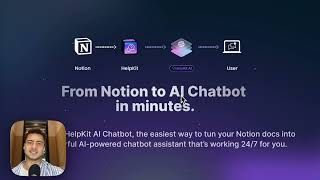
HelpKit AI – Turn your Notion docs into an AI Chatbot
HelpKit – Build Your Knowledge Base with Notion
YouTube returned 6 videos for “HelpKit AI”, and we withheld 5: 5 could not be judged, because “HelpKit AI” is a single word that other videos use for other things. Showing the 1 we can prove is about HelpKit AI.
Official links
Tools that pair well with HelpKit AI
Common stack mates teams adopt alongside HelpKit AI, with the specific reason each pairing earns its keep.

Wonderchat
Wonderchat is an AI support and conversion agent that cites your own docs in every answer and bills flat monthly rates.

Tidio Lyro
Lyro is Tidio's AI customer service agent that resolves questions from your own knowledge base, with a 50% resolution guarantee and pay-per-conversation
Chatbase
Chatbase builds no-code AI agents for customer support, sales, and product questions across chat, email, voice, and WhatsApp.
Featured Head-to-Head Comparisons
Helpkit Ai vs Hi Marley
These tools serve entirely different markets. Choose HelpKit AI if you use Notion for documentation and want a fast, affordable AI chatbot to deflect support tickets — its recent Lumen theme and llms.txt support make it more versatile. Pick Hi Marley if you're a P&C insurer needing SMS-first claims communication and automation to reduce phone tag and cycle times. There is no direct competition; the decision hinges on your industry and workflow.
Helpkit Ai vs B Rokratt
Choose Bürokratt if you live in or e-reside in Estonia and need to navigate government services — it's free and purpose-built. Choose HelpKit AI if you already run a Notion help center and want a smart, low-cost chatbot to deflect support tickets. These tools serve completely different needs: one is public-sector, the other is a SaaS add-on.
Helpkit Ai vs Chatlyn
If you live in Notion and want a cheap, plug-and-play AI chatbot to cut support tickets, go with HelpKit AI. If you're in hospitality and need a full omnichannel inbox plus AI concierge to drive bookings and automate guest comms, Chatlyn is the clear winner. One is a lightweight feature for Notion users; the other is a purpose-built industry platform.
Alternatives to HelpKit AI
View all
Wonderchat
Wonderchat is an AI support and conversion agent that cites your own docs in every answer and bills flat monthly rates.

Tidio Lyro
Lyro is Tidio's AI customer service agent that resolves questions from your own knowledge base, with a 50% resolution guarantee and pay-per-conversation
Frequently Asked Questions
Categories
Best-of guides
Used HelpKit AI? Help shape our editorial sentiment research.