
HiDream O1 Image
Pixel-native AI image generation and natural-language editing with reference-guided consistency in one browser workspace.
HiDream O1 Image is a sensible pick if generation, editing, and reference consistency need to live in one tab and you want the credit math to be obvious: 10 credits per image, 15 per reference image, 100 credits per USD. The $10/mo Basic tier is a low-cost way to test real work against Midjourney or Ideogram, and the yearly option trims Basic to about $8/mo effective. Pass if you need video or 3D, or if you want sampler- and seed-level control, because the sources describe still-image workflows
Verified 3d ago · liveness 69/100 · cite: rightaichoice.com/tools/hidream-o1-image
- Designers who need generation and natural-language editing in a single tab
- Marketing and commerce teams producing product image variants with consistent form and palette
- Character and concept artists holding styling stable across reference-guided prompts
- Creators drafting typography posters and layout concepts where edge and text clarity matter
- Anyone who needs video or 3D generation — the sources describe still-image workflows only
- Teams expecting fine-grained sampler, seed, or node-level parameter control
- Users who need to keep free-tier drafts longer than the storage window without downloading
We scan live Reddit threads, YouTube comments, X posts, G2 reviews and other communities — and hand you an honest verdict in under a minute.
- Honest verdict, not marketing
- Real pros & cons from real users
- Attributed quotes with receipts
3 free scans · no card needed
Skip HiDream O1 Image if you need video or 3D output, or if you require fine-grained sampler/seed control — the sources describe still-image generation and natural-language editing only.
Basic caps you at 10 concurrent tasks and Pro at 20, so heavy parallel workloads push you up to the $50/mo Max tier for unlimited concurrency.
At $10/mo Basic and $20/mo Pro (excl. tax, billed monthly), HiDream O1 Image sits at or below Midjourney's entry plan and well under Adobe Firefly's premium tiers, making it a cheap way to test reference-guided workflows. The $50/mo Max tier only makes sense if you need unlimited concurrent tasks or 7,500 credits/mo. Annual billing cuts the effective rate to about $8/mo on Basic, but that requires prepaying the full year.
In short
HiDream O1 Image — Pixel-native AI image generation and natural-language editing with reference-guided consistency in one browser workspace. Best for Designers who need generation and natural-language editing in a single tab, Marketing and commerce teams producing product image variants with consistent form and palette, Character and concept artists holding styling stable across reference-guided prompts. Free to start; paid plans from $10/mo.
What's new in HiDream O1 Image
Checked 2 days agoAcross the latest 1 update: 1 pricing change.
What people actually say about HiDream O1 Image — is it worth it?
We ran a structured research pass across product reviews, community discussions, and post-purchase forum threads to surface the patterns vendors won't publish themselves. Below: the recurring strengths, the hidden costs people mention most, and the cohort that consistently regrets adopting this tool.
28 mentions across 4 sources (YouTube, Product Hunt, GitHub, Lemmy) · researched Aug 28, 2026.
Average across the 4 sources that answered — each source counts once, not each post.
- +Pixel-native architecture delivers sharp edges and clean textures.
- +Unified workspace supports generation, editing, and reference control.
- +Open-source model allows local deployment and customization.
- +Excellent at style transfer and content removal tasks.
- +Free tier with daily credits is generous for casual users.
- −Grid pattern artifact appears in base model outputs.
- −Editing fails when 'keep_original_aspect' is enabled.
- −Poor performance on noise reduction and contrast adjustments.
- −No turbo (few-step) version yet, slowing generation speed.
- −Limited multi-resolution support compared to competitors.
- • Reference-guided generations cost 15 credits vs 10 for standard, which may add up quickly for heavy users.
- • Pay-as-you-go credits are non-expiring but not included in subscription tiers; extra purchases may be needed.
Viability Score
How well maintained and how widely used is HiDream O1 Image? Built from what the vendor actually publishes (docs, changelog, tutorials, integrations, pricing), whether the site is live, and how much real users discuss it. How we calculate this
Last calculated: October 2026
How we score →Key Features
- Text-to-image generation on a pixel-native DiT architecture (HiDream-O1-Image)
- Natural-language image editing via prompt
- Reference-guided generation that preserves identity, product form, and palette
- Style transfer and object-level changes in one workspace
- Batch Background Removal (Beta) on paid plans
- Aspect ratio presets: square, landscape, portrait
- Guided Prompt Builder with presets and templates
- Prompt Library full access on paid plans
- AI prompt enhancement
- Character library and Face swap workflows
- Generation history for revisiting and comparing outputs
- One-click download workflow
- Credit-based usage: 10 credits per image, 15 per reference image, 100 credits per USD
- Unused credits roll over one extra billing period; failed generations refunded automatically
- Up to 40 free Z Image Turbo images per day on paid plans (10/day Basic, 20/day Pro, 40/day Max)
About HiDream O1 Image
HiDream O1 Image is a browser workspace built around the HiDream-O1-Image model direction, a pixel-native diffusion transformer that handles generation and editing in a single flow rather than making you jump between a generator and an editor. You write a prompt, optionally upload a source or reference image when identity, product form, palette, or composition has to hold across a set, then describe changes in plain language until the output works. The pitch is local detail: cleaner textures, sharper edges, and more readable typography than latent-space tools tend to manage. The workflow stays deliberately shallow. Commons aspect ratios, generation history, a Guided Prompt Builder with presets, Batch Background Removal (beta), and one-click download cover the loop from idea to export. Reference-aware control is the practical draw for commercial work: upload a source image to lock material, palette, or layout across a series. The site groups its sample directions around editorial portraits, luxury product renders, interiors, worldbuilding scenes, character concepts, and typography posters. Pricing is credit-based and legible. Every USD converts to 100 credits, with a standard generation at 10 credits and a reference generation at 15. Paid subscriptions run $10/mo Basic (1,000 + 200 bonus credits), $20/mo Pro (2,000 + 600), and $50/mo Max (5,000 + 2,500), with a yearly option that works out to roughly two months free. A free tier covers starter credits plus up to 40 free Z Image Turbo images per day with no card required. Where this fits: it suits creators who want reference-guided consistency and editing in one tab without paying a Midjourney or Ideogram-scale subscription, and who value a low-cost credit on-ramp. Where it doesn't: still images only, and no fine-grained sampler or node-level controls for the tinkering crowd.
Behind the Verdict
The clearest reason to reach for HiDream O1 Image is reference-guided consistency. When a product form, a character's styling, or a palette has to hold across a whole set, uploading a source image and describing changes in natural language saves the round-trip you'd otherwise spend hopping between a generator and a separate editor. In practice, that single-tab loop is the feature most buyers will actually feel. Pick it when your work is commercial and repeatable: product variants, campaign mockups, character sheets, poster and layout drafts. The credit structure is transparent and the entry price is low enough that testing it against a paid Midjourney plan is a fair experiment. Pass when you need motion. The sources describe still-image workflows only, so anyone chasing video or 3D output is looking in the wrong place. Pass too if you want sampler, seed, or node-level control, since the workspace is intentionally shallow. The closest alternative in the reference-consistency lane is Midjourney with its style and character references, or Ideogram if typography and text-in-image are the priority. HiDream's angle is the combination of pixel-native detail, reference guidance, and built-in editing at a lower monthly carry. A practical caveat on the free tier: it's genuinely usable, but the storage window is short, so treat it as a testing ground rather than a place to park drafts. Paid subscribers get permanent file storage while their subscription is active. On subscriptions, unused credits roll over for one extra billing period, and failed generations are refunded automatically. Those two policies matter more than they sound when you're running batches, because a string of misses doesn't silently eat your balance. Where the value compounds is volume. If you're
Researching HiDream O1 Image? Get your full AI stack in 60 seconds.
Free, no signup — tell us your goal and get tools matched to your budget & existing stack.
Real-world workflow fit
Concrete scenarios for the personas HiDream O1 Image actually fits — and what changes day-one when you adopt it.
You upload a source photo of a hero product, prompt for a scene change (stone pedestal, golden morning light, glass reflections), and run reference-guided generations at 15 credits each to keep the bottle shape and label consistent across a set.
Outcome: A matched set of campaign-ready product renders with consistent form and palette, produced in one workspace without a separate editor.
You type a portrait prompt into the Guided Prompt Builder, pick the portrait aspect ratio, generate at 10 credits, then ask for changes in natural language — softer window light, linen shirt texture — and compare runs in generation history.
Outcome: A magazine-grade portrait with realistic skin texture, iterated in-tab and exported with one click.
You build a character library entry, lock costume and soft sci-fi styling via reference images at 15 credits each, then generate variants across different settings while holding the silhouette stable.
Outcome: A consistent character sheet across scenes, with commercial licensing covered by your paid plan and permanent storage while subscribed.
Use Cases
- Generate photorealistic product shots for e-commerce with consistent brand identity across variants.
- Create editorial portraits with realistic skin texture and lighting for magazines or campaigns.
- Design typographic posters with integrated graphic elements and readable headline text.
- Produce architectural interior visualizations with spatial coherence and natural lighting.
- Develop character concepts with detailed costume, setting, and style consistency.
- Craft cinematic worldbuilding scenes with atmospheric lighting and large-scale composition.
- Run batch background removal (beta) on product catalogs for clean cutouts.
Models Under the Hood
as of 2026-10-17
Limitations
- Usage is credit-based and subscription-driven: paid plans start at $10/mo Basic and $20/mo Pro (excl. tax), with yearly billing discounted to an effective rate from about $8/mo.
- Credits differ by tier (1,000 + 200 on Basic; 2,000 + 600 on Pro), unused credits roll over for only one extra billing period, and files are stored permanently only while the subscription remains active.
- Free daily generation is limited to the rotating Z Image Turbo model (10/day Basic, 20/day Pro per the pricing page).
- Concurrent task limits apply at Basic (up to 10 at once) and Pro (up to 20 at once).
as of 2026-10-07
Verification history
We have re-verified HiDream O1 Image 9 times since . Each pass re-reads the vendor's own pages and re-checks every listed field against that evidence; passes where nothing had changed are marked as such.
- — re-verified summary, description, our verdict, our analysis, pricing model, pricing tiers, features, integrations, who it suits, who should skip it
- — re-verified summary, description, our verdict, our analysis, pricing model, pricing tiers, features, integrations, who it suits, who should skip it
- — re-checked, vendor evidence unchanged
- — re-verified summary, description, our verdict, our analysis, pricing model, pricing tiers, features, integrations, who it suits, who should skip it
- — re-checked, vendor evidence unchanged
- — re-checked, vendor evidence unchanged
Showing the 6 most recent of 9 verification passes.
Free to cite with attribution — this page re-verifies continuously.
12-month cost
Project the real annual outlay, including the implied monthly cost when only an annual tier is published.
Vendor list price only. Add-on usage, seat overages, and contract minimums are surfaced under Hidden costs & gotchas.
Plans compared
For each published HiDream O1 Image tier: who it actually fits, and what it adds vs. the previous tier. Cross-reference the cost calculator above for projected annual outlay.
Free
$0
Ideal for
Solo creators testing pixel-native generation before committing, or anyone producing occasional non-commercial images.
What this tier adds
Starting tier — starter credits plus up to 40 free Z Image Turbo images per day, 15-day asset storage, no commercial license.
Basic
$10/mo
Ideal for
Solo designer or small marketing team producing a modest monthly batch of commercial product or editorial images.
What this tier adds
$10/mo (excl. tax): 1,200 credits/mo (1,000 + 200 bonus), commercial license, permanent storage while subscribed, 10 concurrent tasks, email support.
Pro
$20/mo
Ideal for
Working designer or campaign team running regular reference-guided generations where consistency and turnaround matter.
What this tier adds
Adds 20 concurrent tasks, priority processing, priority support, and 2,600 credits/mo (2,000 + 600 bonus) on top of all Basic features.
Max
$50/mo
Ideal for
High-volume studio or agency that needs unlimited concurrent tasks and the largest monthly credit allowance.
What this tier adds
Adds unlimited concurrent tasks, dedicated support, and 7,500 credits/mo (5,000 + 2,500 bonus) on top of all Pro features.
Enterprise
Custom
Ideal for
Larger teams that need custom credit volumes and a dedicated support relationship rather than a published seat plan.
What this tier adds
Adds custom credit plans and dedicated support on top of all Max features; pricing is arranged with sales.
Where the pricing makes sense
The company stage and team size where HiDream O1 Image's pricing actually pencils out — and where peers do it cheaper.
At $10/mo Basic and $20/mo Pro (excl. tax, billed monthly), HiDream O1 Image sits at or below Midjourney's entry plan and well under Adobe Firefly's premium tiers, making it a cheap way to test reference-guided workflows. The $50/mo Max tier only makes sense if you need unlimited concurrent tasks or 7,500 credits/mo. Annual billing cuts the effective rate to about $8/mo on Basic, but that requires prepaying the full year.
Setup time & first value
How long it actually takes to get something useful out of HiDream O1 Image — broken out by persona, not the marketing-page minute.
Free tier: no signup required for the first generation, so you can be at first output in roughly a minute. Paid Basic/Pro/Max: signup and Stripe checkout plus picking a preset takes about 5 minutes before your first generation. Reference-guided workflows add a few minutes while you upload and tune your source image.
Switching to or from HiDream O1 Image
How to bring data in from common predecessors and how to get it back out — written for the switcher, not the buyer.
- →From Midjourney: bring your existing prompts over and re-run them with aspect-ratio presets, since HiDream O1 Image accepts natural-language prompts without Discord commands.
- →From Adobe Firefly: re-run product shots with uploaded reference images to lock brand form and palette instead of rebuilding via text alone.
- →From Ideogram: move typography poster prompts across and use the Prompt Builder presets to recreate headline layouts.
- ↗To Midjourney: export your best generations and re-use the prompt text, though you'll need a Discord workflow and a separate editor for changes.
- ↗To Ideogram: port typography poster prompts across; you'll lose the reference-guided consistency workflow unless the new tool supports source-image locking.
- ↗To a dedicated editor like Photoshop: download paid-plan assets before cancelling, since free-tier files expire after 15 days and subscription storage ends when your plan lapses.
Resources & Guides
Tutorials & Learning
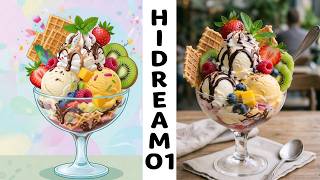
Hidream O1 Image in ComfyUI
WhatOrSomething
HiDream O1 Image ComfyUI Workflow - Native 4K AI Image Generation
Bored Coder

HiDream-O1-Image - 像素级统一 AI 画师 一模型搞定文生图+图像编辑 一键整合包下载
前沿AI技术分享
YouTube returned 6 videos for “HiDream O1 Image”, and we withheld 2: 2 did not mention HiDream O1 Image. Showing the 4 we can prove are about HiDream O1 Image.
Official links
Tools that pair well with HiDream O1 Image
Common stack mates teams adopt alongside HiDream O1 Image, with the specific reason each pairing earns its keep.

Envato Elements
Envato Elements bundles unlimited stock downloads with built-in AI video, image, voice and audio generation under one commercial license.

insMind
insMind plans and generates marketing images and videos in your browser, using current image and video models under one credit balance.

NanaImage
NanaImage (Nana Banana) is a prompt-driven AI image editor built for character consistency in AI influencer and UGC series.
Featured Head-to-Head Comparisons
Hidream O1 Image vs Qoves
HiDream O1 Image and QOVES serve completely different needs. HiDream is a pixel-native image workspace for creators who need precise text-to-image and editing tools, while QOVES is a data-driven facial analysis platform for individuals seeking a non-surgical improvement plan. Your choice hinges on whether you need to generate images or analyze your face.
Hidream O1 Image vs Adobe Firefly Services
For individual creatives seeking a unified pixel-native image workspace with editing and reference guidance, HiDream O1 Image is a compelling freemium choice. For enterprise teams requiring scalable API integration, commercial safety, and regulatory compliance, Adobe Firefly Services is the clear winner despite higher costs.
Hidream O1 Image vs The New Black
Choose HiDream O1 Image if you need a versatile, high-quality image workspace for general creative tasks. Choose The New Black if your focus is exclusively fashion design with production-ready features like tech packs and virtual try-on. HiDream is better for broad use; The New Black is better for niche fashion workflows.
Alternatives to HiDream O1 Image
View all
Envato Elements
Envato Elements bundles unlimited stock downloads with built-in AI video, image, voice and audio generation under one commercial license.

Frequently Asked Questions
Used HiDream O1 Image? Help shape our editorial sentiment research.