
Image Translator
Free browser-based AI image translator that redraws translated text onto your image while keeping the original layout intact.
Image Translator earns its place for the specific job of translating text inside a picture without having to rebuild the picture. Layout preservation plus the Manga Translator's speech-bubble detection and in-painting, and the Product Image Translator's Product Text Protection toggle, are things a plain text translator cannot do — Google Lens will read a menu to you, but it will not hand you back a re-lettered image. The cost of entry is zero and there is no signup, so trying it costs you one upload. Where it stops is anything resembling a pipeline: the evidence shows a single-image drop-or-paste flow, recent tasks live only in your browser for 24 hours, and there is no documented account
Verified 5d ago · liveness 60/100 · cite: rightaichoice.com/tools/image-translator
- Travellers who need menus, signs and receipts translated as images
- Manga, manhua and manhwa readers working through raw pages
- Sellers localising product listing images with brand names intact
- Students and researchers translating text inside scanned pages
- Teams running multi-file localisation batches through a review workflow
- Offline use — the tool runs in a browser and needs a connection
- Users who need a documented API or integration into another system
We scan live Reddit threads, YouTube comments, X posts, G2 reviews and other communities — and hand you an honest verdict in under a minute.
- Honest verdict, not marketing
- Real pros & cons from real users
- Attributed quotes with receipts
3 free scans · no card needed
Skip Image Translator if your job is many images at a time through a review workflow — the documented flow is one drop-or-paste image at a time, with no account layer to hold a batch or a project together.
Recent tasks live in your browser for 24 hours only, so a job spread across two devices or two days loses its history unless you save each download yourself.
The homepage presents Image Translator as a free, no-install, no-signup tool with no watermark, which positions it below paid image-localisation suites that charge per seat or per file. The pricing page was not reached in this pass, so no tier structure is stated here. For an individual translating a handful of images, the cost comparison is essentially free-versus-subscription against paid design and localisation tools.
In short
Image Translator — Free browser-based AI image translator that redraws translated text onto your image while keeping the original layout intact. Best for Travellers who need menus, signs and receipts translated as images, Manga, manhua and manhwa readers working through raw pages, Sellers localising product listing images with brand names intact. Free to use.
What people actually say about Image Translator — is it worth it?
We ran a structured research pass across product reviews, community discussions, and post-purchase forum threads to surface the patterns vendors won't publish themselves. Below: the recurring strengths, the hidden costs people mention most, and the cohort that consistently regrets adopting this tool.
31 mentions across 4 sources (Reddit, Hacker News, YouTube, Lemmy) · researched Jul 2, 2026.
Average across the 4 sources that answered — each source counts once, not each post.
- +Free with no account required for basic use.
- +Context-aware translation preserves image layout and formatting.
- +Supports over 130 languages including CJK and Russian.
- +Simple upload-and-download workflow for quick translations.
- +Maintains text colors and background repairs automatically.
- −No offline mode — requires internet for all operations.
- −Limited to JPG, PNG, and WEBP formats — no PDF support.
- −Advanced features like batch processing are absent.
- −Language support may have gaps for less common languages.
- −Community feedback is sparse, making reliability hard to gauge.
- • Future paid tiers may restrict high-resolution or batch processing.
In users’ own words
“Came across an interesting use case where AI can be used to automatically translate images into multiple languages, which could offer a huge advantage for localization. I tried an initial version using OpenAI’s DALL·E 2 Image Edit API. You can try it out here - [https://ai-image-translator.vercel.app/](https://ai-image-translator.vercel.app/) It’s not perfect! The model is a bit outdated (no new models since…”
“i will not promote I recently developed an image translator for one of my projects, and I'm excited about its potential. It cost me only **$10** to translate over **200,000 pages**, and it is better or quivalent to existing solutions both in quality and price. Now, I'm at a crossroads: **How do I monetize this technology?** * Should I offer it as a service? * License the technology? * Explore partnerships or even…”
“I'm looking for a software that will take a picture like a comic/manga page, translate the text, and replace the text in the image with the translation. Google Translate does this nicely but it's online. It has to be **offline**, and for **desktop**. Windows. I don't mind paying money for it, but it can't be a subscription. One time payment thing. Every single result I find online after more than an hour of…”
Real posts from independent users, linked to the source — not testimonials we collected.
Viability Score
How well maintained and how widely used is Image Translator? Built from what the vendor actually publishes (docs, changelog, tutorials, integrations, pricing), whether the site is live, and how much real users discuss it. How we calculate this
Last calculated: October 2026
How we score →Key Features
- AI OCR text extraction from uploaded images
- Layout preservation when re-drawing translated text onto the image
- Source and target language selection with a long language list (vendor states 130+ languages)
- Upload formats: JPG, JPEG, PNG, WEBP
- 10 MB maximum file size per image
- No account or signup required
- Download translated image watermark-free
- Manga Translator with automatic speech bubble detection
- Text in-painting to cleanly replace lettering inside bubbles
- Product Image Translator with 'Product Text Protection' toggle to keep brand names
- Image Text Remover tool
- Camera translator mode for menus, road signs and billboards
- Handwriting recognition on photographed notes
- Paste image from clipboard with Ctrl/⌘+V
- In-browser recent tasks list, kept for 24 hours
About Image Translator
Image Translator (IMGTrans) is a free web tool that takes an image containing text — a photo of a menu, a manga panel, a scanned invoice, a product listing image — runs deep-learning OCR over it, translates the text into your chosen language, and draws the translated text back onto the image so the layout still looks like the original. It accepts JPG, JPEG, PNG and WEBP files up to 10 MB, supports source and target selection across a long language list (the site's own switcher lists English, Chinese, Japanese, Korean, German, French, Spanish and Vietnamese, and the vendor claims 130+ languages), and needs no account: you drop a file or paste one with Ctrl/⌘+V and download the result watermark-free. Alongside the core translator, the site bundles specialised modes: a Manga Translator that auto-detects speech bubbles and uses text in-painting so the replacement text sits cleanly inside the bubble, a Product Image Translator with a 'Product Text Protection' toggle that keeps brand names and key original wording while localising the rest, an Image Text Remover, a camera-oriented menu/sign translator, and two adjacent utilities, Convert Image to Prompt and Convert Image to CSS. Recent tasks are kept in your browser for 24 hours and the site states images are deleted after processing. It is aimed at one-off and short-run translation work rather than production localisation pipelines.
Behind the Verdict
The interesting part of Image Translator is not the translation — that is commodity. It is the compositing step: OCR the text, erase or inpaint the original glyphs, then set the translated string into roughly the same footprint so the result reads as if the image had always been in your language. That is exactly what breaks on generic translation apps, and it is the reason people hunt for a tool like this at 2am with a Japanese doujinshi page or a Korean skincare label open. The manga path is the most specialised: speech-bubble auto-detection plus text in-painting is a two-stage problem (find the bubble, remove the lettering, re-letter it) and the site exposes it as a named mode rather than making you fight the generic flow. The product path is the second: 'Product Text Protection' is a real editorial decision baked into the tool — keep the brand wordmark, translate the surrounding copy — and that is the difference between a usable Amazon listing image and a mangled one. The daily-life path (menus, road signs, receipts, handwritten notes) is the volume use, and here the value is simply that you get an image back rather than a wall of text in a chat window. The honest weaknesses are about scale and durability, not accuracy claims. Everything the scrape shows is a single-file interaction: drop an image or paste one with Ctrl/⌘+V, then download. There is no documented account, no team workspace, no queue, and no visible sign of a batch job you can leave running. Recent tasks are stored in the browser and expire in 24 hours, so the moment you clear site data or move machines, your history is gone — fine for privacy, poor for a work session spread over two days and two devices. Because the vendor's pricing and developer pages were not reached in this pass, treat anything about subscription tiers, paid plans or an API as unknown rather than absent: the homepage presents the whole offering as free with no install, and that is the only claim we can stand behind. Finally, output quality on dense, low-contrast or heavily stylised text is inherently OCR-bound; expect to re-run on blurry photos, and expect hand-lettered fonts to be the hardest case. Where it fits: travellers, manga/manhua/manhwa readers, students working from scanned pages, and small sellers localising a handful of listing images — anyone whose unit of work is one image at a time. Where it does not: localisation teams with a termbase, a review step and fifty SKUs to push through in a sprint; they need a CAT tool and a translation memory, and IMGTrans will only ever be the quick-and-dirty sidekick for a single stubborn image. If that one-image use case is yours, it is close to free to test and there is no install, no watermark and no signup in the way.
Researching Image Translator? Get your full AI stack in 60 seconds.
Free, no signup — tell us your goal and get tools matched to your budget & existing stack.
Real-world workflow fit
Concrete scenarios for the personas Image Translator actually fits — and what changes day-one when you adopt it.
Photograph the menu, open the page, set source and target language, drop the photo in, and let the OCR detect the dish names and redraw them in the target language over the original layout.
Outcome: A translated menu image they can read on the phone screen, with the dish order and grouping still matching the printed menu, downloaded watermark-free and no account created.
Open the Manga Translator mode, upload a page, let the tool auto-detect the speech bubbles and use text in-painting to replace the original lettering with the translation.
Outcome: A readable page where the translated lines sit inside their original bubbles rather than in a separate text dump, so the reading order and panel flow are not lost.
Upload the listing or size-chart image, switch on Product Text Protection so the brand wordmark stays in its original form, and translate the surrounding copy.
Outcome: A localised listing image where the brand name is untouched and the rest of the text is in the shopper's language, ready to upload without a designer redrawing the layout.
Use Cases
- Photograph a foreign-language restaurant menu and get back an image with the dishes translated in place.
- Translate a raw Japanese manga or manhwa page while keeping the lettering inside its speech bubbles.
- Localise an Amazon or marketplace listing image while leaving your brand name untouched.
- Pull English text out of a scanned document image to move into a word processor.
- Translate a product label photo to understand ingredients in your own language.
- Read road signs, billboards or instruction manuals while travelling by photographing them.
- Strip unwanted text out of an image, then translate what remains.
- Translate a game screenshot or an Instagram post for casual reading.
Limitations
- The interaction documented across the site is one image at a time: you drop a file or paste one with Ctrl/⌘+V and download the result.
- There is no documented account, team space or queue, and recent tasks are held only in your browser for 24 hours, so history does not follow you across devices or survive cleared site data.
- Files are capped at 10 MB and limited to JPG, JPEG, PNG and WEBP.
- No dedicated mobile app, offline mode or public API is described in the material reviewed.
- The docs and developer pages were not reached during this pass, so nothing here should be read as a statement about API availability either way.
- Output quality tracks the OCR input: blurry photos, low-contrast text and hand-lettered fonts are the hardest cases and may need re-runs.
- Whether there is any paid tier is unknown — the pricing page was not reached, and the homepage presents the tool as free, no-install and watermark-free.
as of 2026-10-02
Verification history
We have re-verified Image Translator 8 times since . Each pass re-reads the vendor's own pages and re-checks every listed field against that evidence; passes where nothing had changed are marked as such.
- — re-checked, vendor evidence unchanged
- — re-checked, vendor evidence unchanged
- — re-checked, vendor evidence unchanged
- — re-verified summary, description, our verdict, our analysis, pricing model, pricing tiers, features, integrations, who it suits, who should skip it
- — re-checked, vendor evidence unchanged
- — re-verified summary, description, our verdict, our analysis, pricing model, pricing tiers, features, integrations, who it suits, who should skip it
Showing the 6 most recent of 8 verification passes.
Free to cite with attribution — this page re-verifies continuously.
Where the pricing makes sense
The company stage and team size where Image Translator's pricing actually pencils out — and where peers do it cheaper.
The homepage presents Image Translator as a free, no-install, no-signup tool with no watermark, which positions it below paid image-localisation suites that charge per seat or per file. The pricing page was not reached in this pass, so no tier structure is stated here. For an individual translating a handful of images, the cost comparison is essentially free-versus-subscription against paid design and localisation tools.
Setup time & first value
How long it actually takes to get something useful out of Image Translator — broken out by persona, not the marketing-page minute.
Near-zero for everyone: there is no install and no signup, so from landing on the page to a downloaded translated image is one drag-and-drop or one Ctrl/⌘+V paste plus a language selection. Travellers and students get first value in under a minute. Manga readers may spend an extra minute comparing a bubble-detected result against a re-run. Sellers localising a listing should budget a few minutes
Switching to or from Image Translator
How to bring data in from common predecessors and how to get it back out — written for the switcher, not the buyer.
- →From Google Lens / Google Translate camera mode: photograph the same menu or sign, upload it here instead, and get a re-lettered image back rather than an on-screen text overlay.
- →From a paid design tool used for manual re-lettering: upload the original image and let OCR plus layout preservation place the translated text for you, then touch up only if the font matters.
- →From a general chat assistant that outputs translated text: upload the image here so the translation lands inside the picture instead of in a chat reply you have to paste back yourself.
- ↗To a CAT or localisation platform: move there when you need termbases, translation memory, review steps and multi-file batches rather than one-off image translations.
- ↗To a professional image localisation service: move there when marketplace listing volumes outgrow the single drop-or-paste flow documented here.
Resources & Guides
Tutorials & Learning
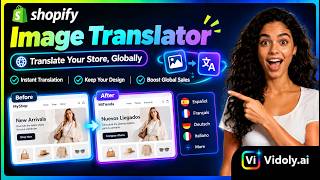
Shopify Image Translator Tutorial 🛍️⚡️ How to Translate Product Pictures & Graphics Automatically 📸🤖
Vidoly AI
How To Install Manga Image Translator GitHub
Noah Explains
YouTube returned 6 videos for “Image Translator”, and we withheld 4: 4 did not mention Image Translator. Showing the 2 we can prove are about Image Translator.
Official links
Tools that pair well with Image Translator
Common stack mates teams adopt alongside Image Translator, with the specific reason each pairing earns its keep.

ImageTranslate.AI
Browser-based AI image translator that rewrites text inside pictures across 130+ languages while keeping fonts, layout, and design intact.

PDF Translator
Free browser-based AI PDF translator that keeps your layout intact, runs OCR on scans, and needs no account.

Microsoft Translator
Microsoft Translator handles real-time text, speech, and image translation across apps, Azure APIs, and Microsoft 365 — with a free monthly API trial.
Featured Head-to-Head Comparisons
Image Translator vs Adobe Firefly Services
If you need to occasionally translate text from images for free, Image Translator is the easy choice. But if you're building enterprise-scale content automation with AI image generation and editing, Adobe Firefly Services is the clear winner—despite its usage costs.
Image Translator vs Qoves
Choose Image Translator if you need a free, no-account tool to extract and translate text from images for travel, manga, or design localization. Choose QOVES if you want a research-backed, personalized non-surgical facial enhancement plan based on detailed AI analysis. They serve completely different needs, so your choice depends entirely on your goal.
Image Translator vs The New Black
Image Translator and The New Black serve completely different needs. For anyone needing to extract and translate text from images for free with 130+ languages, Image Translator is the clear winner. For fashion professionals seeking AI-driven apparel design with production-ready outputs, The New Black's specialized features justify its freemium model. Choose based on your domain: text translation vs fashion design.
Alternatives to Image Translator
View all
ImageTranslate.AI
Browser-based AI image translator that rewrites text inside pictures across 130+ languages while keeping fonts, layout, and design intact.

PDF Translator
Free browser-based AI PDF translator that keeps your layout intact, runs OCR on scans, and needs no account.

Microsoft Translator
Microsoft Translator handles real-time text, speech, and image translation across apps, Azure APIs, and Microsoft 365 — with a free monthly API trial.
Frequently Asked Questions
Best-of guides
Used Image Translator? Help shape our editorial sentiment research.