
Lamatic.ai
Visual agentic AI flow builder with a managed edge runtime, vector store, and GraphQL API for shipping AI agents without running
Lamatic earns a look when your bottleneck is infrastructure, not ideas. The visuals are the surface; the substance is a managed edge runtime with a vector store, memory, retries, failovers, tracing, and a GraphQL entry point, and the docs name a dedicated node for nearly every step of a RAG or multi-agent pipeline. If you're already deep in LangChain or LangGraph, the visual layer is friction — stay put. For a founder or agency trying to get a retrieval chatbot or indexation flow live fast, the
Verified 4h ago · liveness 78/100 · cite: rightaichoice.com/tools/lamatic-ai
- Startup founders who need an AI feature live in weeks without running vector infrastructure
- Agencies shipping RAG chatbots, Slack bots, and indexation flows across multiple clients
- Enterprise teams that need managed AI middleware with on-prem, SLA, and SSO options
- Non-technical builders who prefer drag-and-drop flows over orchestration code
- Teams with a mature code-first stack on LangChain or LangGraph, where the visual layer adds friction
- Anyone who needs to train or fine-tune custom models rather than call hosted ones
- High-volume production apps that have not modeled add-on request costs beyond their tier limit
We scan live Reddit threads, YouTube comments, X posts, G2 reviews and other communities — and hand you an honest verdict in under a minute.
- Honest verdict, not marketing
- Real pros & cons from real users
- Attributed quotes with receipts
3 free scans · no card needed
Skip Lamatic if your team already runs a mature code-first orchestration stack on LangChain or LangGraph and the visual flow layer would be friction rather than leverage.
Going past your tier's monthly request allowance adds $10 per 10,000 extra requests, which bites fast on a production chatbot with steady traffic.
Starter ($0/mo) is a genuinely usable test bed for a solo builder or a two-person founder team validating a RAG idea. Pro at $99/mo is the realistic floor for a production chatbot because 3,000 monthly requests run out quickly, and Team at $149/mo only makes sense once you exceed 3 seats. For heavier orchestration loads, LangGraph on your own infrastructure can be cheaper in software cost but costs you engineering time; no-code peers like Zapier or n8n cost less per month but don't give you a
In short
Lamatic.ai — Visual agentic AI flow builder with a managed edge runtime, vector store, and GraphQL API for shipping AI agents without running. Best for Startup founders who need an AI feature live in weeks without running vector infrastructure, Agencies shipping RAG chatbots, Slack bots, and indexation flows across multiple clients, Enterprise teams that need managed AI middleware with on-prem, SLA, and SSO options. Free to start; paid plans from $99/mo.
What's new in Lamatic.ai
Checked 7 days agoAcross the latest 3 updates: 3 feature updates.
Introducing Lamatic 3
Lamatic 3 reimagines the developer experience with a new Builder interface and enhanced Agent nodes, making it easier to build and deploy reliable AI agents.
AgentKit Templates and GitHub VCS Integration
Added AgentKit templates for quick start and native GitHub integration for version control, allowing teams to manage flows as code.
AI Agent Evaluation Framework
Introduced a framework for reproducible testing and evaluation of AI agents, helping teams validate performance before deployment.
What people actually say about Lamatic.ai — is it worth it?
We ran a structured research pass across product reviews, community discussions, and post-purchase forum threads to surface the patterns vendors won't publish themselves. Below: the recurring strengths, the hidden costs people mention most, and the cohort that consistently regrets adopting this tool.
18 mentions across 3 sources (Hacker News, Product Hunt, Bluesky) · researched Jul 4, 2026.
Average across the 3 sources that answered — each source counts once, not each post.
- +Visual flow builder makes AI agent creation accessible to non-coders.
- +Edge deployment reduces latency for real-time applications.
- +Built-in vector database simplifies RAG implementation without separate setup.
- +Pre-built workflows and templates accelerate prototyping significantly.
- +Free tier offers 3,000 requests/month for low-cost experimentation.
- −Almost no independent community feedback to validate claims.
- −Code-first teams may find visual builder too restrictive.
- −Pricing jumps from free to $99/mo, which may surprise early users.
- −No on-premise deployment option; cloud-only could be a dealbreaker.
- −Lack of detailed technical documentation or benchmarks online.
- • Overages beyond free tier may be expensive if usage spikes
- • Custom domain add-on likely costs extra
- • Enterprise pricing is opaque and requires sales call
Viability Score
How well maintained and how widely used is Lamatic.ai? Built from what the vendor actually publishes (docs, changelog, tutorials, integrations, pricing), whether the site is live, and how much real users discuss it. How we calculate this
Last calculated: October 2026
How we score →Key Features
- Visual node-based flow builder for chaining AI, retrieval, logic, and integration steps
- Agent types: Text Agent, JSON Agent, Multi-Modal Agent, and Supervisor Agent
- Node library including RAG, classifier, MCP, chunking, hybrid search, and vector search nodes
- Managed vector store and memory store for RAG and stateful agents
- Serverless edge deployment with automatic scaling
- Real-time node-by-node request tracing in the logs
- Request caching, retries, and failovers on deployed flows
- Prompt IDE, Code IDE, and GraphQL IDE for testing and debugging
- Vibe Build assistants: code, prompt, test case, and flow assistants
- Native GitHub version control so flows can live as code
- AgentKit templates for quick-start agent builds
- Agent evaluation framework for reproducible pre-deployment testing
- Scheduled jobs for recurring flow executions and data syncs
- GraphQL API, REST API, webhooks, and embeddable Chat/Search/Ask widgets
- SDKs for JavaScript, React, Next.js, Python, and Go, plus CLI and cURL
About Lamatic.ai
Lamatic.ai is AI middleware for teams that want to build agentic apps visually and deploy them without owning the plumbing. You assemble flows in a node-based builder from reusable nodes (AI generation, retrieval, logic, branching, memory, integrations), test them in prompt, code, and GraphQL IDEs, then ship to managed serverless edge infrastructure. It's aimed at startup founders, agencies delivering client automations, and enterprise teams that want a repeatable AI layer instead of one-off scripts. The node library is broad and specific: text, JSON, image, classifier, RAG, supervisor, MCP, multimodal, chunking, hybrid search, keyword search, vector search, memory add/retrieve, and loops, so multi-step reasoning and routing can be drawn rather than coded. A managed vector store handles RAG, memory and context stores keep agent state between runs, and you can swap LLM providers without rebuilding a flow. January 2026's Lamatic 3 release reworked the Builder interface and agent nodes; December 2025 added AgentKit templates plus native GitHub version control; November 2025 shipped an agent evaluation framework for reproducible pre-deployment testing. Integrations cover 100+ models, apps, and data sources, and you can drive a flow from JavaScript, Next.js, Python, Go, GraphQL, cURL, or an MCP client. Paid plans add real-time node-level tracing, logs, dashboards, request caching, retries, and failovers. The free Starter tier (3,000 requests/month, 5 flows, 5 integrations) is a real test bed; Pro at $99/mo lifts you to 100,000 requests and unlimited flows. Where it fits worst: teams already running a mature code-first orchestration stack, or anyone who needs to train custom models. Think of it as a managed alternative to hand-wiring LangChain/LangGraph or stitching n8n and Zapier together — a drawn pipeline with a GraphQL entry point behind it.
Behind the Verdict
We'd reach for Lamatic when a small team needs an AI feature live in weeks and nobody wants to babysit a vector database, a queue, and a retry layer at the same time. The free Starter tier gives you 3,000 requests, five flows, and five integrations — enough to prove a RAG chatbot or Google Drive indexation flow actually works before you pay anything.What separates it from a pure visual canvas is the runtime behind the flows. Real-time node-by-node tracing, request caching, retries, and failovers show up on paid plans, which is usually where hand-rolled orchestration projects start to hurt. Native GitHub version control, added in December 2025, means flows can live as code rather than as clicks trapped in a dashboard.Pricing is the place to do arithmetic before you commit. Pro is $99/mo for 100,000 requests; overage runs $10 per 10,000 extra requests, extra integrations $20 each, and additional records $60 per 10K. A chatty consumer app can blow past a tier fast, so model your volume. Note the odd Team tier ($149/mo) lists 3,000 requests alongside unlimited members — read the feature table carefully rather than assuming it is simply Pro plus seats.Pass if you already run a mature code-first stack on LangChain or LangGraph; the visual layer becomes friction and you'll fight the abstraction. Pass too if you need to train or fine-tune custom models — this calls hosted models rather than training them.The closest alternative depends on your starting point: n8n or Zapier if your automation is mostly glue between SaaS apps, Dify if you want an open-source LLM app builder, and LangGraph if your team is comfortable owning the runtime. Lamatic sits in the middle —
Researching Lamatic.ai? Get your full AI stack in 60 seconds.
Free, no signup — tell us your goal and get tools matched to your budget & existing stack.
Real-world workflow fit
Concrete scenarios for the personas Lamatic.ai actually fits — and what changes day-one when you adopt it.
Index the support docs and help center into the managed vector store, wire a RAG node and a text agent into a flow, drop the Chat widget on the marketing site, and deploy to the edge.
Outcome: A grounded support chatbot answering from your own documentation, with request-by-request tracing in the logs so you can see which queries miss.
Clone the Slack Bot template, point it at each client's Google Drive or S3 bucket for indexation, configure project keys and variables per client, and manage each flow in GitHub so changes are reviewable.
Outcome: A repeatable per-client automation you can hand off, with role-based access so client-facing teammates see only their project.
Build and test the flow in the Studio, deploy it, then call it from a Next.js frontend with the JavaScript SDK's executeFlow, or from a Python service via the GraphQL endpoint.
Outcome: AI features in your own product without running vector infrastructure or rewriting the app around a new orchestration framework.
Use Cases
- Build a customer support chatbot that scrapes your knowledge base and answers via RAG.
- Automate invoice processing by extracting data from emails and Google Drive.
- Deploy a personalized content recommendation engine using user memory and vector search.
- Create a multi-agent system where a supervisor routes customer queries to the right specialist agent.
- Schedule daily reports that summarize database changes and post them via Slack webhook.
- Index a Google Drive, S3 bucket, or website so internal search returns grounded answers.
- Embed an Ask or Search widget on an existing site to add AI answers without a rewrite.
- Call a deployed flow from a Next.js or Python app with a single executeFlow call.
Models Under the Hood
as of 2026-10-18
Limitations
- The Starter plan caps you at 3,000 requests/month, 3 team members, 5 flows, 5 integrations, 1,000 records, 3 days of log history, and 100 daily API requests.
- Pro at $99/mo raises this to 100,000 requests/month, unlimited flows, 10 integrations, 10,000 records, and 30 days of logs, but still limits you to 3 team members.
- Team at $149/mo removes the seat cap.
- The pricing page's comparison table lists Team at 100,000 monthly requests while the Team card text and the plan feature list both say 3,000 — confirm the actual limit with sales before you commit.
- On-prem, compliance, enterprise SLA, multi-tenant enterprise API, and dedicated account support are Enterprise-only.
- The pricing page advertises "Text, Image & Embedding Models (300+)" by count without naming providers on that page; the integrations section only says "100+ Models, Apps, and Data Sources."
as of 2026-10-02
Verification history
We have re-verified Lamatic.ai 9 times since . Each pass re-reads the vendor's own pages and re-checks every listed field against that evidence; passes where nothing had changed are marked as such.
- — re-verified summary, description, our verdict, our analysis, pricing model, pricing tiers, features, integrations, who it suits, who should skip it
- — re-checked, vendor evidence unchanged
- — re-verified summary, description, our verdict, our analysis, pricing model, pricing tiers, features, integrations, who it suits, who should skip it
- — re-verified summary, description, our verdict, our analysis, pricing model, pricing tiers, features, integrations, who it suits, who should skip it
- — re-verified summary, description, our verdict, our analysis, pricing model, pricing tiers, features, integrations, who it suits, who should skip it
- — re-checked, vendor evidence unchanged
Showing the 6 most recent of 9 verification passes.
Free to cite with attribution — this page re-verifies continuously.
12-month cost
Project the real annual outlay, including the implied monthly cost when only an annual tier is published.
Vendor list price only. Add-on usage, seat overages, and contract minimums are surfaced under Hidden costs & gotchas.
Plans compared
For each published Lamatic.ai tier: who it actually fits, and what it adds vs. the previous tier. Cross-reference the cost calculator above for projected annual outlay.
Starter
$0/mo
Ideal for
A solo builder or two-person founder team validating an idea — building and testing a first RAG chatbot or Slack bot before committing budget.
What this tier adds
Free entry point. 3,000 requests/month, 3 team members, 5 flows, 5 integrations, 1,000 records, 3 days of log history, and 100 daily API requests, with community Slack support.
Pro
$99/mo
Ideal for
A small team running a production chatbot or internal automation where 3,000 monthly requests and 3 days of logs are no longer enough.
What this tier adds
Adds 100,000 requests/month, unlimited flows, 10 integrations, 10,000 records, and 30 days of log history over Starter, plus branding removal, guest users, reports, scheduled data syncs, and chat support — still capped at 3 team members.
Team
$149/mo
Ideal for
Agencies and multi-seat teams that have outgrown Pro's 3-member cap and need to add collaborators without moving to Enterprise contracts.
What this tier adds
Everything in Pro plus unlimited team members, collaboration and scaling features, and a 3-uptime guarantee.
Enterprise
Custom
Ideal for
Regulated or larger organizations that need an SLA, security controls, or deployment outside the managed edge network.
What this tier adds
Everything in Pro plus unlimited requests, members, flows, and records; unlimited log history; on-prem; compliance and enterprise SLA; multi-tenant enterprise API; SSO/SAML; project federation; custom models; and a dedicated account manager with Slack.
Where the pricing makes sense
The company stage and team size where Lamatic.ai's pricing actually pencils out — and where peers do it cheaper.
Starter ($0/mo) is a genuinely usable test bed for a solo builder or a two-person founder team validating a RAG idea. Pro at $99/mo is the realistic floor for a production chatbot because 3,000 monthly requests run out quickly, and Team at $149/mo only makes sense once you exceed 3 seats. For heavier orchestration loads, LangGraph on your own infrastructure can be cheaper in software cost but costs you engineering time; no-code peers like Zapier or n8n cost less per month but don't give you a
Setup time & first value
How long it actually takes to get something useful out of Lamatic.ai — broken out by persona, not the marketing-page minute.
The docs quote a quickstart of about 5 minutes from zero to a deployed flow, and templates shorten that further if you start from a working RAG or Slack bot. Realistically, a non-technical builder should budget an afternoon to get a first indexed-and-answering flow live. A developer wiring a deployed flow into an existing Next.js or Python app should plan a day including auth and error handling.
Switching to or from Lamatic.ai
How to bring data in from common predecessors and how to get it back out — written for the switcher, not the buyer.
- →From hand-rolled LangChain scripts: rebuild the chain as nodes in a flow and keep the python orchestration logic inside a Code node where it doesn't map cleanly.
- →From Zapier or n8n automations: recreate the trigger-and-action chain as nodes, then replace the LLM steps with AI generation or agent nodes that hold memory.
- →From a raw vector database plus a chat front end: point the vector store node at your existing data, then add a RAG node and deploy the Chat widget instead of maintaining the UI.
- →From a single-purpose chatbot builder: export your prompt and knowledge base, rebuild as a flow, and add branching or supervisor routing you couldn't do before.
- ↗To LangChain or LangGraph: export flows via the GitHub version control integration, then reimplement each node as chain or graph steps in your own runtime.
- ↗To n8n or Zapier: keep the automation portion by rebuilding the logic and integration nodes natively, and replace AI nodes with those platforms' own AI steps.
- ↗To a self-hosted vector store plus a custom API: connect the SDK to a database of your choice and migrate the contents of the managed vector and memory stores out.
- ↗To a vendor-specific AI assistant product: use the GraphQL API to replay stored inputs against the new system, since Lamatic flows are portable as code via GitHub.
Integrations
Resources & Guides
- Documentationlamatic.ai
Docs · Lamatic.ai
Full product docs from lamatic.ai
- Documentationlamatic.ai
Architecture · Lamatic.ai
Full product docs from lamatic.ai
- Documentationlamatic.ai
Flows · Lamatic.ai
Full product docs from lamatic.ai
- Documentationlamatic.ai
Nodes · Lamatic.ai
Full product docs from lamatic.ai
- Documentationlamatic.ai
Agents · Lamatic.ai
Full product docs from lamatic.ai
- Documentationlamatic.ai
Models · Lamatic.ai
Full product docs from lamatic.ai
- API Referencelamatic.ai
Sdk · Lamatic.ai
Methods, params, types from lamatic.ai
- API Referencelamatic.ai
Api · Lamatic.ai
Methods, params, types from lamatic.ai
- Documentationlamatic.ai
Templates · Lamatic.ai
Full product docs from lamatic.ai
Tutorials & Learning

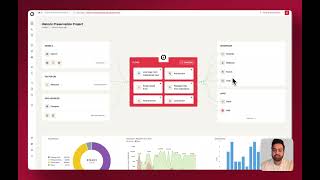
YouTube returned 6 videos for “Lamatic.ai”, and we withheld 4: 4 could not be judged, because “Lamatic.ai” is a single word that other videos use for other things. Showing the 2 we can prove are about Lamatic.ai.
Official links
Tools that pair well with Lamatic.ai
Common stack mates teams adopt alongside Lamatic.ai, with the specific reason each pairing earns its keep.

AutoGen Studio
Free, open-source web UI for prototyping multi-agent AI workflows on AutoGen AgentChat — build agent teams without writing code.

Agent.ai
No-code AI agents for HubSpot and CRM workflows, with a 19-action BuilderPack for HubSpot Agent Builder.

Stack AI
StackAI is an enterprise AI agent factory for building, deploying, and governing agentic workflows.
Featured Head-to-Head Comparisons
Lamatic Ai vs Spider Cloud
If you need to rapidly build and deploy AI agents with a visual builder, serverless infrastructure, and integrated vector database, choose Lamatic. But if your primary need is high-performance web crawling and scraping for feeding data into AI models or RAG pipelines, Spider Cloud's Rust engine, low cost per page, and open-source core make it the clear winner.
Lamatic Ai vs Temporal Ai
Choose Lamatic if you need a visual, low-code platform to quickly prototype and deploy AI apps with built-in vector DB and model integrations—ideal for non-technical builders. Choose Temporal if you require bulletproof durable execution, automatic retries, and SDK-based workflow orchestration for mission-critical AI agents and microservices. Temporal's open-source nature and enterprise adoption (OpenAI, Replit) make it superior for reliability at scale, while Lamatic excels in speed and simplicity for AI application development.
Lamatic Ai vs Presto Voice
Lamatic.ai and Presto Voice are not direct competitors. Lamatic is a general-purpose AI PaaS for building custom agentic workflows, ideal for startups and agencies that need flexible, low-code tooling. Presto Voice is a specialized drive-thru voice AI solution for QSR chains, focused on order accuracy and upselling. Choose Lamatic if you need to build diverse AI applications; choose Presto Voice if you run a drive-thru chain and want proven, high-automation voice ordering.
Alternatives to Lamatic.ai
View all
AutoGen Studio
Free, open-source web UI for prototyping multi-agent AI workflows on AutoGen AgentChat — build agent teams without writing code.


Frequently Asked Questions
Used Lamatic.ai? Help shape our editorial sentiment research.