
Layer AI
Layer is an agentic creative production platform that generates on-brand game art, UA ads, video, and 3D assets while billing by usage
Layer is built for one specific problem: a games or entertainment studio drowning in UA and live-ops creative volume. The agentic brief-to-assets loop, brand Reference Sets, Blueprint pipelines, and $0-per-seat CU billing attack that cost directly. It is a bad fit if nobody on your team will invest the setup time to define styles and workflows — the leverage only shows up after that work.
Verified 2d ago · liveness 80/100 · cite: rightaichoice.com/tools/layer-ai
- Game studios scaling UA creative from dozens to hundreds of assets per cycle
- Growth teams that want brand-adherence QA enforced automatically before human review
- Producers plugging AI into existing Photoshop, Blender, Maya, Unreal, and Unity pipelines
- Entertainment brands producing multi-region live-ops content on a continuous refresh cadence
- Solo creators who only need occasional one-off images
- Teams unwilling to invest setup time in Reference Sets, trained models, or workflow templates
- Anyone wanting a zero-configuration generator with no node, workflow, or Creative Unit concepts
We scan live Reddit threads, YouTube comments, X posts, G2 reviews and other communities — and hand you an honest verdict in under a minute.
- Honest verdict, not marketing
- Real pros & cons from real users
- Attributed quotes with receipts
3 free scans · no card needed
Skip Layer if you want a zero-configuration image generator and have no interest in Reference Sets, node-based Blueprint workflows, or Creative Unit budgeting.
Every generation is billed in Creative Units that vary by model and output size, so a heavy batch week costs more than a light one and the total moves with your habits, not a flat fee.
Layer's pricing scales with output, not headcount — unlimited members at $0 per seat across Small Studio (1-10 people), Mid-Sized Studio (10-25), and Enterprise (25+). That undercuts per-seat creative AI tools where adding five artists adds five licenses. Against standalone model APIs you pay a markup for the agent, Reference Sets, QA scoring, and workflow automation. If you generate a few hundred images a month, a plain model subscription is cheaper; if you generate thousands across a team,
In short
Layer AI — Layer is an agentic creative production platform that generates on-brand game art, UA ads, video, and 3D assets while billing by usage. Best for Game studios scaling UA creative from dozens to hundreds of assets per cycle, Growth teams that want brand-adherence QA enforced automatically before human review, Producers plugging AI into existing Photoshop, Blender, Maya, Unreal, and Unity pipelines. Free to use.
No head-to-head comparison for Layer AI yet — the alternatives below are the closest matches we list.
What's new in Layer AI
Checked todayAcross the latest 5 updates: 2 feature updates, 2 launches and 1 news mention.
Rig a Photoshop file for Spine, tileable textures, and brand Reference Sets
Hand the agent a layered Photoshop file and it builds a skeleton with bones and pivots and animates an idle plus up to three clips for Spine 4.1, 4.2, or 4.3. Also added tileable textures, brand Reference Sets, and a weekly model refresh. Rigging needs at least 200 Creative Units
Layer Plugins are Live
Plugins launched for Photoshop, Premiere Pro, After Effects, Blender, Figma, Slack, and Chrome. Each is free with a Layer account, signs in with the same credentials as the web app, and spends Creative Units the same way.
Lip sync, video editor & Interpolate
Added lip sync from the lightbox via Sync.so, LatentSync, and VEED, an on-canvas video editor, frame interpolation up to 8x with Topaz Apollo/Chronos/Aion, the full Topaz lineup, asset scoring, input guardrails, and a Miro integration.
The New Layer Is Here: Why We Rebuilt Creative Production From the Ground Up
Layer rebuilt as an agent you direct rather than a tool you operate, pivoting the product from manual generation workflows to agentic creative workflow direction.
Introducing Layer MCP: Your Creative Engine, Inside Every AI You Use
Released Layer MCP, letting teams brief campaigns and receive production-ready creative from inside Claude, ChatGPT, or a coding agent without switching tools.
What people actually say about Layer AI — is it worth it?
We ran a structured research pass across product reviews, community discussions, and post-purchase forum threads to surface the patterns vendors won't publish themselves. Below: the recurring strengths, the hidden costs people mention most, and the cohort that consistently regrets adopting this tool.
10 mentions across 5 sources (Hacker News, YouTube, Product Hunt, Stack Overflow, Lemmy), 52 more we could not attribute · researched Oct 11, 2026.
Weighted by the 62 posts each of 5 sources contributed.
- +300+ (docs say 500+) models across image, video, 3D, and audio in one workspace
- +Zero per-seat pricing means unlimited collaborators without multiplying the bill
- +Agentic Creative translates a brief into a researched, model-picked, executable workflow
- +Node-based Blueprint editor lets studios standardize repeatable pipelines across teams
- +Pipeline integrations with Photoshop, Blender, Maya, Figma, Premiere, and After Effects
- −Community proof of satisfaction is thin — most 'Layer AI' posts are thin or off-topic
- −Game dev buyers openly pledge 'no AI art' — reputational cost on every shipped asset
- −Affordability is the top single user complaint among solo devs and small studios
- −April 2026 copyright-strike story shows real IP risk in voiceover and music workflows
- −No recent product-specific reviews to validate the current agentic release
- • Per-generation CU consumption across premium models (Veo, Kling, Seedance) adds up fast
- • Cost scales with team output, not headcount — a spike month can spike the bill
- • Users openly cite affordability as the barrier to adoption
Viability Score
How well maintained and how widely used is Layer AI? Built from what the vendor actually publishes (docs, changelog, tutorials, integrations, pricing), whether the site is live, and how much real users discuss it. How we calculate this
Last calculated: October 2026
How we score →Key Features
- Agentic Creative agent researches, ideates, picks models, and builds workflows from a brief
- 300+ models across image, video, 3D, and audio in one workspace
- Image generation with FLUX, QWEN, SDXL, or your own trained models
- Prompt-based image editing that keeps assets on-style
- Full-length video with Veo 3.1, Seedance, Kling, and Wan on a prompt-by-prompt timeline
- Image animation from one keyframe into a hook, loop, or story beat
- 3D model generation with T/A poses, PBR textures, and engine export
- Image-to-3D conversion from concept art or a photo into a textured mesh
- Audio generation for sound effects and character VO via ElevenLabs
- Generate character VO and narration in the voices and languages you need
- Build playable HTML games and ads from a brief and project assets
- Trending UA creatives broken down by structure and ready to remix
- Text-to-Spine rigging: agent builds bones and pivots plus an idle and up to three clips
- Tileable texture and seamless material generation
- Brand Reference Sets for reusable characters, backgrounds, objects, and styles
About Layer AI
Layer is an agentic creative production workspace for game studios, entertainment brands, and the agencies that serve them. Instead of operating a dozen generators one tab at a time, you hand the Agentic Creative agent a brief: it researches, ideates, picks models, builds a workflow, and generates the assets. Teams that ship user acquisition ads, live-ops content, in-game art, and 3D props at volume are the intended audience — this is production infrastructure, not a hobby image generator. The catalog is broad. Layer's models page lists 300+ models across image, video, 3D, and audio, covering FLUX, QWEN, and SDXL for 2D, Veo 3.1, Seedance, Kling, and Wan for full-length video on a prompt-by-prompt timeline, and ElevenLabs for sound effects and character VO. You can also train on your own art style, characters, and animation starting from 40+ pre-built models. What separates Layer from a generation tool is the harness around it. Reference Sets hold reusable libraries of characters, backgrounds, objects, and styles so output matches your brand visually. Skills are plain-language instructions your team writes once and the agent follows in every chat. The node-based Blueprint editor turns repeatable pipelines into team-wide standards, batch runs push one prompt across an entire asset set, and QA scoring grades every generation for brand adherence against rules you set once. Access goes well beyond the web app: MCP lets Claude, ChatGPT, or a coding agent drive Layer directly, plus a CLI, an Agent Skills pack for Claude Code, Cursor, and Codex, and a REST API. Connectors to AppLovin, Meta, Google, TikTok, and Drive feed real performance data back to the agent. Pricing is usage-based in Creative Units with unlimited members at $0 per seat. Compared with per-seat creative suites like Adobe Firefly or Canva Teams, Layer trades polish and hand-holding for volume, brand control, and output-based billing.
Behind the Verdict
Layer makes most sense when creative volume, not creative talent, is your bottleneck. A UA team pushing hundreds of ad variants per cycle, a live-ops calendar that refreshes every week, or a studio generating 3D props and icons alongside marketing art all map cleanly onto what the agent and the Blueprint editor do. Pick Layer if you already have brand rules worth enforcing. Reference Sets, trained models, Skills, and QA scoring only pay off once someone writes those rules down. Studios with an art director who can codify a style guide will get the most out of it; teams expecting magic from an empty project will not. The plugins are the quiet win. Since September 2026, Photoshop, Premiere Pro, After Effects, Blender, Figma, Slack, and Chrome all run Layer inside the apps artists already open every day. That matters because it avoids forcing a full pipeline migration just to test the tool. We'd start a pilot in Photoshop or Blender before committing a whole team. Where it bites: this is a workflow product, not a prompt box. If you want a zero-configuration image generator, the node editor, Reference Sets, and Creative Unit math will feel like overhead. Commercial license, SSO, and roles matter for studios but add nothing to a solo creator's day. Compared with per-seat AI creative suites, Layer's unlimited-member, output-based pricing is the real differentiator, and the MCP and API path makes it scriptable in a way most design tools are not. Among game-focused AI pipelines, the agentic brief-to-batch loop is the closest thing to a production harness rather than a collection of models. Concrete caveat: the changelog ships fast. New capabilities land monthly, which is good for capability but means your internal documentation will drift. Budget time to re-test workflows
Researching Layer AI? Get your full AI stack in 60 seconds.
Free, no signup — tell us your goal and get tools matched to your budget & existing stack.
Real-world workflow fit
Concrete scenarios for the personas Layer AI actually fits — and what changes day-one when you adopt it.
You need 300 ad variants across 12 markets for a puzzle game launch. You write the brief in the Layer agent, attach the Reference Set holding your approved characters and logo, and ask it to build a workflow that generates hooks, cuts vertical and square versions, and scores each against brand rules.
Outcome: You get a scored, sorted asset set to hand to media buyers in days instead of weeks, and the same Blueprint workflow runs again next launch without rebuilding it.
You keep working in Photoshop and Blender, install the free plugins, and use Layer for the parts your team does not want to do by hand: tileable textures, prop retextures, and concept-to-3D conversion for engine import.
Outcome: AI generation lands in the tools your artists already use, with no pipeline migration and no new seat licenses to budget.
You set up a batch run that pushes one prompt across an entire event's asset set, then reuse Reference Sets for each region's characters and clone approved voices for localized VO.
Outcome: Regional live-ops drops ship on schedule without adding headcount, and QA scoring catches off-brand generations before they reach review.
Use Cases
- Generate 200-500 UA ad variants across 10+ markets in days.
- Produce daily live-ops content for multi-region game events.
- Create hundreds of in-game assets consistent with your brand style.
- Rapidly prototype 10-20 concept variations for a new game.
- Automate thumbnail, decal, and texture generation for Roblox UGC.
- Generate marketing banners, trailers, and social visuals for a game launch.
- Produce sound effects, character voiceovers, and lip-synced video via ElevenLabs, Sync.so, LatentSync, and VEED.
- Brief campaigns from inside Claude, ChatGPT, or a coding agent via Layer MCP.
Models Under the Hood
as of 2026-10-16
Limitations
- Layer relies heavily on third-party models for image (FLUX, QWEN, SDXL), video (Veo 3.1, Seedance, Kling, Wan), audio (ElevenLabs), and 3D generation, so output quality and availability depend on those external services rather than Layer alone.
- Costs are billed by usage rather than a flat subscription.
- Capability is spread across an agent, MCP, a CLI, a node-based workflow editor, and batch runs, which is a lot of surface to learn.
- Trends is still in beta, and available models differ across pages (for example 40+ pre-built models cited on the features pages versus 300+ in the profile).
as of 2026-10-09
Verification history
We have re-verified Layer AI 21 times since . Each pass re-reads the vendor's own pages and re-checks every listed field against that evidence; passes where nothing had changed are marked as such.
- — re-verified summary, description, our verdict, our analysis, pricing model, pricing tiers, features, integrations, who it suits, who should skip it
- — re-verified summary, description, our verdict, our analysis, pricing model, pricing tiers, features, integrations, who it suits, who should skip it
- — re-verified summary, description, our verdict, our analysis, pricing model, pricing tiers, features, integrations, who it suits, who should skip it
- — re-verified summary, description, our verdict, our analysis, pricing model, pricing tiers, features, integrations, who it suits, who should skip it
- — re-verified summary, description, our verdict, our analysis, pricing model, pricing tiers, features, integrations, who it suits, who should skip it
- — re-checked, vendor evidence unchanged
Showing the 6 most recent of 21 verification passes.
Free to cite with attribution — this page re-verifies continuously.
12-month cost
Project the real annual outlay, including the implied monthly cost when only an annual tier is published.
Vendor list price only. Add-on usage, seat overages, and contract minimums are surfaced under Hidden costs & gotchas.
Plans compared
For each published Layer AI tier: who it actually fits, and what it adds vs. the previous tier. Cross-reference the cost calculator above for projected annual outlay.
Small Studio
Usage-based from $0/mo
Ideal for
Individual creators and small teams of 1-10 people who generate on a modest, bursty basis and want the full model catalog without a seat license.
What this tier adds
Starting tier: full access to all image, 3D, video, and audio models with unlimited members at $0 per seat, billed in Creative Units.
Mid-Sized Studio
Usage-based from $0/mo
Ideal for
Growing studios with 10-25 people who need the same capabilities as Small Studio plus multiple workspaces, user roles, and self-serve volume discounts.
What this tier adds
Adds user roles across workspaces and self-serve volume discounts; no feature gates separate it from Small Studio.
Enterprise
Custom
Ideal for
Studios of 25+ people running high-volume production across multiple cost centers, with procurement, compliance, and audit requirements.
What this tier adds
Adds SOC 2 Type II compliance, advanced SSO (SAML, Google, OIDC, Microsoft, Okta, Active Directory), billing groups across cost centers, custom data retention, annual plans with volume discounts, and dedicated support with an SLA.
Where the pricing makes sense
The company stage and team size where Layer AI's pricing actually pencils out — and where peers do it cheaper.
Layer's pricing scales with output, not headcount — unlimited members at $0 per seat across Small Studio (1-10 people), Mid-Sized Studio (10-25), and Enterprise (25+). That undercuts per-seat creative AI tools where adding five artists adds five licenses. Against standalone model APIs you pay a markup for the agent, Reference Sets, QA scoring, and workflow automation. If you generate a few hundred images a month, a plain model subscription is cheaper; if you generate thousands across a team,
Setup time & first value
How long it actually takes to get something useful out of Layer AI — broken out by persona, not the marketing-page minute.
Individual creators can generate a first image or video within minutes of signing up — the agent takes a plain-language brief with no configuration. A studio that wants the real payoff needs longer: building Reference Sets for characters, backgrounds, styles, and voices, training a custom style model, and encoding your brand rules for QA scoring is typically a multi-week setup before batch runs
Switching to or from Layer AI
How to bring data in from common predecessors and how to get it back out — written for the switcher, not the buyer.
- →From Midjourney: Move approved styles and characters into Reference Sets, then retrain a custom model on your existing art so generations match your game's look.
- →From Adobe Firefly: Keep Photoshop and After Effects in place via the free plugins and route high-volume generation through Layer's agent and batch runs.
- →From isolated model APIs: Replace per-endpoint integrations with Layer's single REST API and SDK covering image, video, 3D, and audio models.
- →From manual Blender/Maya texturing: Upload concept art and photos for image-to-3D conversion, then export textured meshes back into your engine.
- ↗To a standalone image model: No migration path needed if you only use Layer for stills — cancel and switch, but you lose Reference Sets, QA scoring, and Blueprint workflows.
- ↗To per-seat creative AI tools: Expect to rebuild custom style training and workflow templates from scratch, and to start paying per artist rather than per generation.
- ↗To an in-house pipeline: Use Layer's REST API and SDK to export generated assets and workflow logic, though Blueprint node graphs do not transfer as portable definitions.
Integrations
Resources & Guides
- Documentationlayer.ai
Docs · Layer AI
Full product docs from layer.ai
- Quickstartlayer.ai
Quickstart · Layer AI
Get up and running fast from layer.ai
- Documentationlayer.ai
Authentication · Layer AI
Full product docs from layer.ai
- API Referencelayer.ai
Cli · Layer AI
Methods, params, types from layer.ai
- API Referencelayer.ai
Sdk · Layer AI
Methods, params, types from layer.ai
- Documentationlayer.ai
Mcp · Layer AI
Full product docs from layer.ai
- Resourcelayer.ai
Changelog · Layer AI
Helpful link from layer.ai
- Resourcelayer.ai
Blog · Layer AI
Helpful link from layer.ai
Tutorials & Learning

大規模なゲームアセット生成のための AI ワークフロー | Layer.ai ワークフローチュートリアル パート 1
Layer
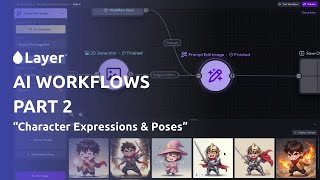
Layer.ai で初めての AI ワークフローを構築する | ワークフローチュートリアル パート 2
Layer
YouTube returned 6 videos for “Layer AI”, and we withheld 4: 4 could not be judged, because “Layer AI” is a single word that other videos use for other things. Showing the 2 we can prove are about Layer AI.
Official links
Tools that pair well with Layer AI
Common stack mates teams adopt alongside Layer AI, with the specific reason each pairing earns its keep.

Lalaland.ai
Enterprise AI fashion models for Browzwear's 3D design ecosystem — 3D assets in, on-brand product imagery out.
Blockade Labs
Text-to-skybox generator: type a prompt, get a 360° equirectangular panorama for games and VR.

Adobe Firefly Services
Adobe Firefly Services APIs let enterprises generate and edit images programmatically at scale, with licensed training data.
Alternatives to Layer AI
View all
Lalaland.ai
Enterprise AI fashion models for Browzwear's 3D design ecosystem — 3D assets in, on-brand product imagery out.
Blockade Labs
Text-to-skybox generator: type a prompt, get a 360° equirectangular panorama for games and VR.

Adobe Firefly Services
Adobe Firefly Services APIs let enterprises generate and edit images programmatically at scale, with licensed training data.
Frequently Asked Questions
Categories
Used Layer AI? Help shape our editorial sentiment research.