
Looking Glass Blocks
Looking Glass Blocks turns a 2D image into an embeddable hologram using built-in AI depth conversion — no 3D software required.
Pick Looking Glass Blocks if you want one job done with almost no ceremony: still image in, shareable hologram out. The upload-to-depth-map flow plus one-line HTML embed is the shortest path from a 2D file to something you can put in front of an audience, and it's the main reason to choose it over a general 3D toolchain like Blender or a hosted viewer like Sketchfab. Skip it if your workflow needs video input, OBJ/GLTF import, or hand-tuned depth maps — none of those appear on the vendor's homepage. Treat it as a fast publishing layer for stills, not a 3D production tool.
Verified 2d ago · liveness 55/100 · cite: rightaichoice.com/tools/looking-glass-blocks
- 3D creators wanting fast 2D-to-hologram conversion
- Photographers adding depth to stills
- Web developers embedding holograms with one line of HTML
- Hobbyists new to holography
- Anyone needing video-to-hologram conversion
- Workflows requiring OBJ or GLTF 3D model import
- Creators who need manual, hand-tuned depth map editing
We scan live Reddit threads, YouTube comments, X posts, G2 reviews and other communities — and hand you an honest verdict in under a minute.
- Honest verdict, not marketing
- Real pros & cons from real users
- Attributed quotes with receipts
3 free scans · no card needed
Skip Looking Glass Blocks if your content moves — it takes still JPEG and PNG images only, with no documented video input, OBJ/GLTF model import, or manual depth-map editing to art-direct the result.
Looking Glass Blocks's pricing fits teams whose volume aligns with the published tiers. Compare against the alternatives listed below for stage-specific value.
In short
Looking Glass Blocks — Looking Glass Blocks turns a 2D image into an embeddable hologram using built-in AI depth conversion — no 3D software required. Best for 3D creators wanting fast 2D-to-hologram conversion, Photographers adding depth to stills, Web developers embedding holograms with one line of HTML. Free to use.
What people actually say about Looking Glass Blocks — is it worth it?
We scanned public community sources for Looking Glass Blocks on Jul 3, 2026 and could not establish that the discussion we found is about this tool rather than something else sharing its name. Our own analysis of that scan says the posts were off-subject. Rather than publish a sentiment score built on the wrong subject, we publish nothing here and re-run the scan.
Viability Score
How well maintained and how widely used is Looking Glass Blocks? Built from what the vendor actually publishes (docs, changelog, tutorials, integrations, pricing), whether the site is live, and how much real users discuss it. How we calculate this
Last calculated: October 2026
How we score →Key Features
- AI depth conversion from a 2D image to a hologram
- Automatic depth map generation within seconds of upload
- Accepts JPEG and PNG image uploads
- One-line HTML embed for any webpage
- Cast holograms directly to Looking Glass displays
- View holograms on any device without a Looking Glass display
- Share holograms via link across the internet
- No lighting or texture adjustments needed — output matches the source
- Community feed of holograms from other creators
- Web-based creator flow: upload, convert, share
- Resources section on the vendor site
- Accounts with sign up and log in
- Connect to Looking Glass device pairing
About Looking Glass Blocks
Looking Glass Blocks is a browser-based platform that converts a single 2D image — JPEG or PNG — into a shareable hologram. You upload an image, and Blocks runs a built-in AI conversion that generates a detailed depth map within seconds. The vendor's own homepage states you don't adjust lighting or texture, so what you see is what you get. The finished hologram can be viewed on any device without a Looking Glass display, cast directly to Looking Glass displays you own, and embedded anywhere on the web with a single line of HTML. The homepage also surfaces a community feed of holograms from other creators and a Resources section. It's aimed at 3D creators, artists, photographers, and web developers who want depth in their work without touching Blender, Unity, or depth-map tooling. The vendor frames it as "the first holographic sharing platform built for 3D creators." What it is not: a video-to-hologram pipeline, a 3D model importer for OBJ or GLTF, or a manual depth-editing suite — the only conversion input documented on the homepage is a still image.
Behind the Verdict
Looking Glass Blocks does one thing and does it in a way that removes most of the friction from the 2D-to-hologram path. The core loop is: upload a JPEG or PNG, Blocks generates a detailed depth map within seconds, and you get a hologram you can view in a browser, cast to a Looking Glass display, or embed with a single line of HTML. That last part is the real differentiator — the vendor's homepage pitches "a single line of code" to embed anywhere on the web, including galleries and the metaverse. For a photographer or digital painter who wants depth in a portfolio without opening Blender, that is a much shorter path than exporting a GLTF and wiring up a WebGL viewer yourself. The price of that simplicity is control. The homepage states plainly that no adjustments to lighting or texture are needed — "what you see is what you get." There is no documented manual depth-map editing, no re-roll, no per-region depth brush. You get what the automatic conversion produces. That is fine for stills with obvious subject separation (a portrait, a product shot, an architectural render) and less fine when the depth cue you want is an artistic choice rather than a physical one. Inputs are limited to JPEG and PNG. The homepage documents no video path and no OBJ or GLTF importer, so this does not replace a 3D pipeline — it sits after one, or alongside a camera. The homepage is also clear that sharing runs through a link, an HTML embed, or casting to Looking Glass hardware; there is no documented offline export format you own. One honest gap: no underlying depth model is named anywhere on the pages we reviewed, so the quality of the conversion can't be benchmarked against a known model — you're evaluating the output, not the engine. And we could not reach the vendor's pricing, docs, or integrations pages on this run, so we make no claims about cost, tiers, API availability, or what Blocks connects to. Where it fits: creators publishing stills who want the depth effect without the 3D toolchain. Where it doesn't: anyone who needs animation, imported models, or art-directed depth.
Researching Looking Glass Blocks? Get your full AI stack in 60 seconds.
Free, no signup — tell us your goal and get tools matched to your budget & existing stack.
Real-world workflow fit
Concrete scenarios for the personas Looking Glass Blocks actually fits — and what changes day-one when you adopt it.
You pick a portrait from a recent shoot, upload the full-resolution JPEG to Blocks, and let the built-in AI conversion generate the depth map within seconds. You take the one-line HTML snippet and paste it into your portfolio site next to the flat version of the same shot.
Outcome: A depth-readable version of a photo you already own, live on your own site, without opening Blender or a depth-estimation script.
The client supplies a product still. You sign in, upload the PNG, and drop the single line of embed code into the product page template. You cast the same hologram to the studio's Looking Glass display for the client review meeting.
Outcome: A shipped hologram embed plus a hardware demo off one uploaded file, with no 3D asset pipeline in between.
You convert a 2D digital painting into a hologram, share it via link to your social channels, and post it to the Blocks community feed where other creators browse holograms.
Outcome: One painting reaches both your own audience and the Blocks community, with no Looking Glass display required to view it.
Use Cases
- Turn a portrait photo into a volumetric hologram for an interactive portfolio
- Embed a product hologram on an e-commerce page so shoppers see the depth
- Convert a 2D digital painting into a holographic art piece
- Drop a single line of HTML into a blog post or gallery page to add a hologram
- Showcase architectural renders as viewable holograms on a client site
- Cast a finished hologram to a Looking Glass display at a show or studio
- Publish a depth-enhanced still to the Blocks community feed for other creators to discover
Models Under the Hood
as of 2026-10-17
Limitations
- Blocks converts static 2D images only — JPEG and PNG are the documented input formats on the homepage, and there is no stated support for video or for importing OBJ/GLTF 3D models, so it can't serve as a route for animated or fully modelled content.
- Depth is generated automatically, with no documented manual depth-map editing for creators who want to art-direct the result — the vendor says no lighting or texture adjustments are needed, which also means no adjustments are offered.
- Sharing is via a link, a one-line HTML embed, or casting to a Looking Glass display, so viewing depends on either a browser or the hardware.
- No underlying AI depth model is named on the pages we reviewed, so the quality of the depth conversion can't be evaluated against a known model.
as of 2026-10-09
Verification history
We have re-verified Looking Glass Blocks 10 times since . Each pass re-reads the vendor's own pages and re-checks every listed field against that evidence; passes where nothing had changed are marked as such.
- — re-checked, vendor evidence unchanged
- — re-checked, vendor evidence unchanged
- — re-checked, vendor evidence unchanged
- — re-checked, vendor evidence unchanged
- — re-checked, vendor evidence unchanged
- — re-checked, vendor evidence unchanged
Showing the 6 most recent of 10 verification passes.
Free to cite with attribution — this page re-verifies continuously.
Where the pricing makes sense
The company stage and team size where Looking Glass Blocks's pricing actually pencils out — and where peers do it cheaper.
Looking Glass Blocks's pricing fits teams whose volume aligns with the published tiers. Compare against the alternatives listed below for stage-specific value.
Setup time & first value
How long it actually takes to get something useful out of Looking Glass Blocks — broken out by persona, not the marketing-page minute.
Photographers and artists: minutes — sign in, upload a JPEG or PNG, and the depth map generates in seconds. Web developers: the same minutes plus the time to paste one line of HTML into your page template. There is no documented manual depth step to schedule, so first value arrives on the first upload.
Switching to or from Looking Glass Blocks
How to bring data in from common predecessors and how to get it back out — written for the switcher, not the buyer.
- →From a Blender depth-map workflow: upload the source still to Blocks and let the built-in conversion produce the depth map instead of hand-building one.
- →From a flat image on a portfolio page: replace the static <img> with the one-line Blocks embed so the same file reads as a hologram.
- →From Sketchfab or another hosted 3D viewer: for still-image subjects, use Blocks to skip the model-export step and go straight from 2D file to embeddable hologram.
- ↗To a full 3D pipeline (Blender, Unity): export the source still and rebuild the depth and geometry manually when you need animation or modelled content.
- ↗To a generic web image host: keep the source JPEG or PNG and drop the hologram embed if you no longer need depth on the page.
- ↗To a Looking Glass display workflow without the web layer: cast the finished hologram to your own display rather than embedding it.
Resources & Guides
Tutorials & Learning
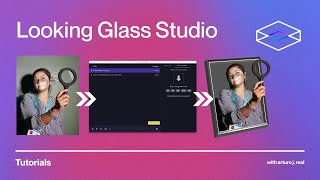
Making 3D Holograms From 2D Images with Looking Glass Studio
Looking Glass

In just seconds, you can turn any of your 2D photos into lively holograms with Looking Glass Blocks!
Looking Glass

Introducing: Image to Hologram on Blocks
Looking Glass
YouTube returned 6 videos for “Looking Glass Blocks”, and we withheld 2: 2 did not mention Looking Glass Blocks. Showing the 4 we can prove are about Looking Glass Blocks.
Official links
Tools that pair well with Looking Glass Blocks
Common stack mates teams adopt alongside Looking Glass Blocks, with the specific reason each pairing earns its keep.

Sloyd
Sloyd turns text prompts and images into game-ready 3D models with unlimited generations on a flat subscription.

Foyr Neo
Browser-based interior design software that turns a floor plan into photorealistic 4K renders and 3D walkthroughs in three steps

mnml AI
mnml AI turns sketches, photos and SketchUp, Revit or Rhino views into photoreal architectural renders.
Featured Head-to-Head Comparisons
Looking Glass Blocks vs Polycam
Polycam wins for professionals needing precise 3D scanning, floor plans, and multi-format exports. Looking Glass Blocks is a niche tool for quickly turning 2D images into holograms for casual sharing, but lacks 3D scanning, video, or export capabilities. Choose Polycam if you need measurable accuracy and file interoperability; choose Blocks only if your sole goal is creating embeddable holographic art from photos.
Looking Glass Blocks vs Adobe Firefly Services
These tools serve completely different needs. Looking Glass Blocks is a free, easy-to-use platform for converting 2D images into holograms, ideal for individual creators and hobbyists. Adobe Firefly Services is a comprehensive enterprise API suite for generative image creation and editing, suited for teams requiring scalable, compliant, and integrated content production. Choose Blocks for holographic novelty; choose Firefly Services for serious automation at scale.
Looking Glass Blocks vs The New Black
These tools serve completely different purposes: Looking Glass Blocks is for creating interactive holograms from 2D images, ideal for 3D artists and developers, while The New Black specializes in AI-generated fashion designs with tech pack exports for apparel brands. Choose Blocks if you want to add depth to images and share holographic content; choose The New Black if you are a fashion label needing rapid design iteration and production-ready assets.
Alternatives to Looking Glass Blocks
View all


Frequently Asked Questions
Categories
Used Looking Glass Blocks? Help shape our editorial sentiment research.