
Sloyd
Sloyd turns text prompts and images into game-ready 3D models with unlimited generations on a flat subscription.
If your bottleneck is per-generation credits, Sloyd is the pragmatic pick — unlimited text and image to 3D on Plus for $12.50/mo billed yearly ($15 monthly) is hard to beat at volume. The parametric templates also give you geometry you can actually steer, which pure prompt tools can't. Pro at $41.67/mo yearly ($50 monthly) only earns its keep once you need 350 credits, five parallel generations, unlimited custom art styles, and the priority queue.
Verified 6h ago · liveness 81/100 · cite: rightaichoice.com/tools/sloyd
- Game developers who need fast placeholder and production props without per-generation credit costs
- Roblox creators building custom rigged avatars with separate parts and AI texturing
- 3D printing hobbyists who want manifold meshes, a printability check, and multicolor filament mapping
- Indie and tabletop designers iterating on minis, props, and props at print scale
- Teams assembling large open-world scenes that need heavy manual layout beyond the scene editor
- Anyone needing photorealistic, high-detail organic characters straight out of the box
- Production animation workflows that require hand-keyed rigs with no manual cleanup
We scan live Reddit threads, YouTube comments, X posts, G2 reviews and other communities — and hand you an honest verdict in under a minute.
- Honest verdict, not marketing
- Real pros & cons from real users
- Attributed quotes with receipts
3 free scans · no card needed
Skip Sloyd if you need to assemble full scenes and environments rather than individual assets, or if your pipeline requires photorealistic organic detail straight out of the generator with no manual cleanup.
Advanced modes are not covered by the unlimited headline — split to parts and multi-image to 3D cost 20 credits each, while image to scene, text to animation and video to animation cost 30 each, so a heavy month can
Sloyd Plus at $12.50/mo billed yearly ($15/mo monthly) undercuts credit-metered generators like Meshy and Tripo for anyone producing dozens of assets a month, because text and image to 3D are unlimited. Pro at $41.67/mo billed yearly ($50/mo monthly) is priced for studios that need 350 credits, 5 parallel generations, unlimited custom art styles, priority queue and marketplace reselling. Enterprise AI-training and redistribution questions route to hello@sloyd.ai.
In short
Sloyd — Sloyd turns text prompts and images into game-ready 3D models with unlimited generations on a flat subscription. Best for Game developers who need fast placeholder and production props without per-generation credit costs, Roblox creators building custom rigged avatars with separate parts and AI texturing, 3D printing hobbyists who want manifold meshes, a printability check, and multicolor filament mapping. Free to start; paid plans from $12.5/mo.
No head-to-head comparison for Sloyd yet — the alternatives below are the closest matches we list.
What's new in Sloyd
Checked 7 days agoAcross the latest 5 updates: 5 news mentions.
Best AI 3D Model Generator 2026: Pricing Compared
Compares per-generation versus subscription pricing for AI 3D generators with cost-at-volume tables, highlighting Sloyd for value at volume.
Best AI 3D Model Generator 2026: Performance & Price
Compares top AI 3D generators on blind ELO battles and speed versus price, with Sloyd shown as value at volume.
Best AI 3D Model Generator 2026: ELO Arena Rankings
Blind ELO arena battles rank AI 3D model generators, list category winners, and compare Sloyd to Tripo and Meshy.
Best Blockade Labs Skybox AI Alternatives (2026)
Compares Sloyd to Blockade Labs and Poly for AI skybox generation, covering styles, exports, and pricing.
Managing 3D Asset Access for Teams
Covers role-based access, centralized asset libraries, and audits to prevent version chaos and protect 3D IP.
What people actually say about Sloyd — is it worth it?
We scanned public community sources for Sloyd on Oct 10, 2026 and could not establish that the discussion we found is about this tool rather than something else sharing its name. Only 2 of the posts we fetched could be positively tied to Sloyd. Rather than publish a sentiment score built on the wrong subject, we publish nothing here and re-run the scan.
Viability Score
How well maintained and how widely used is Sloyd? Built from what the vendor actually publishes (docs, changelog, tutorials, integrations, pricing), whether the site is live, and how much real users discuss it. How we calculate this
Last calculated: October 2026
How we score →Key Features
- Text-to-3D generation from natural language prompts
- Image-to-3D generation from a photo, sketch, or render
- Multi-image to 3D generation
- Image to Scene generation from a reference
- Parametric 3D template library with slider controls
- 3D scene editor with AI scene agent
- AI auto-rigging with automatic skeleton fitting
- AI text-to-animation and video-to-animation
- AI retexturing and 4K texture editing
- AI skybox generator with 360° equirectangular panoramas
- AI sprite sheet generator with transparent PNG frames
- AI video generator with sound, exporting MP4 up to 2K
- AI audio generator for sound effects and text-to-speech voice-over
- Printability check with watertight meshes and multicolor filament-slot mapping
- Custom AI art style training and presets
About Sloyd
Sloyd is a browser-based AI 3D model generator for game developers, Roblox creators, and 3D printing hobbyists who'd rather iterate than count credits. Type a prompt or upload a photo, sketch, or render, and it returns a textured, exportable mesh in seconds. Paid plans advertise unlimited text-to-3D and image-to-3D, so the loop from idea to variant stays open. Only the heavier jobs — multi-image to 3D, image to scene, video-to-animation, split-to-parts, and 500K-tri "ultra" generations — draw on a monthly credit pool (50 on Plus, 350 on Pro). What separates it from pure prompt-to-mesh tools is a library of handcrafted parametric templates with slider control over shape and proportions, plus a template editor and 3D scene editor with an AI scene agent for composing layouts. Around generation, Sloyd bundles AI auto-rigging and text or video-to-animation, AI retexturing with 4K texture editing, topology control with target polygon counts, an AI skybox generator for 360° equirectangular panoramas, an AI sprite sheet generator, AI image apps, and custom art-style training. Exports land in GLB, OBJ, FBX, and STL, with plugins for Unity, Unreal, and Blender and compatibility with Godot, Roblox Studio, and print slicers. The 3D Print preset keeps meshes watertight and solid, reports holes and non-manifold edges before you slice, and maps colors to multicolor filament slots. Guest accounts export community models only; Plus and Pro lift exports and add a commercial license. Positioning: against Meshy and Tripo, Sloyd competes on subscription economics at volume and on parametric control rather than on being the outright quality leader. The API is a separate product on prepaid credits, not part of a web plan.
Behind the Verdict
Most AI 3D tools sell credits, and that shapes how you use them — you hoard prompts, you accept the second-best mesh, you stop at good enough. Sloyd's pitch is to remove that hesitation. On Plus and Pro, text-to-3D and image-to-3D are advertised as unlimited under fair use, which changes the workflow more than any single quality bump would. Where it genuinely earns a place in a pipeline is the template library. Sliders on proportions and shape mean you can hit a spec — a chair that has to fit a specific footprint, a prop that must match a style guide — instead of rerolling a prompt and hoping. In practice that's the difference between a toy and a tool for production work. The surrounding bundle is unusually wide for the price: rigging and animation, retexturing with 4K edits, skyboxes, sprite sheets, plus a scene editor with an AI agent. If you're a solo dev or small Roblox team shipping a lot of assets, that consolidation saves real subscription money. Where it bites: the credits are still there for the jobs that matter most at scale — multi-image to 3D, image to scene, video-to-animation, ultra 500K-tri output. Fifty credits on Plus goes quickly if video-to-motion is central to your work, and that's the upgrade trigger to Pro. Quality on organic, high-detail characters won't match the top of the blind ELO leaderboards, and you should expect cleanup before a hero asset ships. Teams doing heavy open-world layout or hand-keyed animation will still live in their DCC tool. Pick Sloyd when volume and steerable geometry matter more than peak fidelity, or when 3D printing is part of the job — the printability check and filament-slot mapping are not afterthoughts. Pass if you need API automation bundled into a web subscription; that's a separate prepaid product. Compared
Researching Sloyd? Get your full AI stack in 60 seconds.
Free, no signup — tell us your goal and get tools matched to your budget & existing stack.
Real-world workflow fit
Concrete scenarios for the personas Sloyd actually fits — and what changes day-one when you adopt it.
You need 40 placeholder props for a vertical slice. You start with text-to-3D prompts to block out shapes, then switch to parametric templates for the items where consistent proportions matter, and apply a single custom art style so the set reads as one world.
Outcome: A style-consistent asset library in days, with exports going straight into Unity via the plugin and no per-prompt credit anxiety along the way.
You open the Roblox avatar creator, pick a base model, customize it with AI, and let one-click auto-rigging handle the skeleton so the avatar drops into Roblox Studio with separate parts intact.
Outcome: A rigged, fully separated avatar you can sell or wear, without hand-building the rig or manually splitting the mesh.
You generate a model from a reference photo, keep manifold geometry and use the material estimator to sanity-check the print, then export to your slicer.
Outcome: Printable geometry on the first or second attempt instead of editing a broken mesh in a DCC tool.
Use Cases
- Game developers rapidly prototyping assets for Roblox, Unity, or Unreal Engine
- 3D printing enthusiasts creating printable models with manifold geometry and a material estimator
- Indie developers iterating on character concepts with unlimited text and image to 3D generations
- E-commerce teams generating 3D product previews from reference images
- Animation studios needing style-consistent 3D assets with one-click auto-rigging
- Tabletop RPG fans crafting custom maps, props, and miniatures
- Roblox creators building rigged avatars with separate parts and custom styles
- Developers embedding 3D generation into a product through the separate Sloyd API
Models Under the Hood
as of 2026-10-16
Limitations
- Sloyd's Guest tier limits users to 1 AI 3D generation per day with exports restricted to community models, while unlimited generations require a paid Plus or Pro subscription.
- Advanced modes — video/text-to-motion, multi-image to 3D, split to parts, image-to-scene, and 500K-poly ultra generations — consume monthly AI credits (50 on Plus, 350 on Pro).
- Sloyd explicitly does not disclose which external models or providers it uses, combining its own technology with third-party models behind a single subscription.
as of 2026-10-01
Verification history
We have re-verified Sloyd 21 times since . Each pass re-reads the vendor's own pages and re-checks every listed field against that evidence; passes where nothing had changed are marked as such.
- — re-verified summary, description, our verdict, our analysis, pricing model, pricing tiers, features, integrations, who it suits, who should skip it
- — re-verified summary, description, our verdict, our analysis, pricing model, pricing tiers, features, integrations, who it suits, who should skip it
- — re-verified summary, description, our verdict, our analysis, pricing model, pricing tiers, features, integrations, who it suits, who should skip it
- — re-verified summary, description, our verdict, our analysis, pricing model, pricing tiers, features, integrations, who it suits, who should skip it
- — re-verified summary, description, our verdict, our analysis, pricing model, pricing tiers, features, integrations, who it suits, who should skip it
- — re-checked, vendor evidence unchanged
Showing the 6 most recent of 21 verification passes.
Free to cite with attribution — this page re-verifies continuously.
12-month cost
Project the real annual outlay, including the implied monthly cost when only an annual tier is published.
Vendor list price only. Add-on usage, seat overages, and contract minimums are surfaced under Hidden costs & gotchas.
Plans compared
For each published Sloyd tier: who it actually fits, and what it adds vs. the previous tier. Cross-reference the cost calculator above for projected annual outlay.
Guest
$0/mo, billed yearly
Ideal for
Curious hobbyists and 3D printing beginners who want to test output quality and browser template editing before spending anything, with no credit card required.
What this tier adds
Free entry point at $0/mo: 1 AI 3D generation per day, community-model exports only, unlimited in-browser template customization, and a personal-use license.
Sloyd Plus
$12.50/mo, billed yearly ($15/mo monthly)
Ideal for
Solo and indie creators generating assets continuously — game devs, Roblox avatar builders, tabletop designers, and e-commerce teams who need unlimited iteration.
What this tier adds
Adds unlimited text-to-3D and image-to-3D plus unlimited rigging, animation, skybox and 4K texturing, 50 monthly AI credits, 1 custom art style, 2 parallel generations, plugin access and a commercial license.
Sloyd Pro
$41.67/mo, billed yearly ($50/mo monthly)
Ideal for
Power users, small studios and asset sellers producing at high volume who need more advanced-mode credits, faster queues, and marketplace reselling rights.
What this tier adds
Adds 350 monthly AI credits, 5 parallel generations, unlimited custom art styles, priority queue, priority support, and redistribution and marketplace reselling rights on top of Plus.
Where the pricing makes sense
The company stage and team size where Sloyd's pricing actually pencils out — and where peers do it cheaper.
Sloyd Plus at $12.50/mo billed yearly ($15/mo monthly) undercuts credit-metered generators like Meshy and Tripo for anyone producing dozens of assets a month, because text and image to 3D are unlimited. Pro at $41.67/mo billed yearly ($50/mo monthly) is priced for studios that need 350 credits, 5 parallel generations, unlimited custom art styles, priority queue and marketplace reselling. Enterprise AI-training and redistribution questions route to hello@sloyd.ai.
Setup time & first value
How long it actually takes to get something useful out of Sloyd — broken out by persona, not the marketing-page minute.
First value is genuinely fast: sign-up takes under a minute and Guest accounts need no credit card, with template customization and the scene editor usable immediately. Text-to-3D runs in seconds. A first Unity or Blender export is typically a same-day task. Budget longer only if you are training a custom art style, which is about gathering consistent references rather than waiting on the tool.
Switching to or from Sloyd
How to bring data in from common predecessors and how to get it back out — written for the switcher, not the buyer.
- →From Meshy or Tripo: export your existing meshes first, then regenerate the props you actually need in Sloyd's template library so you keep parametric control.
- →From Blender-only asset work: keep Blender as the DCC for finishing and use the Sloyd plugin to bring generated assets in, rather than replacing your modeling environment.
- →From hand-modeled placeholder libraries: rebuild the five or ten shapes you reuse most as custom art styles and template variations so subsequent props stay consistent.
- ↗To a full DCC workflow: export GLB, OBJ, or FBX at your target polycount and quad topology so the asset is ready for manual editing and animation.
- ↗To an engine-native pipeline: push exports via the Unity, Unreal, or Blender plugin and keep Sloyd as the ideation stage rather than the asset source of record.
Integrations
Resources & Guides
Tutorials & Learning
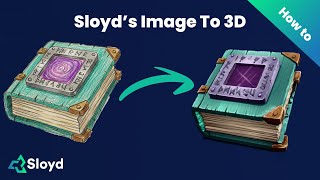
Sloyd's Image to 3D Tutorial
Sloyd
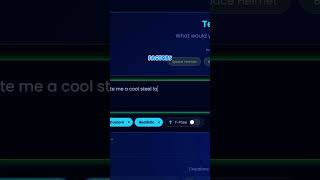
Go make your own on Sloyd.ai right now! 🚀#robloxdev #sloyd #roblox
Roblox91
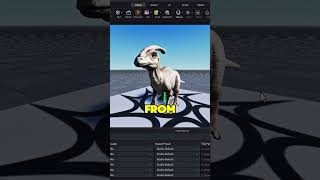
Sketch to 3d Model by Sloyd.Ai #robloxdev #sloyd #roblox #3dmodeling
JoboBlox
YouTube returned 6 videos for “Sloyd”, and we withheld 3: 3 could not be judged, because “Sloyd” is a single word that other videos use for other things. Showing the 3 we can prove are about Sloyd.
Official links
Tools that pair well with Sloyd
Common stack mates teams adopt alongside Sloyd, with the specific reason each pairing earns its keep.



Alternatives to Sloyd
View all


Frequently Asked Questions
Categories
Used Sloyd? Help shape our editorial sentiment research.