Mcp Manager is live · free · last verified 21 Oct 2026 · viability monitor

Mcp Manager
Manage Claude Desktop MCP servers with a free browser-based visual editor for your config file.
Running several MCP servers in Claude Desktop? This is a quicker, safer way to edit that one config file, and it is free. The connectivity indicators are the piece that earns the bookmark — a dead server reads as a status instead of a mystery. Skip it if you have a single server and are content in your text editor.
Verdict generatedVerified 9d ago · liveness 64/100 · cite: rightaichoice.com/tools/mcp-manager
- Claude Desktop users running several MCP servers at once
- Developers who add, swap, or debug MCP tools often
- Power users who want a GUI instead of hand-editing JSON
- Privacy-conscious users whose server definitions contain API keys or local paths
- Anyone not running Claude Desktop with MCP servers
- Teams needing shared, cloud, or multi-user MCP configuration
- Users who want prompt or AI model management from the same tool
We scan live Reddit threads, YouTube comments, X posts, G2 reviews and other communities — and hand you an honest verdict in under a minute.
- Honest verdict, not marketing
- Real pros & cons from real users
- Attributed quotes with receipts
3 free scans · no card needed
Skip Mcp Manager if you need shared team MCP configuration, remote management of a config on another host, or prompt and model management alongside your server list.
The seed data lists a single $0/mo Free tier covering the browser GUI, add/edit/toggle/delete of MCP servers, per-server connectivity indicators, and clipboard config import — the same scope as hand-editing claude_desktop_config.json, just visual. Because your config stays in the browser, there is no per-seat or usage meter to watch. Buyers comparing against paid MCP tooling are comparing against server hosting and management platforms, not against this file editor.
In short
Mcp Manager — Manage Claude Desktop MCP servers with a free browser-based visual editor for your config file. Best for Claude Desktop users running several MCP servers at once, Developers who add, swap, or debug MCP tools often, Power users who want a GUI instead of hand-editing JSON. Free to use.
What is Mcp Manager?
Mcp Manager — Manage Claude Desktop MCP servers with a free browser-based visual editor for your config file. Best for Claude Desktop users running several MCP servers at once, Developers who add, swap, or debug MCP tools often, Power users who want a GUI instead of hand-editing JSON. Free to use.
Mcp Manager is a free, client-side web app for managing the Model Context Protocol servers that connect Claude Desktop to your own data, APIs, and local tooling. Those servers act like plugins: they hand Claude prompts, resources, and tools so it can answer from your sources and take actions for you. Normally you wire them up by hand-editing claude_desktop_config.json — this tool swaps that for a visual MCP server config editor. If you maintain more than a couple of servers, the drop in friction is immediate. The workflow is short. A one-line terminal command copies your current config to the clipboard (or builds a blank one if you have never set up MCP), you paste it into the page, and you work on-screen. Every configured server shows up in a list with add-by-name/command/args, in-place editing, a per-server on/off toggle, and delete. Connectivity indicators next to each entry show which servers are actually responding, which is what saves time when a plugin goes quiet and you would otherwise be hunting a stray comma in JSON. Nothing is uploaded. All editing happens in the browser, so server definitions — including any API keys or local paths baked into them — stay on your machine. It runs on macOS, Windows, and Linux, either as the hosted static page or locally through Node, and the project states plainly that it is not affiliated with Anthropic. Scope is narrow on purpose. This is a single-user utility for the server lifecycle in one config file: it does not write prompts, choose models, or share configs across a team, and it cannot reach a config sitting on another machine. Think of it as a JSON editor with MCP-aware guardrails rather than an AI platform — which is why it costs nothing and loads in a tab.
Key features
- Visual listing of all configured MCP servers
- Toggle individual MCP servers on or off
- Add MCP servers by name, command, and args
- Edit existing server configurations in place
- Delete MCP servers from the UI
- Per-server connectivity status indicators
- Writes to claude_desktop_config.json
- Client-side browser app — config stays on your machine
- Terminal command copies your config to the clipboard for import
- Creates a blank MCP config file if none exists
- Cross-platform: macOS, Windows, and Linux
- Runs as a hosted static page or locally via Node
Behind the verdict
The case for Mcp Manager is narrow and clear: you have a claude_desktop_config.json with enough servers that hand-editing has started to cost you time. Paste the config in, toggle what you need, delete what you don't. We'd reach for it the moment a plugin misbehaves, because the per-server status readout answers "is this even connecting?" faster than re-reading the file. When to pick it: you swap servers in and out during a work week, you keep API keys or local paths inside server definitions and would rather not paste that JSON into a random web service, or you want a blank config scaffolded for you on a fresh machine. The client-side design means your definitions do not leave the browser, which matters more than any feature list here. When to pass: a single server you rarely touch. A text editor is honestly fine, and you get diffing and version control for free. Also pass if your real problem is a server process that dies — the status indicator tells you it failed, not why. For that you go to the server's own logs. The closest alternative isn't another product, it's your editor plus the docs. The gap only widens once you're juggling several servers, toggling them for different projects. Two caveats worth knowing before you rely on it. It touches one config file on one machine — no team sharing, no remote config on another host. And it's a focused utility, not a platform; nothing here writes prompts or picks models. Set expectations at "MCP-aware JSON guardrails" and it delivers.
Limitations
- Mcp Manager manages MCP server entries only — there is nothing here for prompts, models, or agent behaviour.
- It is single-user and local: no cloud sync, no team sharing, no remote management.
- Import is a manual step — you run a terminal command to copy your config to the clipboard, then paste it in; the page does not read your config file itself, so you repeat this per machine.
- It is a browser page plus a config file, not a full IDE replacement.
- If you only run one MCP server, or you are comfortable editing JSON, the GUI adds a step for little gain.
- It is not affiliated with Anthropic, and all logos are trademarks of their respective owners.
as of 2026-10-16
Researching Mcp Manager? Get your full AI stack in 60 seconds.
Free, no signup — tell us your goal and get tools matched to your budget & existing stack.
Is Mcp Manager still active?
Mcp Manager is live · free · last verified 21 Oct 2026 · viability monitor.
Viability score
How well maintained and how widely used is Mcp Manager? Built from what the vendor actually publishes (docs, changelog, tutorials, integrations, pricing), whether the site is live, and how much real users discuss it. How we calculate this
Last calculated: October 2026
How we score →What do users say about Mcp Manager?
What people actually say about Mcp Manager — is it worth it?
We ran a structured research pass across product reviews, community discussions, and post-purchase forum threads to surface the patterns vendors won't publish themselves. Below: the recurring strengths, the hidden costs people mention most, and the cohort that consistently regrets adopting this tool.
Researched48 mentions across 4 sources (Hacker News, YouTube, GitHub, Lemmy) · researched Aug 29, 2026.
Average across the 4 sources that answered — each source counts once, not each post.
- +Free and open source, with no cloud dependency.
- +Local web UI avoids manual JSON editing errors.
- +Cross-platform: macOS, Windows, and Linux support.
- +Simple toggle to enable/disable servers is intuitive.
- +Directly modifies claude_desktop_config.json for consistency.
- −JSON parsing bug after build steps frustrates some users.
- −PyPI link points to a fork, causing trust confusion.
- −No config sync across multiple clients.
- −No remote management or team collaboration features.
- −Limited to MCP server management; lacks prompt or model controls.
- • No hidden costs, but users may need to install Node.js for some launch options
- • Potential time cost troubleshooting JSON import errors
How we verified this
Every listed fact about Mcp Manager— pricing, features, links, status — is re-read from the vendor's own pages by our verification pipeline and each change is logged with a date; the last pass ran on 21 Oct 2026. Pages mix model-assisted synthesis with human review; see how we verify.
Verification history
We have re-verified Mcp Manager 11 times since . Each pass re-reads the vendor's own pages and re-checks every listed field against that evidence; passes where nothing had changed are marked as such.
- — changed summary, description, pricing tiers, our verdict
- — changed summary, who it suits, pricing tiers, who should skip it, our verdict, features, description
- — changed setup time, who it suits, description, our verdict, features, hidden costs, integrations, limitations, switching in, switching out, pricing fit, who should skip it, summary, use cases
- — changed features, summary, description, pricing tiers, who should skip it, who it suits, our verdict
- — changed use cases, limitations, switching in, summary, switching out, who should skip it, description, pricing tiers, pricing fit, setup time, our verdict, features, who it suits, hidden costs
- — changed domain expiry, SSL certificate
Showing the 6 most recent of 11 verification passes.
Free to cite with attribution — this page re-verifies continuously.
How much does Mcp Manager cost in 2026?
Mcp Manager: Free to use. Pricing last verified 21 Oct 2026.
Plans compared
Every published Mcp Manager tier, its price as the vendor publishes it, who it fits, and what it adds over the tier below. The 12-month cost projection follows.
| Plan | Price | Billing | Who it's for |
|---|---|---|---|
| Free | Free | — | Individual Claude Desktop user running one or more MCP servers who wants visual control over the config file, at no cost.Adds: Starting tier — the only published tier, covering the browser GUI, add/edit/toggle/delete, connectivity indicators, and clipboard import at $0/mo. |
12-month cost
Project the real annual outlay, including the implied monthly cost when only an annual tier is published.
Vendor list price only. Add-on usage, seat overages, and contract minimums are surfaced under Hidden costs & gotchas.
Where the pricing makes sense
The company stage and team size where Mcp Manager's pricing actually pencils out — and where peers do it cheaper.
The seed data lists a single $0/mo Free tier covering the browser GUI, add/edit/toggle/delete of MCP servers, per-server connectivity indicators, and clipboard config import — the same scope as hand-editing claude_desktop_config.json, just visual. Because your config stays in the browser, there is no per-seat or usage meter to watch. Buyers comparing against paid MCP tooling are comparing against server hosting and management platforms, not against this file editor.
Has Mcp Manager's pricing changed?
No plan price for Mcp Manager has moved since we began logging in Aug 2026; the pricing page is re-read on every verification pass.
Who should pick Mcp Manager?
Pick Mcp Manager if you are Claude Desktop users running several MCP servers at once, Developers who add, swap, or debug MCP tools often, Power users who want a GUI instead of hand-editing JSON, Privacy-conscious users whose server definitions contain API keys or local paths.
Look elsewhere if you are Anyone not running Claude Desktop with MCP servers, Teams needing shared, cloud, or multi-user MCP configuration, Users who want prompt or AI model management from the same tool, Workflows that need remote management of a config on another host.
Skip it if Skip Mcp Manager if you need shared team MCP configuration, remote management of a config on another host, or prompt and model management alongside your server list.
GeneratedReal-world workflow fit
Concrete scenarios for the personas Mcp Manager actually fits — and what changes day-one when you adopt it.
A plugin stops responding mid-project. You open the page, paste your config via the macOS copy command, and scan the per-server connectivity indicators to find which entry is not reachable, then edit its command or args in place.
Outcome: You isolate and fix the broken server entry without parsing JSON for a stray comma or bracket.
Before a deep writing session you toggle off the MCP servers that inject chatty tools and leave the two you actually need, then toggle them back on when the session ends.
Outcome: Focused sessions stay clean without permanently deleting and re-adding server definitions.
You have never configured MCP. You run the provided terminal command, which creates a blank claude_desktop_config.json and copies it, paste it into the page, and add your first server by name, command, and args.
Outcome: You get a valid config file and a working first server without hand-writing JSON.
Use cases
- Disable a noisy MCP server before a focused Claude session and re-enable it later
- Add a newly released MCP server without opening a text editor
- Audit every configured MCP server in one view before starting work
- Debug an MCP server Claude can't reach using per-server status indicators
- Walk a teammate through your visual server list during onboarding
- Create a fresh blank MCP config on a new Mac with the copy command
Setup time & first value
How long it actually takes to get something useful out of Mcp Manager — broken out by persona, not the marketing-page minute.
Claude Desktop user with an existing config: about five minutes — run the copy command, paste, and start toggling. Fresh machine with no MCP config: the same command creates a blank file for you, then adding your first server by name, command, and args takes a few more minutes. Repeating the paste step on each additional machine is the main recurring cost.
Switching to or from Mcp Manager
How to bring data in from common predecessors and how to get it back out — written for the switcher, not the buyer.
- →From hand-editing claude_desktop_config.json: run the copy command, paste the file into Mcp Manager, and manage the same entries visually
- →From a fresh Claude Desktop install with no MCP config: the macOS command creates a blank claude_desktop_config.json and copies it for you
- →From a second machine's config: run the copy command there and paste into the page to edit that machine's server list
Integrations
Resources & guides
Tutorials & Learning
MCP Manager by Usercentrics - MCP Security Showcase, featuring Mike Yaro
AI Security University
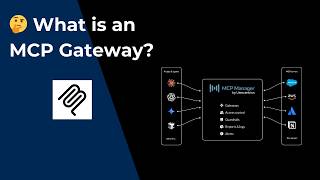
MCP ゲートウェイとは?(説明 + デモ)
MCP Manager by Usercentrics
YouTube returned 6 videos for “Mcp Manager”, and we withheld 4: 4 did not mention Mcp Manager. Showing the 2 we can prove are about Mcp Manager.
Official links
What are the best Mcp Manager alternatives?
The closest alternatives to Mcp Manager we list are MCP Playground, Starbase and SigmaMind MCP. Ranked by direct product-type match, not category overlap.
| Alternative | Pricing | Starts at | Last verified |
|---|---|---|---|
| MCP Playground | Free | Free | — |
| Starbase | Free | Free | — |
| SigmaMind MCP | Freemium | Pricing not published | — |
Alternatives to Mcp Manager
View all
MCP Playground
Free browser-based MCP server debugger: connect over HTTP or stdio, inspect tools, and test live calls

Starbase
Browser playground to browse, test, and debug MCP servers — and chat with Claude or ChatGPT against them, with no local setup.

SigmaMind MCP
SigmaMind MCP exposes SigmaMind's voice AI call-center platform as Model Context Protocol tools you invoke from Claude Desktop, VS Code, or
Tools that pair well with Mcp Manager
Common stack mates teams adopt alongside Mcp Manager, with the specific reason each pairing earns its keep.

MCP Playground
Free browser-based MCP server debugger: connect over HTTP or stdio, inspect tools, and test live calls

Starbase
Browser playground to browse, test, and debug MCP servers — and chat with Claude or ChatGPT against them, with no local setup.

SigmaMind MCP
SigmaMind MCP exposes SigmaMind's voice AI call-center platform as Model Context Protocol tools you invoke from Claude Desktop, VS Code, or
Mcp Manager vs its closest rival
Mcp Manager's closest head-to-head is with Spider Cloud — For AI agents needing live web data, Spider Cloud is the clear choice thanks to its Rust engine, AI extraction, and affordable pay-as-you-go pricing. Mcp Manager is a niche but free tool for Claude Desktop users managing multiple MCP servers. Choose based on your primary need: data retrieval vs server configuration. Verdict generated
Head-to-head comparisons
Mcp Manager vs Spider Cloud
For AI agents needing live web data, Spider Cloud is the clear choice thanks to its Rust engine, AI extraction, and affordable pay-as-you-go pricing. Mcp Manager is a niche but free tool for Claude Desktop users managing multiple MCP servers. Choose based on your primary need: data retrieval vs server configuration.
GeneratedMcp Manager vs Temporal Ai
These tools solve completely different problems. Temporal AI is a heavy-duty orchestration platform for building fault-tolerant AI agents and workflows at scale, while Mcp Manager is a lightweight utility for managing MCP server configurations in Claude Desktop. Choose Temporal if you need durable, long-running execution with retries and visibility; choose Mcp Manager if you're a Claude Desktop user tired of editing JSON files by hand.
GeneratedMcp Manager vs Voyage Ai
Choose Voyage AI if you need high-accuracy domain-specific embeddings for enterprise RAG on sensitive documents. Choose Mcp Manager if you are a Claude Desktop user wanting a free GUI to manage MCP servers without editing JSON. They solve completely different problems; pick based on whether your need is retrieval or tool orchestration.
GeneratedFrequently asked questions
Categories
Topics
Used Mcp Manager? Help shape our editorial sentiment research.