
Mini Course Generator
AI course creator plus eLearning authoring: turn a PDF, YouTube playlist or AI chat into a published interactive mini-course.
If the slog from expertise to publishable course is your bottleneck, Mini Course Generator is one of the faster routes available: the AI Course Creator, Lesson Page Generator, Interaction Builder and MCP Server genuinely compress production time, and the drag-and-drop editor stays usable for non-designers. The catch is metering — Plus gives you 1,000 AI credits a month and 500 learners a year, Pro gives you 3,000 and 1,000, and dynamic SCORM, embeddable widgets, REST API and headless LMS sit above both. There is no implementation fee and no lock-in, so the sensible path is to start with the 14-day trial, validate on one real course, then budget for Pro if the launch works. For scripted
Verified 16d ago · liveness 75/100 · cite: rightaichoice.com/tools/mini-course-generator
- Course creators and coaches turning a playlist, PDF or idea into a sellable interactive course
- Corporate trainers rolling out onboarding, partner or compliance training without a steep authoring curve
- Community managers building paid or free academies with boards, paths and badges
- Product and customer success teams embedding in-app training, especially alongside Intercom
- Learners who need native iOS or Android apps — delivery is web and mobile web
- High-volume rollouts on Plus or Pro, where AI credits and yearly learners are metered
- Teams needing team seats, REST API or an enterprise SLA — those sit above the published Plus/Pro tables
We scan live Reddit threads, YouTube comments, X posts, G2 reviews and other communities — and hand you an honest verdict in under a minute.
- Honest verdict, not marketing
- Real pros & cons from real users
- Attributed quotes with receipts
3 free scans · no card needed
Skip Mini Course Generator if you need team seats, a REST API or an enterprise SLA on the published Plus/Pro plans, or if your learners expect a native iOS/Android app rather than mobile web.
Every plan meters AI credits per month — 1,000 on Plus and 3,000 on Pro — so heavy use of the AI Course Creator, Lesson Page Generator or Voice Over can run the allowance down before the month does.
Plus at $39/mo annual ($49 monthly) fits solo creators and coaches selling a first or second course; Pro at $79/mo annual ($99 monthly) fits trainers and community owners who need certifications, translation or invitation-only access. Both are cheaper than many corporate LMS platforms, but the learner and AI-credit caps mean high-volume academies end up needing the Custom plan, where the yearly learner cap is removed.
In short
Mini Course Generator — AI course creator plus eLearning authoring: turn a PDF, YouTube playlist or AI chat into a published interactive mini-course. Best for Course creators and coaches turning a playlist, PDF or idea into a sellable interactive course, Corporate trainers rolling out onboarding, partner or compliance training without a steep authoring curve, Community managers building paid or free academies with boards, paths and badges. Free to start; paid plans from $39/mo.
What people actually say about Mini Course Generator — is it worth it?
We ran a structured research pass across product reviews, community discussions, and post-purchase forum threads to surface the patterns vendors won't publish themselves. Below: the recurring strengths, the hidden costs people mention most, and the cohort that consistently regrets adopting this tool.
40 mentions across 3 sources (YouTube, Product Hunt, Lemmy) · researched Aug 16, 2026.
Average across the 3 sources that answered — each source counts once, not each post.
- +Super simple and intuitive drag-and-drop block editor.
- +AI agents turn documents, topics, or YouTube videos into courses quickly.
- +Built-in quiz, flashcard, and game builders boost interactivity.
- +Accessibility widget and voiceover feature help meet ADA standards.
- +SCORM export and upload support legacy LMS integration.
- −Credit-based pricing is unclear; users ask how many credits are consumed per course.
- −Base tier may require paid upgrades for full AI functionality.
- −Mobile view is reported as problematic on some devices.
- −Limited community discussion beyond launch: little long-term reliability feedback.
- −No detailed posts on integration setups (Zapier, Make, etc.) for troubleshooting.
- • AI credits can run out quickly; no transparent per-credit cost published
- • SCORM export is only on Custom tier, above Pro
- • AI voiceover and translation may consume extra credits
Viability Score
How well maintained and how widely used is Mini Course Generator? Built from what the vendor actually publishes (docs, changelog, tutorials, integrations, pricing), whether the site is live, and how much real users discuss it. How we calculate this
Last calculated: October 2026
How we score →Key Features
- AI Course Creator that drafts structure with AI images and quizzes
- AI Interaction Builder for quizzes, flashcards and in-page interactivity
- AI Educational Game Builder for gamified lesson elements
- AI YouTube-to-Course builder that converts playlists into lessons
- AI Lesson Page Generator that writes pages from a PDF, doc or prompt
- AI Voice Over narration with accessibility widget for ADA compliance
- MCP Server connecting Claude, ChatGPT and Cursor to build and localize courses
- Drag-and-drop block editor with four learner interface layouts
- Landing page builder with SEO settings for course one-pagers
- Community boards with an AI Moderator
- Paths, badges and rewards for learner progression
- Certifications and digital badges for completion or success (Pro)
- AI Course Translation across collections (Pro)
- Export to PDF and SCORM upload (Pro)
- Webhooks plus Zapier, Make and Pabbly automations
About Mini Course Generator
Mini Course Generator is an AI course creator combined with eLearning authoring and lightweight LMS delivery. You start from raw material — an idea, a PDF, a doc, a prompt, or a YouTube playlist — and work in a drag-and-drop block editor with four learner interface layouts. The AI layer does the heavy lifting: an AI Course Creator drafts structure with AI images and quizzes, an AI Interaction Builder generates in-page interactivity like flashcards, an AI Educational Game Builder adds gamified lessons, an AI Lesson Page Generator writes pages from your source file, and AI Voice Over narrates with an accessibility widget for ADA compliance. A newer MCP Server connects Claude, ChatGPT and Cursor so courses can be built, updated and localized from a conversation against your own content, with permissions you can revoke. Distribution is flexible: share a single course, a collection, or a showcase page; gate access with public links, a password wall, email verification, payment gateways, invitation-only access (Pro), or Intercom Messenger SSO. The LMS side covers certifications, digital badges, paths, rewards, custom domains, account-based reporting on Custom, and a landing page builder with SEO settings. It works well as a hub for tools you already use — ThingLink 360° images, Spotify audio, NotebookLM videos, Gamma slides, Synthesia avatars and Canva visuals weave into one course structure. The vendor says it is trusted by over 20,000 training providers, and it targets course sellers, coaches, consultants, community owners, corporate trainers, product managers and customer success teams rather than enterprises needing on-prem deployment. The trade-off is volume: learner and AI-credit allowances are metered, so successful launches push you up a tier.
Behind the Verdict
Mini Course Generator's real differentiator is not that it writes course text — plenty of tools do that. It is that the AI sits inside a working authoring and delivery stack rather than beside it. The AI Course Creator drafts structure with AI images and quizzes; the AI Interaction Builder produces in-page interactivity such as flashcards; the AI Educational Game Builder creates gamified lesson elements; the AI Lesson Page Generator writes pages from a PDF, doc or prompt; and AI Voice Over narrates those pages with an accessibility widget for ADA compliance. You then edit all of it in a drag-and-drop block editor with four learner interface layouts, so a non-designer can produce something that looks deliberate rather than templated. The MCP Server is the piece most competitors do not have. It connects Claude, ChatGPT and Cursor directly so courses are built, updated and localized from a conversation against your own content, with permissions you control and can revoke. That matters if you already keep product knowledge inside an AI assistant — you are not copying and pasting into a third tool, you are generating a live course from it. Vendor copy claims real courses from your actual content rather than generic AI drafts. Delivery and access control are unusually granular for this price band. You can share one course, a collection, or a showcase page; grant access openly, behind a password wall, after email verification, after payment, invitation-only (Pro), or via in-app SSO through the Intercom Messenger app. On top of that sit certifications, digital badges, paths, rewards, custom domains (one on Plus, three on Pro), collaborator invites, landing pages with SEO settings, and analytics. It also acts as a hub: ThingLink 360° images, Spotify audio, NotebookLM videos, Gamma slides, Synthesia avatars and Canva visuals all weave into one structure, and Zapier, Make and Pabbly handle automations. Where it gets less comfortable is volume and depth. Learner counts are capped per year (500 on Plus, 1,000 on Pro) and AI credits per month (1,000 and 3,000), so a course that lands pushes you to a higher tier. Dynamic SCORM export, embeddable widgets, headless LMS, REST API, team seats, account-based reporting, enterprise SLA and a dedicated account manager are all marked not included on both published Plus and Pro comparison tables. Certifications, AI course translation and webhooks need Pro, which is a genuine step up in price rather than a trivial increment. There is also no native iOS or Android app — learners reach courses through a browser and mobile web. Where it fits: coaches, consultants, creators and community owners selling a paid course fast; corporate trainers rolling out onboarding, partner or compliance modules without a steep authoring learning curve; product and customer success teams embedding in-app training, particularly if you already run Intercom. Where it does not: enterprises that need on-prem deployment or an enterprise SLA from
Researching Mini Course Generator? Get your full AI stack in 60 seconds.
Free, no signup — tell us your goal and get tools matched to your budget & existing stack.
Real-world workflow fit
Concrete scenarios for the personas Mini Course Generator actually fits — and what changes day-one when you adopt it.
Run the AI YouTube-to-Course builder over a playlist, let the AI Course Creator draft lesson structure and quizzes, then restyle pages in the block editor and attach AI Voice Over for narration.
Outcome: A publishable interactive course behind a payment gate, shared as a link or embedded on a personal site, typically well inside the free trial window.
Generate a short onboarding academy with the AI Lesson Page Generator, gate it behind email verification or in-app SSO through the Intercom Messenger app, and set paths and badges for completion milestones.
Outcome: In-app training that new customers hit at the point of need, reducing repetitive support questions without adding a separate LMS login.
Build modules in the block editor, set invitation-only access so only approved partners get in, attach certifications and digital badges, and publish several courses as a collection on a custom domain.
Outcome: A branded partner academy issuing verifiable completion certificates, with analytics used to see which partners have finished which modules.
Use Cases
- Convert a YouTube playlist into a paid mini-course with the AI YouTube-to-Course builder.
- Launch a customer onboarding academy with email-verified, gated lessons to cut support tickets.
- Train remote sales teams with interactive modules, badges and automated certificate issuance.
- Embed a course on your website and take payment through a gateway, with a landing page for the offer.
- Build a partner training portal using custom domains, invitation-only access and reporting.
- Deliver compliance modules as SCORM packages and track completion through analytics dashboards.
- Generate and publish a full course from a description using the MCP Server with ChatGPT or Claude.
Models Under the Hood
as of 2026-10-04
Limitations
- All plans cap learners per year (500 on Plus, 1,000 on Pro) and AI credits per month (1,000 on Plus, with Pro offering more), so growth pushes you to a higher tier; the Custom plan removes the learner cap.
- Certifications, AI course translation and webhooks are Pro-only.
- There is no native mobile app — learners use mobile web.
- The trial runs 14 days before you pick a plan.
as of 2026-09-22
Verification history
We have re-verified Mini Course Generator 9 times since . Each pass re-reads the vendor's own pages and re-checks every listed field against that evidence; passes where nothing had changed are marked as such.
- — re-verified summary, description, our verdict, our analysis, pricing model, pricing tiers, features, integrations, who it suits, who should skip it
- — re-verified summary, description, our verdict, our analysis, pricing model, pricing tiers, features, integrations, who it suits, who should skip it
- — re-verified summary, description, our verdict, our analysis, pricing model, pricing tiers, features, integrations, who it suits, who should skip it
- — re-verified summary, description, our verdict, our analysis, pricing model, pricing tiers, features, integrations, who it suits, who should skip it
- — re-verified summary, description, our verdict, our analysis, pricing model, pricing tiers, features, integrations, who it suits, who should skip it
- — re-verified summary, description, our verdict, our analysis, pricing model, pricing tiers, features, integrations, who it suits, who should skip it
Showing the 6 most recent of 9 verification passes.
Free to cite with attribution — this page re-verifies continuously.
12-month cost
Project the real annual outlay, including the implied monthly cost when only an annual tier is published.
Vendor list price only. Add-on usage, seat overages, and contract minimums are surfaced under Hidden costs & gotchas.
Plans compared
For each published Mini Course Generator tier: who it actually fits, and what it adds vs. the previous tier. Cross-reference the cost calculator above for projected annual outlay.
Free Trial
$0
Ideal for
Solo creators who want to validate Mini Course Generator on one real course before committing to a paid tier.
What this tier adds
Starting tier: 14 days of full access with no credit card required, enough to build and publish real courses.
Plus (Annual)
$39/mo
Ideal for
Creators and coaches selling their first courses who want paid gateways and a branded domain on a lower annual rate.
What this tier adds
Adds paid courses, one custom domain, PDF export, 1,000 AI credits per month and 500 learners per year over the trial.
Plus (Monthly)
$49/mo
Ideal for
Creators who want to test a launch month-to-month before locking into annual billing.
What this tier adds
Same feature set as annual Plus with no implementation or setup fee, but at the higher monthly rate.
Pro (Annual)
$79/mo
Ideal for
Trainers and community owners who need certifications, invitation-only access and translated course collections.
What this tier adds
Adds three custom domains, 3,000 AI credits per month, 1,000 learners per year, certifications, invitation-only access and AI course translation.
Pro (Monthly)
$99/mo
Ideal for
Teams needing webhooks and SCORM upload on a temporary or project basis without an annual commitment.
What this tier adds
Everything in Plus plus webhooks, SCORM upload, three custom domains and 3,000 AI credits, billed monthly.
Custom
Custom
Ideal for
High-volume academies and enterprises that exceed the Pro learner and credit allowances or need an enterprise SLA.
What this tier adds
Removes the yearly learner cap and adds unlimited learners and AI credits, an enterprise SLA and a dedicated account manager.
Where the pricing makes sense
The company stage and team size where Mini Course Generator's pricing actually pencils out — and where peers do it cheaper.
Plus at $39/mo annual ($49 monthly) fits solo creators and coaches selling a first or second course; Pro at $79/mo annual ($99 monthly) fits trainers and community owners who need certifications, translation or invitation-only access. Both are cheaper than many corporate LMS platforms, but the learner and AI-credit caps mean high-volume academies end up needing the Custom plan, where the yearly learner cap is removed.
Setup time & first value
How long it actually takes to get something useful out of Mini Course Generator — broken out by persona, not the marketing-page minute.
Solo creators get to a first published course in roughly an afternoon, since the AI builders do the structural drafting and the block editor needs no design skill. Trainers and customer success teams should allow a few days to configure access rules, invitations, certifications and custom domains properly before rollout. Teams wiring automations through Zapier, Make or Pabbly, or running the MCP
Switching to or from Mini Course Generator
How to bring data in from common predecessors and how to get it back out — written for the switcher, not the buyer.
- →From a DIY stack of Google Docs plus a video host: rebuild the outline in the block editor and let the AI Lesson Page Generator draft pages from your source docs.
- →From a generic course builder: recreate lessons as blocks, then attach paths and badges that your old tool did not offer.
- →From YouTube-only delivery: run the AI YouTube-to-Course builder over existing playlists to convert passive videos into gated, interactive lessons.
- →From a video-first LMS: move scripts and slides across as block content, accepting that Mini Course Generator is built around interactive pages rather than long video lectures.
- ↗To a classic video-lecture LMS: export course content to PDF and rebuild the video-first delivery in the new platform.
- ↗To a corporate LMS with native SCORM: on Pro, upload or export SCORM packages, or export to PDF where SCORM is unavailable.
- ↗To a custom app with a headless LMS: keep Mini Course Generator for authoring while you move delivery to your own front end above the published Plus/Pro tables.
Integrations
Resources & Guides
Tutorials & Learning
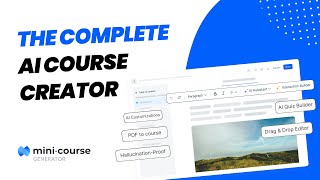
The Complete AI Course Creator | Mini Course Generator | 2025
Mini Course Generator with AI-Assistant
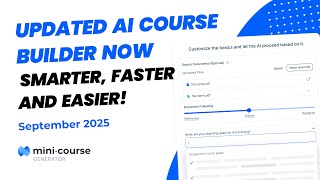
Smarter, Faster, Easier – The New Mini Course Generator AI Course Builder!
Mini Course Generator with AI-Assistant
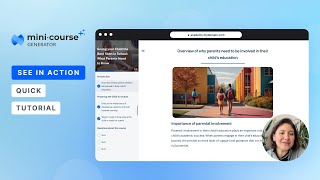
AI Course Creator with the New Layout Options | Mini Course Generator | December 2023 Update ⭐
Mini Course Generator with AI-Assistant
Official links
Tools that pair well with Mini Course Generator
Common stack mates teams adopt alongside Mini Course Generator, with the specific reason each pairing earns its keep.

Mexty
AI-native authoring plus a built-in LMS that turns a written lesson description into an editable interactive course.

KwaKwa
AI course creator that turns your expertise into mobile courses in minutes.

Skillduck
SkillDuck turns your documents — or a topic — into interactive, multilingual e-learning courses ready for your LMS in hours.
Featured Head-to-Head Comparisons
Mini Course Generator vs Surge Ai
Choose Mini Course Generator if you need to rapidly create and sell interactive mini-courses with AI assistance. Choose Surge AI if you're training frontier models and need expert human feedback for RLHF, red teaming, and complex benchmarks. They serve entirely different needs.
Genspark vs Mini Course Generator
If your primary goal is to build and sell interactive mini-courses with minimal effort, pick Mini Course Generator—it’s purpose-built for course creation with AI tools like YouTube-to-course conversion and SCORM support. If you need a general-purpose AI workspace that combines research synthesis, document creation, and no-code automation, choose Genspark. The choice hinges on domain: course-specific vs. broad productivity.
Mini Course Generator vs Praktika
Choose Praktika if you need interactive speaking practice to improve language fluency. Choose Mini Course Generator if you want to create and sell interactive courses quickly. They serve completely different needs; the choice depends on whether you want to learn or teach.
Alternatives to Mini Course Generator
View all


Frequently Asked Questions
Categories
Best-of guides
Topics
Used Mini Course Generator? Help shape our editorial sentiment research.