
Money Manager Expense & Budget
Free, ad-free manual expense tracker for Android and iOS with double-entry booking and receipt photos.
Money Manager Expense & Budget is the strongest free offline-manual expense tracker for Android and iOS. Double-entry booking for savings, insurance, loans, and real estate plus per-category monthly budgets are rare at $0 with no ads. 20M+ downloads, 270K reviews, and a 4.7 rating on Google Play back that up. Choose it if you want privacy and no subscription. Skip it if you need automatic bank feeds, multi-currency, or cross-device cloud sync — for those, budget for YNAB or Monarch Money.
Verified 2h ago · liveness 66/100 · cite: rightaichoice.com/tools/money-manager-expense-budget
- Individuals manually tracking personal expenses and budgets
- Families managing shared household expenses offline
- Students learning personal finance basics
- Privacy-conscious users avoiding bank syncing
- Users needing automatic bank transaction syncing
- Multi-currency or investment portfolio tracking
- Professional accounting or tax-ready reports
We scan live Reddit threads, YouTube comments, X posts, G2 reviews and other communities — and hand you an honest verdict in under a minute.
- Honest verdict, not marketing
- Real pros & cons from real users
- Attributed quotes with receipts
3 free scans · no card needed
Skip Money Manager if you want transactions pulled from your bank automatically or the same ledger mirrored across devices without a manual backup step.
Money Manager Expense & Budget is free with no ads and no subscription, which sits below paid subscription trackers like YNAB and Monarch Money. The tradeoff for $0 is manual entry and no bank syncing. If your time is worth more than the subscription, a paid auto-syncing tracker may be the better fit; if you want offline, ad-free, zero-cost tracking, this is the cheapest path in the category.
In short
Money Manager Expense & Budget — Free, ad-free manual expense tracker for Android and iOS with double-entry booking and receipt photos. Best for Individuals manually tracking personal expenses and budgets, Families managing shared household expenses offline, Students learning personal finance basics. Free to use.
What people actually say about Money Manager Expense & Budget — is it worth it?
We ran a structured research pass across product reviews, community discussions, and post-purchase forum threads to surface the patterns vendors won't publish themselves. Below: the recurring strengths, the hidden costs people mention most, and the cohort that consistently regrets adopting this tool.
22 mentions across 2 sources (App Store, Lemmy) · researched Jul 30, 2026.
Average across the 2 sources that answered — each source counts once, not each post.
- +Completely free with no ads or subscriptions.
- +Manual entry with categories, budgets, and photo receipts.
- +Double-entry booking for loans, savings, real estate.
- +Carbon-copy easy to use and setup quickly.
- +Advanced filtering, calendar view, and trend charts.
- −No automatic bank syncing—must enter every transaction.
- −No cloud backup or sync across devices.
- −No support for multiple currencies.
- −Occasional ads reported despite being ad-free claim.
- −Support channels are unclear or limited.
- • None—completely free, but one user reports occasional ads (may be bug or legacy version).
Viability Score
How well maintained and how widely used is Money Manager Expense & Budget? Built from what the vendor actually publishes (docs, changelog, tutorials, integrations, pricing), whether the site is live, and how much real users discuss it. How we calculate this
Last calculated: September 2026
How we score →Key Features
- Manual transaction entry with categories
- Weekly and monthly totals and budgets
- Photo receipt attachment per transaction
- Advanced transaction filtering
- Monthly calendar view for transactions
- Expense charts and graphs
- Double-entry booking for savings, loans, insurance, and real estate
- Per-category monthly budget
- Asset trend charts
- Light and dark themes
- Backup and restore (manual)
- No ads, no subscription required
- Editors' Choice on Google Play
- Android and iOS apps
- Offline functionality
About Money Manager Expense & Budget
Money Manager Expense & Budget is a mobile personal finance app from Realbyte Inc. for people who want full manual control over their money without automatic bank syncing or subscription fees. It has 20M+ downloads, 270K reviews, a 4.7 rating, and an Editors' Choice badge on Google Play. You record transactions by hand with categories, attach receipt photos, set a monthly budget per category, and review weekly and monthly totals. A monthly calendar view shows all your transactions in one place, and charts plus asset-trend graphs track your spending and net position over time. Double-entry booking lets you manage savings, insurance, loans, and real estate properly rather than as loose notes. The app is free with no ads and no subscription, runs offline, includes light and dark themes, and offers manual backup and restore. It deliberately skips bank syncing, multi-currency support, and cloud sync — that is the tradeoff you accept for a zero-cost, offline-only tool.
Behind the Verdict
Money Manager Expense & Budget does one thing well: it lets you record your own money without connecting a bank account, paying a subscription, or seeing ads. Realbyte Inc. has shipped it since 2010, and the numbers on the site — 20M+ downloads, 270K reviews, 4.7 rating, Editors' Choice on Google Play — reflect a long-running app rather than a newcomer. The daily loop is simple. You enter a transaction with a category, optionally attach a receipt photo, and it drops into the weekly/monthly total and a per-category monthly budget. A monthly calendar view shows every transaction in context, charts summarize your expenses, and asset-trend graphs track your position over time. What sets it apart from most free trackers is double-entry booking: savings, insurance, loans, and real estate are handled as accounts rather than one-off entries, so a loan payment moves both sides of the ledger. Advanced transaction filtering makes it practical to dig back through months of entries. The tradeoffs are deliberate. There is no automatic bank syncing, so every entry is manual. The site describes it as a 'manual expense tracker.' There is no multi-currency support and no cloud sync, so backups are manual via the app's backup and restore feature. For asset and investment portfolio tracking or tax-ready professional reports, it is the wrong tool. Where it fits: privacy-conscious individuals, students learning to budget, and families splitting household expenses offline who value a zero-cost, ad-free tool over automation. Where it does not: anyone who wants transactions pulled from their bank automatically or wants the same data mirrored across devices without manual steps.
Researching Money Manager Expense & Budget? Get your full AI stack in 60 seconds.
Free, no signup — tell us your goal and get tools matched to your budget & existing stack.
Real-world workflow fit
Concrete scenarios for the personas Money Manager Expense & Budget actually fits — and what changes day-one when you adopt it.
You install the app, set up your account categories, and enter each purchase by hand at the point of sale, attaching a photo of the receipt when you have one. Weekly and monthly totals update as you go, and a per-category monthly budget shows you how much room is left in each bucket.
Outcome: You get an offline, ad-free ledger of your spending with receipt photos and category budgets, and no bank credential ever leaves your phone.
You set a monthly budget for each category (food, transport, books, fun), log each expense in the app, and check the monthly calendar view at the end of each week to see where the money went.
Outcome: You build the habit of tracking every transaction, and the charts and monthly totals make it obvious which category is running over.
One person keeps the ledger, entering household bills, grocery receipts, and loan payments as they happen. Double-entry booking handles savings, insurance, loans, and real estate as accounts, and a manual backup is taken on a schedule.
Outcome: The household has a single offline record of expenses, loans, and insurance without paying a subscription, and can restore the ledger from backup if a device is replaced.
Use Cases
- Record daily expenses with categories and review weekly and monthly totals
- Set and monitor a monthly budget for each spending category
- Save receipts or memories together by attaching photos to transactions
- Review all your monthly transactions in one calendar view
- Manage savings, insurance, loans, and real estate using double-entry booking
- Filter and review past transactions with advanced filtering
- Review asset trends in a chart
Limitations
- Money Manager is a manual expense tracker: the site describes it as a 'manual expense tracker' with all transactions entered by hand, and it does not mention automatic bank syncing.
- It provides offline functionality with manual backup and restore, and billing/receipts are handled through attached photos.
- The site does not describe multi-currency support or cross-device cloud sync, so if those are requirements you will need a different app.
- For operational details, consult the Help Center and user manuals.
as of 2026-09-29
Verification history
We have re-verified Money Manager Expense & Budget 8 times since . Each pass re-reads the vendor's own pages and re-checks every listed field against that evidence; passes where nothing had changed are marked as such.
- — re-checked, vendor evidence unchanged
- — re-checked, vendor evidence unchanged
- — re-checked, vendor evidence unchanged
- — re-checked, vendor evidence unchanged
- — re-checked, vendor evidence unchanged
- — re-checked, vendor evidence unchanged
Showing the 6 most recent of 8 verification passes.
Free to cite with attribution — this page re-verifies continuously.
Where the pricing makes sense
The company stage and team size where Money Manager Expense & Budget's pricing actually pencils out — and where peers do it cheaper.
Money Manager Expense & Budget is free with no ads and no subscription, which sits below paid subscription trackers like YNAB and Monarch Money. The tradeoff for $0 is manual entry and no bank syncing. If your time is worth more than the subscription, a paid auto-syncing tracker may be the better fit; if you want offline, ad-free, zero-cost tracking, this is the cheapest path in the category.
Setup time & first value
How long it actually takes to get something useful out of Money Manager Expense & Budget — broken out by persona, not the marketing-page minute.
Most users reach first value in under ten minutes: install the app from Google Play or the App Store, create your main categories, and log your first transaction. Setting up per-category monthly budgets and a double-entry account for savings or a loan adds another 10-15 minutes. There is no bank-account linking step, so onboarding is short by design.
Switching to or from Money Manager Expense & Budget
How to bring data in from common predecessors and how to get it back out — written for the switcher, not the buyer.
- →From a spreadsheet: enter your categories in the app, then add opening balances for savings, loans, insurance, and real estate as double-entry accounts before you start logging day-to-day transactions.
- →From a paid auto-syncing tracker like YNAB or Monarch Money: export your category and account list, recreate them here, and accept that future entries will be manual rather than synced from your bank.
- →From another manual tracker: recreate your categories, set the per-category monthly budgets, and use the manual backup and restore feature to protect the new ledger.
- ↗To YNAB or Monarch Money: if automatic bank syncing and cloud access matter more than $0 pricing, move your category list across and connect your bank accounts in the new tool.
- ↗To a spreadsheet: use the app's filtering and calendar views to review month by month, then transcribe totals into a spreadsheet for long-term archiving if you want a copy outside the app.
- ↗To a multi-currency or portfolio tracker: because Money Manager does not cover multi-currency or investment portfolios, export or transcribe your holdings into a dedicated tool.
Resources & Guides
Tutorials & Learning
2025 Tutorial Account Setup| Free Money Manager Expense & Budget App | Budgeting For Beginners 2025
Just Use Your Phone
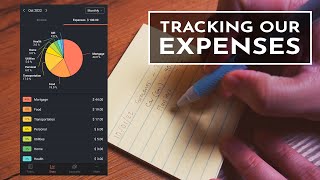
Tracking Our Expenses with the Money Manager App (feat. Money Manager Expense & Budget App)
Practically Humans
Tutorial 50/30/20 Budget | Free Money Manager Expense & Budget App | Budgeting For Beginners
Just Use Your Phone
YouTube returned 6 videos for “Money Manager Expense & Budget”, and we withheld 2: 2 did not mention Money Manager Expense & Budget. Showing the 4 we can prove are about Money Manager Expense & Budget.
Official links
Tools that pair well with Money Manager Expense & Budget
Common stack mates teams adopt alongside Money Manager Expense & Budget, with the specific reason each pairing earns its keep.

Toshl Finance
Toshl Finance is a cross-platform personal finance tracker for Android, iOS and the web — manual entry or automatic bank sync, with visual budgeting.

TrackFi
TrackFi is an AI expense tracker that logs spending via WhatsApp, voice, receipt photos, and email forwarding.

Expense Tracker
AI expense tracker that logs spending by voice, text, photos, or Apple Pay automation — no bank sync required
Featured Head-to-Head Comparisons
Money Manager Expense Budget vs Cryptohopper
These tools serve entirely different needs. Choose Cryptohopper if you want to automate crypto trading with AI, copy traders, or backtest strategies—it's a powerful but paid bot. Choose Money Manager if you need a straightforward, free, ad-free expense tracker for manual budget management without automatic syncing. They are not competitors but complementary.
Money Manager Expense Budget vs Transfix
These tools serve completely different worlds: Transfix is an enterprise-grade AI TMS for freight brokers, priced by contact; Money Manager is a free, ad-free manual expense tracker for individuals. Pick Transfix if you run a logistics brokerage needing custom cost modeling and RFP automation. Pick Money Manager if you want a simple, offline personal finance log without recurring fees.
Money Manager Expense Budget vs Bitsgap
These tools serve completely different needs. If you're a crypto trader wanting 24/7 automated bots with AI guidance across multiple exchanges, Bitsgap is your pick. If you need a free, ad-free, offline expense tracker with manual entry and no bank syncing, Money Manager is the clear winner. They don't overlap in function.
Alternatives to Money Manager Expense & Budget
View all
Toshl Finance
Toshl Finance is a cross-platform personal finance tracker for Android, iOS and the web — manual entry or automatic bank sync, with visual budgeting.

TrackFi
TrackFi is an AI expense tracker that logs spending via WhatsApp, voice, receipt photos, and email forwarding.

Expense Tracker
AI expense tracker that logs spending by voice, text, photos, or Apple Pay automation — no bank sync required
Frequently Asked Questions
Categories
Best-of guides
Topics
Used Money Manager Expense & Budget? Help shape our editorial sentiment research.