
MoneyCoach
Apple-native budget tracker with bank sync across 2,800+ European banks and read-only AI access from local MCP clients.
For Apple users in Europe, MoneyCoach is one of the few finance apps that treats the ecosystem as a feature rather than a limitation — native on iPhone, iPad, Mac, Watch and Vision Pro, iCloud Family Sync across separate Apple IDs, Apple Pay import via Shortcuts, and 2,800+ European bank connections. The read-only MCP and Siri AI approach is the right call for money data: assistant clients read your budgets and subscriptions but cannot write. MoneyCoach 12 (September 12, 2026) is a real step forward, not a cosmetic one — Siri AI, natural-language Quick Entry, and adaptive layouts. Where it loses: US bank sync, Android, Windows, and a web dashboard are all absent. If any of those is a hard
Verified 18h ago · liveness 77/100 · cite: rightaichoice.com/tools/moneycoach
- Apple ecosystem power users who want a native tracker across iPhone, iPad, Mac, Watch, and Vision Pro
- Couples sharing budgets over iCloud Family Sync with separate Apple IDs
- EU residents who want automatic transaction import from 2,800+ European bank connections
- Privacy-focused users who want AI over their finances from local MCP clients rather than a cloud dashboard
- Android or Windows users — there is no Android app and no web dashboard
- Non-EU users who depend on automatic bank feeds, since coverage is Euro-centric
- Investors needing portfolio analytics or investment tracking
We scan live Reddit threads, YouTube comments, X posts, G2 reviews and other communities — and hand you an honest verdict in under a minute.
- Honest verdict, not marketing
- Real pros & cons from real users
- Attributed quotes with receipts
3 free scans · no card needed
Skip MoneyCoach if you need an Android or Windows app, a web dashboard, or automatic US bank feeds — none of those exist here, and no amount of Apple polish will substitute for them.
Custom category icon colors are tied to MoneyCoach Premium, so personalizing your categories means paying for a subscription rather than a one-time purchase.
MoneyCoach is priced for individual Apple users and couples rather than households or teams, and it sits in the same spend bracket as other personal budgeting subscriptions such as YNAB — which costs more but works on Android and the web. If you are Apple-only and in Europe, you are paying for native depth and bank coverage you would otherwise give up.
In short
MoneyCoach — Apple-native budget tracker with bank sync across 2,800+ European banks and read-only AI access from local MCP clients. Best for Apple ecosystem power users who want a native tracker across iPhone, iPad, Mac, Watch, and Vision Pro, Couples sharing budgets over iCloud Family Sync with separate Apple IDs, EU residents who want automatic transaction import from 2,800+ European bank connections. Free to use.
What's new in MoneyCoach
Checked todayAcross the latest 2 updates: 2 feature updates.
MoneyCoach 12 brings Siri AI, natural-language Quick Entry, and adaptive layouts
You can now ask Siri about spending, budgets, and savings goals, dictate or type transactions in your own words, and customize category icon colors. The release also adds goal celebrations, biweekly and twice-a-month Payday schedules, and Simplified Chinese and European Portugues
MoneyCoach 11.5 ships faster transaction search and full-window App Lock
Transaction search is now near-instant across tens of thousands of transactions, and App Lock covers the entire window including open sheets. The update also fixes Quick Entry category and amount parsing bugs.
What people actually say about MoneyCoach — is it worth it?
We ran a structured research pass across product reviews, community discussions, and post-purchase forum threads to surface the patterns vendors won't publish themselves. Below: the recurring strengths, the hidden costs people mention most, and the cohort that consistently regrets adopting this tool.
22 mentions across 2 sources (Product Hunt, App Store) · researched Jul 30, 2026.
Average across the 2 sources that answered — each source counts once, not each post.
- +Deep Apple ecosystem integration across iPhone, iPad, Mac, Watch, Vision Pro.
- +Powerful Category Budgets with rollover, top-ups, and rebalancing.
- +AI & MCP read-only access for Claude Desktop, Cursor, Gemini CLI.
- +Family Sync via iCloud allows secure shared accounts with separate Apple IDs.
- +Quick transaction entry in under 3 seconds via Shortcuts and Siri.
- −No US bank account connectivity – only 2,800+ European banks.
- −iCloud sync is unreliable – inconsistent balances across devices.
- −No Android or web client – Apple devices only.
- −Cannot track investments or stocks within the app.
- −US users report being charged despite not being able to use it.
- • Premium is required for bank connectivity and most advanced features.
- • US users may pay for Premium but cannot use bank sync feature.
Viability Score
How well maintained and how widely used is MoneyCoach? Built from what the vendor actually publishes (docs, changelog, tutorials, integrations, pricing), whether the site is live, and how much real users discuss it. How we calculate this
Last calculated: September 2026
How we score →Key Features
- Connected banking with 2,800+ supported European bank connections
- Category Budgets with top-up, transfer, rebalance, and month-to-month rollover
- Read-only AI access via compatible local MCP clients (Claude Desktop, Cursor, Codex, Gemini CLI, Ollama)
- Siri AI: ask about spending, budgets, and savings goals (MoneyCoach 12)
- On iOS 27, Siri can navigate directly to a specific account, budget, goal, or transaction
- Natural-language Quick Entry: type or dictate an expense, income, transfer, or recurring payment
- Apple Intelligence-powered Quick Entry understanding on supported devices, languages, and OS
- Apple Pay / Wallet import via one-time Shortcut Automation
- Family Sync across different Apple IDs via iCloud
- Smart Goals with per-day savings targets and per-goal currencies
- Goal achievement confetti celebration (MoneyCoach 12)
- Upcoming Bills and subscription organizer
- Net worth tracking and multi-currency accounts
- Near-instant transaction search across tens of thousands of transactions (v11.5)
- Full-window App Lock including open sheets (v11.5)
About MoneyCoach
MoneyCoach is a personal finance app built only for Apple devices — iPhone, iPad, Mac, Apple Watch, and Apple Vision Pro. It combines a budget planner, expense tracker, bill organizer, and net worth view, and keeps everything in sync through iCloud rather than a web dashboard. If you are an EU resident, the headline feature is connected banking: MoneyCoach imports transactions from 2,800+ supported European bank connections, so spending lands in one view next to your cash and manual accounts instead of being typed in by hand. Category Budgets let you top up, transfer, rebalance, or roll unused money across months without rebuilding the month, and Upcoming Bills plus Smart Goals (vacation, emergency fund, debt payoff) add the forward-looking layer. Two automation paths cut manual entry: a one-time Shortcut Automation brings Apple Pay / Wallet transactions in after tap-to-pay purchases, and the new natural-language Quick Entry in MoneyCoach 12 (September 2026) lets you type or dictate an expense in your own words and review the parsed details before saving. The differentiator is private, read-only AI. Compatible local MCP clients can read your accounts, budgets, goals, subscriptions and transactions without any write access — useful for subscription checks and budget reviews — and MoneyCoach 12 adds Siri AI so you can ask about spending, budgets, and savings goals by voice. There is no web dashboard and no Android or Windows app, and bank sync is Euro-centric, which is the honest trade-off for the Apple-only, privacy-first design.
Behind the Verdict
MoneyCoach's strongest asset is that every part of the product reinforces the same idea: your money data stays on Apple hardware and nothing gets write access to it. Connected banking pulls in transactions from 2,800+ supported European bank connections; Apple Pay / Wallet purchases are captured through a Shortcut Automation so small cashless spending does not vanish; Family Sync shares accounts, budgets and goals across different Apple IDs while each person keeps their own view; and AI is deliberately scoped. Compatible local MCP clients can query accounts, budgets, goals, subscriptions and transactions read-only — the changelog example is asking which subscriptions are due, and getting back something like 7 active recurring costs with 3 due in the next 30 days. MoneyCoach 12 (released September 12, 2026) extends that to Siri: you can ask about spending, budgets and savings goals, and on iOS 27 Siri can jump you straight to a specific account, budget, goal or transaction. The same release added an all-new Quick Entry that accepts a typed or dictated transaction in natural language, with Apple Intelligence-powered understanding on supported devices, languages and operating systems, plus custom category icon colors on the Premium tier, confetti when you mark a goal achieved, and biweekly / twice-a-month Payday schedules. Version 11.5 (September 4, 2026) focused on speed and security: near-instant search across tens of thousands of transactions, App Lock extended to cover open sheets so nothing is visible until you authenticate, and fixes to Quick Entry category and amount parsing. Budgeting itself is unusually flexible for a mobile-first app — Category Budgets support top-up, transfer, rebalance and rollover, so an overspent grocery month does not force you to rebuild the plan. Limits are structural, not cosmetic. There is no Android, Windows, or web version, so a household split across platforms cannot share it. Bank linking is Euro-centric and the app does not pretend otherwise. Investor-grade portfolio tracking and business features like multi-user roles or expense approvals are out of scope. And Apple Intelligence-powered Quick Entry and Siri queries depend on supported devices, languages and operating systems. Within those boundaries, MoneyCoach is a well-maintained, focused tracker. Outside them, look at YNAB for methodology-first budgeting or Monarch for cross-platform households.
Researching MoneyCoach? Get your full AI stack in 60 seconds.
Free, no signup — tell us your goal and get tools matched to your budget & existing stack.
Real-world workflow fit
Concrete scenarios for the personas MoneyCoach actually fits — and what changes day-one when you adopt it.
Download MoneyCoach, connect a German bank account, and let the first import land in one view alongside cash accounts. Set Category Budgets for groceries, eating out, and subscriptions, then add a Shortcut Automation so Apple Pay purchases get captured automatically.
Outcome: Transactions flow in without daily typing, and the Monthly spending and Safe to spend figures update against the budgets you set rather than requiring a manual reconciliation pass.
Turn on Family Sync over iCloud so each partner keeps a separate Apple ID but sees the shared accounts, budgets, and goals. Agree on an Upcoming Bills review cadence so rent, iCloud+, electricity, and fitness charges are visible ahead of time.
Outcome: Shared money conversations start from the same numbers, and each person still keeps a personal view shaped around what they need to see.
Connect a compatible local MCP client and ask it to list subscriptions, then use Siri AI to check spending against a budget. Both paths read accounts, budgets, goals, subscriptions, and transactions without write access.
Outcome: You get plain-language answers about what is due and how spending is tracking while the AI stays read-only and the data stays in your Apple ecosystem.
Use Cases
- Log an expense in three seconds with Quick Entry, or dictate it in plain language and review the parsed details before saving.
- Create a monthly Category Budget for groceries and top it up mid-month when prices run hot.
- Share a household budget with your partner over Family Sync while keeping separate Apple IDs.
- Connect a German bank account and let transactions import and categorize automatically.
- Ask Siri how much you spent on dining out this month without opening the app.
- Connect a local MCP client to review which subscriptions are due in the next 30 days.
- Set a Smart Goal for a vacation or emergency fund with a per-day savings target.
- Track Apple Pay purchases automatically with a Shortcut Automation after tap-to-pay.
Models Under the Hood
as of 2026-09-14
Limitations
- MoneyCoach is Apple-only: iPhone, iPad, Mac, Apple Watch, HomePod, and Apple Vision Pro, with no web dashboard and no Android or Windows client.
- Connected banking covers 2,800+ supported European bank connections, so automatic import is Euro-centric — US bank sync is not part of the offering.
- Apple Intelligence-powered Quick Entry and Siri queries depend on supported devices, languages, and operating systems, and the feature has been marked Beta.
- AI finance access surfaces read-only through compatible MCP clients and Siri; assistant clients cannot write to your data.
- Investment portfolio analytics, multi-user business roles, and expense approvals are outside the app's scope.
as of 2026-09-29
Verification history
We have re-verified MoneyCoach 5 times since . Each pass re-reads the vendor's own pages and re-checks every listed field against that evidence; passes where nothing had changed are marked as such.
- — re-verified summary, description, our verdict, our analysis, pricing model, pricing tiers, features, integrations, who it suits, who should skip it
- — re-verified summary, description, our verdict, our analysis, pricing model, pricing tiers, features, integrations, who it suits, who should skip it
- — re-verified summary, description, our verdict, our analysis, pricing model, pricing tiers, features, integrations, who it suits, who should skip it
- — re-verified summary, description, our verdict, our analysis, pricing model, pricing tiers, features, integrations, who it suits, who should skip it
- — re-verified summary, description, our verdict, our analysis, pricing model, pricing tiers, features, integrations, who it suits, who should skip it
Free to cite with attribution — this page re-verifies continuously.
Where the pricing makes sense
The company stage and team size where MoneyCoach's pricing actually pencils out — and where peers do it cheaper.
MoneyCoach is priced for individual Apple users and couples rather than households or teams, and it sits in the same spend bracket as other personal budgeting subscriptions such as YNAB — which costs more but works on Android and the web. If you are Apple-only and in Europe, you are paying for native depth and bank coverage you would otherwise give up.
Setup time & first value
How long it actually takes to get something useful out of MoneyCoach — broken out by persona, not the marketing-page minute.
If you are connecting a supported European bank, budget to roughly 15–30 minutes: install from the App Store, connect the bank, wait for the first transaction import, then set your Category Budgets. A Shortcut Automation for Apple Pay import is a one-time setup of about 5–10 minutes. Local MCP AI access takes another 10–15 minutes if you already run a compatible client. Manual-only users are
Switching to or from MoneyCoach
How to bring data in from common predecessors and how to get it back out — written for the switcher, not the buyer.
- →From a spreadsheet: create accounts and Category Budgets, then either connect a supported European bank for automatic import or pull historical figures in via CSV.
- →From another Apple-native tracker: recreate accounts and categories, connect the bank feed, and use Family Sync to restore shared visibility with your partner.
- →From a web-first budgeting app: accept that there is no browser version — set up the native app on each Apple device and rely on iCloud sync for consistency.
- ↗To YNAB: export your transaction history, then rebuild the envelope methodology manually since MoneyCoach budgets are category-based rather than zero-based envelopes.
- ↗To Monarch or another cross-platform tracker: export your data and reconnect bank accounts there, which is the path if you add an Android or Windows device to the household.
- ↗To a spreadsheet: export transactions and categories as CSV; note that connected-bank imports and Apple Pay automation stop the moment you leave the app.
Integrations
Resources & Guides
Tutorials & Learning

How To Use Quick Entry - MoneyCoach App Guide
MoneyCoach Budgeting & Spending Manager App
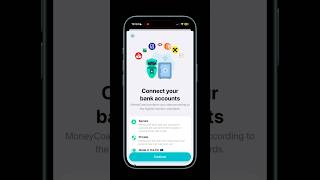
How to connect your bank account in MoneyCoach #moneycoachapp #guide #ios26
MoneyCoach Budgeting & Spending Manager App

Understanding Multicurrency - MoneyCoach App Guide
MoneyCoach Budgeting & Spending Manager App
YouTube returned 6 videos for “MoneyCoach”, and we withheld 2: 2 could not be judged, because “MoneyCoach” is a single word that other videos use for other things. Showing the 4 we can prove are about MoneyCoach.
Official links
Tools that pair well with MoneyCoach
Common stack mates teams adopt alongside MoneyCoach, with the specific reason each pairing earns its keep.

Expense Tracker
AI expense tracker that logs spending by voice, text, photos, or Apple Pay automation — no bank sync required

Toshl Finance
Toshl Finance is a cross-platform personal finance tracker for Android, iOS and the web — manual entry or automatic bank sync, with visual budgeting.

HomeBudget with Sync
Manual-entry cash flow and investment tracker with instant sync across iPhone, iPad, Mac, and Windows.
Featured Head-to-Head Comparisons
Moneycoach vs Cryptohopper
If you're an Apple user wanting to track spending and save money, MoneyCoach is your native, privacy-first choice with AI insights. If you're trading crypto and want automated strategies, social copy trading, and AI integration, Cryptohopper is the robust cloud bot. They serve completely different domains: personal finance vs. crypto trading. Pick based on what you manage: money or crypto.
Moneycoach vs Transfix
MoneyCoach and Transfix serve completely different markets — personal finance vs. freight logistics. Choose MoneyCoach if you're deep in Apple's ecosystem and want a native, AI-augmented budgeting tool with bank sync for EU accounts. Choose Transfix if you're a freight broker or 3PL needing a private, AI-driven cost model and centralized TMS to automate RFPs and improve margins. There's no overlap; the decision is purely based on your role.
Moneycoach vs Bitsgap
If you're deep in the Apple ecosystem and need a privacy-first budget tracker with bank syncing across Europe, MoneyCoach is your pick. For automated crypto trading across multiple exchanges with AI-guided bot setups, choose Bitsgap. They serve completely different financial needs; your choice depends on whether you're managing fiat or crypto.
Alternatives to MoneyCoach
View all
Expense Tracker
AI expense tracker that logs spending by voice, text, photos, or Apple Pay automation — no bank sync required

Toshl Finance
Toshl Finance is a cross-platform personal finance tracker for Android, iOS and the web — manual entry or automatic bank sync, with visual budgeting.

HomeBudget with Sync
Manual-entry cash flow and investment tracker with instant sync across iPhone, iPad, Mac, and Windows.
Frequently Asked Questions
Categories
Best-of guides
Topics
Used MoneyCoach? Help shape our editorial sentiment research.