
Move AI
Markerless motion capture that turns ordinary video — or your existing mocap stage — into production-grade 3D motion data.
Move AI is a genuinely differentiated pick for VFX and game studios that want optical-comparable motion data without the suit-and-stage shoot. Genesis is the concrete product to evaluate: on-premise processing on a single Nvidia GPU, 6-12 Z Cam cameras wired into a volume up to 20 x 20m, 1-8 person capture, and — the standout — the ability to ingest RGB or grayscale feeds from many existing Vicon or OptiTrack cameras, so you extend the stage you already own rather than replacing it. Compare against traditional optical vendors like Vicon and OptiTrack, whose hardware cost and suit-and-marker workflow Genesis is explicitly built to undercut; the tradeoff is that you still buy camera hardware
Verified 1d ago · liveness 56/100 · cite: rightaichoice.com/tools/move-ai
- VFX studios wanting optical-comparable data without suits or markers
- Game studios capturing full-body performance at scale
- Studios that already own Vicon or OptiTrack cameras and want to add markerless
- Virtual production teams needing time code-aligned capture
- Solo creators who want to upload a clip and get data the same day
- Hobbyists and small shops without studio budget or a downstream 3D pipeline
- Projects limited to cloud-only infrastructure with no local Nvidia GPU
We scan live Reddit threads, YouTube comments, X posts, G2 reviews and other communities — and hand you an honest verdict in under a minute.
- Honest verdict, not marketing
- Real pros & cons from real users
- Attributed quotes with receipts
3 free scans · no card needed
Skip Move AI if you want to upload footage and get motion data back the same day — Genesis expects an Nvidia GPU, 6-12 Z Cam cameras wired into a volume, and an onboarding conversation before you capture anything.
Genesis is priced as a system, not a subscription — budget for 6-12 Z Cam cameras and lenses on top of the software.
Move AI sells Genesis as an enterprise capture system with hardware in the box, so it sits in the same budget band as a traditional optical stage and well above software-only markerless tools. The sensible comparison is total cost against a Vicon or OptiTrack deployment: Genesis trades their suit-and-marker workflow for Z Cam cameras plus one Nvidia GPU, and its hybrid feed mode means studios that already own an optical stage can add markerless capture without buying a second set of cameras.
In short
Move AI — Markerless motion capture that turns ordinary video — or your existing mocap stage — into production-grade 3D motion data. Best for VFX studios wanting optical-comparable data without suits or markers, Game studios capturing full-body performance at scale, Studios that already own Vicon or OptiTrack cameras and want to add markerless. Contact Sales pricing.
What's new in Move AI
Checked yesterdayAcross the latest 4 updates: 3 feature updates and 1 changelog entry.
Genesis launches as Move's first enterprise-grade markerless system
After a five-year development project, Genesis delivers optical-quality markerless data from an on-premise, permanently wired-in system running on a single Nvidia GPU with 6-12 Z Cam cameras.
Native Peel Capture integration for camera control and file management
Genesis cameras can be configured and triggered as a standard device inside Peel Capture, with unified start/stop commands, automated file naming and project management.
Hybrid mode reads feeds from existing Vicon and OptiTrack cameras
Genesis can now process RGB or grayscale feeds from many existing mocap cameras and reuse their calibration, so studios can add markerless capture without replacing their current camera investment.
Hardware shift from GoPro to Z Cam and move to desktop application
Move replaced consumer action cameras with 6-12 Z Cams for better synchronisation and lens quality, and moved from a web platform to a local desktop app for deterministic performance and data sovereignty.
What people actually say about Move AI — is it worth it?
We scanned public community sources for Move AI on Jul 3, 2026 and could not establish that the discussion we found is about this tool rather than something else sharing its name. Our own analysis of that scan says the posts were off-subject. Rather than publish a sentiment score built on the wrong subject, we publish nothing here and re-run the scan.
Viability Score
How well maintained and how widely used is Move AI? Built from what the vendor actually publishes (docs, changelog, tutorials, integrations, pricing), whether the site is live, and how much real users discuss it. How we calculate this
Last calculated: October 2026
How we score →Key Features
- Markerless 2D video to 3D motion data conversion
- Genesis on-premise desktop application
- Nvidia GPU processing (RTX 30, 40, 50 and A-series)
- 6-12 Z Cam camera rigs with professional lenses
- Capture volumes from 4 x 4m to 20 x 20m
- Permanently wired-in system installation
- Portable deployment option
- 1-8 person capture
- Full time code support for pipeline sync
- Checkerboard calibration for exact 3D volume definition
- Hybrid mode: process RGB or grayscale feeds from existing Vicon or OptiTrack cameras
- Native Peel Capture integration for camera control and file management
- Interactive system configurator with estimated hardware pricing
- Single-camera and multi-camera capture modes
- Retargeting-ready 3D animation output
About Move AI
Move AI builds markerless motion capture systems that convert video into production-ready 3D motion data without suits, markers, or a dedicated capture volume. The company has worked on this since 2019, invented the industry's first multi-camera markerless systems, and patented the AI behind its motion engine. Its flagship product, Genesis, came out of a five-year development project and is pitched as the first enterprise-grade markerless system built to rival optical capture. Genesis runs on-premise on a single Nvidia GPU via a desktop application, requires 6-12 Z Cam cameras (replacing the earlier GoPro-based rigs because consumer action cameras lack the synchronisation and pro lens options), and can be permanently wired into any volume up to 20 x 20 metres, with portable deployment as an option. It supports 1-8 person capture, full time code sync, checkerboard calibration for mathematically exact volume definition, and 4 x 4m to 20 x 20m volumes. Move also ships a native integration with Peel Capture for camera configuration, triggering and file handling, and Genesis can process RGB or grayscale feeds from many existing Vicon or OptiTrack cameras — a hybrid mode that adds markerless capture to a stage you already own. An interactive configurator lets you build, plan and cost a Genesis system in any volume size, though Move advises consulting your onboarding manager for the final configuration. Buyers are VFX, entertainment and gaming studios, virtual production teams, and researchers who already know what good motion data looks like.
Behind the Verdict
Move AI is one of the few markerless motion capture vendors whose claims are backed by named production partners and a shipping enterprise product, not just a demo reel. The clearest thing it has done in this cycle is commit to hardware-grounded, on-premise capture: Genesis runs locally on an Nvidia RTX 30, 40, 50 or A-series GPU via a desktop application, which Move frames as data sovereignty, tighter GPU utilisation, offline operation and performance that doesn't depend on internet bandwidth or browser limits. That is a deliberate step away from a web-based pipeline, and it is the right direction for studios with security and compliance requirements. The hardware requirements are specific and worth planning around: a single Nvidia GPU plus 6-12 Z Cam cameras and lenses, wired in permanently and mountable in any volume up to 20 x 20m. Move's own guidance is that consumer action cameras such as GoPros were dropped because they lack the synchronisation and professional lens options required for enterprise-grade data extraction — a useful signal for anyone hoping to reuse a box of cheap cameras. Genesis supports 1-8 person capture, full time code support so captures stay aligned with the rest of the pipeline, and checkerboard calibration, which defines the 3D volume with mathematical certainty and produces noticeably better foot planting and less jitter than human-based calibration. The hybrid capability is the strongest argument for existing mocap owners. Genesis can process RGB or grayscale feeds from many current Vicon or OptiTrack cameras and reuse their calibration, so you add markerless capture to a stage you have already paid for instead of ripping it out. Paired with the native Peel Capture integration — cameras trigger as a standard device inside your session manager, with unified start/stop, automated file naming and project management — this is a product designed to slot into an existing pipeline rather than replace it. An interactive configurator lets you scope and cost a system by volume, camera layout and coverage, with an estimated hardware price; Move is explicit that it is illustrative and that your onboarding manager should confirm the configuration. Where Move AI doesn't fit: it is an enterprise hardware-and-software purchase, not a tool you sign up for and get data from the same afternoon. You need Z Cams, an Nvidia GPU, a physical volume and a downstream 3D pipeline. Smaller shops and solo creators will find the total cost of ownership — cameras, GPU, wiring, calibration, onboarding — hard to justify against their volume of work, and teams that need everything in the cloud should weigh the on-premise architecture carefully. The seed framing of this product as a cloud-first web platform is now out of date: Genesis is a local, GPU-accelerated desktop application.
Researching Move AI? Get your full AI stack in 60 seconds.
Free, no signup — tell us your goal and get tools matched to your budget & existing stack.
Real-world workflow fit
Concrete scenarios for the personas Move AI actually fits — and what changes day-one when you adopt it.
You scope a 10 x 10m volume in the online configurator, choosing camera layout, resolution and focal length to check coverage and estimated hardware cost, then confirm the final configuration with your onboarding manager before wiring 8 Z Cams to a local Nvidia GPU.
Outcome: You get a permanently installed Genesis setup that captures 1-8 performers with full time code support and delivers optical-comparable data directly into your existing pipeline.
Rather than replacing your stage, you point Genesis at the RGB or grayscale feeds from your existing mocap cameras and reuse their calibration, adding markerless capture alongside the optical workflow.
Outcome: You add markerless takes to productions without discarding your camera investment, and can run both capture methods on the same volume.
Genesis appears as a standard device inside your Peel Capture session manager, so you trigger unified start/stop commands and let Peel handle automated file naming and project management for the shoot.
Outcome: Camera control, file handling and project data stay in one place, cutting the manual step between shooting performance and processing it in Genesis.
Use Cases
- Capture optical-quality motion data for VFX film sequences on a permanently installed stage.
- Add markerless capture to an existing Vicon or OptiTrack stage using the hybrid RGB/grayscale feed mode.
- Capture 1-8 performers simultaneously for game animation or crowd work.
- Run unlimited on-premise capture takes without cloud latency or per-take allowances.
- Keep motion data on local infrastructure for security and compliance-sensitive productions.
- Deploy a portable Genesis rig for location shoots outside a permanent volume.
- Align capture to a master clock with full time code support for virtual production.
- Scope and cost a system by volume, camera layout and coverage before purchase.
Limitations
- Genesis is a hardware-grounded system, not a software download.
- You need a single Nvidia GPU (RTX 30, 40, 50 or A-series) plus 6-12 Z Cam cameras and lenses, and the system is designed to be permanently wired in, so a fixed volume is the default assumption.
- Move explicitly moved away from consumer action cameras because GoPros lack the synchronisation and professional lens options needed for enterprise data extraction, which rules out reusing a cheap camera kit.
- Multiple features on the product page carry placeholder copy rather than detail, and the configurator's hardware price is flagged as illustrative only — the real number comes from your onboarding manager.
- The 20 x 20m volume ceiling is a hard limit for very large stages, and everything downstream assumes you have a 3D pipeline to receive retargeting-ready data.
as of 2026-10-07
Verification history
We have re-verified Move AI 8 times since . Each pass re-reads the vendor's own pages and re-checks every listed field against that evidence; passes where nothing had changed are marked as such.
- — re-verified summary, description, our verdict, our analysis, pricing model, pricing tiers, features, integrations, who it suits, who should skip it
- — re-checked, vendor evidence unchanged
- — re-verified summary, description, our verdict, our analysis, pricing model, pricing tiers, features, integrations, who it suits, who should skip it
- — re-checked, vendor evidence unchanged
- — re-checked, vendor evidence unchanged
- — re-checked, vendor evidence unchanged
Showing the 6 most recent of 8 verification passes.
Free to cite with attribution — this page re-verifies continuously.
12-month cost
Project the real annual outlay, including the implied monthly cost when only an annual tier is published.
Vendor list price only. Add-on usage, seat overages, and contract minimums are surfaced under Hidden costs & gotchas.
Plans compared
For each published Move AI tier: who it actually fits, and what it adds vs. the previous tier. Cross-reference the cost calculator above for projected annual outlay.
Enterprise
Contact sales
Ideal for
VFX, entertainment and gaming studios buying a full Genesis capture system with 6-12 Z Cam cameras, an Nvidia GPU and an on-premise wired-in volume.
What this tier adds
Single enterprise tier: hardware plus software quoted by the sales team, with the online configurator giving an illustrative estimate before your onboarding manager confirms it.
Where the pricing makes sense
The company stage and team size where Move AI's pricing actually pencils out — and where peers do it cheaper.
Move AI sells Genesis as an enterprise capture system with hardware in the box, so it sits in the same budget band as a traditional optical stage and well above software-only markerless tools. The sensible comparison is total cost against a Vicon or OptiTrack deployment: Genesis trades their suit-and-marker workflow for Z Cam cameras plus one Nvidia GPU, and its hybrid feed mode means studios that already own an optical stage can add markerless capture without buying a second set of cameras.
Setup time & first value
How long it actually takes to get something useful out of Move AI — broken out by persona, not the marketing-page minute.
VFX or game studio installing a permanent stage: weeks, not days — 6-12 Z Cams plus lenses must be mounted and wired, an Nvidia RTX 30/40/50 or A-series GPU installed, and the volume calibrated (checkerboard calibration is the recommended method). Studios adding Genesis to an existing Vicon or OptiTrack stage move faster because they reuse the existing camera calibration. Solo creators: not
Switching to or from Move AI
How to bring data in from common predecessors and how to get it back out — written for the switcher, not the buyer.
- →From GoPro-based markerless rigs: Genesis drops consumer action cameras for 6-12 Z Cams, which Move says provide the synchronisation and lens quality enterprise capture needs.
- →From a web-based markerless platform: Genesis replaces it with a local desktop application running on an Nvidia GPU for deterministic, offline-capable performance.
- →From existing Vicon or OptiTrack stages: Genesis processes RGB or grayscale feeds from many existing mocap cameras and reuses their calibration, so you add markerless capture rather than replacing the stage.
- →From manual or human calibration workflows: checkerboard calibration defines the 3D volume with mathematical certainty and reduces foot-planting errors and jitter.
- ↗To a cloud markerless service: required if you cannot host an Nvidia GPU or want per-take processing without owning camera hardware.
- ↗To a traditional optical system: stay on Vicon or OptiTrack if your data requires their exact precision standard and workflow.
- ↗To a self-serve video-to-mocap tool: needed if you want to bypass hardware, calibration and onboarding entirely.
Integrations
Resources & Guides
Tutorials & Learning
Move.AIとMetahumansを使ってUnreal Engine 5でAAAキャラクターアニメーションを実現する方法
Charlie Driscoll - Unreal Engine Filmmaking
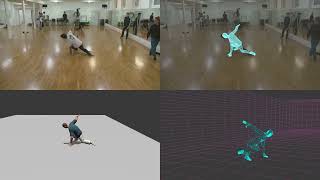
Breakdancing motion capture with Move.ai
Move AI
YouTube returned 6 videos for “Move AI”, and we withheld 4: 4 could not be judged, because “Move AI” is a single word that other videos use for other things. Showing the 2 we can prove are about Move AI.
Official links
Tools that pair well with Move AI
Common stack mates teams adopt alongside Move AI, with the specific reason each pairing earns its keep.

QuickMagic
AI motion capture that turns a phone video or text prompt into editable 3D animation data

Meshcapade
Markerless SMPL-based motion capture from a single camera; now part of Epic Games and folded into Unreal Engine.

Wonder Studio
Autodesk Flow Studio turns live-action footage into editable 3D CG scenes with AI mocap and rigged characters.
Featured Head-to-Head Comparisons
Move Ai vs Storyfile
If you need high-quality 3D animation data from video without markers, choose Move AI. If you need an interactive, authentic video avatar for museums or legacy preservation—like George Takei at the Japanese American National Museum (2026)—go with StoryFile. They solve completely different problems; your choice depends on whether you animate characters or preserve human conversations.
Move Ai vs Landr Mastering
Move AI and LANDR Mastering solve completely different problems: one converts video to 3D motion for studios, the other masters audio for musicians. Move AI is a high-end enterprise motion capture solution with no self-serve pricing, while LANDR offers a low-cost, widely accessible mastering tool with a free tier. Choose based on your creative medium — there's no overlap.
Move Ai vs Splice
If you're a music producer seeking affordable, royalty-free samples and rent-to-own plugins, Splice is your clear winner with starting plans at $4.99/mo. If you're a studio or game developer needing markerless mocap for high-quality 3D animation, Move AI is the specialized choice—but expect enterprise pricing and limited self-serve access.
Alternatives to Move AI
View all
QuickMagic
AI motion capture that turns a phone video or text prompt into editable 3D animation data
Meshcapade
Markerless SMPL-based motion capture from a single camera; now part of Epic Games and folded into Unreal Engine.

Wonder Studio
Autodesk Flow Studio turns live-action footage into editable 3D CG scenes with AI mocap and rigged characters.
Frequently Asked Questions
Categories
Used Move AI? Help shape our editorial sentiment research.