
QuickMagic
AI motion capture that turns a phone video or text prompt into editable 3D animation data
For solo animators and small teams, QuickMagic is one of the more credible single-camera mocap options — creators in its own showcase retarget phone footage onto UE5 MetaHumans and Paragon characters without hardware, and reviewers like Charlie Driscoll call it possibly the best single-camera AI mocap they've used. The text-to-motion path and Unitree G1/H1/H1_2 robot presets are the parts DeepMotion and Move One don't really cover. Go in expecting cleanup work on fast or occluded motion, and check which export formats your plan actually unlocks before you commit — the site states plainly that export availability varies by plan and workflow. Compare against Move One and DeepMotion before you
Verified 4d ago · liveness 74/100 · cite: rightaichoice.com/tools/quickmagic
- Indie animators who want mocap from phone or webcam footage without buying hardware
- Game developers prototyping character animation for Unreal Engine or Unity
- Artists generating previs and storyboard motion from text prompts
- Robotics researchers producing human-motion references for Unitree humanoid robots
- Live on-set or XR mocap where you need motion the moment it happens
- Projects requiring finished facial animation with zero manual cleanup
- Studios that must keep footage on-premise (QuickMagic is cloud-based)
We scan live Reddit threads, YouTube comments, X posts, G2 reviews and other communities — and hand you an honest verdict in under a minute.
- Honest verdict, not marketing
- Real pros & cons from real users
- Attributed quotes with receipts
3 free scans · no card needed
Skip QuickMagic if you need live on-set or XR capture with motion the instant it happens, or if you can't send footage to a cloud pipeline at all.
API plans are one-time purchases, not subscriptions — API Basic credits expire after 2 months, so unfinishable projects mean buying the package again.
The API ladder scales by credit volume and validity: API Basic is a one-time $299 with 2K credits valid 2 months, API Pro $999 with 10K credits valid 6–12 months, API Max $4,999 with 70K credits, and API Studio $9,999 with 200K credits valid 18–24 months, each raising concurrency from 5 to 50 jobs and max video duration from 60s to 120s. Entry-level credit validity of 2 months on API Basic is the tightest constraint — smaller shops should price in re-purchases.
In short
QuickMagic — AI motion capture that turns a phone video or text prompt into editable 3D animation data. Best for Indie animators who want mocap from phone or webcam footage without buying hardware, Game developers prototyping character animation for Unreal Engine or Unity, Artists generating previs and storyboard motion from text prompts. Free to start; paid plans from $299.
What's new in QuickMagic
Checked 4 days agoAcross the latest 1 update: 1 news mention.
Viability Score
How well maintained and how widely used is QuickMagic? Built from what the vendor actually publishes (docs, changelog, tutorials, integrations, pricing), whether the site is live, and how much real users discuss it. How we calculate this
Last calculated: October 2026
How we score →Key Features
- Markerless AI motion capture from a single video
- Full-body and upper-body capture
- Hand and finger tracking
- Facial motion capture options
- Text-to-3D motion generation from plain-language prompts
- Single- and multi-subject capture workflows
- Static and moving-camera footage support
- Pose, frame-rate, and motion-cleanup controls
- Customizable first-frame pose
- Multi-frame-rate support (24, 30, 60, 120 FPS)
- Anti-penetration system for cleaner joint results
- Export to FBX, BVH, BIP, C4D, VMD, and Mixamo
- Export to UE4, UE5.5, UE5.6, MetaHuman, Character Creator & iClone
- Export to Roblox, OnlyFace, and UniRobot
- Human-motion presets for Unitree G1, H1, and H1_2 robots
About QuickMagic
QuickMagic is a cloud-based AI motion capture service that converts ordinary footage — shot on a phone, webcam, or camera — into editable 3D animation data. Its markerless computer vision estimates full-body, upper-body, hand, and facial movement, so you don't need suits, reflective markers, sensors, or a multi-camera studio. A second workflow generates motion from a plain-language text prompt and returns an editable draft you can preview and refine, which suits storyboards, game prototypes, and character performance ideation. Capture handles single- and multi-subject footage and works with static or moving cameras, with pose controls, multi-frame-rate support (24, 30, 60, 120 FPS), a customizable first-frame pose, and an anti-penetration system aimed at cleaner joint results. Results still depend on subject visibility, motion blur, occlusion, and camera movement, so messy source footage needs cleanup. Export formats include FBX, BVH, BIP, C4D, VMD, Mixamo, UE4, UE5.5, UE5.6, MetaHuman, Character Creator & iClone, Roblox, OnlyFace, and UniRobot, feeding Blender, Unreal Engine, Unity, Maya, 3ds Max, MotionBuilder, Cascadeur, MikuMikuDance, UEFN, and Cartoon Animator — though export availability varies by plan and workflow. There's also a robotics angle: human-motion presets for Unitree G1, H1, and H1_2 for simulation and imitation-learning work. QuickMagic competes with Move One and DeepMotion on video-to-motion; its text-to-motion path and humanoid-robot presets go further than most consumer mocap tools. For live on-set capture or finished facial animation with no manual pass, look elsewhere.
Behind the Verdict
QuickMagic's pitch is narrow and honest: turn the video you already shot, or a sentence you already typed, into motion data your 3D pipeline can consume. Strengths. The capture workflow is genuinely low-friction — upload phone or webcam footage to the cloud pipeline and get back editable animation data. Tracking coverage spans full-body, upper-body, hand and finger, and facial motion options, with single- and multi-subject support and both static and moving cameras. Frame rates run 24, 30, 60, and 120 FPS, and you get pose, frame-rate, and motion-cleanup controls plus a customizable first-frame pose and an anti-penetration system aimed at limiting joint interpenetration. Export coverage is unusually wide for this price class: FBX, BVH, BIP, C4D, VMD, Mixamo, UE4, UE5.5, UE5.6, MetaHuman, Character Creator & iClone, Roblox, OnlyFace, and UniRobot, landing in Blender, Unreal Engine, Unity, Maya, 3ds Max, MotionBuilder, Cascadeur, iClone, MikuMikuDance, UEFN, and Cartoon Animator. The text-to-motion generator produces editable drafts for previs and prototyping, and the Unitree G1/H1/H1_2 presets carve out a robotics research niche few consumer tools touch. Weaknesses. Quality tracks source quality — subject visibility, lighting, motion blur, occlusion, and camera movement all move the needle, so chaotic or heavily occluded shots need a cleanup pass. Facial capture is offered as an option, but there's no claim of finished facial animation out of the box. It's cloud-only, so teams that must keep footage on-premise should look at desktop or studio-grade systems instead, and it can't do live on-set capture where you need motion as it happens. Where it fits. Indie game developers prototyping in Unreal or Unity, VTuber/MMD/iClone creators wanting quick dance or performance motion, artists generating previs from text, and robotics researchers producing human-motion references. Charlie Driscoll's showcase — long-running smartphone footage retargeted onto a UE5 MetaHuman for a medieval battle scene — is the clearest picture of the intended workflow, and Defonten's room-filmed tests retargeted onto free Paragon characters show the same path. The Cascadeur team's own walkthrough (video mocap in QuickMagic, then Animation Unbaking and Fulcrum Motion Cleaning, AutoPosing, AutoPhysics) is a realistic look at how much polish happens after export. Where it doesn't. Live on-set or XR capture, projects demanding zero-cleanup facial performance, and heavily occluded or motion-blurred shots. Export availability is plan- and workflow-dependent, so confirm your target format before you commit.
Researching QuickMagic? Get your full AI stack in 60 seconds.
Free, no signup — tell us your goal and get tools matched to your budget & existing stack.
Real-world workflow fit
Concrete scenarios for the personas QuickMagic actually fits — and what changes day-one when you adopt it.
Films a 20-second sword-swing in their room on a phone, uploads it to QuickMagic, downloads the FBX, and retargets it onto a free Paragon character in Unreal Engine
Outcome: A usable combat animation without buying a mocap suit or booking a studio, with a cleanup pass in the engine
Runs video mocap in QuickMagic, then retargets in Cascadeur and uses Animation Unbaking and Fulcrum Motion Cleaning to build a solid base before AutoPosing and AutoPhysics add secondary motion
Outcome: A polished animation where QuickMagic supplies the base performance and Cascadeur handles the polish
Generates human-motion references from video or text and exports them using the Unitree G1, H1, or H1_2 presets for simulation and imitation-learning experiments
Outcome: Human motion data for behavior prototyping and testing without hand-building reference clips
Use Cases
- Convert smartphone dance video to FBX animation for Unreal Engine
- Generate a walk-cycle motion from a text prompt for a Blender character
- Capture multiple actors from one video for crowd animation in Unity
- Create hand gestures and body language for a cutscene without markers
- Prototype character movement for an indie game using text prompts
- Facial capture from talking-head video for lip-sync in iClone
- Generate human-motion references for Unitree robot simulation
- Quick MMD/VTuber content from home-recorded video
Models Under the Hood
as of 2026-09-27
Limitations
- AI motion capture quality depends on subject visibility, lighting, motion complexity, and the target workflow.
- Results can be affected by motion blur, occlusion, camera movement, and the type of action being captured.
- Facial capture is offered as an option rather than a finished, zero-cleanup facial animation pass.
- QuickMagic processes in the cloud, so footage leaves your machine.
- Export availability varies by plan and workflow, so confirm the format your pipeline needs is included on your plan before committing.
- The API credit packages are one-time purchases with fixed validity windows — API Basic credits are valid 2 months, API Pro 6 months, API Max 12 months, and API Studio 18 months — and unused API Credits expire at the end of that window and cannot be extended, refunded, restored, or converted into personal Monthly Credits.
- Personal plans, including Studio, do not include API access, and API Credits are separate from personal Monthly Credits.
- After an API package expires, related assets stay available for 30 days before entering a 15-day deletion process, after which they are permanently deleted and cannot be restored.
as of 2026-10-04
Verification history
We have re-verified QuickMagic 9 times since . Each pass re-reads the vendor's own pages and re-checks every listed field against that evidence; passes where nothing had changed are marked as such.
- — re-verified summary, description, our verdict, our analysis, pricing model, pricing tiers, features, integrations, who it suits, who should skip it
- — re-checked, vendor evidence unchanged
- — re-checked, vendor evidence unchanged
- — re-checked, vendor evidence unchanged
- — re-checked, vendor evidence unchanged
- — re-checked, vendor evidence unchanged
Showing the 6 most recent of 9 verification passes.
Free to cite with attribution — this page re-verifies continuously.
12-month cost
Project the real annual outlay, including the implied monthly cost when only an annual tier is published.
Vendor list price only. Add-on usage, seat overages, and contract minimums are surfaced under Hidden costs & gotchas.
Plans compared
For each published QuickMagic tier: who it actually fits, and what it adds vs. the previous tier. Cross-reference the cost calculator above for projected annual outlay.
Free
$0/mo
Ideal for
Solo creators who want to test the markerless video-to-motion workflow before spending anything
What this tier adds
Free entry point with limited captures, cloud processing, and preview of generated motion before export
Creative
Custom
Ideal for
Indie animators and small teams who have outgrown test captures and need more export options
What this tier adds
Adds expanded export options and additional capture volume beyond the free tier, with pricing confirmed through QuickMagic
Enterprise
Custom
Ideal for
Studios and research groups running production-scale or humanoid-robot motion reference work
What this tier adds
Adds team-scale usage, scoped export and pipeline access, and humanoid-robot motion reference workflows
API Basic
$299 one-time
Ideal for
A developer or small platform running a first integration test or a limited batch job
What this tier adds
Starting API tier: one-time $299 for 2K API Credits valid 2 months, 5 concurrent jobs, 60s max video, 100 MB max upload
API Pro
$999 one-time
Ideal for
A product team putting QuickMagic into a live feature with steady but modest volume
What this tier adds
Raises to 10K API Credits, 10 concurrent jobs, 90s max video, 200 MB uploads, and high queue priority
API Max
$4,999 one-time
Ideal for
A platform or studio running regular batch processing across many jobs
What this tier adds
Raises to 70K API Credits, 20 concurrent jobs, 120s max video, 300 MB uploads, and highest queue priority
API Studio
$9,999 one-time
Ideal for
Large studios or platforms with sustained high-volume server-side motion processing
What this tier adds
Top self-serve API tier: 200K API Credits, 50 concurrent jobs, 120s max video, 400 MB uploads, and dedicated priority
Where the pricing makes sense
The company stage and team size where QuickMagic's pricing actually pencils out — and where peers do it cheaper.
The API ladder scales by credit volume and validity: API Basic is a one-time $299 with 2K credits valid 2 months, API Pro $999 with 10K credits valid 6–12 months, API Max $4,999 with 70K credits, and API Studio $9,999 with 200K credits valid 18–24 months, each raising concurrency from 5 to 50 jobs and max video duration from 60s to 120s. Entry-level credit validity of 2 months on API Basic is the tightest constraint — smaller shops should price in re-purchases.
Setup time & first value
How long it actually takes to get something useful out of QuickMagic — broken out by persona, not the marketing-page minute.
Video-to-motion: minutes to first capture if you already have footage — upload, process in the cloud, preview, and export; budget an afternoon once you factor in retargeting and cleanup in Unreal or Blender. Text-to-motion: fastest path to a draft, since there's no filming step. Cascadeur users should add time for the retarget-and-polish pass after export.
Switching to or from QuickMagic
How to bring data in from common predecessors and how to get it back out — written for the switcher, not the buyer.
- →From Move One: re-shoot or reuse the same footage and upload it to QuickMagic for markerless processing, then export to your pipeline's format.
- →From DeepMotion: move your existing source clips into QuickMagic's cloud pipeline and compare the text-to-motion and Unitree robot presets it adds.
- →From manual keyframing: start with a text prompt to get an editable motion draft, then refine it by hand instead of blocking out from scratch.
- ↗To Move One: export motion from QuickMagic, then re-process source clips in the alternative tool if you need its workflow.
- ↗To Cascadeur: export FBX from QuickMagic and retarget, then use Animation Unbaking, Fulcrum Motion Cleaning, AutoPosing, and AutoPhysics.
- ↗To DeepMotion: use exported FBX or BVH motion data and rebuild captures in the alternative if its pipeline suits your team better.
Integrations
Resources & Guides
Tutorials & Learning

【3Dフルトラ機材】14万のmocopi Proと比較!スマホ1台で全身動くQuickMagicが神ツールすぎる【個人VTuberフルトラッキングやり方】
焼まゆるのお絵かきちゃんねる
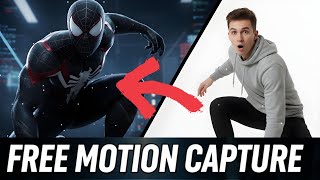
QuickMagic AI: 数分で完璧な 3D アニメーションが作成できる無料の AI モーション キャプチャ ツール!
BlenderHub
YouTube returned 6 videos for “QuickMagic”, and we withheld 4: 4 could not be judged, because “QuickMagic” is a single word that other videos use for other things. Showing the 2 we can prove are about QuickMagic.
Official links
Tools that pair well with QuickMagic
Common stack mates teams adopt alongside QuickMagic, with the specific reason each pairing earns its keep.

Immersity AI
Convert 2D images, videos, and motion into stereoscopic 3D that plays on the phone, tablet, or laptop you already own.

SAM 3 & 3D
Meta's promptable segmentation model that masks every matching object in images and video from a short text phrase, an example box, or clicks — free to try in

Wonder Studio
Autodesk Flow Studio turns live-action footage into editable 3D CG scenes with AI mocap and rigged characters.
Featured Head-to-Head Comparisons
Quickmagic vs Landr Mastering
These tools serve entirely different purposes—LANDR Mastering is for audio mastering, QuickMagic for 3D animation. If you're a musician needing quick, affordable mastering, LANDR (from $10/track) is a solid choice. If you need to convert video to 3D animations without mocap suits, QuickMagic is the go-to. Choose based on your creative domain.
Quickmagic vs Splice
Splice and QuickMagic serve completely different creative workflows: Splice is for music producers needing sample libraries and rent-to-own plugins, while QuickMagic turns video into 3D animation. Choose Splice if you produce music; choose QuickMagic if you need quick motion capture without special gear. They are not direct competitors.
Quickmagic vs Storyfile
If you need to preserve authentic human stories for interactive exhibits or legacy projects, StoryFile is unmatched—its real‑footage conversational AI has powered high‑profile installations like CNN's Kara Swisher twin. For animators and game devs who need budget‑friendly motion capture from video, QuickMagic is the clear winner with a free tier and direct exports to Unreal/Unity. Choose based on whether you prioritize human authenticity (StoryFile) or rapid 3D animation (QuickMagic).
Alternatives to QuickMagic
View all
Immersity AI
Convert 2D images, videos, and motion into stereoscopic 3D that plays on the phone, tablet, or laptop you already own.

SAM 3 & 3D
Meta's promptable segmentation model that masks every matching object in images and video from a short text phrase, an example box, or clicks — free to try in

Wonder Studio
Autodesk Flow Studio turns live-action footage into editable 3D CG scenes with AI mocap and rigged characters.
Frequently Asked Questions
Categories
Used QuickMagic? Help shape our editorial sentiment research.