Mux is live · free plan, paid from $20/mo · last verified 25 Oct 2026 · viability healthy

Mux
Mux is a developer-first video API for encoding, live streaming, delivery, DRM and hosted AI video workflows.
Buy Mux when video is a feature inside your product and you want encoding, delivery, DRM, analytics and AI jobs on one bill with published per-minute rates. The Robots line has matured fast — five workflows left experimental in September 2026, dubbing runs at $0.70/min, and the playground means you can test parameters before committing spend. Skip it if you need to own the encoding ladder, run video in your own datacenter, or want a finished player-plus-CMS with no API work.
Verdict generatedVerified 5d ago · liveness 87/100 · cite: rightaichoice.com/tools/mux
- Engineering teams adding video as a feature inside a larger product
- Marketplaces and social apps handling user-generated uploads at volume
- AI video companies renting encoding, delivery and DRM instead of building
- Live event platforms needing 4-second latency plus instant recording to VOD
- Teams requiring on-prem or private-cloud deployment and data residency
- Teams that need to tune encoding ladders down to the codec
- Anyone who wants a finished hosted player and CMS with no API work
We scan live Reddit threads, YouTube comments, X posts, G2 reviews and other communities — and hand you an honest verdict in under a minute.
- Honest verdict, not marketing
- Real pros & cons from real users
- Attributed quotes with receipts
3 free scans · no card needed
Skip Mux if you need on-prem or data-residency control over your video pipeline, want codec-level ladder tuning, or expect a finished player and CMS without writing API calls.
Translate-audio bills at $0.70/min of content, so dubbing a 40-hour catalog costs roughly $1,680 in one pass regardless of how few people watch it.
The Free plan and Pay as you go with a $20 monthly usage credit suit a first video feature or an early-stage product. Launch at $20/mo for $100 credit and Scale at $500/mo for $1,000 credit fit growing apps that want a predictable baseline. Above roughly $3k/month of spend, Enterprise discounts start. Against Wistia or Vimeo's bundled per-video subscription, Mux is far cheaper at high delivery volume and more work to assemble.
In short
Mux — Mux is a developer-first video API for encoding, live streaming, delivery, DRM and hosted AI video workflows. Best for Engineering teams adding video as a feature inside a larger product, Marketplaces and social apps handling user-generated uploads at volume, AI video companies renting encoding, delivery and DRM instead of building. Free to start; paid plans from $20/mo.
No head-to-head comparison for Mux yet — the alternatives below are the closest matches we list.
What is Mux?
Mux — Mux is a developer-first video API for encoding, live streaming, delivery, DRM and hosted AI video workflows. Best for Engineering teams adding video as a feature inside a larger product, Marketplaces and social apps handling user-generated uploads at volume, AI video companies renting encoding, delivery and DRM instead of building. Free to start; paid plans from $20/mo.
Mux is video infrastructure you call instead of build: upload by file or URL, get encoding at basic, plus or premium quality up to 4K, storage, captions, thumbnails, GIFs, storyboards, clipping and Shots (shot boundaries plus extracted shot images). Live and on-demand sit in the same product, with live running on SRT with HEVC or RTMP, latency down to 4 seconds, simulcasting to third-party platforms and instant recording to VOD. Mux Player ships for web, iOS and Android, and Mux Data gives you views, unique viewers, playing time and retention heatmaps, now queryable by ABR rendition through six Subview Metrics API endpoints added in September 2026. The piece that separates Mux from a CDN plus transcoder is Mux Robots: hosted AI jobs that run on your own assets, covering caption translation, premium caption generation and editing, audio dubbing with translate-audio, summarization with tone control, chaptering, moderation with configurable sexual and violence thresholds, ask-questions, find key moments, find scenes, best-thumbnail selection and engagement insights. Five of those workflows graduated from experimental in September 2026, premium captions got cheaper, an October 2026 playground lets you tune parameters before shipping, and an October Contentful release puts Robots inside a CMS. It fits engineering teams adding video inside a bigger product: SaaS platforms, marketplaces with user-generated uploads, live-event apps and AI video companies that would rather rent encoding, delivery and DRM than operate them. Teams wanting a turnkey hosted player and CMS should weigh Wistia or Vimeo, and teams needing codec-level ladder control, on-prem deployment or data residency should look elsewhere.
Key features
- Video ingest by direct upload or URL
- On-demand encoding at basic, plus and premium quality up to 4K
- Live streaming via SRT with HEVC or RTMP
- Live latency as low as 4 seconds
- Live simulcasting to third-party platforms at $0.02/min per target
- Instant recording of live streams to VOD
- Mux Player for web, iOS and Android
- Mux Data analytics: views, unique viewers, playing time and retention heatmaps
- Subview Metrics API endpoints to query playing time by ABR rendition
- Media-grade DRM at $100/mo plus $0.003 per play
- Shots: shot boundaries and extracted shot images at $0.001/min
- Caption translation at $0.005/min plus $0.001 per job
- Audio dubbing with translate-audio at $0.70/min
- Content moderation with configurable sexual and violence thresholds
- Mux Robots playground to tune workflow parameters before production
Behind the verdict
Mux earns its keep in a specific situation: your engineers are already shipping product, and video needs to be one more API in their stack rather than a separate platform with its own dashboard and workflow. Upload, encode, deliver, measure, plus DRM and a player — one vendor, one bill, metered per minute. The Robots line is where the 2026 story actually sits. Caption translation, dubbing, summarization, chaptering, moderation and the rest run against assets you already stored, so there is no export step and no second pipeline to babysit. Five of those workflows shed their experimental label in September 2026 and premium captions dropped in price; the October playground lets you tune a job and copy the parameters or an agent prompt straight into your code. Where it bites: Mux abstracts the encoding ladder. That is the point, but if you have built a career tuning profiles per title or per device class, you lose that control. Same for teams with data-residency mandates or a private-cloud requirement — Mux runs the infrastructure, not yours. And the AI features are priced per minute of input, so a large back catalog of long videos gets expensive quickly if you fan out every workflow across all of them. Watch the metered line items, not just the headline free tier. Pick Mux if you are an engineering-led team adding video to a SaaS product, a marketplace handling user uploads, a live-event app that wants 4-second latency alongside on-demand, or an AI video company that would rather rent delivery and DRM than staff it. Pass if you want a finished hosted player and CMS with a marketing team operating it — Wistia and Vimeo serve that buyer — or if reserved CDN capacity for flat high-volume delivery is cheaper for your pattern. One practical caution: model your actual
Models under the hood
as of 2026-10-23
Limitations
- Developer-first by design: the homepage, pricing page and docs present usage-based building blocks (input, storage, delivery, workflows) rather than a consumer app, so adoption assumes engineering effort.
- Free-plan and credit limits are explicit — Free is on-demand only with up to 10 videos stored, and Robots usage is metered in units (100K free monthly units) before credits or usage-based billing apply.
- Pricing is granular enough to require modeling: translate-audio at $0.70/min, media-grade DRM at $100/mo plus $0.003 per play, custom domains at $100/mo, live captions at $0.024/min after 6K free minutes.
- The changelog shows a rapid 2026 cadence (Robots workflows, Data API subview metrics, Swift upload SDK, Directives), so interfaces shift and integrations need maintenance.
- No third-party model is named anywhere in the public material.
as of 2026-10-20
Researching Mux? Get your full AI stack in 60 seconds.
Free, no signup — tell us your goal and get tools matched to your budget & existing stack.
Is Mux still active?
Mux is live · free plan, paid from $20/mo · last verified 25 Oct 2026 · viability healthy.
Viability score
How well maintained and how widely used is Mux? Built from what the vendor actually publishes (docs, changelog, tutorials, integrations, pricing), whether the site is live, and how much real users discuss it. How we calculate this
Last calculated: October 2026
How we score →What's new in Mux
Checked 10 days agoAcross the latest 5 updates: 3 feature updates and 2 changelog entries.
Account Spending alerts: Get notified when your spending crosses a threshold
Spending alerts email you when your Mux spend crosses thresholds you set, so you hear about it early instead of at the end of the month.
Use Mux Robots from the Mux app for Contentful
Run AI video workflows in Contentful: dub videos, generate premium captions and chapters, find key moments, and summarize or moderate content.
Try any Mux Robots workflow in the new playground
Tune Robots workflow parameters and output steering in the Playground, then copy the parameters or an agent prompt to take the setup into production.
Query playing time by rendition with the Subview Metrics API
Six new Data API Subview Metrics endpoints let you query playing time by rendition directly rather than through the dashboard.
Five Mux Robots workflows promoted from experimental, premium captions price cut
translate-audio, find-scenes, find-best-thumbnails, generate-premium-captions and generate-engagement-insights are no longer experimental, and premium captions are cheaper.
What do users say about Mux?
What people actually say about Mux — is it worth it?
We ran a structured research pass across product reviews, community discussions, and post-purchase forum threads to surface the patterns vendors won't publish themselves. Below: the recurring strengths, the hidden costs people mention most, and the cohort that consistently regrets adopting this tool.
ResearchedDiscussed by users across 6 sources (Hacker News, YouTube, Product Hunt, App Store, Stack Overflow, Lemmy) · researched Oct 10, 2026.
Weighted by the 82 posts each of 6 sources contributed.
- +One API covers ingest, encoding, subtitles, thumbnails, clipping, and Shots image extraction
- +Live runs on SRT/HEVC or RTMP with latency reported as low as 4 seconds
- +Instant recording of live to VOD plus simulcasting avoids a second live pipeline
- +Mux Robots AI jobs — captions, dubbing, summarization, moderation — hosted on the same assets
- +Free plan includes 100,000 Robots units and 100,000 monthly delivery minutes
- −Community discussion of Mux itself is scarce and dominated by keyword noise
- −Apple TV app is repeatedly requested and still missing across player platforms
- −Live-event uptime and DRM behavior are not corroborated in any public thread
- −Robots AI accuracy (captioning, dubbing, moderation) lacks independent community benchmarking
- −Storage is billed per stored minute, so growing libraries inflate costs without traffic growth
- • Storage is billed per stored minute — long-lived libraries accrue ongoing cost
- • Premium 4K encoding ladders cost more than basic/plus tiers
- • Robots units are metered beyond the 100,000 free monthly allotment
- • Live simulcasting to third-party platforms may incur egress or downstream fees
How we verified this
Every listed fact about Mux— pricing, features, links, status — is re-read from the vendor's own pages by our verification pipeline and each change is logged with a date; the last pass ran on 25 Oct 2026. Pages mix model-assisted synthesis with human review; see how we verify.
Verification history
We have re-verified Mux 19 times since . Each pass re-reads the vendor's own pages and re-checks every listed field against that evidence; passes where nothing had changed are marked as such.
- — changed summary, pricing tiers, description, our verdict, features
- — changed pricing page, platforms
- — changed our verdict, setup time, pricing fit, use cases, features, hidden costs, integrations, who it suits, limitations, switching in, switching out, who should skip it, description
- — changed pricing page, limitations
- — changed who should skip it, pricing tiers, features, description, summary, who it suits, integrations, our verdict
- — changed pricing page
Showing the 6 most recent of 19 verification passes.
Free to cite with attribution — this page re-verifies continuously.
How much does Mux cost in 2026?
Mux: Free to start; paid plans from $20/mo. Pricing last verified 25 Oct 2026.
12-month cost
Project the real annual outlay, including the implied monthly cost when only an annual tier is published.
Vendor list price only. Add-on usage, seat overages, and contract minimums are surfaced under Hidden costs & gotchas.
Where the pricing makes sense
The company stage and team size where Mux's pricing actually pencils out — and where peers do it cheaper.
The Free plan and Pay as you go with a $20 monthly usage credit suit a first video feature or an early-stage product. Launch at $20/mo for $100 credit and Scale at $500/mo for $1,000 credit fit growing apps that want a predictable baseline. Above roughly $3k/month of spend, Enterprise discounts start. Against Wistia or Vimeo's bundled per-video subscription, Mux is far cheaper at high delivery volume and more work to assemble.
Has Mux's pricing changed?
No plan price for Mux has moved since we began logging in Aug 2026; the pricing page is re-read on every verification pass.
Who should pick Mux?
Pick Mux if you are Engineering teams adding video as a feature inside a larger product, Marketplaces and social apps handling user-generated uploads at volume, AI video companies renting encoding, delivery and DRM instead of building, Live event platforms needing 4-second latency plus instant recording to VOD.
Look elsewhere if you are Teams requiring on-prem or private-cloud deployment and data residency, Teams that need to tune encoding ladders down to the codec, Anyone who wants a finished hosted player and CMS with no API work, Very high-volume flat-pattern delivery where reserved CDN capacity is cheaper.
Skip it if Skip Mux if you need on-prem or data-residency control over your video pipeline, want codec-level ladder tuning, or expect a finished player and CMS without writing API calls.
GeneratedReal-world workflow fit
Concrete scenarios for the personas Mux actually fits — and what changes day-one when you adopt it.
Wire up user-generated uploads with a direct-upload URL, set video_quality to basic for cost, turn on auto-generated English captions, and run the moderate workflow with sexual at 0.7 and violence at 0.8 before publishing.
Outcome: Uploads go live only when they clear your thresholds, captions are attached automatically, and the Mux Data dashboard shows playing time and retention per asset without you building analytics.
Use the Robots Playground to tune a summarization job with neutral tone and a chaptering job, compare runs, copy the parameters into production, then create a Directives config so every new asset converges on summarize-plus-chapter.
Outcome: Each new video ships with a description, tags and timestamped chapters, and the same setup runs unattended as assets arrive.
Stream over SRT with HEVC at 4-second latency, simulcast to a third-party platform, and use instant recording so the event becomes an on-demand asset the moment it ends.
Outcome: The live audience gets near-real-time playback, the recording is available for replay without a second pipeline, and spending alerts warn you if a peak event pushes spend past your threshold.
Use cases
- Add video upload, transcoding and playback to your app through one API
- Auto-generate and translate captions for accessibility across languages
- Track viewer engagement and quality of experience with Mux Data dashboards
- Run live events at 4-second latency with instant recording to on-demand
- Moderate user-generated video with sexual and violence confidence thresholds
- Summarize and chapter a video library programmatically per asset
- Dub a catalog into new languages with translate-audio
- Query playing time by ABR rendition to tune your encoding ladder
Setup time & first value
How long it actually takes to get something useful out of Mux — broken out by persona, not the marketing-page minute.
A single video: under five minutes by following the docs quickstart — upload a file and play it back. A production integration with signed playback, webhooks and captions: a day or two of engineering. Adding Mux Robots moderation or chaptering to an existing pipeline: hours, since it is a job call against an asset you already have.
Switching to or from Mux
How to bring data in from common predecessors and how to get it back out — written for the switcher, not the buyer.
- →From a self-managed transcoder: upload existing files through the API or the Swift/TypeScript SDKs, and use the Migrating to Mux docs guide to move off self-managed infrastructure.
- →From Vimeo or Wistia: keep the CMS wiring and swap the embed for Mux Player, using the React component, web component or iframe embed.
- →From an existing player stack: Mux Data has documented integrations for Video.js, HLS.js, JW Player, Brightcove, Bitmovin and THEOplayer, so you can keep the player and add analytics first.
- ↗To a self-hosted pipeline: export usage CSVs going back 13 months to model the move, and pull stored originals before the one-month minimum storage window on basic quality lapses.
- ↗To a bundled platform like Vimeo or Wistia: rebuild the player and CMS layer, since Mux gives you components rather than a hosted CMS.
- ↗To another CDN-plus-encoder: Mux Player is a web component you can swap out, but signed playback URLs and DRM licensing have to be re-issued on the new provider.
Integrations
Tutorials & Learning
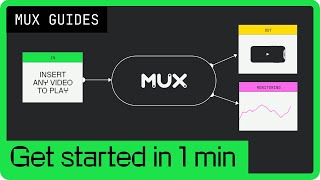
YouTube returned 6 videos for “Mux”, and we withheld 5: 5 could not be judged, because “Mux” is a single word that other videos use for other things. Showing the 1 we can prove is about Mux.
Official links
What are the best Mux alternatives?
The closest alternatives to Mux we list are Wistia, Vimeo AI and VEED.IO. Ranked by direct product-type match, not category overlap.
| Alternative | Pricing | Starts at | Last verified |
|---|---|---|---|
| Wistia | Freemium | Pricing not published | — |
| Vimeo AI | Freemium | Pricing not published | — |
| VEED.IO | Freemium | Pricing not published | — |
Alternatives to Mux
View all


Tools that pair well with Mux
Common stack mates teams adopt alongside Mux, with the specific reason each pairing earns its keep.

Wistia
Wistia is a video hosting and webinar platform that puts watch data on CRM contact records.

Vimeo AI
Vimeo AI turns a talking-head recording into a finished video with an AI script generator, teleprompter, and text-based editing.

VEED.IO
Browser-based AI video platform for generating, subtitling, and branding social video from a prompt or an edit.
Frequently asked questions
Best-of guides
Used Mux? Help shape our editorial sentiment research.