
MyScript Notes
Handwriting-first AI notepad that converts, searches & studies your pen notes on iPad and Android.
If you take notes with an Apple Pencil or a stylus on iPad, MyScript Notes is the strongest handwriting conversion we've tested, and the student AI tools — summarize, explain, quiz, chat with your notes — do real work rather than pad a feature list. The pen gestures for erasing and emphasizing, plus draw-to-shape and instant graph plotting, are the reasons to choose it over digital-paper notebooks. Budget for a subscription: $7.99/mo, $39.99/yr (billed annually), or $99.99 once for lifetime. If you need dictation, a desktop client, or AI study sets on Android today, look at GoodNotes or hold off.
Verified 20h ago · liveness 76/100 · cite: rightaichoice.com/tools/myscript-notes
- Students who want AI study tools (summarize, quiz, chat) built into notes
- STEM students needing math recognition and live graph plotting
- iPad and Apple Pencil users who want the best handwriting conversion
- Visual thinkers who prefer an infinite canvas for early-stage ideas
- People who need a desktop app on macOS or Windows
- Anyone who relies on voice notes or audio recording
- Android users who want AI study sets right now
We scan live Reddit threads, YouTube comments, X posts, G2 reviews and other communities — and hand you an honest verdict in under a minute.
- Honest verdict, not marketing
- Real pros & cons from real users
- Attributed quotes with receipts
3 free scans · no card needed
Skip MyScript Notes if you take voice notes, need a macOS or Windows desktop client, or want AI study sets on Android today — none of those are supported in the current material.
The free tier is a trial surface, not a working setup, so most regular note takers end up on the $7.99/mo or $39.99/yr (billed annually) plan quickly.
At $7.99/mo or $39.99/yr (billed annually) with a $99.99 one-time lifetime option, MyScript Notes sits above free built-in tools like Apple's Math Notes but roughly level with mainstream paid notebooks such as GoodNotes and Notability, and well under the enterprise contact-sales programs it reserves for teams. Solo students and independent note takers get the strongest value; organizations should expect a separate, quote-based program.
In short
MyScript Notes — Handwriting-first AI notepad that converts, searches & studies your pen notes on iPad and Android. Best for Students who want AI study tools (summarize, quiz, chat) built into notes, STEM students needing math recognition and live graph plotting, iPad and Apple Pencil users who want the best handwriting conversion. Free to start; paid plans from $7.99/mo.
What's new in MyScript Notes
Checked todayAcross the latest 1 update: 1 feature update.
What people actually say about MyScript Notes — is it worth it?
We ran a structured research pass across product reviews, community discussions, and post-purchase forum threads to surface the patterns vendors won't publish themselves. Below: the recurring strengths, the hidden costs people mention most, and the cohort that consistently regrets adopting this tool.
30 mentions across 3 sources (Hacker News, YouTube, Bluesky) · researched Jul 23, 2026.
Average across the 3 sources that answered — each source counts once, not each post.
- +Best-in-class handwriting-to-text conversion, even with messy scrawl.
- +AI study tools: summarization, quiz generation, and chat with notes.
- +Pen gesture editing (scratch-out, underline) feels natural and fast.
- +Accurate shape and math recognition for diagrams and equations.
- +Infinite canvas board for freeform brainstorming.
- −No desktop app; works on iOS and Android only.
- −AI features locked behind $7.99/month or $39.99/year subscription.
- −No voice recording – a letdown for lecture note-takers.
- −Draw-to-shape and math options missing for free users.
- −Some users report scroll lag on Android devices.
- • AI features require subscription – free tier misses key tools
- • iCloud sync may require paid iCloud storage for heavy users
Viability Score
How well maintained and how widely used is MyScript Notes? Built from what the vendor actually publishes (docs, changelog, tutorials, integrations, pricing), whether the site is live, and how much real users discuss it. How we calculate this
Last calculated: October 2026
How we score →Key Features
- Handwriting-to-text conversion
- Pen gesture editing (scratch-out, underline, circle)
- Draw-to-shape conversion
- Math recognition and calculation
- Graph plotting from equations with instant updates
- AI summarization of notes and readings
- AI explanation of selected terms
- AI quiz generation (true/false, multiple choice)
- AI chat with your notes (pen-friendly)
- AI study sets (iOS; coming soon on Android)
- Notebook, Document, Board and PDF formats
- Expandable infinite canvas (Board)
- PDF import and annotation with editable ink
- Global search inside handwritten content
- Custom dictionary for handwriting recognition
About MyScript Notes
MyScript Notes (formerly Nebo) is a handwriting-first digital notebook from MyScript, the company behind the interactive ink engine that powers its SDK. You write with a stylus or finger and the app converts handwriting to typed text, turns rough lines into perfect shapes, recognizes and solves math, and plots graphs that update the moment you change an equation. Four formats cover different habits: Notebook (fixed-size pages with customizable size, orientation, paper color and pattern), Board (an expandable freeform canvas), Document (layout that reflows when you change screen orientation), and PDF annotation on imported multi-page files with editable, searchable ink. Generative AI features aimed at students let you summarize long notes or readings, get an explanation of any term, generate true/false or multiple-choice quizzes, and chat with your notes through a pen-friendly interface. AI study sets are live on iOS and listed as coming soon on Android. Global search finds text inside handwriting, and a custom dictionary tunes recognition to your vocabulary. Sync runs through iCloud on iOS or Google Drive and Dropbox with a free MyScript account. Export goes to PDF, PNG, SVG, Word or Nebo, and the app is available in 11 UI languages. Paid plans start at $7.99/mo or $39.99/yr with a 7-day free trial, or a one-time $99.99 lifetime purchase. It suits pen-first note takers, especially STEM students; there is no desktop app and no voice recording.
Behind the Verdict
MyScript Notes is a rare case where the underlying technology is the product. Interactive ink, the engine MyScript also licenses through its SDK, sits behind every headline feature: handwriting conversion, pen-gesture editing (scratch out to erase, underline to emphasize, circle to select), line-to-shape snapping, math recognition that actually calculates, and graph plotting that re-renders the instant you change a coefficient. Those last two are why STEM students rate it so highly — you write an equation, get a plot, tweak a number, and watch the curve move without leaving the page. The AI layer is deliberately student-shaped. Summarize condenses long notes or readings into main ideas; Explain returns a plain-language definition you can paste back into the note; Quiz turns any note into true/false or multiple-choice questions; Chat is a natural-language Q&A over your own notes. AI study sets, the practice-and-revision surface, are available on iOS and listed as coming soon on Android. The structure is more flexible than most notebooks. Notebook gives you fixed pages with control over size, orientation, paper color and pattern plus cover art; Board is an expandable canvas for freeform thinking; Document reflows its layout when you rotate the screen; and PDF import keeps multi-page readings editable and searchable in ink. Global search reaching inside handwriting is the feature people underrate until they need to find one line from six months ago. Where it falls short: there is no desktop app, no voice recording, and no bulk admin for teams — the vendor steers organizations to a contact-us program. Sync is split between iCloud on iOS and Google Drive or Dropbox elsewhere, and you need a free MyScript account. The generative AI model behind the study tools isn't named anywhere in the materials we reviewed, so you can't shop by model. Cheaper or free options exist (Apple's built-in Math Notes, Notability) but none combine this level of recognition accuracy with equation-aware plotting and AI study tools in one app.
Researching MyScript Notes? Get your full AI stack in 60 seconds.
Free, no signup — tell us your goal and get tools matched to your budget & existing stack.
Real-world workflow fit
Concrete scenarios for the personas MyScript Notes actually fits — and what changes day-one when you adopt it.
Write the lecture in a Notebook page, circle a formula to select it, let math recognition calculate it, and plot the function; after class run Summarize on the page and generate a multiple-choice Quiz, then use AI study sets for revision.
Outcome: Typed, searchable notes plus a self-test deck from the same session, so revision material exists the day the lecture happened.
Import a multi-page PDF, annotate margins with pen, highlight with underlines, then rely on global search to find a term written inside the handwriting weeks later.
Outcome: One searchable file per paper instead of a printout plus a separate typed summary.
Open a Board, sketch flows with shape conversion and freeform writing, then move the useful pieces into a Document whose layout reflows when the tablet rotates.
Outcome: Messy early thinking stays on the infinite canvas while the shareable version lives in a structured document.
Use Cases
- Convert handwritten lecture notes into typed text you can share and search.
- Brainstorm on an expandable Board canvas with freeform writing, sketches and shape conversion.
- Annotate imported multi-page PDFs with pen input and keep the annotations editable.
- Summarize a dense textbook chapter into bullet points with the AI summarize tool.
- Generate a multiple-choice quiz from your class notes to test recall.
- Write an equation, plot it, and adjust values to watch the graph update instantly.
- Journal or capture meeting notes across Notebook and Document formats.
- Find a line you wrote months ago using global search over handwriting.
Limitations
- AI study sets are iOS-only, with Android support described as coming soon, so Android users get the core note-taking and AI help features but not the revision practice surface.
- There is no desktop app — the product runs on iOS and Android only — and no voice recording, so it can't replace an audio-first note workflow.
- Sync is fragmented: iCloud on iOS, Google Drive or Dropbox elsewhere, and a free MyScript account is required.
- Team licensing runs through a separate organization program.
- The generative AI model behind summarize, explain, quiz and chat is not named in the materials we reviewed, so you cannot evaluate the study tools by which model powers them.
as of 2026-10-07
Verification history
We have re-verified MyScript Notes 9 times since . Each pass re-reads the vendor's own pages and re-checks every listed field against that evidence; passes where nothing had changed are marked as such.
- — re-checked, vendor evidence unchanged
- — re-verified summary, description, our verdict, our analysis, pricing model, pricing tiers, features, integrations, who it suits, who should skip it
- — re-checked, vendor evidence unchanged
- — re-verified summary, description, our verdict, our analysis, pricing model, pricing tiers, features, integrations, who it suits, who should skip it
- — re-checked, vendor evidence unchanged
- — re-checked, vendor evidence unchanged
Showing the 6 most recent of 9 verification passes.
Free to cite with attribution — this page re-verifies continuously.
12-month cost
Project the real annual outlay, including the implied monthly cost when only an annual tier is published.
Vendor list price only. Add-on usage, seat overages, and contract minimums are surfaced under Hidden costs & gotchas.
Plans compared
For each published MyScript Notes tier: who it actually fits, and what it adds vs. the previous tier. Cross-reference the cost calculator above for projected annual outlay.
Free
$0/mo
Ideal for
Anyone who wants to test handwriting conversion and the four note formats before paying
What this tier adds
Starting tier — limited features for trying the app, with a 7-day free trial available on the paid subscriptions.
Monthly Subscription
$7.99/mo
Ideal for
Students or professionals who want full features for a semester or a project without a long commitment
What this tier adds
Unlocks full feature access across all your devices with cancel-anytime terms; costs more per month than the yearly plan.
Yearly Subscription
$39.99/yr
Ideal for
Full-time students and regular note takers who will use the app all year
What this tier adds
Same full feature set on all devices as monthly, billed annually at a lower effective monthly rate.
Lifetime
$99.99
Ideal for
Long-term users who want to stop paying recurring fees on one device family
What this tier adds
One-time $99.99 payment with no subscription and all future updates included.
Where the pricing makes sense
The company stage and team size where MyScript Notes's pricing actually pencils out — and where peers do it cheaper.
At $7.99/mo or $39.99/yr (billed annually) with a $99.99 one-time lifetime option, MyScript Notes sits above free built-in tools like Apple's Math Notes but roughly level with mainstream paid notebooks such as GoodNotes and Notability, and well under the enterprise contact-sales programs it reserves for teams. Solo students and independent note takers get the strongest value; organizations should expect a separate, quote-based program.
Setup time & first value
How long it actually takes to get something useful out of MyScript Notes — broken out by persona, not the marketing-page minute.
Students: about 10 minutes to install, sign in with a free MyScript account, pick a Notebook page size and start writing. PDF annotators: a few minutes more to import a document and confirm sync (iCloud on iOS, Google Drive or Dropbox elsewhere). Teams: expect a longer cycle because licensing runs through the vendor's organization program rather than a self-serve seat toggle.
Switching to or from MyScript Notes
How to bring data in from common predecessors and how to get it back out — written for the switcher, not the buyer.
- →From paper notebooks: start a Notebook with your preferred page size, paper color and pattern, then scan or hand-copy only the pages you still reference.
- →From GoodNotes: export pages to PDF, import them into MyScript Notes for PDF annotation, and rebuild your most-used notebooks natively so handwriting conversion and math tools apply.
- →From Nebo: the app is the same product under a new name — sign in to your existing MyScript account and your notebooks carry over.
- ↗To GoodNotes or Notability: export notebooks to PDF, PNG, SVG or Word and import those files into the destination app.
- ↗To a typed notes tool like Obsidian or Notion: convert handwriting to text inside MyScript Notes, then export Word or PDF and paste the typed content across.
- ↗To Apple Math Notes: export the pages whose graphs and calculations you need, then re-enter the equations in the built-in app.
Resources & Guides
Tutorials & Learning
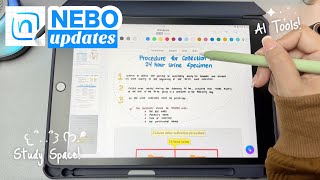
Nebo (MyScript Notes) の新機能 📘 新しい外観、機能、ツール、そして内蔵 AI ツール!❤︎ エミー・ルー
Emmy Lou
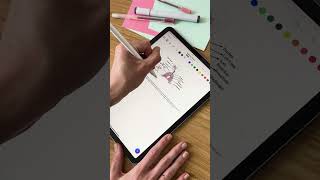
How To: Pen Gestures in Nebo
MyScript Notes

How to use Nebo
MyScript Notes
YouTube returned 6 videos for “MyScript Notes”, and we withheld 1: 1 did not mention MyScript Notes. Showing the 5 we can prove are about MyScript Notes.
Official links
Tools that pair well with MyScript Notes
Common stack mates teams adopt alongside MyScript Notes, with the specific reason each pairing earns its keep.

Notability
Notability turns handwriting, audio, and PDFs into searchable notes, AI summaries, and study materials across Apple, Android, and web.

Goodnotes
Tablet-first handwriting and PDF annotation app with AI search, mind maps, and meeting notes for teams that work with a stylus.

Noteshelf
Noteshelf is a handwriting note-taking app with AI handwriting search and synced audio recording on iOS, Android, and Windows.
Featured Head-to-Head Comparisons
Myscript Notes vs Surge Ai
MyScript Notes and Surge AI serve completely different needs. MyScript Notes is a productivity app for handwriting-first note-taking with AI study aids, ideal for students. Surge AI is a enterprise human feedback platform for AI alignment, targeting labs and teams building frontier models. Choose MyScript for personal learning, Surge for professional AI training and evaluation.
Myscript Notes vs Praktika
Choose Praktika if your priority is speaking practice with AI tutors in multiple languages. Choose MyScript Notes if you need a handwriting-powered note-taking app with built-in AI for summarizing, quizzing, and chatting with your notes—especially valuable for STEM students. They serve entirely different needs, so the right choice depends on whether you want to practice conversations or capture and learn from handwritten content.
Alternatives to MyScript Notes
View all
Notability
Notability turns handwriting, audio, and PDFs into searchable notes, AI summaries, and study materials across Apple, Android, and web.


Frequently Asked Questions
Used MyScript Notes? Help shape our editorial sentiment research.