
Newton Mail
Newton Mail is a cross-platform email client with read receipts, snooze, send later, and shared threads for Gmail, Outlook, and IMAP
At $6.99/mo Pro, Newton is one of the cheaper ways to get automatic read receipts plus a genuinely unified multi-account inbox — Gmail and Outlook still don't do per-recipient open tracking natively. The 2026 additions (Tidy Inbox, Face ID and passcode lock, shared team mailboxes, the Claude Code-backed desktop Agent) close most of the gap with Superhuman and Spark. Teams sharing a support@ address get real delegation and admin controls at $15/user/mo.
Verified 3d ago · liveness 77/100 · cite: rightaichoice.com/tools/newton-mail
- Professionals who need per-recipient read receipts to time follow-ups
- Anyone juggling Gmail, Outlook, iCloud, Yahoo, and Fastmail in one inbox
- Small teams running a shared support@, sales@, or info@ address
- Cross-platform users who want the same synced experience on Mac, Windows, and mobile
- Users satisfied with free native Gmail or Outlook apps
- Anyone who needs a full-featured standalone calendar
- Solo users who want Shared Inboxes (Team has a 2-seat minimum)
We scan live Reddit threads, YouTube comments, X posts, G2 reviews and other communities — and hand you an honest verdict in under a minute.
- Honest verdict, not marketing
- Real pros & cons from real users
- Attributed quotes with receipts
3 free scans · no card needed
Skip Newton Mail if you're content with free Gmail or Outlook and don't need read receipts, multi-account unification, or a shared team mailbox — the $6.99/mo Pro and $15/user/mo Team plans only pay off if you actually use those features daily.
Going past your tier's AI quota (20 actions/day free, 200/day Pro per seat) means you wait until it resets — there's no per-action overage purchase.
Newton's Free tier fits a single professional with up to 2 mailboxes; Pro at $6.99/mo is priced alongside paid clients like Spark Premium ($59.99/yr) while sitting below Superhuman ($25–30/mo) and Front ($19–59/user/mo). Team at $15/user/mo undercuts Front and Missive for small shared-inbox teams, but is more than the per-seat cost of Google Workspace itself — so it only makes sense if you're replacing a heavier helpdesk tool.
In short
Newton Mail — Newton Mail is a cross-platform email client with read receipts, snooze, send later, and shared threads for Gmail, Outlook, and IMAP. Best for Professionals who need per-recipient read receipts to time follow-ups, Anyone juggling Gmail, Outlook, iCloud, Yahoo, and Fastmail in one inbox, Small teams running a shared support@, sales@, or info@ address. Free to start; paid plans from $6.99/mo.
What's new in Newton Mail
Checked todayAcross the latest 6 updates: 3 feature updates and 3 changelog entries.
Newton enables three actions per swipe direction on mobile
Each swipe direction holds up to three actions, reorderable with a live preview in Settings → Swipe actions.
Scheduled folder moves into Sent on Newton desktop
Scheduled leaves the sidebar and becomes a row at the top of Sent, matching the mobile layout.
Newton Mail retires Modern list style
All lists now use the Classic design, showing each sender's initial in the account color instead of a photo. Mobile loses date headings and pinned-tab folder switching.
Google Calendar integration arrives on Newton desktop
Gmail accounts can enable Calendar in Settings → Accounts; view the day, create events and RSVP from the desktop toolbar.
Newton desktop app localized in 16 languages
Inbox, compose, settings, menus and notifications on desktop now follow the computer's language, matching the phone apps' 16 supported languages.
Newton Mail adds read-receipt alerts, one-tap translation, Unread view, mobile multi-select
Read-receipt notifications, one-tap translation for foreign-language mail, a dedicated Unread view, and multi-select with richer swipes ship on desktop, iPhone and Android.
What people actually say about Newton Mail — is it worth it?
We ran a structured research pass across product reviews, community discussions, and post-purchase forum threads to surface the patterns vendors won't publish themselves. Below: the recurring strengths, the hidden costs people mention most, and the cohort that consistently regrets adopting this tool.
50 mentions across 3 sources (Product Hunt, App Store, Lemmy) · researched Jul 3, 2026.
Average across the 3 sources that answered — each source counts once, not each post.
- +Beautiful, clean interface across all platforms.
- +Cross-device sync works well when it works.
- +Read receipts and send later are genuinely useful.
- +Collaboration with inline comments on email threads.
- +Powerful search with Gmail-style operators.
- −Email syncing often breaks, causing delays or missed mail.
- −Customer support is completely unresponsive.
- −Canceling subscription still results in ongoing charges.
- −Missing basic features like saving attachments locally.
- −Developers seem to have abandoned the product.
- • Some users report being charged after cancellation
- • No free tier; trial requires credit card
Viability Score
How well maintained and how widely used is Newton Mail? Built from what the vendor actually publishes (docs, changelog, tutorials, integrations, pricing), whether the site is live, and how much real users discuss it. How we calculate this
Last calculated: October 2026
How we score →Key Features
- Per-recipient read receipts with automatic open tracking on every sent email
- Send later for scheduling email into another time zone's business hours
- Cross-device snooze with presets synced across Mac, Windows, iPhone, iPad, and Android
- Shared email threads with teammate comments and a full activity timeline
- Inbox rules for auto-archive, auto-label, and auto-forward across Gmail and Outlook
- Unified inbox across Gmail, Google Workspace, Outlook, Microsoft 365, iCloud, Yahoo, Fastmail, and IMAP
- Full-text search across all accounts with operators (from:, to:, subject:, has:attachment)
- Newton AI: inbox triage plus a compose writing assistant
- Desktop Agent (Cmd+K) that answers questions across accounts through your own Claude Code install
- MCP server to search, read, draft, and schedule email from Claude and other AI apps
- Read/archived notification clearing that syncs across your devices
- Tidy Inbox filtering low-priority mail into a Low Priority view without moving server-side mail
- Face ID, Touch ID, and passcode lock on mobile; Sign in with Apple
- Shared Inboxes with send-as delegation for support@, sales@, info@ (3 per workspace)
- True dark mode covering email content, plus offline access with local caching
About Newton Mail
Newton Mail is a paid email client for Mac, Windows, iPhone, iPad, and Android that layers business-grade features on top of the mailboxes you already use. You connect Gmail, Google Workspace, Outlook, Microsoft 365, and IMAP providers like iCloud, Yahoo, and Fastmail, then work out of one unified inbox across every account and device. Cross-device sync covers settings, signatures, and snoozes, with Apple Handoff carrying a draft from phone to laptop. The features that justify leaving your native app: per-recipient read receipts that track every sent email automatically, send later for hitting another time zone's business hours, snooze presets that follow you between devices, and inbox rules that auto-archive, auto-label, or auto-forward across Gmail and Outlook from one setup. Templates with snippets kill repeat typing, and you can share any email as a public link that expires on your terms. Full-text search spans all accounts at once with operators like from:, to:, subject:, and has:attachment. Knowledge workers and small teams are the core audience. Shared threads let teammates comment and reply on your behalf with a full activity timeline, and the Team plan adds real Shared Inboxes for support@, sales@, or info@ addresses. Newton AI handles inbox triage and a compose-side writing assistant, metered at 20 actions a day on Free and 200 on Pro. An MCP server lets you search, read, draft, and schedule from Claude and other connected AI apps. The closest comparisons are Superhuman, Spark, and Shortwave. Newton's edge is breadth: it runs on more platforms, syncs read state and snoozes reliably, and comes in cheaper than most premium clients.
Behind the Verdict
The read-receipts pitch undersells what you actually buy. What keeps people on Newton is that read state, snoozes, signatures, and notification clears follow you across Mac, Windows, iPhone, and Android — archive a message on your laptop and the stale lock-screen alert disappears from your phone. That sounds minor until you've lived with a client that doesn't do it. We'd reach for Newton when you run three or more mailboxes and want one search bar over all of them, or when follow-up timing is part of your job. Sales, support, recruiting, and agency work all fit. The send-later and snooze combo is the practical fix for emailing clients in other time zones. Pass if email isn't a core workflow. The Free tier caps you at 2 accounts, 15 read receipts a month, and 20 AI actions a day; Pro at $6.99/mo removes those caps and adds unlimited templates. Annual billing saves 28%, which brings Pro under $61 a year — worth running the math before committing monthly. Against Superhuman, Newton is cheaper and runs on Windows and Linux, not just Mac and iOS. Superhuman still leads on keyboard-first speed and its own bundled AI. Against Spark, Newton's differentiator is receipts and, on Team, Shared Inboxes with send-as delegation rather than shared credentials. Two honest caveats. Team requires a 2-seat minimum, so solo users can't buy Shared Inboxes at all. And the desktop Agent runs through your own Claude Code installation rather than a bundled model — handy if you already pay for Claude Code, extra setup if you don't.
Researching Newton Mail? Get your full AI stack in 60 seconds.
Free, no signup — tell us your goal and get tools matched to your budget & existing stack.
Real-world workflow fit
Concrete scenarios for the personas Newton Mail actually fits — and what changes day-one when you adopt it.
Connects both accounts, turns on read receipts, and schedules proposals to land at 9am in the client's time zone. Uses snooze to push a follow-up to Friday if no reply.
Outcome: Knows exactly who opened the proposal and when, sends the follow-up on time, all from one inbox without checking two apps.
Sets up a shared support@ team mailbox on the web, assigns send-as delegation, and configures shared templates for common replies. Admins update the alias, signature, and color centrally.
Outcome: The team replies from the team address without sharing a password, and every thread keeps an activity timeline the lead can review.
Runs Cmd+K, picks Agent, and asks 'what did Sarah say about the Q3 budget last week?' — Newton returns real mail rows and full messages from across all connected accounts.
Outcome: Gets the answer without switching apps or paying for a second AI subscription, since Agent runs through their own Claude Code install.
Use Cases
- Know when each recipient opened your email so follow-ups land at the right time
- Schedule emails to arrive in the recipient's working hours across time zones
- Comment on a shared email thread with teammates and keep a full activity log
- Run a shared support@ or sales@ mailbox as a team without sharing passwords
- Snooze emails across Mac, Windows, and mobile with the snooze synced everywhere
- Search across work Gmail, personal iCloud, and a Fastmail alias in one query
- Ask questions across all your accounts from Cmd+K using your own Claude Code install
- Filter Gmail Promotions/Social and Outlook's Other into a Low Priority view
Models Under the Hood
as of 2026-09-28
Limitations
- Newton's free tier is capped: 2 email accounts (Gmail, Outlook, or IMAP), 15 read receipts a month, and 20 AI actions a day.
- Pro at $6.99/mo billed monthly adds unlimited email accounts, unlimited read receipts, 200 AI actions a day, and unlimited templates.
- Shared team mailboxes and shared threads require a team/workspace setup rather than an individual plan.
- The desktop Agent/MCP integration depends on connecting Newton to Claude and other AI apps, so AI-assisted workflows rely on that external connection.
as of 2026-09-14
Verification history
We have re-verified Newton Mail 9 times since . Each pass re-reads the vendor's own pages and re-checks every listed field against that evidence; passes where nothing had changed are marked as such.
- — re-verified summary, description, our verdict, our analysis, pricing model, pricing tiers, features, integrations, who it suits, who should skip it
- — re-checked, vendor evidence unchanged
- — re-checked, vendor evidence unchanged
- — re-verified summary, description, our verdict, our analysis, pricing model, pricing tiers, features, integrations, who it suits, who should skip it
- — re-verified summary, description, our verdict, our analysis, pricing model, pricing tiers, features, integrations, who it suits, who should skip it
- — re-checked, vendor evidence unchanged
Showing the 6 most recent of 9 verification passes.
Free to cite with attribution — this page re-verifies continuously.
12-month cost
Project the real annual outlay, including the implied monthly cost when only an annual tier is published.
Vendor list price only. Add-on usage, seat overages, and contract minimums are surfaced under Hidden costs & gotchas.
Plans compared
For each published Newton Mail tier: who it actually fits, and what it adds vs. the previous tier. Cross-reference the cost calculator above for projected annual outlay.
Free
$0
Ideal for
A single professional or curious user who wants to try Newton with up to 2 mailboxes before subscribing.
What this tier adds
Free entry point: 2 email accounts, 15 read receipts/month, 20 AI actions/day, 3 templates, full apps on Mac, Windows, iPhone, and Android.
Pro
$6.99/mo
Ideal for
Professionals who live in email, need unlimited accounts, and want every sent message tracked with read receipts.
What this tier adds
Adds unlimited email accounts, unlimited read receipts, 200 AI actions/day, unlimited templates, unlimited shared threads, and priority support over Free.
Team
$15/user/mo
Ideal for
Small teams running a shared support@, sales@, or info@ address who want delegation without sharing passwords.
What this tier adds
Adds shared inboxes (3 per workspace), send-as delegation, shared team templates, admin controls, and centralized billing on top of Pro — 2-seat minimum.
Where the pricing makes sense
The company stage and team size where Newton Mail's pricing actually pencils out — and where peers do it cheaper.
Newton's Free tier fits a single professional with up to 2 mailboxes; Pro at $6.99/mo is priced alongside paid clients like Spark Premium ($59.99/yr) while sitting below Superhuman ($25–30/mo) and Front ($19–59/user/mo). Team at $15/user/mo undercuts Front and Missive for small shared-inbox teams, but is more than the per-seat cost of Google Workspace itself — so it only makes sense if you're replacing a heavier helpdesk tool.
Setup time & first value
How long it actually takes to get something useful out of Newton Mail — broken out by persona, not the marketing-page minute.
Individual on Gmail or Outlook: 5–10 minutes — sign in with OAuth, connect accounts, toggle read receipts and dark mode. IMAP accounts (iCloud, Yahoo, Fastmail): 10–20 minutes depending on whether the provider requires an app password. Team plan: 30–60 minutes — an admin sets up the shared mailbox on the web, assigns delegation, and adds seats. Desktop Agent setup adds a few minutes if you don't
Switching to or from Newton Mail
How to bring data in from common predecessors and how to get it back out — written for the switcher, not the buyer.
- →From Gmail web/native: connect via OAuth, import signatures and aliases manually, keep Gmail as the backend so nothing is lost.
- →From Outlook / Microsoft 365: connect via OAuth, recreate signatures and signatures-per-account, run Inbox Rules to replicate folder automation.
- →From Apple Mail: add iCloud as an IMAP account, move rules over as Newton filters, and rely on full-text search to cover older mail.
- →From Superhuman: export any saved replies as Newton templates and rebuild read-receipt expectations around Newton's per-recipient tracking.
- →From Spark: reconnect Gmail/Outlook/iCloud directly, recreate snooze presets, and re-add connected apps like Todoist and Asana.
- ↗To Gmail native: your Gmail data already lives on Google's servers; turn off read receipts and re-create filters inside Gmail.
- ↗To Outlook native: your Microsoft 365 mail remains intact; port Newton templates into Outlook Quick Parts and rebuild rules.
- ↗To Superhuman: reconnect accounts directly, move Newton templates to Superhuman snippets, and expect different AI behavior.
- ↗To Spark: add accounts directly, recreate snooze presets and any connected-app shortcuts.
- ↗To Front or Missive (teams): export shared thread history where possible, replan shared inboxes against those tools' channel-based models.
Integrations
Resources & Guides
Tutorials & Learning

Newton Mail App Walkthrough
michael tobin

How To Connect Newton Mail To Todoist
Noah Explains
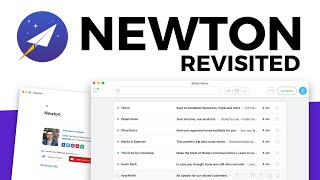
Newton Mail: Revisited
Tool Finder
YouTube returned 6 videos for “Newton Mail”, and we withheld 1: 1 did not mention Newton Mail. Showing the 5 we can prove are about Newton Mail.
Official links
Tools that pair well with Newton Mail
Common stack mates teams adopt alongside Newton Mail, with the specific reason each pairing earns its keep.

Spark Mail
Spark Mail is a cross-platform AI email client that sorts, summarizes, and drafts across Gmail, Outlook, Exchange, iCloud, Yahoo, and IMAP.

myMail box
myMail box is a free iOS email client that unifies Gmail, Outlook, iCloud and IMAP accounts with notes, Cloud, and Calendar.

Microsoft Outlook
Microsoft Outlook: unified email, calendar, contacts, and to-do across accounts, from free web and mobile apps to Microsoft 365 desktop clients.
Featured Head-to-Head Comparisons
Newton Mail vs Poke Interaction Co
Choose Poke if you want an AI assistant that handles email, calendar, and tasks from within your messaging app, with proactive automations and health tracking integration. Choose Newton Mail if you need a professional, cross-platform email client with advanced features like per-recipient read receipts, send later, and thread collaboration. They solve different problems: Poke replaces multiple apps via chat; Newton Mail supercharges your email workflow.
Newton Mail vs Gem
Choose Gem if you are a talent acquisition team wanting an all-in-one AI recruiting platform that replaces multiple tools and boosts recruiter productivity. Choose Newton Mail if you are a professional needing a unified, secure email client with premium features like read receipts and send later. They serve completely different needs, so the decision hinges on whether you are hiring or handling daily email.
Newton Mail vs Guesty
These tools are not direct competitors — Guesty is a specialized property management system for vacation rentals, while Newton Mail is a premium email client. Choose Guesty if you run a vacation rental business and need AI-driven automation across channels. Choose Newton Mail if you are a professional seeking a powerful, cross-platform email client with read receipts and collaboration features. They solve entirely different problems.
Alternatives to Newton Mail
View all
Spark Mail
Spark Mail is a cross-platform AI email client that sorts, summarizes, and drafts across Gmail, Outlook, Exchange, iCloud, Yahoo, and IMAP.

myMail box
myMail box is a free iOS email client that unifies Gmail, Outlook, iCloud and IMAP accounts with notes, Cloud, and Calendar.

Microsoft Outlook
Microsoft Outlook: unified email, calendar, contacts, and to-do across accounts, from free web and mobile apps to Microsoft 365 desktop clients.
Frequently Asked Questions
Used Newton Mail? Help shape our editorial sentiment research.