
Online Audio Converter
Free 123apps browser converter that turns 300+ audio and video formats into MP3, WAV, M4A, FLAC, OGG, AMR, MP2 or iPhone M4R ringtones with no install.
For a free web converter, Online Audio Converter is unusually complete: 300+ formats, video-to-audio extraction, batch ZIP downloads and real tag editing with no account. The honest limits are the 70-files-per-day cap and the 4 GB file ceiling, and they only bite if you convert at volume. Premium is listed at $6 per month or $48 once a year on the pricing page — pay it only if you need 10 GB uploads, faster speed or the AI audio processing that comes with all 51 apps. If you need multitrack editing, EQ or plugin chains, this is not the tool; Audacity or a desktop DAW is.
Verified 4h ago · liveness 51/100 · cite: rightaichoice.com/tools/online-audio-converter
- Casual users converting audio without installing software
- Podcasters pulling an audio track out of a video clip
- iPhone owners creating M4R ringtones
- Anyone batch-converting several files and wanting one ZIP download
- Audio engineers needing multitrack editing, EQ work or plugin chains
- Anyone who needs offline or command-line conversion
- Heavy daily users converting well past 70 files a day
We scan live Reddit threads, YouTube comments, X posts, G2 reviews and other communities — and hand you an honest verdict in under a minute.
- Honest verdict, not marketing
- Real pros & cons from real users
- Attributed quotes with receipts
3 free scans · no card needed
Skip Online Audio Converter if you need multitrack editing, EQ or plugin chains, or if your workflow has to run offline — it is a browser converter with a 70-files-per-day and 4 GB cap on the free tier, not a DAW.
The free tier stops you at 70 files a day, and going past that means either waiting until tomorrow or moving to the $6-per-month Premium plan.
Free covers a casual converter completely — nothing to pay for occasional format changes, ringtone creation or one-off video-to-audio extraction. Premium at $6 per month, or $48 once a year (which the pricing page presents as a 20% annual saving), fits people who convert past 70 files a day or handle files up to 10 GB, and the subscription covers all 51 123apps tools rather than this converter alone. If you only need conversion, desktop freeware like Audacity or a bundled converter costs
In short
Online Audio Converter — Free 123apps browser converter that turns 300+ audio and video formats into MP3, WAV, M4A, FLAC, OGG, AMR, MP2 or iPhone M4R ringtones with no install. Best for Casual users converting audio without installing software, Podcasters pulling an audio track out of a video clip, iPhone owners creating M4R ringtones. Free to start; paid plans from $6/mo.
What people actually say about Online Audio Converter — is it worth it?
We ran a structured research pass across product reviews, community discussions, and post-purchase forum threads to surface the patterns vendors won't publish themselves. Below: the recurring strengths, the hidden costs people mention most, and the cohort that consistently regrets adopting this tool.
2 mentions across 1 source (Lemmy) · researched Jul 2, 2026.
Average across the 1 source that answered — each source counts once, not each post.
- +Supports over 300 formats including rare ones like AMR and M4R.
- +Batch conversion with ZIP download saves time on multiple files.
- +No registration required for basic conversions – truly zero friction.
- +Files automatically deleted from servers after a few hours for privacy.
- +Built-in audio effects: voice removal, fade, reverse, equalizer.
- −Completely browser-dependent; no offline mode for spotty connections.
- −Free tier daily limit (70 files) and 4GB max file size are restrictive.
- −Customer support is limited to help articles; no live assistance.
- −Batch conversion fails silently or corrupts entire ZIP on single error.
- −Premium subscription feels overpriced for removing ads and raising limits.
- • No explicit hidden costs, but free users' files are subject to server deletion after a few hours, and premium may auto-renew without reminder
Viability Score
How well maintained and how widely used is Online Audio Converter? Built from what the vendor actually publishes (docs, changelog, tutorials, integrations, pricing), whether the site is live, and how much real users discuss it. How we calculate this
Last calculated: October 2026
How we score →Key Features
- Convert audio between 300+ formats including MP3, WAV, M4A, FLAC, OGG, AMR, MP2 and M4R
- Extract an audio track from a video file, such as MP4 to MP3
- Batch-convert multiple files at once and download them as a single ZIP archive
- Bitrate control with constant or variable mode
- Set sample rate, channel count and output quality
- Apply fade in and fade out during conversion
- Reverse playback for an audio track
- Remove voice from an audio track
- Edit tags: title, comment, artist, album, year, genre (MP3, OGG, FLAC, WAV)
- Save converted files directly to Google Drive
- Save converted files directly to Dropbox
- Create iPhone ringtones in M4R format
- No registration required for basic conversions
- Automatic server-side file deletion a few hours after processing
- Runs in any browser on desktop, tablet or phone
About Online Audio Converter
Online Audio Converter is a free, browser-based audio converter from the 123apps family of 51 web tools. You upload a file, choose a target format and quality level, then download the result — no installation and no account needed for basic conversions. It reads over 300 file formats, including video containers, and writes MP3, WAV, M4A, FLAC, OGG, AMR, MP2 and M4R ringtones for iPhone. Because it accepts video, you can also pull the audio track out of a movie or music video and keep just the song or dialogue. Batch conversion is where it earns its keep: drop in several files, they process together, and you download them as one ZIP archive. Advanced settings expose bitrate (constant or variable), sample rate, channel count and quality, plus fade in, fade out, reverse playback and voice removal. Tag editing for title, comment, artist, album, year and genre works on MP3, OGG, FLAC and WAV. Finished files can be saved straight to Google Drive or Dropbox. Nothing is installed and nothing is stored: your files are automatically deleted from 123apps servers a few hours after you finish working with them. The free tier caps you at 70 files per day with a 4 GB maximum file size, shows ads and converts at the standard speed. Premium on the pricing page is listed at $6 per month, or $48 once a year, which the page frames as a 20% annual saving and which unlocks all 51 apps, unlimited files, a 10 GB maximum file size, faster conversion, ad removal and AI audio processing. The tool is built for casual conversion and extraction work, not for editing — there is no multitrack timeline, no EQ curves and no plugin support.
Behind the Verdict
Online Audio Converter does one job and does it without friction. There is no signup wall for basic use, no desktop install, and the whole flow is three steps: upload, choose format and quality, download. The breadth is the headline — over 300 readable formats including video containers, writing out to MP3, WAV, M4A, FLAC, OGG, AMR, MP2 and M4R. That M4R output plus the ringtone flow is a small thing that most converters skip, and it is the reason a lot of people land here in the first place. Video-to-audio extraction is the second reason: point it at an MP4 and you get the song or the dialogue out as an audio file. Once you are past the basics, the Advanced settings panel is more than you would expect from a free browser tool: constant or variable bitrate, sample rate, channel count, quality, fade in, fade out, reverse playback and a voice-removal option for rough karaoke or backing-track work. Tag editing for title, comment, artist, album, year and genre covers MP3, OGG, FLAC and WAV, so you can fix metadata during the conversion rather than in a second app. Batch mode plus ZIP download is the practical win for anyone clearing a folder of WAVs into FLAC or MP3. Storage is honest: files are deleted from 123apps servers a few hours after you finish with them, and you can push results straight to Google Drive or Dropbox if you want to keep them. The constraints are real and worth stating plainly. Free is capped at 70 files per day and a 4 GB maximum file size, with ads and the standard (not faster) processing speed. Everything runs in the browser, so there is no offline or CLI mode. And it is a converter, not an editor — no multitrack timeline, no EQ curves, no plugin chains. If your work is mixing, mastering or restoration, you will outgrow it in an afternoon and should be in a DAW. If your work is "get this file into that format, quickly, without installing anything," it is hard to beat, and the $48-a-year annual plan covers all 51 123apps tools if you also touch video or PDFs.
Researching Online Audio Converter? Get your full AI stack in 60 seconds.
Free, no signup — tell us your goal and get tools matched to your budget & existing stack.
Real-world workflow fit
Concrete scenarios for the personas Online Audio Converter actually fits — and what changes day-one when you adopt it.
You have an MP4 of a song you like and want just the audio on your phone. You open the site in your browser, upload the MP4, pick MP3 as the output format, leave quality at the default and convert.
Outcome: You download a single MP3 with the audio track extracted from the video, no software installed and no account created.
You have 20 WAV interview files that need to become FLAC for archiving. You select the batch option, set the output format and quality, confirm the tag fields you want kept, and run them together.
Outcome: All 20 files convert in one pass and arrive as a single ZIP archive, well inside the 70-file daily free limit.
You want a custom ringtone from a track in your library. You upload the audio file, choose M4R as the output format, and trim nothing — the converter writes the iPhone ringtone file directly.
Outcome: You get an M4R file ready to sync to the iPhone, or you send it straight to Google Drive or Dropbox to move it across devices.
Use Cases
- Convert an MP4 music video to MP3 so you keep just the song
- Batch-convert 20 WAV files to FLAC for lossless archiving and grab them as one ZIP
- Create an iPhone ringtone in M4R from a favourite track
- Extract dialogue audio from a video clip to reuse in a podcast
- Change bitrate and channel count before uploading audio to a streaming service
- Remove vocals from a track to build a rough karaoke version
- Fix title, artist and album tags during the conversion instead of afterwards
Limitations
- All apps are free to use, but free accounts are capped at 70 files per day and a maximum file size of 4 GB; the free tier also shows ads and converts at standard speed rather than the faster Premium speed.
- Premium costs $6 per month (or yearly with a 20% discount) and raises the ceiling to 10 GB with unlimited files per day, faster conversion and ad removal across 51 123apps tools.
- Because everything runs in the browser, you need an internet connection and a browser session — there is no offline or desktop mode.
- Converted files are automatically deleted from 123apps servers a few hours after processing, so it is not a storage service; save to Google Drive or Dropbox first if you need to keep the output.
as of 2026-10-08
Verification history
We have re-verified Online Audio Converter 8 times since . Each pass re-reads the vendor's own pages and re-checks every listed field against that evidence; passes where nothing had changed are marked as such.
- — re-verified summary, description, our verdict, our analysis, pricing model, pricing tiers, features, integrations, who it suits, who should skip it
- — re-verified summary, description, our verdict, our analysis, pricing model, pricing tiers, features, integrations, who it suits, who should skip it
- — re-checked, vendor evidence unchanged
- — re-checked, vendor evidence unchanged
- — re-verified summary, description, our verdict, our analysis, pricing model, pricing tiers, features, integrations, who it suits, who should skip it
- — re-verified summary, description, our verdict, our analysis, pricing model, pricing tiers, features, integrations, who it suits, who should skip it
Showing the 6 most recent of 8 verification passes.
Free to cite with attribution — this page re-verifies continuously.
12-month cost
Project the real annual outlay, including the implied monthly cost when only an annual tier is published.
Vendor list price only. Add-on usage, seat overages, and contract minimums are surfaced under Hidden costs & gotchas.
Plans compared
For each published Online Audio Converter tier: who it actually fits, and what it adds vs. the previous tier. Cross-reference the cost calculator above for projected annual outlay.
Free
$0
Ideal for
Casual users doing occasional format changes, ringtone creation or a one-off video-to-audio extraction without creating an account
What this tier adds
Starting tier — access to all 51 123apps tools with 70 files per day, a 4 GB maximum file size, standard conversion speed and ads
Premium (Monthly)
$6/mo
Ideal for
People who convert past 70 files a day or work with files between 4 GB and 10 GB and want the faster processing speed
What this tier adds
Adds unlimited files, a 10 GB maximum file size, faster conversion, no ads and AI audio processing across all 51 apps, billed at $6 per month
Premium (Yearly)
$48/yr
Ideal for
Regular users of the 123apps suite who are happy to commit for a year and want the lower effective monthly rate
What this tier adds
Everything in Premium Monthly at $48 once a year, which the pricing page presents as a 20% saving versus paying month to month
Where the pricing makes sense
The company stage and team size where Online Audio Converter's pricing actually pencils out — and where peers do it cheaper.
Free covers a casual converter completely — nothing to pay for occasional format changes, ringtone creation or one-off video-to-audio extraction. Premium at $6 per month, or $48 once a year (which the pricing page presents as a 20% annual saving), fits people who convert past 70 files a day or handle files up to 10 GB, and the subscription covers all 51 123apps tools rather than this converter alone. If you only need conversion, desktop freeware like Audacity or a bundled converter costs
Setup time & first value
How long it actually takes to get something useful out of Online Audio Converter — broken out by persona, not the marketing-page minute.
Casual users are converting within about a minute — the site needs no account for basic use, so upload, pick format and go. Batch users should budget five minutes the first time to set bitrate, sample rate, channels and tag fields before running a folder, then seconds per run afterwards. Premium needs a sign-in before the 10 GB ceiling and faster speed apply.
Switching to or from Online Audio Converter
How to bring data in from common predecessors and how to get it back out — written for the switcher, not the buyer.
- →From a desktop converter (e.g. Audacity or Format Factory): upload the file to the browser instead and pick your target format — nothing to install, though you give up offline use.
- →From a paid subscription converter: run your regular format changes free here first, then only pay the $6-per-month Premium if you hit the 70-file daily cap or the 4 GB size ceiling.
- →From a video-editing app used only to grab audio: upload the MP4 straight to Online Audio Converter and choose an audio output format instead of exporting from the editor.
- →From phone-based app converters: open the site in the mobile browser, convert, then push the result to Google Drive or Dropbox so it lands on your other devices.
- ↗To Audacity: if you need multitrack editing, EQ, noise reduction or plugin chains, move the converted files into a desktop editor for the actual processing work.
- ↗To a desktop DAW (e.g. Reaper or Logic): if conversion is only one step in a mixing or mastering chain, the browser tool has no timeline to work in.
- ↗To a dedicated cloud storage service: because files are auto-deleted from 123apps servers a few hours after processing, move anything you need to keep to Drive or Dropbox.
- ↗To a command-line tool (e.g. ffmpeg): if you need offline or scripted batch conversion beyond 70 files a day, the browser workflow will not scale.
Integrations
Resources & Guides
- Resourceonline-audio-converter.com
Help · Online Audio Converter
Helpful link from online-audio-converter.com
- Resourceonline-audio-converter.com
Pricing · Online Audio Converter
Helpful link from online-audio-converter.com
- Resourceonline-audio-converter.com
Blog · Online Audio Converter
Helpful link from online-audio-converter.com
Tutorials & Learning
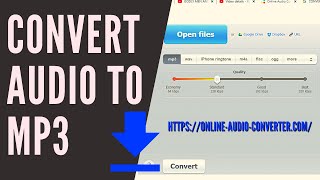
HOW TO CONVERT AUDIO TO MP3 I https://online-audio-converter.com/ I TUTORIAL
COGOP Media
How to Convert M4A to MP3 | FREE Online Audio Converter
VEED STUDIO
YouTube returned 6 videos for “Online Audio Converter”, and we withheld 4: 4 did not mention Online Audio Converter. Showing the 2 we can prove are about Online Audio Converter.
Official links
Tools that pair well with Online Audio Converter
Common stack mates teams adopt alongside Online Audio Converter, with the specific reason each pairing earns its keep.

MimicPC
Browser-based cloud that runs 20+ pre-installed open-source AI apps for image, video, and audio generation

LANDR Mastering
LANDR Mastering is online AI audio mastering that turns a mix into a streaming-ready master in minutes — preview free, pay $10 to download.

Creen AI
Creen AI is a no-login browser studio that runs 40+ video, image, and audio models from one prompt box.
Featured Head-to-Head Comparisons
Online Audio Converter vs Landr Mastering
Buy LANDR Mastering if you need professional AI mastering for release-quality tracks, especially as an independent musician wanting album cohesion and reference matching. Choose Online Audio Converter for free, quick audio format conversion between 300+ formats and basic editing like voice removal. They serve entirely different needs.
Online Audio Converter vs Splice
Choose Splice if you're a music producer who needs a vast, curated library of royalty-free samples and the flexibility to rent-to-own premium plugins like Serum 2. Choose Online Audio Converter if you just want a free, no-fuss tool to convert audio files between formats or extract audio from videos without installing anything.
Online Audio Converter vs Storyfile
These tools serve completely different needs. StoryFile is a premium conversational AI platform for preserving authentic human interactions in museums and legacies, as evidenced by recent high-profile deployments (Kara Swisher, George Takei). Online Audio Converter is a free, browser-based utility for quick audio format conversion. Choose StoryFile if you need interactive, historically accurate video avatars; pick Online Audio Converter for simple file conversion tasks.
Alternatives to Online Audio Converter
View all
MimicPC
Browser-based cloud that runs 20+ pre-installed open-source AI apps for image, video, and audio generation

LANDR Mastering
LANDR Mastering is online AI audio mastering that turns a mix into a streaming-ready master in minutes — preview free, pay $10 to download.

Frequently Asked Questions
Categories
Used Online Audio Converter? Help shape our editorial sentiment research.