
Otio AI
Otio is a persistent AI research workspace that keeps every PDF, article, video and transcript you upload in one searchable library, with page-level citations
Otio earns its place for solo researchers, consultants, lawyers and analysts who accumulate documents over months and need to verify every claim. Page-level citations plus open reasoning and a permanent, searchable library are the reasons to pick it over a chat assistant that resets. The Free tier is a real trial but thin (10 files, 50MB total, 1 space). Lite at $7/mo billed annually ($84/yr) is the honest starting point because Agentic AI — deep web research, generated docs, charts and images, delivery to Email, Drive or Telegram — sits behind it. If you need two people in the same workspace, look at a collaborative tool instead.
Verified 1d ago · liveness 78/100 · cite: rightaichoice.com/tools/otio-ai
- Solo researchers synthesizing dozens of academic papers with page-level citations
- Consultants pulling themes from client documents and meeting transcripts
- Lawyers and paralegals verifying extracted facts against depositions and case files
- Analysts extracting figures from reports and visualizing CSV data
- Teams needing real-time collaboration inside one shared workspace
- Users who require offline or self-hosted AI
- Quick one-off questions about a single document
We scan live Reddit threads, YouTube comments, X posts, G2 reviews and other communities — and hand you an honest verdict in under a minute.
- Honest verdict, not marketing
- Real pros & cons from real users
- Attributed quotes with receipts
3 free scans · no card needed
Skip Otio if you need two or more people editing and querying the same workspace in real time — Otio is built for individual research libraries, not shared team projects.
Lite is $7/mo only when billed annually at $84/yr — check the month-to-month rate before you commit to a year.
Otio sits at the affordable end of persistent research workspaces. Lite at $7/mo billed annually ($84/yr) undercuts most citation-focused research tools, while Pro at $45/mo billed annually ($540/yr) is priced for daily heavy use rather than occasional reading. If your volume is modest, Free plus a consumer chatbot covers you; if you are pushing hundreds of uploads a month, Pro's volume pricing is the tier to compare against per-seat research subscriptions.
In short
Otio AI — Otio is a persistent AI research workspace that keeps every PDF, article, video and transcript you upload in one searchable library, with page-level citations. Best for Solo researchers synthesizing dozens of academic papers with page-level citations, Consultants pulling themes from client documents and meeting transcripts, Lawyers and paralegals verifying extracted facts against depositions and case files. Free to start; paid plans from $7/mo.
No head-to-head comparison for Otio AI yet — the alternatives below are the closest matches we list.
What's new in Otio AI
Checked yesterdayAcross the latest 5 updates: 5 news mentions.
12 AI Agent Safety Checklists for Researchers and Knowledge Workers
Provides checklists for safe use of AI agents in research, addressing accuracy, data privacy, and human oversight.
18 Best Heptabase Alternatives for Visual Knowledge Management in 2026
Rounds up visual knowledge management tools for researchers, offering alternatives to Heptabase.
20 Best PDF Annotation Tools for Researchers and College Students
Ranks PDF annotation tools, likely including Otio's own features, for academic workflows.
Why AI-Generated Citations Fail Even When the Prose Sounds Right
Explains common failures in AI citation, implying guidance for accurate referencing.
15 Best Open-Weight AI Models for Local Academic Workflows
Reviews open-weight AI models for local use in academic settings, with practical benchmarks.
Viability Score
How well maintained and how widely used is Otio AI? Built from what the vendor actually publishes (docs, changelog, tutorials, integrations, pricing), whether the site is live, and how much real users discuss it. How we calculate this
Last calculated: October 2026
How we score →Key Features
- Persistent searchable library across all uploaded sources
- Page-level citations linking every answer to the exact passage
- Open reasoning that traces how each answer was assembled
- Multi-source synthesis across dozens of documents at once
- Dual Chat for context-aware parallel conversations
- Context-aware chat that carries your workspace context between turns
- Spaces to keep separate research projects isolated
- Multiple AI models on every plan including Free (ChatGPT, Claude, Gemini, Grok, Llama, DeepSeek, Moonshot)
- Otio Auto mode that picks the right model per task
- Side-by-side comparison of two models on the same source
- Agentic AI: research, create and deliver in one prompt (Lite and above)
- Deep web research, file analysis and source discovery (Lite and above)
- Generate documents, charts and images, delivered via Email, Google Drive or Telegram (Lite and above)
- AI PDF reader with OCR and PDF extraction
- YouTube video summarizer
About Otio AI
Otio is a persistent AI research workspace for people whose work runs on documents. Upload PDFs, articles, YouTube videos, podcasts and transcripts into a library that stays put — 60 papers in January, 30 client documents in March, then ask questions across all 90 sources in May. Every answer carries a page-level citation you can click back to the exact passage, and open reasoning shows how the answer was assembled. The pitch is aimed squarely at the two things that annoy researchers most: chatbots that forget your sources when the session ends, and NotebookLM's 50-source ceiling. The workspace spans more modalities than a document reader. There's an AI PDF reader with OCR and extraction, a YouTube video summarizer, a podcast summarizer, book and textbook summarizers, a webpage summarizer, and spreadsheet AI that turns CSV data into visualizations. Spaces keep separate research projects apart, Dual Chat and context-aware chat let you run parallel conversations, and a Chrome extension handles capture-to-chat and highlight-to-ask. Otio says it is used by over 200,000 professionals across 74 languages. On pricing, the Free tier gives you every model but caps you at 10 files (25MB each, 50MB total), 1 space and 2 parallel chats. Lite at $7/mo billed annually ($84/yr) unlocks Agentic AI — deep web research, document/chart/image generation, and delivery via Email, Drive, Telegram — with 50 uploads/day, PDFs up to 500 pages, 2 spaces and 5 parallel chats. Go at $18/mo billed annually ($216/yr) triples chats, research and uploads to 250 uploads/day and PDFs up to 1,000 pages. Pro at $45/mo billed annually ($540/yr) takes it to 500 uploads/day and PDFs up to 2,000 pages. Where Otio differs from a general assistant is horizon. It is built for projects that run for weeks or months — a thesis, a legal case, an evolving market analysis — where context compounds instead of resetting. Where it doesn't fit is teams: there is no real-time collaborative workspace here, so it is a solo-professional tool by design.
Behind the Verdict
Most AI research tools are good at one query and bad at month three. Otio is designed for month three. The library persists, every source you have ever uploaded stays indexed, and asking a question in May against material you added in January works because nothing was thrown away when a session closed. That is the product's core claim and it is the thing to test in a trial: upload two unrelated batches of documents a few weeks apart and see whether the second batch inherits the first batch's context. Strengths. The citation layer is the differentiator. Page-level citations plus open reasoning mean you are not asked to trust a paraphrase — you click through to the passage. For legal work (case files, depositions, compliance docs) and academic work (literature reviews), that turns AI output from a draft you can't defend into a draft you can. The modality coverage is broad and practical rather than decorative: AI PDF reader with OCR and extraction, YouTube summarizer, podcast summarizer, book and textbook summarizers, webpage summarizer, and spreadsheet AI that visualizes CSV data. If your research lives across formats — a recorded interview, a PDF report, a YouTube talk, a dataset — you are not stitching four tools together. Spaces and Dual Chat support running separate projects and parallel conversations without cross-contamination. The model story is unusually generous on paper. Otio says every model on every plan, including Free: ChatGPT, Claude, Gemini, Grok, Llama, DeepSeek and Moonshot, plus an "Auto" mode that picks a model per task, and side-by-side comparison of two models on the same source. Being able to switch models without paying more is a real hedge against any one vendor's quality swings. Weaknesses and things to check. The marketing claim of "no file upload limits, no source caps" does not survive contact with the pricing page: Free is 10 files / 25MB each / 50MB total, Lite is 50 uploads per day with PDFs up to 500 pages, Go is 250 uploads/day and PDFs up to 1,000 pages, and Pro is 500 uploads/day and PDFs up to 2,000 pages. Those are generous limits, but they are limits, and you should size your tier against your actual monthly intake rather than the headline. Second, this is a solo workflow. There is no real-time team collaboration on the same workspace, so a two-person research team will end up maintaining two libraries. Third, the annual-only discount framing matters: Lite is $7/mo billed annually ($84/yr), Go is $18/mo billed annually ($216/yr), Pro is $45/mo billed annually ($540/yr) — if you want to stop after two months, check the month-to-month rate before committing. Where it fits. A PhD student building a literature review across a growing pile of papers. A consultant who needs themes pulled from meeting transcripts, client briefs and reports in one pass. A litigator who must trace every extracted fact back to a deposition page. An analyst who needs three figures out of a 300-page report and a chart to show them. A
Researching Otio AI? Get your full AI stack in 60 seconds.
Free, no signup — tell us your goal and get tools matched to your budget & existing stack.
Real-world workflow fit
Concrete scenarios for the personas Otio AI actually fits — and what changes day-one when you adopt it.
Uploads 60 papers into a dedicated Space, asks for key findings and quotes across all of them, and clicks each citation back to the source page before writing the literature review.
Outcome: Starts from a structured synthesis with verifiable quotes instead of a blank page and a pile of bookmarks.
Loads meeting transcripts, client briefs and reports, asks Otio to pull key points and themes across everything, then uses Agentic AI on Lite to generate a summary document and deliver it to Google Drive.
Outcome: A structured first draft of the deliverable in a fraction of the manual read-through time, delivered where the client work lives.
Uploads market research PDFs and CSVs, extracts specific figures without reading every page, and generates charts from the CSV data before exporting.
Outcome: The three figures and one chart that mattered, produced in one sitting instead of a day of skimming.
Use Cases
- Upload 60 papers and pull key findings and quotes across all of them at once to start a literature review from a synthesis instead of a blank page
- Upload meeting transcripts, client briefs and reports, then ask for the key points and themes across everything for a deliverable
- Upload case files, depositions and compliance docs and pull key facts, themes and contradictions with every answer traced to source
- Extract specific figures from long market reports without reading every page, then visualize CSV data and export
- Collect arguments across 50+ articles, YouTube videos and podcasts grouped by theme before writing
- Summarize books and textbooks across chapters for coursework or exam prep
- Find a specific case study mentioned in a podcast episode uploaded weeks ago via library search
Models Under the Hood
as of 2026-10-16
Limitations
- Otio's headline claim of "no file upload limits, no source caps" does not match its published tier limits: Free allows 10 files at 25MB each (50MB total), 1 space and 2 parallel chats; Lite allows 50 uploads/day with PDFs up to 500 pages; Go allows 250 uploads/day, 500MB and PDFs up to 1,000 pages.
- The pricing page says every model is on every plan including Free and names ChatGPT, Claude, Gemini, Grok and more, but no model version numbers are stated, so specific version claims are unverified.
- Annual plan prices ($84 Lite, $216 Go, $540 top tier) assume a year-long commitment, so month-to-month rates should be checked if you may stop sooner.
as of 2026-09-29
Verification history
We have re-verified Otio AI 21 times since . Each pass re-reads the vendor's own pages and re-checks every listed field against that evidence; passes where nothing had changed are marked as such.
- — re-checked, vendor evidence unchanged
- — re-checked, vendor evidence unchanged
- — re-checked, vendor evidence unchanged
- — re-verified summary, description, our verdict, our analysis, pricing model, pricing tiers, features, integrations, who it suits, who should skip it
- — re-verified summary, description, our verdict, our analysis, pricing model, pricing tiers, features, integrations, who it suits, who should skip it
- — re-verified summary, description, our verdict, our analysis, pricing model, pricing tiers, features, integrations, who it suits, who should skip it
Showing the 6 most recent of 21 verification passes.
Free to cite with attribution — this page re-verifies continuously.
12-month cost
Project the real annual outlay, including the implied monthly cost when only an annual tier is published.
Vendor list price only. Add-on usage, seat overages, and contract minimums are surfaced under Hidden costs & gotchas.
Plans compared
For each published Otio AI tier: who it actually fits, and what it adds vs. the previous tier. Cross-reference the cost calculator above for projected annual outlay.
Free
$0/mo
Ideal for
Someone testing whether persistent, cited research across multiple documents beats a free chatbot for their workflow.
What this tier adds
Starting tier — every AI model included, but limited monthly AI usage, 10 files at 25MB each (50MB total), 1 space and 2 parallel chats.
Lite
$7/mo billed annually ($84/yr)
Ideal for
Solo researcher, student or consultant with a steady document intake who needs generated output and delivery, not just chat.
What this tier adds
Adds Agentic AI — deep web research, file analysis, source discovery, doc/chart/image generation and delivery via Email, Drive or Telegram — plus 50 uploads/day, PDFs to 500 pages and 5 parallel chats.
Go
$18/mo billed annually ($216/yr)
Ideal for
PhD candidates, consultants and professional analysts running multi-step research most working days.
What this tier adds
Triples chats, research and uploads over Lite to 250 uploads/day, 500MB and PDFs up to 1,000 pages, with 5 spaces and 10 parallel chats for multi-step workflows.
Pro
$45/mo billed annually ($540/yr)
Ideal for
Heavy daily users running parallel research across several projects who want the best per-unit volume pricing.
What this tier adds
10x Lite's capacity — 500 uploads/day, 1GB and PDFs up to 2,000 pages — for running parallel research across multiple projects.
Where the pricing makes sense
The company stage and team size where Otio AI's pricing actually pencils out — and where peers do it cheaper.
Otio sits at the affordable end of persistent research workspaces. Lite at $7/mo billed annually ($84/yr) undercuts most citation-focused research tools, while Pro at $45/mo billed annually ($540/yr) is priced for daily heavy use rather than occasional reading. If your volume is modest, Free plus a consumer chatbot covers you; if you are pushing hundreds of uploads a month, Pro's volume pricing is the tier to compare against per-seat research subscriptions.
Setup time & first value
How long it actually takes to get something useful out of Otio AI — broken out by persona, not the marketing-page minute.
Free signup needs no card, so you can be uploading a first PDF within a couple of minutes. Getting real value takes longer: budget 20–30 minutes to load your first batch of sources and run your first cross-source query, and plan to spend the first week deciding which documents belong in which Space. If you connect Zotero, Dropbox, OneDrive or Box, add roughly 10 minutes per integration.
Switching to or from Otio AI
How to bring data in from common predecessors and how to get it back out — written for the switcher, not the buyer.
- →From ChatGPT: stop re-uploading files each session — move your recurring source set into an Otio Space once and query it indefinitely.
- →From NotebookLM: consolidate notebooks that hit the 50-source ceiling into a single Otio library and search across all of them at once.
- →From Zotero: connect Zotero as an integration rather than re-downloading your reference library by hand.
- →From manual PDF folders in Dropbox, OneDrive or Box: connect the storage provider and index the folder instead of re-uploading.
- ↗To a team collaboration platform: export or re-upload sources into a shared workspace if simultaneous multi-person editing becomes mandatory.
- ↗To a self-hosted or offline AI stack: download source files from Otio and run them through local tooling.
- ↗To a general chatbot: keep Otio's cited synthesis as your research notes and use the chatbot only for one-off, single-file questions.
Integrations
Resources & Guides
Tutorials & Learning
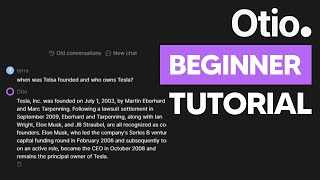
YouTube returned 6 videos for “Otio AI”, and we withheld 5: 5 could not be judged, because “Otio AI” is a single word that other videos use for other things. Showing the 1 we can prove is about Otio AI.
Official links
Tools that pair well with Otio AI
Common stack mates teams adopt alongside Otio AI, with the specific reason each pairing earns its keep.

Paxton AI
Paxton AI is a legal AI assistant that grounds litigation research and drafting in your case's matter record.

Unriddle
AI research assistant with source citations that search 300M+ papers and cite the exact passage in every answer

Heptabase
Heptabase: a visual knowledge base with an AI Tutor that turns your sources into structured study sessions.
Alternatives to Otio AI
View all


Frequently Asked Questions
Best-of guides
Used Otio AI? Help shape our editorial sentiment research.