
Plotagon Story
Type dialogue, pick actors and scenes, and Plotagon animates it into a lip-synced video with multilingual voices.
Plotagon Story is the lowest-friction way to get from a written script to a character-driven animated video — the Plot storyboard, 200+ themed locations and text-to-lip-sync pipeline mean you never touch a keyframe. The catch is the free tier: Story Mobile is ad-supported and hard-capped at two actors per scene, with no independent emotes and no access to the newest multilingual voices. Those three limits are exactly what the paid Studio apps fix. If your work is fan fiction, classroom stories, social skits or internal training clips, buy the paid app outright rather than fighting the free cap. If you need photoreal 3D, advanced rigging, or multi-user projects, look at Vyond or Animaker
Verified 4d ago · liveness 72/100 · cite: rightaichoice.com/tools/plotagon-story
- Storytellers and fan fiction creators wanting quick animated scenes
- Teachers making educational animated videos for students
- Social media content creators producing short narrative clips
- Anyone wanting a simple animated explainer video without editing skills
- Professional animators needing 3D or advanced rigging
- Users requiring a web-based editor — Plotagon ships mobile apps and a Windows desktop app
- Teams needing collaboration or multi-user project support
We scan live Reddit threads, YouTube comments, X posts, G2 reviews and other communities — and hand you an honest verdict in under a minute.
- Honest verdict, not marketing
- Real pros & cons from real users
- Attributed quotes with receipts
3 free scans · no card needed
Skip Plotagon Story if you need a browser-based editor you can run on a Chromebook, multi-user collaboration on a shared project, or photorealistic 3D animation with advanced rigging — none of those are what this app is built for.
The free Story Mobile app is ad-supported and caps scenes at two actors, so anything with a third speaking character forces the paid upgrade.
Plotagon is priced far below subscription animation suites: one-time app purchases instead of a recurring seat fee. That makes it cheap for a solo teacher or hobbyist storyteller who makes a handful of clips, and awkward for a team that needs many seats or shared projects. If you need browser access, collaboration or broadcast-grade output, expect to pay materially more for Vyond or Animaker.
In short
Plotagon Story — Type dialogue, pick actors and scenes, and Plotagon animates it into a lip-synced video with multilingual voices. Best for Storytellers and fan fiction creators wanting quick animated scenes, Teachers making educational animated videos for students, Social media content creators producing short narrative clips. Free to start; paid plans from $4.99.
What people actually say about Plotagon Story — is it worth it?
We ran a structured research pass across product reviews, community discussions, and post-purchase forum threads to surface the patterns vendors won't publish themselves. Below: the recurring strengths, the hidden costs people mention most, and the cohort that consistently regrets adopting this tool.
20 mentions across 1 source (App Store) · researched Jul 3, 2026.
Average across the 1 source that answered — each source counts once, not each post.
- +Extremely easy to use — no timeline or keyframes needed.
- +Voice-powered animation syncs lips and gestures automatically.
- +200+ virtual locations provide plenty of scene variety.
- +Customizable actors with clothing, emotions, and actions.
- +Fun for quick storytelling and humorous skits.
- −Free tier forces ads between every scene creation.
- −Only two characters allowed per scene in free version.
- −Serious saving progress bug can wipe purchased content.
- −App hasn't been updated in two years (since 2021).
- −Ads can loop infinitely, requiring app restart to skip.
- • $3/week subscription cost not clearly highlighted in free version
- • In-app purchases for additional characters/emotes may be needed
Viability Score
How well maintained and how widely used is Plotagon Story? Built from what the vendor actually publishes (docs, changelog, tutorials, integrations, pricing), whether the site is live, and how much real users discuss it. How we calculate this
Last calculated: October 2026
How we score →Key Features
- Text-to-video animation with automatic lip-sync
- Plot storyboard for organizing and developing a narrative
- 200+ thematic virtual locations in the content library
- Cast or create your own customizable actors with clothing and costumes
- Multilingual lifelike text-to-speech voice library
- Record your own voice for dialogue lines
- Assign a listener to each dialogue line
- Independent actor emotes: happy, sad, bored (Studio tier)
- Action animations: shake hands, high five, hug
- Camera presets: over-the-shoulder, wide angle, movement, or automatic
- Music and sound effects library (crowd cheers, dramatic background)
- Intertitles with text and voiceover
- Scene transitions
- More than 2 actors per supported scene (Studio tier)
- Ad-free experience (Studio tier)
About Plotagon Story
Plotagon Story is a family of three apps from Plotagon Production AB (running since 2013) that turns written dialogue into animated video. You write the script, assign a voice to each line, pick a listener, choose from a library of 200+ thematic virtual locations, cast stylized actors you can dress and customize, and the app animates everything — lip-sync, gestures, emotes and camera angles — with no timeline editing or keyframes. The toolset is built around a storyboard view Plotagon calls Plot, with separate handles for Scene, Actors, Dialogue, Voice, Emote, Action, Camera, Audio and Intertitle. Videos can carry multiple scenes and actors, multilingual lifelike voices (or your own recorded voice), music and sound effects, and transitions. There are three builds. Plotagon Story Mobile is the free, ad-supported classic and is capped at two actors per scene, with no independent emotes and no access to the latest multilingual voices. Plotagon Studio Mobile is the paid current app; Plotagon Studio Desktop is the Windows version of the same feature set. Both paid tiers remove ads, allow more than two actors in supported scenes, allow actors to emote independently, and unlock the latest multilingual lifelike voices. It is aimed at storytellers, fan-fiction writers, teachers, social-media creators and anyone making training or explainer content who needs character-driven animation without a learning curve — and it is a poor fit for professional 3D animation, multi-user team projects, or high-volume commercial production.
Behind the Verdict
Plotagon's real differentiator is the input model. Most animation tools ask you to assemble a timeline; Plotagon asks you to write dialogue and assign a voice, a listener and an emotion to each line, then animates the result. That inversion is why teachers and first-time creators can finish something in a sitting. The Plot storyboard, the Scene/Actors/Dialogue/Voice/Emote/Action/Camera/Audio/Intertitle controls, and the 200+ thematic location library all support that workflow, and the Red Dot Award jury specifically called out the interface for letting you create "instant movie sequences" and share them. Strengths: the paid Studio apps lift the two-actor cap in supported scenes, unlock independent emotes (so one actor can be happy while another is bored), give you the latest multilingual lifelike voices instead of the older set, and remove ads entirely. Studio Mobile and Studio Desktop share the same feature set, so choosing between them is a device question, not a capability question. Voice is handled two ways — a professional multilingual library, or recording your own line by line — which is unusually flexible at this price point. Weaknesses and honest limits: the visual style is stylized, not photorealistic. There is no web editor — Plotagon ships mobile apps and a Windows desktop app, so browser-only workflows and Chromebook classrooms are out. Nothing in the public material describes collaboration, shared projects or multi-user review, which rules it out for team pipelines. It is built for one creator producing shorts, not for high-volume commercial output. Where it fits: individual creators, educators, fan-fiction writers and small marketing teams making short narrative or explainer clips. Where it doesn't: studios needing 3D rigging and advanced animation control, and organizations that need multi-seat collaboration on a shared project file.
Researching Plotagon Story? Get your full AI stack in 60 seconds.
Free, no signup — tell us your goal and get tools matched to your budget & existing stack.
Real-world workflow fit
Concrete scenarios for the personas Plotagon Story actually fits — and what changes day-one when you adopt it.
Write a two- to four-line dialogue between a student and a scientist, pick a classroom or lab from the 200+ locations, choose a multilingual voice for each actor and add an intertitle with the key definition.
Outcome: A short lip-synced animated clip with correct terminology the class can watch the same period, produced without any editing software.
Draft the scene in the Plot storyboard, cast two or more custom actors, set one to happy and one to bored using independent emotes, drop in a dramatic background track and a camera preset, then export.
Outcome: A character-driven episode clip with the emotional contrast the scene needs — something the free two-actor tier cannot produce.
Write out the procedure as employee-to-employee dialogue, record your own voice for the manager lines, use the professional multilingual voices for the rest, and add intertitles for each step.
Outcome: An onboarding video that reads as a conversation rather than a slide deck, made under the commercial license included with the app.
Use Cases
- Create a short animated story for a school project by typing dialogue and selecting scenes.
- Produce a training video for workplace procedures using custom actors and voiceovers.
- Make a social media skit with friends using pre-built locations and emotions.
- Design a narrative for a fan fiction episode with multiple actors and dramatic music.
- Develop a marketing explainer video with professional multilingual voices and transitions.
- Build a social story for a learner who benefits from a visual, character-driven scenario.
Limitations
- Plotagon Story ships as mobile apps (Studio Mobile and Story Mobile) and a Windows desktop app for Studio Desktop; there is no web editor.
- The free Story Mobile app is ad-supported and limited to two actors per scene, with no independent emotes and no access to the latest multilingual voices — those are Studio-tier features.
- Animation is stylized rather than photorealistic.
- Nothing in the published material describes shared projects, multi-user collaboration or review workflows, so it suits a single creator at a time.
- Set expectations accordingly for 3D-quality output or team pipelines.
as of 2026-10-07
Verification history
We have re-verified Plotagon Story 10 times since . Each pass re-reads the vendor's own pages and re-checks every listed field against that evidence; passes where nothing had changed are marked as such.
- — re-checked, vendor evidence unchanged
- — re-checked, vendor evidence unchanged
- — re-checked, vendor evidence unchanged
- — re-checked, vendor evidence unchanged
- — re-checked, vendor evidence unchanged
- — re-checked, vendor evidence unchanged
Showing the 6 most recent of 10 verification passes.
Free to cite with attribution — this page re-verifies continuously.
12-month cost
Project the real annual outlay, including the implied monthly cost when only an annual tier is published.
Vendor list price only. Add-on usage, seat overages, and contract minimums are surfaced under Hidden costs & gotchas.
Plans compared
For each published Plotagon Story tier: who it actually fits, and what it adds vs. the previous tier. Cross-reference the cost calculator above for projected annual outlay.
Plotagon Story (Free)
$0
Ideal for
A hobbyist or student testing whether dialogue-driven animation suits them before spending anything.
What this tier adds
Free entry point, but ad-supported with a maximum of two actors per scene, no independent emotes and no latest multilingual voices.
Plotagon Studio Mobile (One-time purchase)
$4.99
Ideal for
Solo creators, teachers and social-media storytellers who need three or more actors and the newest voices.
What this tier adds
Adds ad-free playback, more than two actors in supported scenes, independent actor emotes and the latest multilingual lifelike voices, plus a descriptive UI and more customization tools.
Plotagon Studio Desktop (One-time purchase)
$49.99
Ideal for
Windows-based creators and educators who want the Studio feature set on a desktop rather than a phone.
What this tier adds
Same feature set as Studio Mobile — ad-free, multi-actor scenes, independent emotes, latest voices — delivered as a Windows desktop app with the large scene and actor library.
Where the pricing makes sense
The company stage and team size where Plotagon Story's pricing actually pencils out — and where peers do it cheaper.
Plotagon is priced far below subscription animation suites: one-time app purchases instead of a recurring seat fee. That makes it cheap for a solo teacher or hobbyist storyteller who makes a handful of clips, and awkward for a team that needs many seats or shared projects. If you need browser access, collaboration or broadcast-grade output, expect to pay materially more for Vyond or Animaker.
Setup time & first value
How long it actually takes to get something useful out of Plotagon Story — broken out by persona, not the marketing-page minute.
Expect roughly 10-20 minutes to first finished clip if you already have the dialogue written: install the app, pick a scene, cast two actors, paste your lines and generate. The Story mobile app is the fastest entry point; Studio Desktop adds a Windows install step but the same writing-first workflow, so your first render lands within the same session.
Switching to or from Plotagon Story
How to bring data in from common predecessors and how to get it back out — written for the switcher, not the buyer.
- →From Vyond: rebuild your script as Plotagon dialogue lines, since Plotagon animates from typed speech rather than timeline keyframes.
- →From Animaker: reuse your written narration as Plotagon dialogue and pick a character voice per line instead of placing assets on a timeline.
- →From PowerPoint or Google Slides: convert each slide's talking points into a dialogue exchange between two Plotagon actors.
- →From hand-drawn storyboards: enter the beats directly into Plot, Plotagon's storyboard organizer, to replace paper panels.
- ↗To Vyond: export your Plotagon clips as reference, then rebuild in Vyond if you need browser access and multi-user project work.
- ↗To Animaker: move to Animaker when you need a wider asset library and browser-based editing rather than a mobile-first app.
- ↗To a professional 3D pipeline: treat Plotagon output as an animatic and rebuild the scene in a rigging tool for photoreal results.
Resources & Guides
Tutorials & Learning

Full Course | plotagon app kaise use karen | plotagon se video kaise banaye
Vikas bhai tech
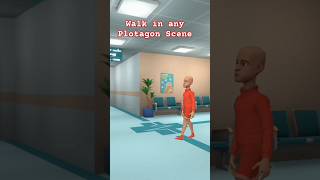
Walk like a pro in any Plotagon scene #plotogon #howtowalkinplotagon
FemtechAnimationStudio
YouTube returned 6 videos for “Plotagon Story”, and we withheld 4: 4 did not mention Plotagon Story. Showing the 2 we can prove are about Plotagon Story.
Tools that pair well with Plotagon Story
Common stack mates teams adopt alongside Plotagon Story, with the specific reason each pairing earns its keep.

Lumen5
AI video maker that turns your blogs, PDFs and bullet points into on-brand social videos

Capsule Editor
Capsule Editor turns After Effects files into branded video templates any teammate can edit.

Riffusion
Riffusion (now Google Flow Music) turns a text prompt into a full-length song with vocals, plus a Veo-generated music video.
Featured Head-to-Head Comparisons
Plotagon Story vs Landr Mastering
Plotagon Story and LANDR Mastering serve entirely different creative needs: one turns text into animated videos, the other uses AI to master audio tracks. Choose Plotagon if you want to quickly create animated stories without editing skills; choose LANDR if you need professional, affordable mastering with reference track matching and DAW integration. They are complementary, not competing tools.
Plotagon Story vs Storyfile
If you need quick, cheap animated video from text, Plotagon Story is the easy choice. But for authentic, interactive human conversations in museums or legacy projects, StoryFile is the only tool that delivers real footage with AI-driven conversational pathways. Choose based on whether you value speed and simplicity or historical authenticity and interactivity.
Plotagon Story vs Splice
Splice is the clear choice for music producers needing a vast, royalty-free sample library with rent-to-own plugins and DAW integration. Plotagon Story serves a completely different need: turning written dialogue into animated videos with minimal effort. Choose based on your creative medium.
Alternatives to Plotagon Story
View all
Lumen5
AI video maker that turns your blogs, PDFs and bullet points into on-brand social videos

Capsule Editor
Capsule Editor turns After Effects files into branded video templates any teammate can edit.

Frequently Asked Questions
Categories
Best-of guides
Topics
Used Plotagon Story? Help shape our editorial sentiment research.