Skipit.ai is live · pricing from $7.99/mo billed annually · last verified 24 Oct 2026 · viability monitor

Skipit.ai
Skipit.ai turns a pasted YouTube link into a summary you can question, with unlimited chats and no rate limits.
If YouTube is where your learning actually happens, Skipit is a sensible buy: a focused YouTube summarizer with unlimited chats and a 12-hour video ceiling for $99 billed annually — the sort of price you stop thinking about. Weigh scope first. It does YouTube and runs in a browser, so mixed-source research still needs a second tool. If your material is mostly podcasts, Vimeo, or uploaded files, look at a broader summarizer instead; if it is mostly YouTube, Skipit's unlimited-chat model beats metered rivals.
Verdict generatedVerified 6d ago · liveness 54/100 · cite: rightaichoice.com/tools/skipit-ai
- Students working through recorded lectures on YouTube
- Professionals checking a talk or webinar before a meeting
- Content creators breaking down competitor videos
- Researchers mining long tutorials and conference sessions
- Anyone who needs summaries from podcasts, Vimeo, or uploaded files
- Teams needing shared workspaces or collaboration
- Casual viewers who won't use it often enough to justify a subscription
We scan live Reddit threads, YouTube comments, X posts, G2 reviews and other communities — and hand you an honest verdict in under a minute.
- Honest verdict, not marketing
- Real pros & cons from real users
- Attributed quotes with receipts
3 free scans · no card needed
Skip it if your research material is mostly podcasts, Vimeo, uploaded audio, or meeting recordings rather than YouTube links — Skipit summarises YouTube only, so a mixed-source workflow needs a second tool.
The $7.99/mo rate only exists on the yearly plan billed at $99 upfront; month-to-month is $12.99/mo, so the discount is paid for with a full year's commitment.
At $99 billed annually ($7.99/mo), Skipit sits in the impulse-buy band for an individual: cheaper than a broad transcription suite you would only half use, and cheaper per year than most general summarizers' monthly plans. The monthly plan at $12.99/mo is priced for a trial period rather than ongoing use, so the annual rate is the real comparison point against named competitors.
In short
Skipit.ai — Skipit.ai turns a pasted YouTube link into a summary you can question, with unlimited chats and no rate limits. Best for Students working through recorded lectures on YouTube, Professionals checking a talk or webinar before a meeting, Content creators breaking down competitor videos. Plans from $7.99/mo billed annually.
What is Skipit.ai?
Skipit.ai — Skipit.ai turns a pasted YouTube link into a summary you can question, with unlimited chats and no rate limits. Best for Students working through recorded lectures on YouTube, Professionals checking a talk or webinar before a meeting, Content creators breaking down competitor videos. Plans from $7.99/mo billed annually.
Skipit.ai takes a YouTube URL and gives you back a summary plus a chat window you can interrogate. Instead of scrubbing through a two-hour lecture, conference keynote, or marathon tutorial, you paste the link, read the key points, then ask follow-up questions whose answers are drawn from what was actually said in the video. It handles videos up to 12 hours long, which puts full semester lectures and day-long streams inside the useful range rather than at the edge of it. The vendor's pitch leans on the no-limits angle: unlimited messages, unlimited chats, zero rate limits, a prompt library of predefined queries, and saved chat history with videos and chats stored permanently. The practical result is a tool you can point at a backlog without counting messages or waiting on a throttle. It is built for people who already treat YouTube as a learning library: students working through posted lectures, professionals checking a talk before a meeting, and creators dissecting a competitor's video. The prompt library and permanent chat storage make repeat research on the same channel less repetitive, because you are not re-summarizing the same video each session. Scope is the honest boundary. Skipit summarizes YouTube videos and runs in a browser, so it is narrower than transcription suites or general summarizers that also accept podcasts, uploaded files, or meeting recordings. It trades source coverage for a focused, rate-limit-free YouTube workflow. Pricing from the vendor's own plan listing runs $12.99/mo month-to-month or $7.99/mo billed annually ($99/yr).
Key features
- Summarize any YouTube video from a pasted URL
- Ask follow-up questions answered from the video's content
- Summarize videos up to 12 hours long
- Summaries generated in seconds
- Unlimited messages
- Unlimited chats
- Zero rate limits
- Prompt library of predefined queries
- Saved chat history
- Videos and chats saved permanently
- Web-based interface, no install required
- Get answers without watching the full video
- Works across tutorials, lectures, and vlogs
Behind the verdict
Skipit makes one bet and makes it cleanly: you consume long-form video on YouTube, and you want the summary plus the ability to interrogate it. What it does well. The core loop is paste, summarize, ask. Because there are unlimited chats and zero rate limits, you can work a whole playlist in a sitting without hitting a wall or rationing questions — the single biggest practical difference between Skipit and metered summarizers, which punish exactly the backlog-clearing behavior you bought the tool for. The 12-hour ceiling is generous; most lecture series and conference uploads fit comfortably, and marathon tutorials don't need to be chopped up. The prompt library of predefined queries saves you from writing the same "what are the main arguments" prompt on every video, and saved, permanent chat history means research on a channel compounds instead of resetting. Where it is thin. The source list is one item long: YouTube. Podcasts, Vimeo, uploaded audio, PDFs, and meeting recordings are out, so if your research mixes formats you will keep a second subscription. It is browser-based — no mobile app or desktop app is documented — which matters if you want to summarize on a commute. Team features like shared workspaces aren't documented either, so buy it as an individual tool, not a team one. And because summaries come from an AI model reading the video, accuracy on dense technical or heavily accented material isn't something you can verify from the vendor's own material; test it on your own hardest video before committing to a year. Where it fits. Students working through posted lectures, professionals prepping for a meeting with a talk or webinar, creators breaking down competitor videos, and researchers mining long tutorials and conference sessions for specific answers. Where it doesn't. Casual viewers who watch a summary-worthy video once a month won't get $99/yr of value. Teams needing shared workspaces should look elsewhere. Anyone whose sources are audio-first rather than YouTube-first should buy a broader summarizer. On price: the vendor lists a monthly plan at $12.99/mo and a yearly plan at $7.99/mo billed annually ($99/yr), a meaningful discount if you're confident after a month. Try the monthly first; the annual rate is only worth locking in once you know your material summarizes accurately.
Models under the hood
as of 2026-09-23
Limitations
- Skipit works only with YouTube links — podcasts, Vimeo, uploaded files, and meeting recordings are not supported.
- It runs in the browser only; the site documents no mobile app or desktop app.
- Video length is capped at 12 hours, so exceptionally long streams or multi-part archives need to be handled in pieces.
- Summaries and answers are generated by an AI model reading the video, so accuracy on dense technical or heavily accented material is not something the vendor documents — test your hardest case before committing to a year.
as of 2026-10-24
Researching Skipit.ai? Get your full AI stack in 60 seconds.
Free, no signup — tell us your goal and get tools matched to your budget & existing stack.
Is Skipit.ai still active?
Skipit.ai is live · pricing from $7.99/mo billed annually · last verified 24 Oct 2026 · viability monitor.
Viability score
How well maintained and how widely used is Skipit.ai? Built from what the vendor actually publishes (docs, changelog, tutorials, integrations, pricing), whether the site is live, and how much real users discuss it. How we calculate this
Last calculated: October 2026
How we score →What do users say about Skipit.ai?
What people actually say about Skipit.ai — is it worth it?
We scanned public community sources for Skipit.ai on Oct 25, 2026 and could not establish that the discussion we found is about this tool rather than something else sharing its name. Only 4 of the posts we fetched could be positively tied to Skipit.ai. Rather than publish a sentiment score built on the wrong subject, we publish nothing here and re-run the scan.
How we verified this
Every listed fact about Skipit.ai— pricing, features, links, status — is re-read from the vendor's own pages by our verification pipeline and each change is logged with a date; the last pass ran on 24 Oct 2026. Pages mix model-assisted synthesis with human review; see how we verify.
Verification history
We have re-verified Skipit.ai 9 times since . Each pass re-reads the vendor's own pages and re-checks every listed field against that evidence; passes where nothing had changed are marked as such.
- — changed features, who should skip it, hidden costs, use cases, description, setup time, who it suits, pricing fit, our verdict, switching out, summary, switching in, limitations
- — changed our verdict, description, who it suits, features, summary, who should skip it, pricing tiers
- — changed summary, description, who it suits, who should skip it, features, our verdict
- — changed setup time, switching out, description, who should skip it, pricing fit, pricing tiers, features, summary, hidden costs, use cases, limitations, who it suits, our verdict, switching in
- — changed SSL certificate, domain expiry
- — changed limitations
Showing the 6 most recent of 9 verification passes.
Free to cite with attribution — this page re-verifies continuously.
How much does Skipit.ai cost in 2026?
Skipit.ai: Plans from $7.99/mo billed annually. Pricing last verified 24 Oct 2026.
Plans compared
Every published Skipit.ai tier, its price as the vendor publishes it, who it fits, and what it adds over the tier below. The 12-month cost projection follows.
| Plan | Price | Billing | Who it's for |
|---|---|---|---|
| Monthly | $12.99/mo | monthly | Someone testing whether Skipit's summaries hold up on their own hardest videos before committing to a year — students mid-semester or professionals with a single conference backlog.Adds: Starting tier: $12.99/mo month-to-month, with summaries of videos up to 12 hours, unlimited chats, zero rate limits, the prompt library, and saved chat history. |
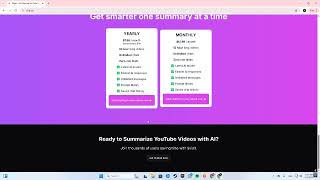
| Yearly | $7.99/mo billed annuallyVendor: “$7.99/mo billed annually ($99/yr)” | monthly, billed annually | Anyone who has confirmed accuracy on their own material and treats YouTube as a standing research library rather than an occasional need.Adds: Cuts the rate to $7.99/mo billed annually ($99/yr) versus $12.99/mo month-to-month, and adds that videos and chats are saved permanently. |
12-month cost
Project the real annual outlay, including the implied monthly cost when only an annual tier is published.
Vendor list price only. Add-on usage, seat overages, and contract minimums are surfaced under Hidden costs & gotchas.
Where the pricing makes sense
The company stage and team size where Skipit.ai's pricing actually pencils out — and where peers do it cheaper.
At $99 billed annually ($7.99/mo), Skipit sits in the impulse-buy band for an individual: cheaper than a broad transcription suite you would only half use, and cheaper per year than most general summarizers' monthly plans. The monthly plan at $12.99/mo is priced for a trial period rather than ongoing use, so the annual rate is the real comparison point against named competitors.
Has Skipit.ai's pricing changed?
No plan price for Skipit.ai has moved since we began logging in Aug 2026; the pricing page is re-read on every verification pass.
Who should pick Skipit.ai?
Pick Skipit.ai if you are Students working through recorded lectures on YouTube, Professionals checking a talk or webinar before a meeting, Content creators breaking down competitor videos, Researchers mining long tutorials and conference sessions.
Look elsewhere if you are Anyone who needs summaries from podcasts, Vimeo, or uploaded files, Teams needing shared workspaces or collaboration, Casual viewers who won't use it often enough to justify a subscription.
Skip it if your research material is mostly podcasts, Vimeo, uploaded audio, or meeting recordings rather than YouTube links — Skipit summarises YouTube only, so a mixed-source workflow needs a second tool.
GeneratedReal-world workflow fit
Concrete scenarios for the personas Skipit.ai actually fits — and what changes day-one when you adopt it.
You have a two-hour recorded lecture posted to YouTube the night before an exam. You paste the link, read the summary, then ask targeted questions about the derivations you didn't follow.
Outcome: You cover the lecture's argument without a full watch and keep the chat saved so you can re-query the same video during revision.
A competitor's recorded webinar lands in your feed before a sales call. You paste it, summarize it, and ask what claims they make about pricing and features.
Outcome: You walk into the meeting with their positioning in hand, and because chats are saved permanently you can return to that video when the follow-up call comes.
You are breaking down a competitor's video. You summarize it, then use the prompt library to pull their structure and key talking points.
Outcome: You get an outline of the competing video without a full watch, and repeated research on the same channel doesn't start from scratch.
Use cases
- Summarize a 2-hour lecture into key points before an exam
- Ask specific questions about a conference talk to pull the data you need
- Get a quick recap of a product launch video without watching it
- Work through multiple long tutorials by summarizing each one
- Query a lengthy documentary for its main themes
- Prep for a meeting by summarizing a competitor's recorded webinar
Setup time & first value
How long it actually takes to get something useful out of Skipit.ai — broken out by persona, not the marketing-page minute.
For an individual: minutes. Paste a YouTube link, get a summary, start asking questions — no install, no configuration. Budget one full video of your hardest material (dense technical or heavily accented) to judge whether the summaries are accurate enough for your use before committing to the annual plan.
Switching to or from Skipit.ai
How to bring data in from common predecessors and how to get it back out — written for the switcher, not the buyer.
- →From manual note-taking on YouTube: paste the same links you were watching into Skipit and keep the saved chats as your notes, instead of rebuilding them by hand.
- →From a general summarizer: keep it only for the non-YouTube sources Skipit doesn't accept, and move your YouTube backlog into Skipit where chats are unlimited.
- ↗To a broad transcription suite: if your material shifts toward podcasts and uploaded audio, that category covers the sources Skipit doesn't.
- ↗To a team collaboration tool: if you need shared workspaces, Skipit's defined scope means a team-oriented platform is the move.
Resources & guides
Tutorials & Learning

Skipit.ai: Tutorial 01
TechKnowledgeee
Skipit.ai: Tutorial 03
TechKnowledgeee
Skipit.ai: Tutorial 02
TechKnowledgeee
YouTube returned 6 videos for “Skipit.ai”, and we withheld 2: 2 could not be judged, because “Skipit.ai” is a single word that other videos use for other things. Showing the 4 we can prove are about Skipit.ai.
Official links
What are the best Skipit.ai alternatives?
The closest alternatives to Skipit.ai we list are Wuko AI, ChatPDF and MyLensAI. Ranked by direct product-type match, not category overlap.
| Alternative | Pricing | Starts at | Last verified |
|---|---|---|---|
| Wuko AI | Free | Free | — |
| ChatPDF | Freemium | Pricing not published | — |
| MyLensAI | Freemium | Pricing not published | — |
Alternatives to Skipit.ai
View all


Tools that pair well with Skipit.ai
Common stack mates teams adopt alongside Skipit.ai, with the specific reason each pairing earns its keep.

Wuko AI
Wuko AI summarizes articles, PDFs, and YouTube videos by email — send a link to read@wuko.ai and get an AI summary back in seconds

ChatPDF
ChatPDF turns any PDF into a chat partner: ask questions, get cited answers, summaries, and translations in seconds.

MyLensAI
MyLensAI turns any webpage or YouTube video into a clickable, source-linked visual summary in one click.
Skipit.ai vs its closest rival
Skipit.ai's closest head-to-head is with Surge Ai — If you need to quickly extract insights from YouTube videos, Skipit.ai is the right tool—it’s purpose-built for video summarization with unlimited Q&A. If you are training or evaluating frontier AI models and need rigorous human feedback from domain experts, Surge AI is unmatched, especially with recent benchmarks like Riemann-bench and Antidote. These tools serve completely different needs; choose based on whether your problem is consuming video content or building/aligning advanced AI systems. Verdict generated
Head-to-head comparisons
Skipit Ai vs Surge Ai
If you need to quickly extract insights from YouTube videos, Skipit.ai is the right tool—it’s purpose-built for video summarization with unlimited Q&A. If you are training or evaluating frontier AI models and need rigorous human feedback from domain experts, Surge AI is unmatched, especially with recent benchmarks like Riemann-bench and Antidote. These tools serve completely different needs; choose based on whether your problem is consuming video content or building/aligning advanced AI systems.
GeneratedSkipit Ai vs Praktika
Skipit.ai and Praktika serve entirely different needs. Pick Skipit.ai if you need to efficiently extract insights from long YouTube videos without watching them. Choose Praktika if you want to improve your spoken language fluency through AI-powered conversation practice. They are not direct competitors.
GeneratedFrequently asked questions
Categories
Best-of guides
Topics
Used Skipit.ai? Help shape our editorial sentiment research.