
Wuko AI
Wuko AI turns your inbox into a reading assistant — email any article, PDF, or YouTube link to read@wuko.ai and get a summary plus follow-up Q&A back in
Wuko AI is the lowest-friction AI reading loop we've tested: email a link, get a summary back, no login, no onboarding. The reply-to-ask pattern is the part that earns it a place — the summary becomes the context for a real conversation about the source, and the whole exchange stays searchable in your inbox. The Chrome extension and the documented Zapier and IFTTT Pocket-to-Gmail recipes cover the two ways you'd actually feed it. Its limits are architectural, not configurable: one URL per email, no batch, no team space, no separate app. Treat it as an inbox convenience, not a research platform.
Verified 12h ago · liveness 58/100 · cite: rightaichoice.com/tools/wuko-ai
- Professionals who want article summaries without leaving their email client
- Non-native speakers who want English sources explained in their own language
- Readers who want to chat with YouTube video content by sending a link
- Anyone wanting a zero-signup AI reading assistant that works on any device
- Users who need batch or bulk processing of many URLs in one request
- Teams requiring shared workspaces or collaborative summary libraries
- Power users who want an API or deep workflow automation
We scan live Reddit threads, YouTube comments, X posts, G2 reviews and other communities — and hand you an honest verdict in under a minute.
- Honest verdict, not marketing
- Real pros & cons from real users
- Attributed quotes with receipts
3 free scans · no card needed
Skip Wuko AI if you need to process many URLs at once, want a shared team library of summaries, or need programmatic access rather than a one-link-per-email inbox workflow.
Wuko AI runs on a single free plan: email any URL to read@wuko.ai and get the summary, follow-up Q&A, YouTube and PDF support, and the Chrome extension at no cost. The trade-off isn't price, it's scope — you're choosing a narrow, individually built beta tool with one URL per email rather than a paid research platform with batch processing, team libraries, or an API.
In short
Wuko AI — Wuko AI turns your inbox into a reading assistant — email any article, PDF, or YouTube link to read@wuko.ai and get a summary plus follow-up Q&A back in. Best for Professionals who want article summaries without leaving their email client, Non-native speakers who want English sources explained in their own language, Readers who want to chat with YouTube video content by sending a link. Free to use.
What's new in Wuko AI
Checked 6 days agoAcross the latest 1 update: 1 news mention.
What people actually say about Wuko AI — is it worth it?
We ran a structured research pass across product reviews, community discussions, and post-purchase forum threads to surface the patterns vendors won't publish themselves. Below: the recurring strengths, the hidden costs people mention most, and the cohort that consistently regrets adopting this tool.
19 mentions across 2 sources (Product Hunt, Lemmy) · researched Jul 3, 2026.
Average across the 2 sources that answered — each source counts once, not each post.
- +Zero registration required – just email a URL.
- +Works on any device with email access.
- +Summarizes web pages, PDFs, and YouTube videos.
- +Reply to the summary email for follow-up Q&A.
- +Automatically matches response language to your email.
- −Very few independent reviews – mostly launch hype.
- −Accuracy across languages not publicly validated.
- −No support for batch or bulk URL processing.
- −No mobile app – only depends on email client.
- −Limited to text responses – no audio summaries.
Viability Score
How well maintained and how widely used is Wuko AI? Built from what the vendor actually publishes (docs, changelog, tutorials, integrations, pricing), whether the site is live, and how much real users discuss it. How we calculate this
Last calculated: October 2026
How we score →Key Features
- Email any article URL to read@wuko.ai and receive a summary in seconds
- Reply to the summary email with follow-up questions about the source
- Chat with YouTube video content by emailing the video link
- Distill insights from a PDF hosted at a public URL without uploading the file
- Cross-language responses — answers in the language you write in, regardless of source language
- Custom output formats via free-form requests, such as summarizing an essay as poetry
- No registration or account creation required
- Chrome extension pre-fills recipient and URL in a draft email
- Share an insight by email; recipients can reply and keep distilling
- Summaries and past insights remain searchable in your own inbox
- Works on any device that can access your email
- Summarize podcast transcripts by emailing a transcript URL
- Automation recipes documented for Zapier (Pocket to Gmail) and IFTTT (Pocket to Gmail)
About Wuko AI
Wuko AI is an email-first reading assistant built by a solo developer. Instead of installing an app or creating an account, you copy a web page URL and send it in an email to read@wuko.ai. A summary comes back in the reply, usually within seconds, and the same thread becomes the context for a conversation: reply with follow-up questions and you can dig deeper into the source, pull out concepts, or reframe the material without opening another tab. The site's own demo list shows summaries requested as poetry, the concepts of a Paul Graham essay explained through analogy, and a Stanford Encyclopedia entry questioned on a specific philosophical point. Beyond plain web articles, Wuko handles YouTube links (send the URL, then chat with the video content by replying) and PDFs hosted at a public URL, which it fetches rather than requiring an upload. Responses come back in the language you write in, regardless of the language of the source. Because every summary and every later reply stays in your mailbox, past insights remain searchable with your email client's own search — your archive quietly turns into a personal knowledge base. A Chrome extension drafts the initial email with the recipient and URL pre-filled, cutting the request to one click, and the homepage documents two automation recipes (Zapier: Pocket to Gmail, and IFTTT: Pocket to Gmail) for piping saved articles into the inbox for processing. Sharing is email-native too: forward a summary and the recipient can reply to keep distilling more from the same source. Wuko is in beta and deliberately narrow — one URL per email, no batch queue, no shared workspace, no standalone mobile app. It suits readers who want an instant answer without adding another tool to their stack, not teams that need bulk processing, collaborative libraries, or programmatic access.
Behind the Verdict
What Wuko does well is delete every step between reading something and understanding it. You don't create an account, you don't install a reader, you don't paste into a chat window and lose the thread. You send an email to read@wuko.ai with a URL, and the summary arrives in the same conversation you'll keep using. That continuity is the real feature: the summary isn't a dead-end artifact, it's the opening context for follow-ups, and those follow-ups stay attached to the source weeks later when you search your inbox for what you thought about a paper. The supported inputs go further than the marketing headline suggests. The homepage demo list includes YouTube links (send the URL, then chat with the video), PDFs fetched from a public URL rather than uploaded, podcast transcript URLs, and free-form output requests such as summarizing Paul Graham's "How to Do Great Work" as a poem or analyzing a Hacker News-style discussion thread. Cross-language behavior is genuinely useful for non-native English readers: the site states it responds in the language you write in, regardless of the source language, so you can send an English paper and ask your questions in your own language. The constraints are equally clear and worth taking at face value. It's one URL per email, with no batch queue for a reading list. There's no shared workspace where a team accumulates summaries. There's no separate mobile app — you use whatever mail client is on your phone. The Chrome extension is a drafting shortcut, not a full reading environment. And the homepage explicitly notes Wuko is in beta, built by an individual who is asking for feedback; that's appealing for early adopters and a caution for anyone who needs an SLA. It also depends on the target page being fetchable by a bot, so paywalled or aggressively bot-blocked hosts may not come through. Where it fits: you read long articles, papers, PDFs, and video transcripts across the web all day and you want a fast first pass plus a place to ask two or three real questions. Where it doesn't: you need to process forty links at once, you need a team library, or you need to wire summaries into another system programmatically. Within those bounds it's a clean, refreshingly narrow tool.
Researching Wuko AI? Get your full AI stack in 60 seconds.
Free, no signup — tell us your goal and get tools matched to your budget & existing stack.
Real-world workflow fit
Concrete scenarios for the personas Wuko AI actually fits — and what changes day-one when you adopt it.
You copy the URL of a 4,000-word piece, send it to read@wuko.ai from your phone's mail app, and read the returned summary in the same thread. You reply with 'what's the counterargument to the author's main claim?' before your next call.
Outcome: A usable understanding of the piece in a couple of minutes, with the whole exchange sitting in your inbox and searchable later.
You email a PDF link from a public URL to read@wuko.ai, read the summary, and ask your follow-up questions in your own language. The site states Wuko answers in the language you write in, so the source stays English while the conversation doesn't have to.
Outcome: You get through English-language material in your working language, and the Q&A stays attached to the source in your mailbox.
You set up the documented Pocket-to-Gmail automation, save interesting links to Pocket through the week, and let them flow into your inbox as Wuko summaries. Months later you search your mail for the topic you half-remember.
Outcome: Your inbox accumulates a dated, searchable trail of summaries and your own follow-up thinking on each one.
Use Cases
- Email a long research article's URL to read@wuko.ai and get a summary without leaving your inbox
- Reply to the summary email to ask follow-ups like 'explain the main argument in simpler terms'
- Send a YouTube link and chat with the video's content through follow-up replies
- Get insights from a PDF hosted at a public URL without uploading the file
- Ask for output in a specific shape, such as summarizing a Paul Graham essay as a poem
- Distill a podcast transcript by emailing the transcript URL
- Share an extracted insight with a friend who can reply to distill more from it
- Search your inbox weeks later to rediscover an insight you collected earlier
Limitations
- Wuko AI is email-bound: you get summaries by sending a URL to read@wuko.ai and you read the results in your email inbox, so turnaround depends on email delivery.
- Fetching is URL-based, and the blog notes that some hosts set restrictions that can prevent bots from accessing a page or PDF.
- It's a browser-extension-plus-email workflow (a Chrome shortcut), not a standalone app, and access to past insights relies on searching your own inbox.
- It is one URL per email with no batch queue, no shared workspace, and no separate mobile app.
- The homepage states Wuko is currently in beta and the developer welcomes feedback that will shape the build plan, so treat it as an early-stage product.
as of 2026-10-11
Verification history
We have re-verified Wuko AI 10 times since . Each pass re-reads the vendor's own pages and re-checks every listed field against that evidence; passes where nothing had changed are marked as such.
- — re-checked, vendor evidence unchanged
- — re-verified summary, description, our verdict, our analysis, pricing model, pricing tiers, features, integrations, who it suits, who should skip it
- — re-checked, vendor evidence unchanged
- — re-checked, vendor evidence unchanged
- — re-checked, vendor evidence unchanged
- — re-checked, vendor evidence unchanged
Showing the 6 most recent of 10 verification passes.
Free to cite with attribution — this page re-verifies continuously.
12-month cost
Project the real annual outlay, including the implied monthly cost when only an annual tier is published.
Vendor list price only. Add-on usage, seat overages, and contract minimums are surfaced under Hidden costs & gotchas.
Plans compared
For each published Wuko AI tier: who it actually fits, and what it adds vs. the previous tier. Cross-reference the cost calculator above for projected annual outlay.
Free
$0/mo
Ideal for
Individual readers who want occasional article, PDF, or YouTube summaries without creating an account or paying anything.
What this tier adds
Starting tier — no signup, email a URL to read@wuko.ai and get the summary plus follow-up Q&A at no cost.
Where the pricing makes sense
The company stage and team size where Wuko AI's pricing actually pencils out — and where peers do it cheaper.
Wuko AI runs on a single free plan: email any URL to read@wuko.ai and get the summary, follow-up Q&A, YouTube and PDF support, and the Chrome extension at no cost. The trade-off isn't price, it's scope — you're choosing a narrow, individually built beta tool with one URL per email rather than a paid research platform with batch processing, team libraries, or an API.
Setup time & first value
How long it actually takes to get something useful out of Wuko AI — broken out by persona, not the marketing-page minute.
Under 2 minutes for the core workflow — there's no signup; you just send an email to read@wuko.ai with a URL, and Chrome extension users can install it for one-click drafting. Adding the documented Zapier or IFTTT Pocket-to-Gmail recipe takes a few more minutes of configuration in that service.
Switching to or from Wuko AI
How to bring data in from common predecessors and how to get it back out — written for the switcher, not the buyer.
- →From copy-pasting articles into a general AI chat: email the URL to read@wuko.ai instead, so the summary stays in a searchable thread you can reply to.
- →From a read-later app such as Pocket: keep saving links there and add the documented Pocket-to-Gmail recipe so saved items arrive as Wuko summaries.
- →From browser summarizer extensions: send the page URL to read@wuko.ai and keep the summary and follow-ups in your inbox rather than a transient popup.
- ↗To a dedicated AI research workspace with notebooks and shared libraries: past Wuko insights live in your inbox, so export or forward the threads you want to keep before switching.
- ↗To a batch or API-based summarization pipeline: Wuko handles one URL per email, so bulk jobs need a different tool from the outset.
- ↗To a mobile reading app: Wuko has no separate mobile app, so anything needing an in-app reading experience moves to a tool that ships one.
Integrations
Resources & Guides
Tutorials & Learning

wuko.ai preview
Katat Choi
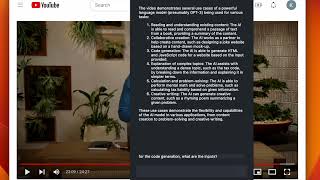
wuko demo with youtube video
Katat Choi

wuko demo with silicon valley article
Katat Choi
YouTube returned 6 videos for “Wuko AI”, and we withheld 3: 3 could not be judged, because “Wuko AI” is a single word that other videos use for other things. Showing the 3 we can prove are about Wuko AI.
Official links
Tools that pair well with Wuko AI
Common stack mates teams adopt alongside Wuko AI, with the specific reason each pairing earns its keep.

Shortwave AI Assistant
Shortwave is an AI email assistant that triages, drafts, schedules, and searches your Gmail inbox with one prompt.

Humata AI
Humata AI is a PDF AI that answers questions across your documents with cited links into the exact source section — citations you can trace

Heptabase
Heptabase: a visual knowledge base with an AI Tutor that turns your sources into structured study sessions.
Featured Head-to-Head Comparisons
Wuko Ai vs Praktika
Praktika is the go-to for conversational language practice with AI tutors, while Wuko AI excels at summarizing web pages and YouTube videos via email. If your goal is speaking fluency, choose Praktika; for quick document and video insights without leaving your inbox, pick Wuko AI.
Wuko Ai vs Surge Ai
Surge AI is for organizations deeply invested in AI alignment and requiring expert-grade human feedback, while Wuko AI is a lightweight, free email tool for personal content summarization. Unless you need cutting-edge RLHF or red teaming, Wuko's simplicity wins for everyday reading. Choose Surge if you're building a frontier model; choose Wuko for effortless daily consumption.
Alternatives to Wuko AI
View all
Shortwave AI Assistant
Shortwave is an AI email assistant that triages, drafts, schedules, and searches your Gmail inbox with one prompt.


Frequently Asked Questions
Used Wuko AI? Help shape our editorial sentiment research.