
Shortwave AI Assistant
Shortwave is an AI email assistant for Gmail that triages, drafts, schedules, and searches your inbox with Claude 4.6 models.
For solo professionals drowning in mail, the $30/seat/month Business tier is the sweet spot — five years of AI search history, three AI filters, autocomplete, and Standard intelligence (Claude Sonnet 4.6). Step up only if you hit quota walls or need big-thread context: Premier at $45/seat/month has 2x usage and 100-thread searches, and Max at $120/seat/month adds Expert intelligence (Claude Opus 4.6 with adaptive thinking) and 50 filters. It's a genuine step past Gmail's built-in AI and a different bet than Superhuman's speed-first design — though Superhuman remains cheaper on some seats and Shortwave's quota model means heavy AI users pay up.
Verified 9h ago · liveness 76/100 · cite: rightaichoice.com/tools/shortwave-ai-assistant
- Professionals who want AI to triage, draft, schedule, and search their email
- Teams sharing an inbox that need shared threads, private comments, and assignable todos
- Sales and support teams relying on read statuses, link tracking, and CRM auto-BCC
- Power users who'll pay for Expert intelligence (Claude Opus 4.6) and 150-thread searches
- Users who want a traditional email client with no AI automation
- Organizations requiring on-premises hosting or data residency outside the US
- Anyone dependent on offline-only email access
We scan live Reddit threads, YouTube comments, X posts, G2 reviews and other communities — and hand you an honest verdict in under a minute.
- Honest verdict, not marketing
- Real pros & cons from real users
- Attributed quotes with receipts
3 free scans · no card needed
Skip Shortwave if your team's core tools fall outside its documented integrations or MCP, or if you need on-premises hosting or offline-only email access.
AI usage is capped by a daily quota — roughly 150-300 Standard intelligence requests per day on Business — so heavy AI users will need Premier's 2x or Max's 6x, which raises the per-seat price.
Business at $30/seat/month fits solo professionals and small teams who want AI triage, drafts, and search without overpaying; Shortwave sits above Gmail's free AI but below super-premium clients, while Max at $120/seat/month is a serious commitment best reserved for analysts and support leads who need Expert (Claude Opus 4.6) intelligence and 150-thread searches.
In short
Shortwave AI Assistant — Shortwave is an AI email assistant for Gmail that triages, drafts, schedules, and searches your inbox with Claude 4.6 models. Best for Professionals who want AI to triage, draft, schedule, and search their email, Teams sharing an inbox that need shared threads, private comments, and assignable todos, Sales and support teams relying on read statuses, link tracking, and CRM auto-BCC. Free to start; it also has paid plans, priced in a currency we have not confirmed — see the pricing table for the vendor’s own figures.
What's new in Shortwave AI Assistant
Checked todayAcross the latest 5 updates: 4 feature updates and 1 launch.
Upgraded to Claude Sonnet & Opus 4.6
Shortwave upgraded its AI models to the Claude 4.6 family: Standard now runs Claude Sonnet 4.6, Advanced adds adaptive thinking, and Expert moves to Claude Opus 4.6 with adaptive thinking.
Fully automate your email with Tasklet
Shortwave integrated Tasklet so triggers can draft replies when emails arrive, add team comments, organize threads into todos, and connect to 3,000+ apps. AI web browsing also enabled by default on paid plans.
Enhanced AI performance & collaboration
The AI assistant got better context awareness and more efficient search with field selection, while team comments now bold email subjects for visibility.
Integrate the AI with all your apps
Shortwave connected its AI to Notion, HubSpot, GitHub, Asana, Linear, Zapier, and any MCP-compatible tool, and upgraded to Claude Sonnet 4.
Talk to your inbox
Shortwave's AI Assistant added voice commands via microphone or cmd + ., plus calendar event editing through the assistant.
Viability Score
How well maintained and how widely used is Shortwave AI Assistant? Built from what the vendor actually publishes (docs, changelog, tutorials, integrations, pricing), whether the site is live, and how much real users discuss it. How we calculate this
Last calculated: October 2026
How we score →Key Features
- AI inbox organization: one-click triage of important emails and todos
- Custom AI filters written in plain English to label, star, archive, or delete
- AI writing that learns your voice, tone, and facts from emails you've sent
- Predictive AI autocomplete with real links, facts, and phrases
- AI search across email history and attachments in natural language
- AI web browsing on paid plans (enabled by default)
- Instant AI summaries at the top of every thread
- AI-powered snooze with contextual time suggestions
- AI memory: ask the assistant to remember facts and preferences
- Saved prompts for one-click AI commands
- Instant AI replies with inline suggestions
- Voice commands via microphone or cmd + .
- Calendar integration: check availability, create events, send invites
- Tasklet integration for automated replies and 3,000+ app triggers
- Real-time shared threads, private team comments, assignable todos, shared labels
About Shortwave AI Assistant
Shortwave is an AI email assistant built on a Gmail-connected client, aimed at individuals and teams who want the inbox to sort, write, and answer for them. You get AI inbox organization in one click, custom AI filters you write in plain English, instant AI summaries at the top of every thread, predictive autocomplete that suggests real links and facts, AI search over your team's email history and attachments, and a calendar assistant that checks availability and sends invites. Writing tools learn your voice from emails you've sent. As of February 2026 the AI runs on the Claude 4.6 family — Basic on Claude Haiku 4.5, Standard on Claude Sonnet 4.6, Advanced on Claude Sonnet 4.6 with adaptive thinking, and Expert on Claude Opus 4.6 with adaptive thinking. The January 2026 Tasklet integration adds triggers that draft replies, add team comments, and organize threads across 3,000+ apps. Team features cover real-time shared threads, private comments, assignable todos, shared labels, and shared prompts and templates, while delivery schedules, bundles, splits, read statuses, link tracking, and auto-BCC to HubSpot and Salesforce round it out. It runs on iOS, Android, Mac, Windows, and the web via PWA. Against Superhuman, which leans on speed, Shortwave leans on AI doing the work; against Gmail's own AI, Shortwave goes further on filters, search, and team collaboration.
Behind the Verdict
Shortwave's bet is that the inbox itself should do the work, not just render it faster. The AI inbox organization button alone — identify important emails and todos, sweep away the rest — is the feature most competitors still can't match in one click. Custom AI filters written in plain English let you automate labeling, starring, archiving, and deleting without learning a rules language, and the search is where Shortwave pulls ahead of most inbox add-ons: describe what you want and the AI queries your team's email history, reads PDF, text, and code attachments, and keeps 5 years of search history on Business (unlimited on Premier and Max). The February 2026 upgrade to the Claude 4.6 family matters more than the headline suggests — Standard tier now runs Claude Sonnet 4.6 with reasoning, and the top tiers get adaptive thinking, so answers on messy threads are noticeably better than the Claude Haiku-era responses. The January 2026 Tasklet integration is the other big shift: triggers that draft replies when mail arrives, add team comments, and organize threads, wired to 3,000+ apps. Strengths: team collaboration (real-time shared threads, private comments, assignable todos, shared labels, shared prompts and templates) is unusually complete for an email client; read statuses, link tracking, and a recent-opens feed are genuinely useful for sales and support; auto-BCC to HubSpot and Salesforce keeps CRM logs clean; and it runs on iOS, Android, Mac, Windows, and web as a PWA. Weaknesses: AI usage is quota-based. Business allows roughly 150-300 Standard intelligence requests per day, Premier gives 2x, and Max gives 6x — but the quota varies with request complexity and intelligence level, so heavy users should watch it. Search context is tiered (50, 100, 150 threads per search) and context tokens scale (Standard, 2x, 3x), which means the best answers sit behind the top plans. Expert intelligence (Claude Opus 4.6 with adaptive thinking) is locked to Max at $120/seat/month, which is a real jump. The client is Gmail-connected, so it isn't a fit if you want a traditional client with no AI automation, need on-premises hosting or data residency outside the US, or rely on offline-only email. Where it fits: professionals and teams who treat email as a shared work surface — sales, support, agencies, founders — and will pay for AI that actually files, drafts, and searches. Where it doesn't: light email users who won't get $30/seat/month of value, and teams whose core tools aren't in the documented integration list or MCP-compatible.
Researching Shortwave AI Assistant? Get your full AI stack in 60 seconds.
Free, no signup — tell us your goal and get tools matched to your budget & existing stack.
Real-world workflow fit
Concrete scenarios for the personas Shortwave AI Assistant actually fits — and what changes day-one when you adopt it.
Morning triage: hit the AI inbox organization button to star action items, group todos, and archive low-priority mail, then reply to a client with an instant AI reply tuned to your writing style.
Outcome: Inbox cleared in one pass and replies sent in your voice before your first call.
Track a proposal thread with read statuses and link tracking, use auto-BCC to log it to HubSpot, and set a follow-up reminder if no reply lands.
Outcome: Clean CRM record, timely follow-up, and a recent-opens feed showing exactly when the prospect engaged.
Share a live thread with the team, leave a private comment, assign the next step as a todo, and set a custom AI filter to label incoming tickets by product area.
Outcome: One shared source of truth with clear ownership and no Slack screenshot shuffling.
Use Cases
- Triage your inbox in one click: archive low-priority mail, star action items, group todos.
- Draft replies in your own voice using AI trained on emails you've sent.
- Search your whole team's email history in plain language and analyze attachments.
- Schedule meetings by asking the AI to check availability, create events, and send invites.
- Write custom AI filters that label, star, or archive incoming mail from plain-English rules.
- Use Tasklet triggers to draft replies, add team comments, and organize threads 24/7.
- Automate follow-up reminders so you don't drop important threads.
- Track read statuses, link clicks, and recent opens for sales follow-up.
Models Under the Hood
as of 2026-09-23
Limitations
- AI usage is quota-based: Business allows roughly 150-300 Standard intelligence requests per day, Premier gives 2x, and Max gives 6x — and the quota varies with request complexity and intelligence level.
- Search context is tiered: max 50 threads per AI search on Business, 100 on Premier, 150 on Max, with context tokens scaling (Standard, 2x, 3x) and AI filter counts (3, 10, 50).
- Higher intelligence levels — Advanced (Claude Sonnet 4.6 with adaptive thinking) and Expert (Claude Opus 4.6 with adaptive thinking) — sit on Premier and Max.
- The client is Gmail-connected and cloud-based, so no on-premises hosting or offline-only use, and data residency is US-based.
as of 2026-10-08
Verification history
We have re-verified Shortwave AI Assistant 8 times since . Each pass re-reads the vendor's own pages and re-checks every listed field against that evidence; passes where nothing had changed are marked as such.
- — re-verified summary, description, our verdict, our analysis, pricing model, pricing tiers, features, integrations, who it suits, who should skip it
- — re-checked, vendor evidence unchanged
- — re-verified summary, description, our verdict, our analysis, pricing model, pricing tiers, features, integrations, who it suits, who should skip it
- — re-verified summary, description, our verdict, our analysis, pricing model, pricing tiers, features, integrations, who it suits, who should skip it
- — re-checked, vendor evidence unchanged
- — re-verified summary, description, our verdict, our analysis, pricing model, pricing tiers, features, integrations, who it suits, who should skip it
Showing the 6 most recent of 8 verification passes.
Free to cite with attribution — this page re-verifies continuously.
12-month cost
Project the real annual outlay, including the implied monthly cost when only an annual tier is published.
Vendor list price only. Add-on usage, seat overages, and contract minimums are surfaced under Hidden costs & gotchas.
Plans compared
For each published Shortwave AI Assistant tier: who it actually fits, and what it adds vs. the previous tier. Cross-reference the cost calculator above for projected annual outlay.
Free trial
Free for 14 days
Ideal for
Anyone evaluating Shortwave before paying — 14 days to test AI triage, search, and drafting with no credit card.
What this tier adds
Full access to the plan being trialed for 14 days, then a paid tier is required.
Business
$30 per seat/month
Ideal for
Solo professionals and small teams who want AI triage, drafts, summaries, and five years of search history at the entry paid price.
What this tier adds
Starting paid tier: Standard intelligence (Claude Sonnet 4.6), 3 AI filters, 5-year AI search history, and max 50 threads per AI search.
Premier
$45 per seat/month
Ideal for
Analysts and support leads who hit Business quotas or need to reason over long threads.
What this tier adds
Adds Advanced intelligence (Claude Sonnet 4.6 with adaptive thinking), 2x AI usage, unlimited search history, 10 filters, 100-thread searches, and 2x context tokens.
Max
$120 per seat/month
Ideal for
Power users running heavy AI workloads and needing the top model and the largest context window.
What this tier adds
Adds Expert intelligence (Claude Opus 4.6 with adaptive thinking), 6x AI usage, 50 filters, 150-thread searches, and 3x context tokens.
Where the pricing makes sense
The company stage and team size where Shortwave AI Assistant's pricing actually pencils out — and where peers do it cheaper.
Business at $30/seat/month fits solo professionals and small teams who want AI triage, drafts, and search without overpaying; Shortwave sits above Gmail's free AI but below super-premium clients, while Max at $120/seat/month is a serious commitment best reserved for analysts and support leads who need Expert (Claude Opus 4.6) intelligence and 150-thread searches.
Setup time & first value
How long it actually takes to get something useful out of Shortwave AI Assistant — broken out by persona, not the marketing-page minute.
Solo professional: connect Gmail and you're triaging in about 15 minutes; AI learns your voice over the first day of sending. Team of 5-20: budget an hour to set up shared threads, labels, saved prompts, and AI filters. Sales or support with CRM auto-BCC: add another 30-60 minutes to wire HubSpot or Salesforce and confirm logging.
Switching to or from Shortwave AI Assistant
How to bring data in from common predecessors and how to get it back out — written for the switcher, not the buyer.
- →From Gmail: use Shortwave's Gmail migration guide to connect your account and import full history.
- →From Spark: follow the dedicated Spark migration guide in Shortwave docs.
- →From Superhuman: follow the Superhuman migration guide to bring account, labels, and settings across.
- →From other providers: use Shortwave with other email providers or unified inbox via forwarding.
- ↗To Gmail: download EML files or continue using Gmail directly since Shortwave syncs to a Gmail account.
- ↗To Superhuman: export from Gmail and re-import into Superhuman; Shortwave data lives in your Gmail account.
- ↗To Spark: migrate via Gmail export since Shortwave operates on the same mailbox.
Integrations
Resources & Guides
Tutorials & Learning
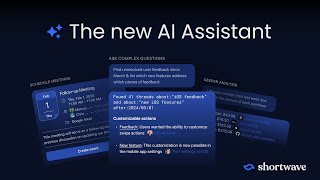
YouTube returned 6 videos for “Shortwave AI Assistant”, and we withheld 5: 5 did not mention Shortwave AI Assistant. Showing the 1 we can prove is about Shortwave AI Assistant.
Tools that pair well with Shortwave AI Assistant
Common stack mates teams adopt alongside Shortwave AI Assistant, with the specific reason each pairing earns its keep.

Shortwave
Shortwave is an AI email assistant and native client where Claude 4.6 agents manage triage, drafting, scheduling, and search in your inbox.

Spark Mail
Spark Mail is a cross-platform AI email client that sorts, summarizes, and drafts across Gmail, Outlook, Exchange, iCloud, Yahoo, and IMAP.

Mailbutler
AI email assistant and tracking extension that runs inside Apple Mail, Gmail, and Outlook instead of replacing your inbox.
Featured Head-to-Head Comparisons
Shortwave Ai Assistant vs Guesty
For vacation rental managers who need AI-driven guest communication and operational automation, Guesty is the clear choice. For professionals overwhelmed by email who want an AI that writes and organizes for them, Shortwave is unmatched. These tools solve completely different problems; pick based on your domain.
Shortwave Ai Assistant vs Gem
Choose Gem if you're a talent acquisition team looking for an all-in-one AI recruiting platform with ATS, CRM, and agentic AI for sourcing, screening, and fraud detection. Choose Shortwave if you're an individual professional or team drowning in email and needing AI-powered organization, writing, and collaboration. They solve completely different problems.
Shortwave Ai Assistant vs Poke Interaction Co
If you live in email and want an AI that organizes, writes, and collaborates right inside your inbox, Shortwave is your tool — it's purpose-built for email productivity with powerful filters and team features. If you prefer managing your digital life from a chat app (Messages, WhatsApp, Telegram) and want a single interface for email, calendar, health, and automation, Poke offers a more versatile, messaging-first assistant. Choose Shortwave for deep email focus; choose Poke for cross‑app, conversational control.
Alternatives to Shortwave AI Assistant
View all
Shortwave
Shortwave is an AI email assistant and native client where Claude 4.6 agents manage triage, drafting, scheduling, and search in your inbox.

Spark Mail
Spark Mail is a cross-platform AI email client that sorts, summarizes, and drafts across Gmail, Outlook, Exchange, iCloud, Yahoo, and IMAP.

Mailbutler
AI email assistant and tracking extension that runs inside Apple Mail, Gmail, and Outlook instead of replacing your inbox.
Frequently Asked Questions
Categories
Best-of guides
Used Shortwave AI Assistant? Help shape our editorial sentiment research.