
Sonura Studio
Sonura Studio is an AI music generator that turns text prompts into royalty-free beats, loops, vocals and full tracks you can edit.
For producers who want generated building blocks rather than a finished song, Sonura's stem export on every plan — including free — is the reason to try it before you pay. The free tier is genuinely usable but publishes your work under CC0, so anything you want to keep exclusive needs Starter at $10/mo billed annually ($20/mo monthly). Reach for it when you'd otherwise be scrolling Splice.
Verified 3d ago · liveness 76/100 · cite: rightaichoice.com/tools/sonura-studio
- Producers who want original generated samples instead of reusing stock Splice packs
- Songwriters who need a quick vocal hook or rough arrangement for a demo
- Video editors and podcasters sourcing royalty-free background music with clean licensing
- Sound designers building one-shots and FX for games, film or media
- Mixing and mastering engineers who need fine control over every parameter and bus
- Artists who want any AI involvement kept out of their creative process entirely
- Heavy users who batch-generate constantly and would blow through the monthly credit caps
We scan live Reddit threads, YouTube comments, X posts, G2 reviews and other communities — and hand you an honest verdict in under a minute.
- Honest verdict, not marketing
- Real pros & cons from real users
- Attributed quotes with receipts
3 free scans · no card needed
Skip Sonura Studio if you need a finished, fully structured song from one prompt rather than editable parts, or if you want your free-tier output to stay private — free creations are released under CC0 public domain and exclusive rights start on paid plans.
Free-tier creations are published under CC0 public domain, so anything you want to keep exclusively yours requires a paid plan before you hit download
Sonura sits in the middle of the AI music market: Starter at $10/mo billed annually ($20/mo monthly) undercuts finished-song generators at comparable tiers, and Pro at $20/mo annual ($40/mo monthly) is aimed at independent artists and producers who need 500 loops and 1,000 one-shots a month plus high-quality downloads. Max at $45/mo annual ($90/mo monthly) targets studios and professional teams with 1,250 loops, 2,500 one-shots and support calls. A solo hobbyist who just wants a few free loops
In short
Sonura Studio — Sonura Studio is an AI music generator that turns text prompts into royalty-free beats, loops, vocals and full tracks you can edit. Best for Producers who want original generated samples instead of reusing stock Splice packs, Songwriters who need a quick vocal hook or rough arrangement for a demo, Video editors and podcasters sourcing royalty-free background music with clean licensing. Free to start; paid plans from $10/mo.
What's new in Sonura Studio
Checked 2 days agoAcross the latest 2 updates: 2 news mentions.
How to Make a Song: 7 Simple Steps for Beginners
Sonura Studio publishes a beginner guide to making a song from scratch: pick a style, set tempo, build a beat, add melody and vocals, arrange, mix, export.
Best AI Plugins for Music Producers in 2026
Sonura Studio compares AI plugins by job — text-to-sound creation, sample finding, mixing and mastering, MIDI ideas. Formats and prices checked September 2026.
What people actually say about Sonura Studio — is it worth it?
We ran a structured research pass across product reviews, community discussions, and post-purchase forum threads to surface the patterns vendors won't publish themselves. Below: the recurring strengths, the hidden costs people mention most, and the cohort that consistently regrets adopting this tool.
32 mentions across 3 sources (Hacker News, YouTube, Product Hunt) · researched Jul 3, 2026.
Average across the 3 sources that answered — each source counts once, not each post.
- +Quick generation of beats, loops, and vocals from text prompts.
- +Free tier gives full access to all features with limited credits.
- +Stem export allows mixing individual parts in your DAW.
- +Real-time collaboration with role assignment for team projects.
- +DAW plugin for drag-and-drop generation without leaving the session.
- −Stem quality reported as poor by some users.
- −Pricing may be too high for hobbyists, especially outside US.
- −Output can resemble existing artists, raising legal concerns.
- −Limited community feedback outside Product Hunt and YouTube.
- −No fine-tuning of style or genre before generation confirmed.
- • Exchange rates can significantly increase cost outside the US (AU$55/mo reported)
- • Free tier may not have commercial rights — unclear from description
Viability Score
How well maintained and how widely used is Sonura Studio? Built from what the vendor actually publishes (docs, changelog, tutorials, integrations, pricing), whether the site is live, and how much real users discuss it. How we calculate this
Last calculated: October 2026
How we score →Key Features
- Text-to-music generation from written descriptions
- AI beat generator for full beats and arrangements
- AI loop maker for drum, bass and melody loops
- AI sample generator for one-shots, vocals and FX
- Vocal generation for hooks, ad-libs and full lines
- Stem export for drums, bass, melody, vocals and FX on every plan including free
- Stem separator and acapella/vocal extractor for existing tracks
- One-click smart mixing on every plan
- Real-time collaboration in shared sessions with role assignment
- Free Sonura Flow plugin (AU/VST3) for Mac and Windows DAWs
- Browser-based studio, no install required
- Loop generation in 5–8 seconds, full tracks in 8–12 seconds, no queues
- Exclusive commercial rights with no royalty splits on paid plans
- CC0 public domain licensing on the free tier
- High-quality downloads on paid plans, standard quality on free
About Sonura Studio
Sonura Studio is a browser-based AI music generator for producers, not listeners. Describe the sound you want and it returns one-shots, loops, vocals, FX and complete tracks — trap, UKG, house, organic, cinematic and most sub-genres — in under 10 seconds on average. Loops land in 5–8 seconds, full tracks in 8–12 seconds, with no queues and no render wait. You can start on the free tier with no credit card, which gives you 10 loops a day, 20 one-shots and FX a day, and up to 4 full tracks a day, resetting daily. What separates it from finished-song generators is that nothing arrives as a locked file. Stem export for drums, bass, melody, vocals and FX is included on every plan, free included, and the free Sonura Flow plugin (AU/VST3, Mac and Windows) puts the generator inside Ableton Live, Logic Pro, FL Studio, Reaper, Studio One, Bitwig, Cubase or GarageBand so you aren't tab-switching. The workflow runs Create, Compose, Collaborate, Publish: generate parts to spec, layer them into an arrangement, pull collaborators into the same session in real time, then run one-click smart mixing before you send it out. Paid tiers handle the licensing question. Starter, Pro and Max grant exclusive commercial rights with no royalty splits and no attribution, so you can release on Spotify, sell beats or score client work. Downloads step up to high quality from Pro, which also adds priority 24/7 support. The free tier is the tradeoff to understand: it runs the full studio with no time limit, but creations are published under CC0 public domain, meaning anyone can remix them. Sonura pitches itself as the ethical option — models built on licensed music rather than scraped catalogs, with a published account of how it works with artists. The positioning against the field is clean: Suno and Udio hand you a finished song, Splice hands you pre-made loops everyone else has, and Sonura sits in between, generating original audio you still arrange yourself.
Behind the Verdict
The pitch that matters here isn't speed, it's editability. Sonura gives you parts: split drums, bass, melody, vocals and FX out as stems, layer them in your own arrangement, mix on your own bus chain. That's a different product category from Suno or Udio, and it's why we'd point a producer here and a casual listener elsewhere. The free tier is more generous than most. Full studio with no time limit, 10 loops, 20 one-shots and FX, up to 4 full tracks a day, resetting daily, no card. We'd use it to pressure-test the generation quality against our own reference tracks before committing. Watch the licensing, though: free creations are public domain under CC0 and public by default. Release something you're proud of on free and anyone can remix it. Paid plans fix that and scale the credits. Starter at $10/mo annual ($20/mo monthly) gets 200 loops and 400 one-shots and FX a month with commercial rights and stem export. Pro at $20/mo annual ($40/mo monthly) doubles the allowances and adds high-quality downloads plus priority support — that's the tier most independent producers will land on. Max at $45/mo annual ($90/mo monthly) is for studios: 1,250 loops, 2,500 one-shots, 1-on-1 calls and custom feature requests. Where it bites: the credit meter. If you batch-generate and discard, you'll chew through an allowance fast, and the month caps bind harder than a daily reset. There's no unlimited tier. If your workflow is hundreds of throwaway variations a day, budget for Max or look at an unlimited-credit competitor. We'd also flag the honest limit of the whole category. Sonura is good at producing audio that fits a description; it does not make the arrangement decisions that make a track yours. Users who expect a finished, structured, release-ready song from one prompt will be
Researching Sonura Studio? Get your full AI stack in 60 seconds.
Free, no signup — tell us your goal and get tools matched to your budget & existing stack.
Real-world workflow fit
Concrete scenarios for the personas Sonura Studio actually fits — and what changes day-one when you adopt it.
You open the browser studio, describe the beat you hear in your head, and generate a drum loop plus a matching bass line and a vocal chop. You layer them into an arrangement, run one-click smart mixing, then export the stems.
Outcome: A rough but usable track skeleton in minutes on the free tier, with stems you can keep developing once you upgrade for exclusive rights.
You install the free Sonura Flow plugin (AU/VST3), generate high-quality drums and a vocal stem without leaving the DAW, then split the track into drums, bass, melody, FX and vocals for further processing.
Outcome: Original parts land directly in your Ableton timeline, and no export/import round-trip interrupts the session.
You generate a cinematic bed to a specific brief, check the licence terms, and confirm which plan you need so the track can be used in client work without attribution or royalty splits.
Outcome: A royalty-free, licence-clean track tailored to the edit rather than a stock track reused across dozens of videos — provided you are on a paid plan for exclusive commercial rights.
Use Cases
- Generate a custom trap beat with 808s and hi-hats for your next mixtape
- Create vocal hooks and ad-libs for a pop demo in under 30 seconds
- Design atmospheric risers and impacts for a video game soundtrack
- Build a sample pack of one-shots for your producer kit
- Produce royalty-free background music for YouTube videos with commercial rights on a paid plan
- Collaborate in real time with remote bandmates on a full arrangement
- Export stems into Ableton or Logic for final mixing and mastering
- Split an existing track into stems with the AI stem separator or acapella extractor
Limitations
- Sonura runs on credit allowances rather than unlimited generation.
- Free gives 10 loops daily, 20 one-shots and FX daily and up to 4 full tracks daily, resets each day, and places creations in the public domain (CC0).
- Paid tiers cap at 200/500/1,250 loops per month, 400/1,000/2,500 one-shots and FX, and up to 80/200/500 full tracks on Starter/Pro/Max.
- Stem export and smart mixing are listed on every plan including free, but exclusive commercial rights and high-quality downloads require a paid plan.
- High-quality downloads are listed on Pro and Max tier cards; Starter's card lists commercial use rights, stem splitting and one-click mixing but not high-quality downloads.
- Access is via the browser studio and the AU/VST3 plugin for Ableton, Logic and FL Studio on Mac and Windows.
- Paid plans are month-to-month and cancellable anytime.
as of 2026-10-08
Verification history
We have re-verified Sonura Studio 9 times since . Each pass re-reads the vendor's own pages and re-checks every listed field against that evidence; passes where nothing had changed are marked as such.
- — re-verified summary, description, our verdict, our analysis, pricing model, pricing tiers, features, integrations, who it suits, who should skip it
- — re-verified summary, description, our verdict, our analysis, pricing model, pricing tiers, features, integrations, who it suits, who should skip it
- — re-verified summary, description, our verdict, our analysis, pricing model, pricing tiers, features, integrations, who it suits, who should skip it
- — re-verified summary, description, our verdict, our analysis, pricing model, pricing tiers, features, integrations, who it suits, who should skip it
- — re-verified summary, description, our verdict, our analysis, pricing model, pricing tiers, features, integrations, who it suits, who should skip it
- — re-verified summary, description, our verdict, our analysis, pricing model, pricing tiers, features, integrations, who it suits, who should skip it
Showing the 6 most recent of 9 verification passes.
Free to cite with attribution — this page re-verifies continuously.
12-month cost
Project the real annual outlay, including the implied monthly cost when only an annual tier is published.
Vendor list price only. Add-on usage, seat overages, and contract minimums are surfaced under Hidden costs & gotchas.
Plans compared
For each published Sonura Studio tier: who it actually fits, and what it adds vs. the previous tier. Cross-reference the cost calculator above for projected annual outlay.
Free
$0/mo
Ideal for
A producer or beginner testing whether prompt-based generation fits their workflow before spending anything
What this tier adds
Free entry point: 10 loops daily, 20 one-shots and FX daily, up to 4 full tracks daily, with creations released as CC0 public domain
Starter
$10/mo billed annually, or $20/mo monthly
Ideal for
Hobbyists and beginners releasing music who need exclusive commercial rights but not high volume
What this tier adds
Adds exclusive commercial use rights, stem splitting on any track and one-click mixing, jumping to 200 loops, 400 one-shots and FX and up to 80 full tracks per month
Pro
$20/mo billed annually, or $40/mo monthly
Ideal for
Independent artists and producers running regular sessions who want high-quality downloads and a bigger monthly allowance
What this tier adds
Adds high-quality downloads and priority 24/7 support over Starter, and raises the allowances to 500 loops, 1,000 one-shots and FX and up to 200 full tracks per month
Max
$45/mo billed annually, or $90/mo monthly
Ideal for
Studios and professional teams producing at volume who want direct contact with the Sonura team
What this tier adds
Everything in Pro plus one-to-one support calls, early access to new features and the ability to request custom features, with 1,250 loops, 2,500 one-shots and FX and up to 500 full tracks per month
Where the pricing makes sense
The company stage and team size where Sonura Studio's pricing actually pencils out — and where peers do it cheaper.
Sonura sits in the middle of the AI music market: Starter at $10/mo billed annually ($20/mo monthly) undercuts finished-song generators at comparable tiers, and Pro at $20/mo annual ($40/mo monthly) is aimed at independent artists and producers who need 500 loops and 1,000 one-shots a month plus high-quality downloads. Max at $45/mo annual ($90/mo monthly) targets studios and professional teams with 1,250 loops, 2,500 one-shots and support calls. A solo hobbyist who just wants a few free loops
Setup time & first value
How long it actually takes to get something useful out of Sonura Studio — broken out by persona, not the marketing-page minute.
In the browser you can sign up and generate your first loop in a couple of minutes — no card required and no install. Getting the Sonura Flow plugin (AU/VST3) running inside Ableton, Logic or FL Studio adds the time to download it and rescan plugins in your DAW, typically a short session. For a producer already in a DAW, first usable stem inside a live project is generally under five minutes.
Switching to or from Sonura Studio
How to bring data in from common predecessors and how to get it back out — written for the switcher, not the buyer.
- →From Splice: keep your existing sample library but generate original, tailored loops and one-shots so your tracks stop sharing the same packs
- →From Suno/Udio: move your song ideas across as editable stems and arrangements rather than locked two-minute renders you can only re-prompt
- →From a stock music library: generate a custom bed matched to your video or podcast edit and keep the licence terms clear via a paid plan
- →From manual sample hunting: describe the drum, bass or melody part you need and let the AI Sample Generator produce it to spec
- ↗To a full mixing and mastering chain: export stems from Sonura and finish in Pro Tools, Logic or a dedicated mastering suite where you control every bus
- ↗To Splice: if you prefer curating pre-made, human-performed loops from a large library rather than generating parts
- ↗To Suno or Udio: if what you actually want is a finished, fully structured song generated from one prompt
- ↗To your DAW of choice: Sonura output already exports as stems ready for Ableton, FL Studio, Logic, Reaper or any VST3/AU host
Integrations
Resources & Guides
Tutorials & Learning
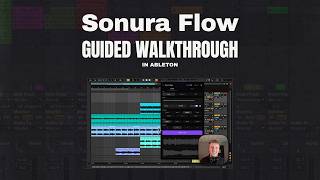
YouTube returned 6 videos for “Sonura Studio”, and we withheld 5: 5 could not be judged, because “Sonura Studio” is a single word that other videos use for other things. Showing the 1 we can prove is about Sonura Studio.
Official links
Tools that pair well with Sonura Studio
Common stack mates teams adopt alongside Sonura Studio, with the specific reason each pairing earns its keep.

Mureka
Mureka's AI music generator turns a text prompt into royalty-free songs with vocals and stems.

Mubert
Mubert is an AI music generator that turns a text prompt, image, or mood into a royalty-free soundtrack for video, podcasts, and apps.

Riffusion
Riffusion (now Google Flow Music) turns a text prompt into a full-length song with vocals, plus a Veo-generated music video.
Featured Head-to-Head Comparisons
Sonura Studio vs Splice
If you need a massive, high-quality sample library with rent-to-own plugins and don't mind credits, Splice is the proven choice. If you crave unique, AI-generated sounds with full commercial rights and want to create custom beats/loops without repetition, Sonura Studio is the innovative alternative. Both serve different workflows: Splice for browsing, Sonura for generating.
Sonura Studio vs Landr Mastering
Choose Sonura Studio if you need to generate original beats, loops, or vocal hooks from text and own them royalty-free. Choose LANDR Mastering if you have finished tracks and need a fast, consistent master that matches streaming loudness standards. They serve different stages of music production; many creators use both.
Sonura Studio vs Storyfile
Choose Sonura Studio if you need original, royalty-free music content for production — it excels at generating custom beats, loops, and vocals with full commercial rights. Choose StoryFile if your goal is to create authentic, interactive video conversations with real people for museums or family legacy; its real-footage approach preserves emotional integrity. They serve completely different needs, so your decision hinges on whether you're making music or preserving human stories.
Alternatives to Sonura Studio
View all


Frequently Asked Questions
Topics
Used Sonura Studio? Help shape our editorial sentiment research.