Ssemble YouTube Shorts Maker is live · pricing from $6/mo billed annually · last verified 24 Oct 2026 · viability healthy

Ssemble YouTube Shorts Maker
Ssemble auto-clips long YouTube, Vimeo, Kick and Twitch videos into captioned vertical Shorts, then posts them for you — from $6/mo billed annually.
Buy Ssemble if your bottleneck is throughput — you have a channel, a back catalog or a client roster and you need Shorts going out daily without an editor in the loop. Channel Automation, the content calendar and the $6/mo billed-annually entry point are why it wins against Opus Clip, Vizard and CapCut on cost per processed minute. Don't buy it if you need frame-accurate trims or your best moments sit outside a 20-minute window. No timeline editor, by design.
Verdict generatedVerified 5d ago · liveness 71/100 · cite: rightaichoice.com/tools/ssemble-youtube-shorts-maker
- High-volume clippers turning long YouTube videos into daily Shorts
- Social media managers scheduling across TikTok, YouTube and Instagram
- Gaming and sports creators using Game Video overlays or Sports Video Mode
- Agencies running hands-off Channel Automation pipelines for multiple clients
- Creators who need manual timeline editing or frame-accurate trims
- Anyone whose best moments sit outside a 20-minute segment of the source video
- Marketers producing original short-form from scratch rather than repurposing
We scan live Reddit threads, YouTube comments, X posts, G2 reviews and other communities — and hand you an honest verdict in under a minute.
- Honest verdict, not marketing
- Real pros & cons from real users
- Attributed quotes with receipts
3 free scans · no card needed
Skip Ssemble if you need frame-accurate trims or a timeline, or if the moments you want sit outside a 20-minute segment of the source video.
Credits reset each billing cycle and don't roll over, so unused credits in a quiet month are simply gone — Ssemble suggests upgrading temporarily if you expect a heavy month
At $6/mo billed annually for 360 yearly credits, Pro undercuts Opus Clip, Vizard and CapCut on cost per processed minute, and Ssemble states a credit is 1/4 the price of competitors. Solo clippers fit Pro; anyone running 3+ brand accounts needs Expert at $12/mo billed annually; agencies with many client channels land on Business at $24/mo billed annually. Custom at $40/mo billed annually is only worth it if you'll actually burn 2,600 credits.
In short
Ssemble YouTube Shorts Maker — Ssemble auto-clips long YouTube, Vimeo, Kick and Twitch videos into captioned vertical Shorts, then posts them for you — from $6/mo billed annually. Best for High-volume clippers turning long YouTube videos into daily Shorts, Social media managers scheduling across TikTok, YouTube and Instagram, Gaming and sports creators using Game Video overlays or Sports Video Mode. Plans from $6/mo billed annually.
What is Ssemble YouTube Shorts Maker?
Ssemble YouTube Shorts Maker — Ssemble auto-clips long YouTube, Vimeo, Kick and Twitch videos into captioned vertical Shorts, then posts them for you — from $6/mo billed annually. Best for High-volume clippers turning long YouTube videos into daily Shorts, Social media managers scheduling across TikTok, YouTube and Instagram, Gaming and sports creators using Game Video overlays or Sports Video Mode. Plans from $6/mo billed annually.
Ssemble is an AI clipper built for people who care about how many Shorts go out per week, not how many keyframes they set. Paste a public YouTube, Vimeo, Kick or Twitch link — or upload an MP4, MOV or WEBM — and the AI scores the moments most likely to travel, cuts them to vertical, adds captions, face tracking and hook titles, then schedules and posts them to TikTok, YouTube Shorts and Instagram Reels through a calendar that targets what it treats as best-performing times. The automation layer is the real differentiator. YouTube Channel Automation watches a public channel, clips each new upload 24/7 with no refresh, and auto-posts the qualifying clips to your connected accounts. Titles, descriptions and hashtags get written for you with Claude or GPT. Captions cover 30+ languages, you can translate captions while keeping the original audio, and where the source clip carries multiple audio tracks you can select Hindi, Spanish, French or Portuguese. Sports Video Mode tracks the ball and action instead of faces, Game Video lays gameplay along the bottom of the frame. Pricing is the volume play: Pro is $6/mo billed annually ($72/year) for 360 credits, Expert $12/mo billed annually ($144/year), Business $24/mo billed annually ($288/year) and Custom $40/mo billed annually ($480/year). One credit processes a 20-minute segment rather than a finished short, which is why the per-minute math beats most competitors. Ssemble says users posted 404,136 clips that pulled 448 million views in September 2026, and Clip Rewards pays $1 per 1K verified views. The trade-off is control: no frame-accurate trims, and a 60-minute podcast must be sliced to a 20-minute segment before clipping.
Key features
- AI curation scores viral-worthy moments in long videos
- Auto captioning in 30+ languages including English, Spanish, Portuguese, Russian, German, French, Italian, Dutch and Polish
- Caption translation that keeps the original audio
- Face tracking keeps speakers centered in 9:16 vertical frames
- Hook title and CTA generation
- Game Video overlay adds gameplay footage at the bottom of the frame
- Sports Video Mode tracks the ball and action instead of faces
- Multi-language audio track selection for Shorts (Hindi, Spanish, French, Portuguese)
- Schedule and auto-post to TikTok, YouTube Shorts and Instagram Reels
- Content Calendar publishes at what it deems best-performing times
- Automated titles, descriptions and hashtags written with Claude or GPT
- YouTube Channel Automation clips new uploads 24/7 and auto-posts to connected accounts
- Clip Rewardspays $1 per 1K verified views
- REST API with API keys, status polling and webhooks
- Clip from YouTube, Vimeo, Kick or Twitch links, or upload MP4/MOV/WEBM files
Behind the verdict
Ssemble's pitch is narrow and honest: it is not an editor, it is a clipping pipeline. That distinction decides whether it fits you. If your job is to take long-form video you already own — podcasts, interviews, gaming VODs, your own channel — and turn it into a steady drip of vertical posts, the workflow is about as short as it gets. Paste a link, the AI scores segments by viral potential, captions are added, faces are tracked into the vertical frame, hooks are written, and the calendar pushes clips to three platforms. YouTube Channel Automation closes the loop: give it a public channel URL and it watches for uploads 24/7, clips them, and posts the qualifying ones without you touching anything. For an agency running several client channels, that is the feature that pays for the subscription. The API is stronger than the marketing suggests. The docs expose caption templates (Karaoke by default, plus named styles), clip length from under 30 seconds to under 10 minutes, layout control (auto, fill, fit, square), background music, gameplay overlays, meme hooks, CTA text, status polling and webhooks that plug into n8n, Zapier or Make. That makes Ssemble a plausible backend component for a custom repurposing pipeline, not just a web app. Where it pushes back on you: one credit processes a 20-minute segment of source video. A 60-minute podcast needs to be cut down before the AI touches it, which is a real constraint on long-form talk content. There is also no timeline, no frame-accurate trim, and the vendor itself frames the split as AI does 90%, you do 10% of minor adjustments. If your clips live and die on a precise cut, you will fight it. On money, the annual commitment is the headline. Pro is $6/mo billed annually ($72/year, 360 credits), Expert $12/mo billed annually ($144/year, 840 credits), Business $24/mo billed annually ($288/year, 1,800 credits), Custom $40/mo billed annually ($480/year, 2,600 credits). Social accounts are tiered too: one on Pro, three on Expert, unlimited on Business and Custom. Credits reset each billing cycle and don't roll over, though finished videos stay yours. Against Opus Clip and Vizard, Ssemble's credit buys a 20-minute segment rather than a finished short, which is why the per-minute comparison favors it — check your own ratio of segments to usable clips before you assume the gap. Two claims worth noting from the vendor's own numbers: 404,136 clips posted by users pulling 448 million views in September 2026, and a reported $500 Ryan George clipping campaign in October 2026 that returned 479,080 verified views from 128 clippers. Treat those as marketing-reported, but the Clip Rewards program ($1 per 1K verified views) is a genuine reason clippers pick this ecosystem. Overall: an efficient, cheap repurposing engine with an unusually good automation and API story, and an editorial ceiling you should be honest about before subscribing.
Models under the hood
as of 2026-10-25
Limitations
- Every plan is an annual credit block: Pro $6/mo billed annually ($72/year) for 360 credits, Expert $12/mo billed annually ($144/year) for 840, Business $24/mo billed annually ($288/year) for 1,800, Custom $40/mo billed annually ($480/year) for 2,600.
- AI Clipping costs 1 credit per video, and that credit covers at most a 20-minute segment.
- There is no timeline editor and no frame-accurate trimming; the vendor describes the split as AI doing 90% of the work with 10% minor adjustments.
- Social account connections are capped by tier: 1 on Pro, 3 on Expert, unlimited on Business and Custom.
as of 2026-10-24
Researching Ssemble YouTube Shorts Maker? Get your full AI stack in 60 seconds.
Free, no signup — tell us your goal and get tools matched to your budget & existing stack.
Is Ssemble YouTube Shorts Maker still active?
Ssemble YouTube Shorts Maker is live · pricing from $6/mo billed annually · last verified 24 Oct 2026 · viability healthy.
Viability score
How well maintained and how widely used is Ssemble YouTube Shorts Maker? Built from what the vendor actually publishes (docs, changelog, tutorials, integrations, pricing), whether the site is live, and how much real users discuss it. How we calculate this
Last calculated: October 2026
How we score →What's new in Ssemble YouTube Shorts Maker
Checked 5 days agoAcross the latest 4 updates: 4 news mentions.
Case Study: $500 Ryan George Clipping Campaign Got 479K Views
Ssemble reports a $500 clipping campaign around Ryan George produced 479,080 verified views from 128 clippers over 14 days.
Ssemble Clip Report: 448M Views in September 2026
Ssemble says 404,136 clips made with its tool reached 448 million views across TikTok, YouTube Shorts and Instagram Reels in September 2026.
Case Study: Spanish Trading Streamer Got 500K Views for $500
Xavi Ruiz (Streamingtrading) ran a Spain-only Ssemble clipping campaign where 100 clippers produced 7,569 clips for $500.
Case Study: $100 Sam Sulek Clipping Campaign Got 106K Views
Ssemble reports a $100 Sam Sulek clipping campaign generated 106,111 verified views from 120 clippers.
What do users say about Ssemble YouTube Shorts Maker?
What people actually say about Ssemble YouTube Shorts Maker — is it worth it?
We ran a structured research pass across product reviews, community discussions, and post-purchase forum threads to surface the patterns vendors won't publish themselves. Below: the recurring strengths, the hidden costs people mention most, and the cohort that consistently regrets adopting this tool.
ResearchedDiscussed by users across 2 sources (YouTube, Lemmy) · researched Oct 17, 2026.
Weighted by the 10 posts each of 2 sources contributed.
- +Very low entry price at $6/mo yearly with 360 credits included
- +Auto-posting to YouTube, TikTok and Instagram removes manual publishing work
- +Captioning and translation across 30+ languages is genuinely useful for global reach
- +Face tracking and Sports Video Mode keep speakers or action centered in 9:16
- +YouTube Channel Automation clips new uploads 24/7 without manual input
- −No editing timeline, so cuts and captions can't be fine-tuned after generation
- −20-minute per-video cap forces manual splitting of long podcasts
- −Credits don't roll over, wasting unused balance each cycle
- −Zero Reddit, Hacker News or Product Hunt discussion means unverified real-world reliability
- −Almost all reviews are affiliate-driven, so praise should be treated with skepticism
- • Credits reset each cycle and don't roll over, so unused balance is lost
- • 20-minute cap means long videos need multiple credits to cover
- • Highest API/webhook tier requires the $480/year Custom plan
How we verified this
Every listed fact about Ssemble YouTube Shorts Maker— pricing, features, links, status — is re-read from the vendor's own pages by our verification pipeline and each change is logged with a date; the last pass ran on 24 Oct 2026. Pages mix model-assisted synthesis with human review; see how we verify.
Verification history
We have re-verified Ssemble YouTube Shorts Maker 10 times since . Each pass re-reads the vendor's own pages and re-checks every listed field against that evidence; passes where nothing had changed are marked as such.
- — changed limitations, pricing page
- — changed summary, description, hidden costs, use cases, who it suits, pricing tiers, features, who should skip it, switching out, switching in, limitations, setup time, pricing fit, our verdict
- — changed description, who it suits, our verdict, who should skip it, pricing tiers, summary, features
- — changed pricing tiers, description, pricing model, summary, pricing page, limitations
- — changed who it suits, who should skip it, our verdict, pricing tiers, pricing model, description, features
- — changed limitations, pricing page
Showing the 6 most recent of 10 verification passes.
Free to cite with attribution — this page re-verifies continuously.
How much does Ssemble YouTube Shorts Maker cost in 2026?
Ssemble YouTube Shorts Maker: Plans from $6/mo billed annually. Pricing last verified 24 Oct 2026.
Plans compared
Every published Ssemble YouTube Shorts Maker tier, its price as the vendor publishes it, who it fits, and what it adds over the tier below. The 12-month cost projection follows.
| Plan | Price | Billing | Who it's for |
|---|---|---|---|
| Pro | $6/mo billed annuallyVendor: “$6/mo billed annually ($72/year)” | monthly, billed annually | A solo clipper posting a handful of Shorts a week from one channel, who needs AI clipping, the API and one connected social account.Adds: Starting tier: 360 video credits per year, 1 social account connection, AI Clipping, API access and Schedule and Post. |
| Expert | $12/mo billed annuallyVendor: “$12/mo billed annually ($144/year)” | monthly, billed annually | A creator or small brand running two or three accounts that wants more clipping headroom than Pro without agency-level volume.Adds: Adds credits (840 per year, 720 base + 120 bonus) and raises social connections from 1 to 3. |
| Business | $24/mo billed annuallyVendor: “$24/mo billed annually ($288/year)” | monthly, billed annually | A social media manager or small agency posting across many client accounts who needs unlimited connections and roughly 1,800 clips a year.Adds: 1,800 video credits per year (1,440 base + 360 bonus) and unlimited social account connections. |
| Custom | $40/mo billed annuallyVendor: “$40/mo billed annually ($480/year)” | monthly, billed annually | High-volume clipping operations and agencies running Clip Rewards campaigns at scale who will genuinely consume thousands of credits.Adds: Highest allowance: 2,600 video credits per year (2,000 base + 600 bonus) with unlimited social account connections. |
12-month cost
Project the real annual outlay, including the implied monthly cost when only an annual tier is published.
Vendor list price only. Add-on usage, seat overages, and contract minimums are surfaced under Hidden costs & gotchas.
Where the pricing makes sense
The company stage and team size where Ssemble YouTube Shorts Maker's pricing actually pencils out — and where peers do it cheaper.
At $6/mo billed annually for 360 yearly credits, Pro undercuts Opus Clip, Vizard and CapCut on cost per processed minute, and Ssemble states a credit is 1/4 the price of competitors. Solo clippers fit Pro; anyone running 3+ brand accounts needs Expert at $12/mo billed annually; agencies with many client channels land on Business at $24/mo billed annually. Custom at $40/mo billed annually is only worth it if you'll actually burn 2,600 credits.
Has Ssemble YouTube Shorts Maker's pricing changed?
No plan price for Ssemble YouTube Shorts Maker has moved since we began logging in Aug 2026; the pricing page is re-read on every verification pass.
Who should pick Ssemble YouTube Shorts Maker?
Pick Ssemble YouTube Shorts Maker if you are High-volume clippers turning long YouTube videos into daily Shorts, Social media managers scheduling across TikTok, YouTube and Instagram, Gaming and sports creators using Game Video overlays or Sports Video Mode, Agencies running hands-off Channel Automation pipelines for multiple clients.
Look elsewhere if you are Creators who need manual timeline editing or frame-accurate trims, Anyone whose best moments sit outside a 20-minute segment of the source video, Marketers producing original short-form from scratch rather than repurposing, Teams that want a full multi-track video editor instead of a clipping pipeline.
Skip it if Skip Ssemble if you need frame-accurate trims or a timeline, or if the moments you want sit outside a 20-minute segment of the source video.
GeneratedReal-world workflow fit
Concrete scenarios for the personas Ssemble YouTube Shorts Maker actually fits — and what changes day-one when you adopt it.
You paste a YouTube podcast link, pick a 20-minute segment, choose a caption template and clip length under 60 seconds, and let the AI return scored clips with hooks and captions.
Outcome: A batch of vertical clips lands in your library ready to schedule to TikTok, YouTube Shorts and Instagram Reels from the content calendar.
You connect the company YouTube channel plus TikTok and Instagram, switch on Channel Automation, and let it watch for new uploads 24/7.
Outcome: Every new upload gets clipped and the qualifying clips auto-post to all three platforms without a manual refresh, with titles and hashtags written automatically.
You hit /shorts/create with an X-API-Key, pass preferredLength, language and a templateId, then poll status or receive a webhook in n8n or Make.
Outcome: Clipping becomes a step inside your own pipeline — video URLs, AI titles and viral scores come back as structured data you can route anywhere.
Use cases
- Paste a YouTube URL and let the AI cut the strongest moments into Shorts-ready vertical clips
- Schedule and auto-post clips to TikTok, YouTube Shorts and Instagram Reels from one calendar
- Translate captions to reach a global audience while keeping the original audio
- Turn on YouTube Channel Automation so new uploads get clipped and posted hands-free
- Wire clipping into your own pipeline through the REST API, webhooks, n8n, Zapier or Make
- Select an alternate language audio track (Hindi, Spanish, French, Portuguese) when the source has one
- Use Sports Video Mode to keep goals and plays framed instead of faces
- Add a gameplay overlay to gaming clips to hold retention
Setup time & first value
How long it actually takes to get something useful out of Ssemble YouTube Shorts Maker — broken out by persona, not the marketing-page minute.
Solo clipper: about 15 minutes to first clips — create an account, paste a link, pick a segment and a caption template. Social media manager: roughly 30–45 minutes including connecting TikTok, YouTube and Instagram and starting Channel Automation. Developer: under an hour to a working API call once you generate an API key from the dashboard.
Switching to or from Ssemble YouTube Shorts Maker
How to bring data in from common predecessors and how to get it back out — written for the switcher, not the buyer.
- →From Opus Clip: export the source links or files you already clip and re-run them through Ssemble's AI Clipping, then set up Schedule and Post
- →From Vizard: move your recurring channels into YouTube Channel Automation so new uploads are clipped without manual re-uploads
- →From manual CapCut editing: keep CapCut for hand-cut projects and route volume repurposing through Ssemble instead
- →From a spreadsheet clipper roster: use Clip Rewards and the API to track verified views programmatically
- ↗To a timeline editor (Premiere, CapCut, Descript): download the finished clips Ssemble produced and finish the precise cut there
- ↗To Opus Clip or Vizard: export your source links and rebuild the schedule in the new tool's calendar
- ↗To a custom pipeline: keep the Ssemble API for generation and move only the publishing layer in-house
Resources & guides
Tutorials & Learning
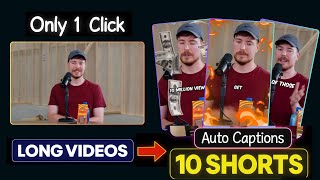
Turn Any Long Video Into Viral Ai Video Ssemble Ai Tutorial
AI Sharepoint

How to create multiple shorts using Ai (Ssemble.com)
BrightChuks Academy
YouTube returned 6 videos for “Ssemble YouTube Shorts Maker”, and we withheld 4: 4 did not mention Ssemble YouTube Shorts Maker. Showing the 2 we can prove are about Ssemble YouTube Shorts Maker.
Official links
What are the best Ssemble YouTube Shorts Maker alternatives?
The closest alternatives to Ssemble YouTube Shorts Maker we list are Vizard, Timbre and ByteCap. Ranked by direct product-type match, not category overlap.
| Alternative | Pricing | Starts at | Last verified |
|---|---|---|---|
| Vizard | Freemium | Pricing not published | — |
| Timbre | Paid | Pricing not published | — |
| ByteCap | Freemium | Pricing not published | — |
Alternatives to Ssemble YouTube Shorts Maker
View all


Tools that pair well with Ssemble YouTube Shorts Maker
Common stack mates teams adopt alongside Ssemble YouTube Shorts Maker, with the specific reason each pairing earns its keep.

Vizard
AI video clipping tool that turns one long recording into dozens of social-ready vertical clips.

Timbre
Timbre turns one long video or audio upload into vertical shorts, captions, B-roll, translations, and blog posts.

ByteCap
ByteCap is AI video clipping that turns long YouTube videos and podcasts into captioned vertical shorts and schedules them to TikTok,
Ssemble YouTube Shorts Maker vs its closest rival
Ssemble YouTube Shorts Maker's closest head-to-head is with Splice — Choose Ssemble if you're a video creator needing automated YouTube-to-Shorts clipping with scheduling; it's purpose-built for repurposing long-form content. Choose Splice if you're a music producer requiring a massive royalty-free sample library and rent-to-own plugins; it's the industry standard for music creation. They serve entirely different creative workflows, so your choice depends on whether you edit video or produce audio. Verdict generated
Head-to-head comparisons
Ssemble Youtube Shorts Maker vs Splice
Choose Ssemble if you're a video creator needing automated YouTube-to-Shorts clipping with scheduling; it's purpose-built for repurposing long-form content. Choose Splice if you're a music producer requiring a massive royalty-free sample library and rent-to-own plugins; it's the industry standard for music creation. They serve entirely different creative workflows, so your choice depends on whether you edit video or produce audio.
GeneratedSsemble Youtube Shorts Maker vs Landr Mastering
Choose Ssemble if you're a video creator repurposing long-form content into shorts across platforms—its AI curation, face tracking, and scheduling automation save hours. Choose LANDR if you're a musician or podcaster needing fast, professional-sounding audio mastering at a low cost—its reference matching and stem mastering provide tangible control. They serve entirely different workflows; the right pick depends on whether your primary output is video clips or finished audio tracks.
GeneratedSsemble Youtube Shorts Maker vs Storyfile
Choose Ssemble if you're a content creator or agency looking to automate YouTube Shorts repurposing with face tracking, captions, and multi-platform scheduling at a low monthly cost. Choose StoryFile if you need an authentic, human-based conversational AI for museum exhibits or legacy preservation—it's a premium custom solution, not for quick video clipping.
GeneratedFrequently asked questions
Categories
Best-of guides
Used Ssemble YouTube Shorts Maker? Help shape our editorial sentiment research.