
Today's Budget
Today's Budget is an iPhone and Apple Watch app that turns your income minus fixed costs into one safe-to-spend number for today.
The rollover mechanic is the whole trick, and it holds up: your daily number moves with real life instead of resetting on the 1st, which is why it lands with people who bounced off YNAB's envelope ceremony. Zero bank login plus a 'Data Not Collected' App Store label is a genuinely rare combination in this category — no sign-up, no developer servers, no trackers. Manual logging is the tax you pay for it: skip the coffee entry and the number drifts. If you want transactions to arrive on their own, look at Monarch or Copilot instead; if you want one actionable number on your wrist, this is it.
Verified 2d ago · liveness 65/100 · cite: rightaichoice.com/tools/today-s-budget
- iPhone and Apple Watch users who want a 'can I afford this today' number instead of monthly category math
- People with ADHD or budgeting fatigue who abandoned spreadsheet apps like YNAB
- Couples or families sharing one wallet through encrypted iCloud sync
- Savers funding goals via automatic Savings Jars and an Emergency Fund gauge
- Android, web or Windows users — this is iPhone and Apple Watch only
- Anyone who expects transactions imported automatically from their bank
- Envelope-style budgeting with detailed category reporting for tax or reimbursement
We scan live Reddit threads, YouTube comments, X posts, G2 reviews and other communities — and hand you an honest verdict in under a minute.
- Honest verdict, not marketing
- Real pros & cons from real users
- Attributed quotes with receipts
3 free scans · no card needed
Skip Today's Budget if you want transactions imported from your bank automatically or you budget on Android, web or Windows — this is a manual-entry iPhone and Apple Watch app.
Today's Budget runs a free download with the full feature set unlocked by Pro, which the vendor says is what pays for the app instead of advertising. That puts it well below paid bank-sync suites like YNAB or Monarch, and in the same range as other one-time-ish iOS budgeting apps. The real cost is not money but time: someone has to type in every purchase.
In short
Today's Budget — Today's Budget is an iPhone and Apple Watch app that turns your income minus fixed costs into one safe-to-spend number for today. Best for iPhone and Apple Watch users who want a 'can I afford this today' number instead of monthly category math, People with ADHD or budgeting fatigue who abandoned spreadsheet apps like YNAB, Couples or families sharing one wallet through encrypted iCloud sync. Free to use.
What people actually say about Today's Budget — is it worth it?
We scanned public community sources for Today's Budget on Jul 27, 2026 and could not establish that the discussion we found is about this tool rather than something else sharing its name. Our own analysis of that scan says the posts were off-subject. Rather than publish a sentiment score built on the wrong subject, we publish nothing here and re-run the scan.
Viability Score
How well maintained and how widely used is Today's Budget? Built from what the vendor actually publishes (docs, changelog, tutorials, integrations, pricing), whether the site is live, and how much real users discuss it. How we calculate this
Last calculated: October 2026
How we score →Key Features
- Daily budget calculated as income minus fixed expenses, spread across the days of the month
- Unspent daily budget rolls over automatically into tomorrow
- Overspending deducted from the days ahead — no reset on the 1st of the month
- Large one-off purchases spread across a chosen window (e.g. $600 over 60 days = $10/day)
- Manual expense logging with the daily number updating instantly
- Savings Jars that set money aside automatically for goals
- Emergency Fund gauge compared against your last three months of spending
- On-device spending analysis and commentary powered by Apple Intelligence
- Home Screen widget (Piggy) showing your number all day
- Apple Watch complications and quick expense entry
- Shared wallet sync through your own encrypted iCloud
- Family Sharing support for one household subscription
- CSV export of all logged data
- Dark mode
- No bank connection, no sign-up, no developer servers, no ads, no analytics or trackers
About Today's Budget
Today's Budget answers a single question: can I afford this today? You enter what comes in (salary, side gigs, pocket money) and what's already spoken for (rent, bills, savings). The app spreads the remainder across the days of the month and hands you one daily spending number — the vendor's own example is $4,500 in, $1,500 committed, $3,000 across 30 days, or $100 a day. It is built for people who want a limit they can act on at the checkout rather than another category spreadsheet to maintain. The mechanic that sets it apart is rollover. Unspent budget carries into tomorrow, and overspending is deducted from the days ahead, so there is no failed day and no reset on the 1st. Large one-off costs get spread across a window — a $600 holiday over 60 days works out to $10 a day. Savings Jars set money aside for goals, and an Emergency Fund gauge compares what you have saved against your last three months of spending. Privacy is the other half of the pitch. There is no bank connection, no sign-up, no developer servers, no analytics, no trackers and no ads, and the App Store privacy label reads 'Data Not Collected'. Spending analysis and its on-screen commentary run through Apple Intelligence on-device. Shared wallets sync through your own encrypted iCloud. You also get a Home Screen widget (Piggy), Apple Watch complications and quick entry, CSV export, dark mode and Family Sharing. It is made in Berlin by Juno and Chris, who shipped Daily Budget Original in 2012 — downloaded more than five million times. Set against YNAB or Monarch, which want your bank feed and envelope discipline, this is the lighter manual alternative for people who find bank-sync budgeting heavy. It is iPhone and Apple Watch only.
Behind the Verdict
Today's Budget is a deliberately narrow product, and the narrowness is the point. Most budgeting tools start by asking you to connect a bank account and then hand back more to manage: categories, envelopes, reconciliation queues, monthly reports. This one asks two things — what comes in, what has to go out — divides the difference by the days in the month, and gives you one number. The vendor's worked example is refreshingly plain: $4,500 income, $1,500 committed, $3,000 spread over 30 days, $100 a day. Strengths. The rollover engine is what separates it from a static daily allowance. Spend $50 of your $100 and tomorrow shows $150; overspend and the extra comes out of the days ahead. That means a single bad Tuesday does not become a failed month, which is the specific failure mode that kills streak-based budgeting for people with ADHD — and the site leads with ADHD testimonials from App Store reviewers who say this is the first method that stuck. Large purchases get spread over a chosen window ($600 over 60 days = $10/day), so a holiday does not sink the week it lands. Savings Jars and an Emergency Fund gauge compared against your last three months of spending cover the goal-setting side without a separate app. The privacy architecture is unusual and verifiable. Nothing leaves the phone: no bank connection, no account, no developer servers, no analytics, no trackers, no ads — the app is paid for by Pro rather than by advertising, per the vendor. Spending analysis and its commentary are processed on-device through Apple Intelligence, and shared wallets sync through your own encrypted iCloud, even between partners. The App Store label reads 'Data Not Collected'. For anyone who has refused to hand bank credentials to a budgeting app, that combination is the strongest argument on the page. The Apple surfaces are used well rather than decoratively: a Home Screen widget (Piggy) showing your number from morning to midnight, Apple Watch complications and quick expense entry so you can log a purchase from your wrist, CSV export of everything you logged, dark mode and Family Sharing for one household subscription. The backstory is real — Chris built the original spreadsheet as a student, Juno joined in 2012, and Daily Budget Original has been downloaded more than five million times. Fourteen years on the same idea is a reasonable proxy for a team that will keep maintaining it. Weaknesses. Manual entry is the load-bearing limitation: the daily number is only as accurate as your logging, and the app cannot tell you that you forgot the coffee. The Apple Intelligence commentary is device-dependent — if your iPhone does not support it, that layer simply is not there for you. The platform footprint is the other hard edge: iPhone and Apple Watch only, no Android, no web, no Windows, which rules out mixed-device households and anyone who wants to budget from a laptop. And there are no third-party integrations, so the data path out is CSV export rather than an
Researching Today's Budget? Get your full AI stack in 60 seconds.
Free, no signup — tell us your goal and get tools matched to your budget & existing stack.
Real-world workflow fit
Concrete scenarios for the personas Today's Budget actually fits — and what changes day-one when you adopt it.
Enters salary and fixed bills once, gets a daily number, checks the Piggy Home Screen widget before buying lunch and logs the expense from the Watch complication.
Outcome: One number instead of envelope maintenance; unspent lunch money rolls into tomorrow automatically.
Both partners install the app and share one wallet synced through their own encrypted iCloud; groceries logged by either person update the same daily figure.
Outcome: Real-time shared budget with no vendor cloud account and no bank credentials exchanged.
Adds a $600 holiday spread over 60 days ($10/day) and sets a Savings Jar for the trip, then checks the Emergency Fund gauge against three months of spending.
Outcome: Large one-off cost absorbed over two months instead of sinking a single week, with a months-of-cover figure in view.
Use Cases
- Check your daily spending limit before making a purchase to avoid overspending
- Log a coffee from your Apple Watch right after buying it
- Spread a $600 holiday across 60 days so it costs $10 a day instead of sinking one week
- Set a vacation savings goal and let Savings Jars set money aside each day
- Share a grocery budget with your partner via encrypted iCloud and see spending sync
- Export a month of logged spending as CSV for analysis in a spreadsheet
- Check the Emergency Fund gauge to see how many months of expenses you have covered
Models Under the Hood
as of 2026-10-18
Limitations
- Today's Budget is a daily budgeting app for iPhone and Apple Watch.
- It does not connect to bank accounts and requires manual expense entry, so the daily number is only as accurate as your logging.
- Data stays on your iPhone and in your own iCloud, with no sign-up and no developer servers, and the App Store label reads 'Data Not Collected'.
- Spending analysis and its commentary run through Apple Intelligence on-device, so that commentary depends on Apple Intelligence support on your device.
- There is no Android, web or Windows version, and the only documented way to get your logged data out is CSV export.
as of 2026-10-15
Verification history
We have re-verified Today's Budget 7 times since . Each pass re-reads the vendor's own pages and re-checks every listed field against that evidence; passes where nothing had changed are marked as such.
- — re-verified summary, description, our verdict, our analysis, pricing model, pricing tiers, features, integrations, who it suits, who should skip it
- — re-verified summary, description, our verdict, our analysis, pricing model, pricing tiers, features, integrations, who it suits, who should skip it
- — re-checked, vendor evidence unchanged
- — re-verified summary, description, our verdict, our analysis, pricing model, pricing tiers, features, integrations, who it suits, who should skip it
- — re-verified summary, description, our verdict, our analysis, pricing model, pricing tiers, features, integrations, who it suits, who should skip it
- — re-checked, vendor evidence unchanged
Showing the 6 most recent of 7 verification passes.
Free to cite with attribution — this page re-verifies continuously.
12-month cost
Project the real annual outlay, including the implied monthly cost when only an annual tier is published.
Vendor list price only. Add-on usage, seat overages, and contract minimums are surfaced under Hidden costs & gotchas.
Plans compared
For each published Today's Budget tier: who it actually fits, and what it adds vs. the previous tier. Cross-reference the cost calculator above for projected annual outlay.
Free
$0
Ideal for
Anyone who wants to test whether a single daily number sticks before paying — download, enter income and fixed costs, get today's budget.
What this tier adds
Free entry point: the daily budget, rollover and manual logging work without an account, bank connection or ads.
Pro
See App Store for current price
Ideal for
Committed iPhone users who want the full feature set — on-device Apple Intelligence commentary, Savings Jars, the Emergency Fund gauge and encrypted shared wallets.
What this tier adds
Adds the full feature set over Free: Apple Intelligence spending analysis and commentary, Savings Jars, the Emergency Fund gauge, iCloud shared wallets, Family Sharing and CSV export.
Where the pricing makes sense
The company stage and team size where Today's Budget's pricing actually pencils out — and where peers do it cheaper.
Today's Budget runs a free download with the full feature set unlocked by Pro, which the vendor says is what pays for the app instead of advertising. That puts it well below paid bank-sync suites like YNAB or Monarch, and in the same range as other one-time-ish iOS budgeting apps. The real cost is not money but time: someone has to type in every purchase.
Setup time & first value
How long it actually takes to get something useful out of Today's Budget — broken out by persona, not the marketing-page minute.
Two minutes to a first number: download, enter income and fixed expenses, and the app returns today's budget. The vendor states this explicitly ('Free to download, two minutes to set up'). Logging your first expense takes seconds via the Watch complication or the widget.
Switching to or from Today's Budget
How to bring data in from common predecessors and how to get it back out — written for the switcher, not the buyer.
- →From a spreadsheet template: enter income and committed costs once, then log spending in the app instead of updating category rows
- →From YNAB or another envelope app: stop assigning categories and enter the same income and fixed outgoings to get a single daily number
- →From Daily Budget Original (same developers, 2012): the underlying rollover idea is the same, so your mental model carries over unchanged
- ↗To a spreadsheet: export your logged data as CSV and build your own analysis
- ↗To a bank-sync budgeting app (YNAB, Monarch, Copilot): you will need to reconnect accounts there, since no data handoff exists
Resources & Guides
Tutorials & Learning
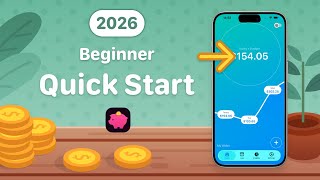
Today’s Budget: Quick Setup & How to Use It (Beginner)
Today's Budget
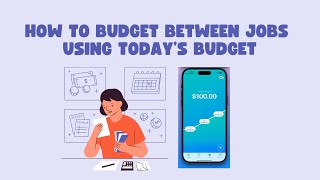
How to Budget Between Jobs Using Today’s Budget
Today's Budget
YouTube returned 6 videos for “Today's Budget”, and we withheld 4: 4 did not mention Today's Budget. Showing the 2 we can prove are about Today's Budget.
Official links
Tools that pair well with Today's Budget
Common stack mates teams adopt alongside Today's Budget, with the specific reason each pairing earns its keep.

Weekly
Weekly budgeting app turns your whole budget into one Safe-to-Spend number for the week.

PocketGuard・Budget Planner App
PocketGuard is a budgeting app that tells you how much is safe to spend right now — the Leftover number.

MoneyCoach
Apple-native budgeting app for iPhone, iPad, Mac and Watch with connected banking across 2,800+ European banks
Featured Head-to-Head Comparisons
Today S Budget vs Cryptohopper
These tools serve completely different needs. If you actively trade cryptocurrencies and want automation, social trading, and advanced order types (DCA, trailing), Cryptohopper is the clear choice despite its cost. If you need a minimalist, manual daily budget tracker for iPhone with no bank linking and strong privacy, Today's Budget is an excellent free option. There's no overlap – pick based on whether you need trading automation or personal finance simplification.
Today S Budget vs Transfix
Transfix and Today's Budget serve completely different needs: one is an enterprise freight brokerage TMS, the other a personal iPhone budgeting app. Choose Transfix if you run a logistics business and need AI-driven cost models and RFP automation. Choose Today's Budget if you manage personal finances and want a simple, private daily spending limit without bank syncing.
Today S Budget vs Bitsgap
If you need automated crypto trading with bot strategies, Bitsgap is the clear choice. If you want a simple, manual daily budget tracker that feels like a game, Today's Budget is perfect.
Alternatives to Today's Budget
View all
Weekly
Weekly budgeting app turns your whole budget into one Safe-to-Spend number for the week.

PocketGuard・Budget Planner App
PocketGuard is a budgeting app that tells you how much is safe to spend right now — the Leftover number.

MoneyCoach
Apple-native budgeting app for iPhone, iPad, Mac and Watch with connected banking across 2,800+ European banks
Frequently Asked Questions
Categories
Best-of guides
Topics
Used Today's Budget? Help shape our editorial sentiment research.