
Trigger.dev
Open-source TypeScript platform for durable AI agents, background jobs, retries, and queues.
If your AI features keep dying on redeploys and you're hand-rolling retry logic, Trigger.dev is the fastest way out. The HITL approval primitive (needsApproval: true pausing on a waitpoint) and Realtime streams are the parts you'd otherwise stitch together from three services, and version skew protection from the v4.7.0 line closes the deploy-mismatch hole. Watch the meter: $0.000025 per run invocation ($0.25 per 10,000 runs) plus per-second compute ($0.0000338/sec on the Small 1x default machine) means chatty, sub-second workloads get expensive fast — batchTrigger() and checkpointing on waits longer than 5s are your friends. For durable workflow basics at lower cost, Temporal or Inngest
Verified 5d ago · liveness 84/100 · cite: rightaichoice.com/tools/trigger-dev
- TypeScript developers building durable AI agents with tool calling and streaming
- Teams that need background jobs with retries, queues, and no timeout ceiling
- AI features requiring human-in-the-loop approval while the run stays alive
- Engineering teams wanting LLM observability — model, tokens, cost, latency — without a second tool
- Non-developers — building tasks requires writing TypeScript
- High-frequency, sub-second workloads where $0.25 per 10,000 run invocations plus per-second compute adds up
- Teams wanting a fully managed black box — self-hosting means running your own workers and upgrades
We scan live Reddit threads, YouTube comments, X posts, G2 reviews and other communities — and hand you an honest verdict in under a minute.
- Honest verdict, not marketing
- Real pros & cons from real users
- Attributed quotes with receipts
3 free scans · no card needed
Skip Trigger.dev if your workload is high-frequency sub-second tasks where $0.25 per 10,000 run invocations plus $0.0000338/sec compute dominates, or your team doesn't write TypeScript/Node.
Beyond Pro's 200 concurrent runs you buy bundles of 50 for $10/month, a cost that only appears once traffic spikes.
Free ($0/mo, 20 concurrent runs, 10 schedules) suits prototypes; Hobby ($10/mo) fits a solo builder or small team needing 50 concurrent runs and 7-day logs. Pro ($50/mo) is the realistic tier for a funded team: 200+ concurrent runs and 30-day logs, with overages priced per bundle. Enterprise adds SSO, RBAC, and SOC 2. Comparable durable-execution platforms like Temporal and Inngest price on similar invocation-and-compute models, so compare on run volume, not sticker price.
In short
Trigger.dev — Open-source TypeScript platform for durable AI agents, background jobs, retries, and queues. Best for TypeScript developers building durable AI agents with tool calling and streaming, Teams that need background jobs with retries, queues, and no timeout ceiling, AI features requiring human-in-the-loop approval while the run stays alive. Free to start; paid plans from $10/mo.
What's new in Trigger.dev
Checked 5 days agoAcross the latest 5 updates: 3 feature updates and 2 changelog entries.
Trigger.dev v4.7.2
Node.js runtime defaults to LTS, chat.agent tool ordering is fixed, and a download issue for large payloads is resolved.
Trigger.dev v4.7.0
Adds multiple concurrent concurrency limits at once, per-tenant concurrency restriction with a total limit, and four bug fixes.
Themes & Accessibility
Dashboard themes ship — Light, Dark, Black, White, system-follow — plus contrast, color, and link tuning.
Version skew protection for atomic deployments
Pins every run to the deployment built from the same commit across production, staging, and preview, preventing skew between app and task code.
Trigger.dev v4.6.1
New CLI commands for projects, runs, and env management, Node.js 21 deprecation warnings, and a fix for the MCP server crashing on tools/list.
What people actually say about Trigger.dev — is it worth it?
We ran a structured research pass across product reviews, community discussions, and post-purchase forum threads to surface the patterns vendors won't publish themselves. Below: the recurring strengths, the hidden costs people mention most, and the cohort that consistently regrets adopting this tool.
42 mentions across 3 sources (Hacker News, YouTube, Lemmy) · researched Aug 17, 2026.
Average across the 3 sources that answered — each source counts once, not each post.
- +Open-source with Apache 2.0 license, self-hosting via Docker or K8s
- +Built-in AI features: human-in-the-loop approvals and streaming (Realtime API)
- +No timeouts on tasks, with automatic retries and configurable policies
- +Runs anywhere: Next.js, Bun, Remix, Supabase, Vercel—framework-agnostic
- +Generous free tier and per-second metered pricing, only pay when code runs
- −Complexity can snowball fast and break everything, especially for newcomers
- −Learning curve for durable execution and task orchestration concepts
- −YouTube reviewers note that integrating into an existing production app needs care
- −Pricing at scale can get expensive with many tasks or heavy AI usage
- −Cloud service adds dependency; self-hosting requires Docker/K8s expertise
- • Compute metered per second means costs can grow with high usage; overages on concurrency may apply
- • Self-hosting requires infrastructure maintenance costs (Docker/K8s expertise)
- • Potential extra costs for team features on higher tiers
Viability Score
How well maintained and how widely used is Trigger.dev? Built from what the vendor actually publishes (docs, changelog, tutorials, integrations, pricing), whether the site is live, and how much real users discuss it. How we calculate this
Last calculated: October 2026
How we score →Key Features
- Durable AI agents with human-in-the-loop approval via needsApproval: true, pausing on a waitpoint while the run stays alive
- chat.agent() with tools declared once, typed inside run(), streaming and resumability handled
- No timeouts: tasks run as long as needed on managed workers
- Automatic retries with maxAttempts, backoff, handleError(), retry.onThrow(), retry.fetch()
- Concurrency and queue management with percentage-based limits; multiple concurrent limits and per-tenant caps in v4.7.0
- Durable cron schedules with timezone support and execution windows on declarative scheduled tasks
- batchTrigger() fits up to 1,000 tasks in a single API call
- Realtime API and React hooks streaming run status, metadata, and LLM output with no API routes
- Realtime streams forward output from any provider; from: 'latest' subscriptions, cursor resumption, useSessionStream hook
- Named side channels on Sessions for durable out-of-band streams (v4.5.15)
- Checkpointing: waits longer than 5s and parent/subtask waits don't cost compute
- Built-in LLM observability recording model, token counts, cost, and latency per Vercel AI SDK call
- Python script execution with automatic package install via requirements.txt
- Build extensions for Prisma, Puppeteer, Playwright, FFmpeg, esbuild, apt-get, audioWaveform, additionalPackages
- Version skew protection pinning runs to the deployment built from the same commit across prod, staging, preview
About Trigger.dev
Trigger.dev is an open-source (Apache 2.0) TypeScript platform for building durable AI agents and background jobs, and it removes the async plumbing that usually eats a sprint. You write plain async code inside a trigger folder (commonly src/trigger), trigger it from your backend, frontend, a schedule, or another task, and it runs on managed workers with no timeouts, automatic retries, configurable queues, and per-task CPU/memory machines. The v4 line leans hard into AI work: chat.agent() declares tools once and threads them into run(), human-in-the-loop approval via needsApproval: true pauses a run on a waitpoint while the process stays alive, and Realtime streams forward LLM output to your frontend without API routes. AI observability records model, token counts, cost, and latency per Vercel AI SDK call, and version skew protection (v4.6.0/v4.7.x line) pins every run to the deployment built from the same commit across production, staging, and preview. Python execution with requirements.txt install, plus build extensions for Prisma, Puppeteer, Playwright, esbuild, FFmpeg, and apt-get, let you shape the container image yourself. It stays framework-agnostic with Next.js, Bun, and Remix, and self-hosting via Docker or Kubernetes is genuinely on the table. Best fit is a TypeScript team shipping AI features that must survive refreshes, redeploys, and crashes.
Behind the Verdict
Trigger.dev's pitch is durability without a DSL. You write async TypeScript in your own repo, the CLI bundles and deploys it, and the platform handles retries, queues, concurrency, waits, and scaling. That matters most for AI work where a single request can fan out into tool calls, database writes, and an email — and where losing the run on redeploy means a support ticket. The parts that are hard to replicate: chat.agent() with tools declared once and typed inside run(), needsApproval: true that pauses a run on a waitpoint (a waiting run doesn't consume compute), Realtime streams that forward any provider's LLM output to your frontend without an API route, and AI observability that records model, tokens, cost, and latency per call. The v4.6.x line added Zod 4 by default, a managed streamText returned from run(), chat.agent transcript storage, and chat.close(); v4.7.0 added multiple concurrent concurrency limits and per-tenant caps with a total limit. Operations tooling is real: version skew protection pins each run to the deployment built from the same commit across production, staging, and preview; atomic deployments; environments for Dev, Preview, and Prod; bookmarkable smart runs-list columns; and bulk runs.bulk.replay()/runs.bulk.cancel() from the SDK. The honest weaknesses: pricing scales with compute seconds and run invocations, so high-frequency sub-second workloads are a poor fit — a 10s task at 100 runs/day costs about $1.09/month, but chatty polling blows past that; plans cap concurrent runs, schedules, log retention, and Realtime connections, so larger workloads pay for overage bundles; the whole model assumes TypeScript/Node; self-hosting works via Docker or Kubernetes but you run your own workers and upgrades; and it isn't a transport layer for real-time voice or video. If you want a black box, this isn't it. If you want durable execution you can debug in your own codebase and an Apache 2.0 exit hatch, it is.
Researching Trigger.dev? Get your full AI stack in 60 seconds.
Free, no signup — tell us your goal and get tools matched to your budget & existing stack.
Real-world workflow fit
Concrete scenarios for the personas Trigger.dev actually fits — and what changes day-one when you adopt it.
Writes a chat.agent support bot in src/trigger, declares a refundOrder tool with needsApproval: true, and streams responses to a Next.js UI via useRealtimeRun.
Outcome: The agent pauses for human sign-off on refunds without dying, and the frontend shows live run status without a custom API route.
Offloads nightly data syncs to a durable cron with execution windows, sets concurrency limits per tenant, and wires Slack alerts on failed runs.
Outcome: Long jobs survive redeploys thanks to version skew protection, and failed runs alert the team instead of failing silently.
Enables AI observability on Vercel AI SDK calls, reads cost/token/latency per span, and uses runs.bulk.cancel() to stop a runaway batch.
Outcome: Model spend and latency become visible per call without adding a second observability vendor, and the run list columns are bookmarkable.
Use Cases
- Build a durable AI customer support agent with human-in-the-loop approval for sensitive actions like refunds.
- Orchestrate multi-step AI workflows: document analysis, summarization, and database updates in one durable run.
- Run scheduled cron jobs for data syncs, report generation, or maintenance without timeout limits.
- Stream AI responses from backend agents directly to your React frontend using Realtime hooks.
- Automate background email sequences, calendar syncs, and async fan-out tasks after user actions.
- Deploy AI-powered pricing intelligence or fraud detection workflows that run reliably at scale.
- Power a booking engine with AI scans, calendar syncs, and durable fan-out tasks (Cal.com uses this).
- Process media: FFmpeg video manipulation, audio waveform rendering, and browser automation with Puppeteer.
Models Under the Hood
as of 2026-09-23
Limitations
- Plans cap concurrent runs, schedules, log retention, and Realtime connections (Free: 20 concurrent runs, 10 schedules, 1 day log retention; Hobby: 50 concurrent runs, 150 concurrent Realtime connections; Pro: 200+ concurrent runs, 1000+ Realtime connections, 30 day log retention), so larger workloads pay for overage bundles.
- Computing scales with machine size: the default Small 1x worker costs $0.0000338 per CPU-second, plus $0.000025 per run invocation ($0.25 per 10,000 runs) — a 10s task at 100 runs/day runs about $1.09/month, but chatty sub-second workloads add up quickly.
- All plans are limited to 1,500 API requests per minute by default, with higher limits on request for paid plans.
- Self-hosting is available via Docker or Kubernetes but requires managing your own infrastructure and upgrades.
- The platform is built around TypeScript tasks, so codebases that aren't TypeScript/Node-based are a poorer fit, and real-time voice or video at the transport layer isn't its job.
as of 2026-10-03
Verification history
We have re-verified Trigger.dev 9 times since . Each pass re-reads the vendor's own pages and re-checks every listed field against that evidence; passes where nothing had changed are marked as such.
- — re-verified summary, description, our verdict, our analysis, pricing model, pricing tiers, features, integrations, who it suits, who should skip it
- — re-verified summary, description, our verdict, our analysis, pricing model, pricing tiers, features, integrations, who it suits, who should skip it
- — re-verified summary, description, our verdict, our analysis, pricing model, pricing tiers, features, integrations, who it suits, who should skip it
- — re-verified summary, description, our verdict, our analysis, pricing model, pricing tiers, features, integrations, who it suits, who should skip it
- — re-verified summary, description, our verdict, our analysis, pricing model, pricing tiers, features, integrations, who it suits, who should skip it
- — re-verified summary, description, our verdict, our analysis, pricing model, pricing tiers, features, integrations, who it suits, who should skip it
Showing the 6 most recent of 9 verification passes.
Free to cite with attribution — this page re-verifies continuously.
12-month cost
Project the real annual outlay, including the implied monthly cost when only an annual tier is published.
Vendor list price only. Add-on usage, seat overages, and contract minimums are surfaced under Hidden costs & gotchas.
Plans compared
For each published Trigger.dev tier: who it actually fits, and what it adds vs. the previous tier. Cross-reference the cost calculator above for projected annual outlay.
Free
$0/mo
Ideal for
Solo developer or small team prototyping durable tasks and AI agents before committing budget.
What this tier adds
Starting tier: $0/mo with $5/month free credits, 20 concurrent runs, 10 schedules, 5 team members, and 1 day log retention.
Hobby
$10/mo
Ideal for
Solo builder or small team running production side projects that need longer log history and more concurrency.
What this tier adds
Adds $10/month credits, 50 concurrent runs (up from 20), 5 preview branches, 1 custom dashboard, 100 schedules, and 7 day log retention.
Pro
$50/mo
Ideal for
Funded startup or scale-up team shipping AI features to real customers and needing dedicated support.
What this tier adds
Adds 200+ concurrent runs (then $10/mo per 50), 25+ team members ($20/mo per extra seat), 20+ preview branches, 1000+ schedules, 30 day log retention, and dedicated Slack support.
Enterprise
Custom
Ideal for
Regulated or larger organizations needing SSO, RBAC, and compliance documentation.
What this tier adds
Adds all Pro features plus custom log retention, priority support, RBAC, SOC 2 report, penetration test report, SSO, and a HIPAA BAA add-on.
Where the pricing makes sense
The company stage and team size where Trigger.dev's pricing actually pencils out — and where peers do it cheaper.
Free ($0/mo, 20 concurrent runs, 10 schedules) suits prototypes; Hobby ($10/mo) fits a solo builder or small team needing 50 concurrent runs and 7-day logs. Pro ($50/mo) is the realistic tier for a funded team: 200+ concurrent runs and 30-day logs, with overages priced per bundle. Enterprise adds SSO, RBAC, and SOC 2. Comparable durable-execution platforms like Temporal and Inngest price on similar invocation-and-compute models, so compare on run volume, not sticker price.
Setup time & first value
How long it actually takes to get something useful out of Trigger.dev — broken out by persona, not the marketing-page minute.
Developers: the quick start gets you to a first task in about 3 minutes from an existing project using the SDK and CLI. Teams adding AI agents: budget an afternoon to wire chat.agent(), Realtime hooks, and alerts. Self-hosting via Docker Compose or Kubernetes is a longer path — plan a day or more to stand up workers and upgrades.
Switching to or from Trigger.dev
How to bring data in from common predecessors and how to get it back out — written for the switcher, not the buyer.
- →From raw cron + retry code: move task bodies into src/trigger and let the SDK handle retries, waits, and queues.
- →From Vercel functions hitting timeout limits: offload long-running work to Trigger.dev tasks and stream status back with Realtime.
- →From a self-managed BullMQ/Redis queue: keep your TypeScript handlers, add durable waits and concurrency controls via the SDK.
- →From v3: follow the official Migrating from v3 guide in the docs.
- ↗To Temporal: rewrite tasks into Temporal workflows and activities; you lose the tight Next.js/Realtime hooks.
- ↗To Inngest: port task definitions to Inngest functions; Realtime streaming and HITL primitives would need rework.
- ↗To a self-managed queue: export task logic and rebuild retries, concurrency, and observability yourself outside the platform.
Integrations
Resources & Guides
- Documentationtrigger.dev
Docs · Trigger.dev
Full product docs from trigger.dev
- Quickstarttrigger.dev
Quick Start · Trigger.dev
Get up and running fast from trigger.dev
- Documentationtrigger.dev
Overview · Trigger.dev
Full product docs from trigger.dev
- Documentationtrigger.dev
Overview · Trigger.dev
Full product docs from trigger.dev
- Guidetrigger.dev
Introduction · Trigger.dev
In-depth how-to from trigger.dev
- Documentationtrigger.dev
Cli Introduction · Trigger.dev
Full product docs from trigger.dev
- Documentationtrigger.dev
Migrating From V3 · Trigger.dev
Full product docs from trigger.dev
- Documentationtrigger.dev
Limits · Trigger.dev
Full product docs from trigger.dev
Tutorials & Learning
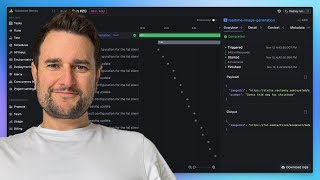
Trigger.dev walkthrough
Triggerdotdev
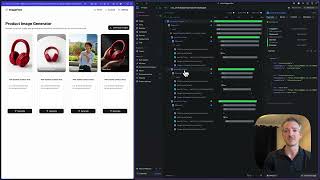
Introducing Trigger.dev – build and deploy fully‑managed AI agents and workflows
Triggerdotdev

Trigger.dev を使い始める方法
Jannis Moore
YouTube returned 6 videos for “Trigger.dev”, and we withheld 1: 1 did not mention Trigger.dev. Showing the 5 we can prove are about Trigger.dev.
Official links
Tools that pair well with Trigger.dev
Common stack mates teams adopt alongside Trigger.dev, with the specific reason each pairing earns its keep.

Mastra
Open-source TypeScript framework for building durable AI agents and workflows, with a hosted platform for observability and cloud deployment.

AutoGen
Microsoft's open-source framework for building conversational and event-driven AI agents in Python and .NET.

Zhipu GLM
Zhipu GLM (Z.ai) ships the open-weights GLM-5.3 family, full-modality MaaS APIs, and autonomous agents like AutoGLM and GLM-PC.
Featured Head-to-Head Comparisons
Trigger Dev vs Spider Cloud
Choose Trigger.dev if you need to build and orchestrate durable AI agents within your own TypeScript codebase with strong debugging and human-in-the-loop flows. Choose Spider Cloud if your primary need is fast, reliable web scraping at scale for feeding AI models or RAG pipelines. They solve different problems: one focuses on workflow execution, the other on data ingestion.
Trigger Dev vs Presto Voice
Trigger.dev is the right choice if you need a flexible, developer-driven platform for building durable AI agents and background jobs in TypeScript, especially if you value open-source and HIPAA compliance. Presto Voice is purpose-built for QSR drive-thru automation with proven upsell capability, but requires a sales engagement. Choose based on your domain: AI workflow automation vs. restaurant voice AI.
Trigger Dev vs Temporal Ai
If your stack is TypeScript-heavy and you want an open-source job framework with a managed cloud that has just become HIPAA-ready, Trigger.dev v4.5 is a strong, cost-effective choice. For teams needing multi-language SDKs (Python, Go, etc.), Serverless Workers, and deep integration with OpenAI Agents SDK, Temporal AI offers more mature durable execution with usage-based billing. Choose based on language preference and compliance needs.
Alternatives to Trigger.dev
View all


Frequently Asked Questions
Used Trigger.dev? Help shape our editorial sentiment research.