
Userflow
Userflow builds no-code in-app onboarding flows, AI-guided product tours, and agentic task completion that lift product adoption.
Userflow is worth a serious look if your adoption problem is on the web and your team wants to ship onboarding without waiting on engineering. The MCP write ability is the freshest differentiator: asking Claude or ChatGPT to build the flow fix, not just describe the drop-off, is a genuinely new workflow. Just budget for it — this is not a cheap freemium tool, and mobile-first products should walk away.
Verified 3d ago · liveness 76/100 · cite: rightaichoice.com/tools/userflow
- Product and growth teams running self-serve, web-based onboarding without engineering help
- Customer success teams that want in-app guidance plus an Agent that completes tasks
- PLG companies with multiple user paths and frequent releases
- Teams that want proactive tours and reactive AI answers from one platform
- Mobile-first products — this is a web in-app adoption platform
- Teams that need built-in product analytics rather than flow-level insight
- Early-stage or budget-constrained buyers — annual plans start at $240/mo
We scan live Reddit threads, YouTube comments, X posts, G2 reviews and other communities — and hand you an honest verdict in under a minute.
- Honest verdict, not marketing
- Real pros & cons from real users
- Attributed quotes with receipts
3 free scans · no card needed
Skip Userflow if you need a mobile SDK, require built-in product analytics, or can't commit to annual pricing from $240/month.
Annual billing is required, so you pay $240/month upfront — no monthly option to test.
Userflow pricing starts at $240/month billed annually, which is affordable for growth-stage SaaS but pricey for solo devs. Compared to Appcues (higher entry) and Userpilot (often more costly at scale), Userflow is mid-range; but it's cheaper than building in-house. Pair it with a cheap analytics tool like PostHog to keep total cost down.
In short
Userflow — Userflow builds no-code in-app onboarding flows, AI-guided product tours, and agentic task completion that lift product adoption. Best for Product and growth teams running self-serve, web-based onboarding without engineering help, Customer success teams that want in-app guidance plus an Agent that completes tasks, PLG companies with multiple user paths and frequent releases. Plans from $240/mo.
Viability Score
How well maintained and how widely used is Userflow? Built from what the vendor actually publishes (docs, changelog, tutorials, integrations, pricing), whether the site is live, and how much real users discuss it. How we calculate this
Last calculated: September 2026
How we score →Key Features
- Visual flow builder with drag-and-drop and conditional logic
- Product tours and onboarding checklists
- Behavior and product-signal based flow triggering
- Adoption Agent AI chat that answers in-app questions
- Agentic task completion — the Agent can complete tasks for users
- FlowAI intelligence layer that shapes steps and surfaces friction
- Userflow MCP with write ability in Claude, ChatGPT, and Gemini
- A/B testing of onboarding flows
- Custom event tracking and user attribute segmentation
- Embedded in-app tooltips and announcements
- NPS surveys and feedback widgets
- Resource center and in-app help
- Localization with AI translation
- API access and multiple staging/testing environments
About Userflow
Userflow handles in-app product adoption for web products — proactive tours, checklists, tooltips, NPS surveys, and an AI Agent that answers questions or completes the task itself. It is built for self-serve and product-led growth companies with multiple user paths and frequent releases, and the vendor says 800+ customer-obsessed teams run on it. The platform is genuinely no-code: product, growth, marketing, and CS teams build, launch, and iterate experiences without engineering help. Product signals and user behavior decide when and where guidance appears, so help lands at the right moment instead of randomly. FlowAI is the intelligence layer behind everything. It picks the steps and structure for new flows, continuously analyzes how users move through experiences to surface friction and drop-offs, and lets Adoption Agent answer in-app questions in real time — guiding the user through the matching Flow instead of just replying. The recently launched Userflow MCP connects your data to Claude, ChatGPT, Gemini, or another AI tool so you can ask about flows, drop-offs, and NPS in plain language and have the AI build the segment, flow, chart, or dashboard. MCP drafts are reviewed before going live, so nothing ships unreviewed. The builder covers the standard adoption surface area: drag-and-drop flow construction, conditional logic and segmentation, automatic event-based triggering, A/B testing, embedded tooltips, resource centers, NPS and feedback widgets, localization with AI translation, API access, and multiple staging and testing environments. Two complementary products split the work — Adoption Studio for rules-based proactive deployment and Adoption Agent for reactive in-app help. Positioning-wise, Userflow competes with Appcues, Pendo, and Intercom for in-app guidance. Its pitch is the proactive-plus-reactive combination: most tour builders stop at showing users what to do, while Userflow's Agent will complete the task for them. The tradeoff is real — this is
Behind the Verdict
Pick Userflow when your product is web-based, self-serve, and shipping fast enough that one-off tours can't keep up. The signal-based triggering is the part that matters: guidance fires on behavior rather than a static page rule, which is what separates this from a glorified walkthrough widget. If your CS team is drowning in repetitive how-do-I tickets, Adoption Agent is the feature to evaluate — it answers in-product and can walk the user through the matching flow. The MCP launch changes the daily workflow more than the marketing suggests. Instead of logging into another dashboard to inspect drop-offs, you ask your AI tool of choice and it drafts the segment, flow, chart, or dashboard. The review step before anything goes live is the right guardrail, and it keeps non-technical teams from accidentally shipping a broken flow. Where it bites: the platform is not built for mobile-first products. If your primary surface is iOS or Android, this is the wrong tool and no amount of web tooling fixes that. Analytics depth is another soft spot — Userflow tells you what happened in your flows, but teams who need cohort-level product analytics will keep Mixpanel or Amplitude alongside it. Budget matters too. Annual commitments at this price point filter out early-stage teams still finding product-market fit. If you're pre-revenue or running lean, you can get a lot of the same onboarding value from a cheaper tour tool and revisit Userflow once activation is a board-level metric. Against Appcues, Userflow's builder is more flexible and the proactive/reactive split is a real architectural difference rather than a feature checkbox. Against Pendo, you're trading analytics breadth for adoption workflow depth. In practice we'd reach for Userflow when the metric on the line is
Researching Userflow? Get your full AI stack in 60 seconds.
Free, no signup — tell us your goal and get tools matched to your budget & existing stack.
Real-world workflow fit
Concrete scenarios for the personas Userflow actually fits — and what changes day-one when you adopt it.
You need to ship a 3-step onboarding checklist with a welcome tour for new signups.
Outcome: Use the visual flow builder to drop in a checklist and tour, set conditional logic to show only to new users, and trigger it automatically on the signup event — all without a developer, and you can A/B test the flow.
You want to reduce support tickets by guiding users to the right help resources.
Outcome: Deploy the Adoption Agent AI chat to answer common questions and link to relevant flows, plus build a resource center so users find help without leaving the app — cutting ticket volume and improving self-service.
You need to measure which onboarding flow drives activation, but your team only has a few hours.
Outcome: Use Userflow's A/B testing to compare two tour variants and the built-in event tracking to send conversion data to your existing analytics platform, so you can see which flow wins and double down on it.
Use Cases
- Ship a SaaS onboarding checklist with three guided tours in a week, paired with Mixpanel or PostHog for analytics.
- Localize an entire onboarding flow into eight languages with AI translation in one afternoon.
- Trigger flows from your own backend using Userflow's event API after a webhook fires from Stripe.
- Replace a Userpilot subscription at half the price after auditing actual feature usage.
- Build a resource center inside a B2B SaaS so customers get help without leaving the app.
- Use AI to draft a multi-step onboarding flow from a feature description, then edit and publish.
- Segment users by plan type or sign-up date to show targeted NPS surveys.
Models Under the Hood
as of 2026-08-31
Limitations
- Web-only – no native mobile SDK.
- No session replay or product analytics built in (intentional, but you'll pay two vendors).
- The Chrome-extension authoring experience is great for desktop but weaker on responsive/mobile-web layouts.
- AI features ship as drafting aids, not finished output – review every generated string.
- SPA frameworks with aggressive route-level code splitting occasionally need manual page-tag configuration.
- Additional MAU bundles past Pro can add up at scale – model the ramp before committing annually.
as of 2026-08-30
Verification history
We have re-verified Userflow 21 times since . Each pass re-reads the vendor's own pages and re-checks every listed field against that evidence; passes where nothing had changed are marked as such.
- — re-verified summary, description, our verdict, our analysis, pricing model, pricing tiers, features, integrations, who it suits, who should skip it
- — re-checked, vendor evidence unchanged
- — re-checked, vendor evidence unchanged
- — re-checked, vendor evidence unchanged
- — re-verified summary, description, our verdict, our analysis, pricing model, pricing tiers, features, integrations, who it suits, who should skip it
- — re-checked, vendor evidence unchanged
Showing the 6 most recent of 21 verification passes.
Free to cite with attribution — this page re-verifies continuously.
12-month cost
Project the real annual outlay, including the implied monthly cost when only an annual tier is published.
Vendor list price only. Add-on usage, seat overages, and contract minimums are surfaced under Hidden costs & gotchas.
Plans compared
For each published Userflow tier: who it actually fits, and what it adds vs. the previous tier. Cross-reference the cost calculator above for projected annual outlay.
Startup
$240/mo billed annually
Ideal for
Early-stage web SaaS with a few thousand MAU that wants a no-code onboarding builder without breaking the bank.
What this tier adds
Starting tier includes the visual flow builder, product tours, checklists, conditional logic, SPA support, automatic triggering, and A/B testing — a solid foundation for ramping onboarding.
Pro
$680/mo billed annually
Ideal for
Growing teams that need AI-powered adoption (Adoption Agent) and advanced segmentation to scale in-app guidance.
What this tier adds
Adds Adoption Agent AI chat, advanced targeting, API access, and multiple environments — the key upgrades for automating and customizing at scale.
Enterprise
Custom
Ideal for
Large organizations that need custom contractual terms, SSO/SAML, and dedicated support for security and compliance.
What this tier adds
Adds custom terms, dedicated support, and likely SSO/SAML — the enterprise-grade features beyond Pro's self-service capabilities.
Where the pricing makes sense
The company stage and team size where Userflow's pricing actually pencils out — and where peers do it cheaper.
Userflow pricing starts at $240/month billed annually, which is affordable for growth-stage SaaS but pricey for solo devs. Compared to Appcues (higher entry) and Userpilot (often more costly at scale), Userflow is mid-range; but it's cheaper than building in-house. Pair it with a cheap analytics tool like PostHog to keep total cost down.
Setup time & first value
How long it actually takes to get something useful out of Userflow — broken out by persona, not the marketing-page minute.
For a product manager familiar with the tool, you can get a basic tour or checklist live in under an hour. Localizing with AI translation takes an afternoon. If you need custom event triggers from your backend, budget a few hours with your developer to wire the event API.
Switching to or from Userflow
How to bring data in from common predecessors and how to get it back out — written for the switcher, not the buyer.
- →From Userpilot: Export your existing flows and rebuild them in Userflow's drag-and-drop builder; you can usually replicate most flows in a few days, and Userflow's pricing is often lower at similar scale.
- →From Appcues: Use Userflow's visual editor to recreate your tours and checklists; the SPA support makes the switch smoother for single-page apps, and you can A/B test the new flows.
- ↗To Appcues: Export your flow definitions and manually recreate them in Appcues' builder, but note you may lose some conditional logic nuances.
- ↗To a custom in-house solution: Use Userflow's API and event tracking to replicate your flows in code, but budget significant development time.
Integrations
Resources & Guides
Tutorials & Learning
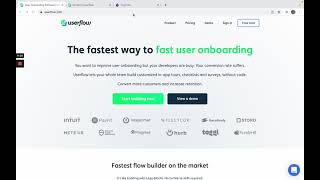
YouTube returned 6 videos for “Userflow”, and we withheld 5: 5 could not be judged, because “Userflow” is a single word that other videos use for other things. Showing the 1 we can prove is about Userflow.
Official links
Tools that pair well with Userflow
Common stack mates teams adopt alongside Userflow, with the specific reason each pairing earns its keep.

Frigade
Frigade is an AI product adoption assistant that learns your software by using it, then answers questions, walks users through workflows,

Userpilot
Product growth platform uniting analytics, in-app engagement, feedback, and session replay in one suite.

Kustomer
AI-native customer service platform and CRM that tunes every conversation toward retention and revenue
Alternatives to Userflow
View all


Frequently Asked Questions
Categories
Best-of guides
Topics
Used Userflow? Help shape our editorial sentiment research.