
Vance Video AI
AI video upscaling to 4K plus 40x image upscaling, enhancement and restoration, online or offline
VanceAI's pitch is breadth at a low entry price: 40x images, 4K video, SDR-to-HDR, denoise, restore and motion smoothing from one account, with a free local client that covers offline batch work. If you want one-click results and don't need per-frame tuning, it's a cheaper route than Topaz Video AI. The subscription is credit-metered, so heavy batch output — not the tier name — is what drives your bill.
Verified 19h ago · liveness 79/100 · cite: rightaichoice.com/tools/vance-video-ai
- E-commerce sellers upscaling and cleaning product photography in bulk
- Photographers and families restoring faded or damaged photos
- Creators upscaling video to 4K and converting SDR footage to HDR
- Anime and illustration fans upscaling low-resolution artwork
- Editors who need frame-by-frame parameter control inside an NLE
- Premiere or Resolve users wanting an in-suite plugin rather than a separate app
- Anyone who needs a free tool for production output — free cloud jobs are watermarked
We scan live Reddit threads, YouTube comments, X posts, G2 reviews and other communities — and hand you an honest verdict in under a minute.
- Honest verdict, not marketing
- Real pros & cons from real users
- Attributed quotes with receipts
3 free scans · no card needed
Skip VanceAI if you need frame-by-frame parameter control inside Premiere or Resolve, or if you need to pin and version the exact model build your pipeline runs on — VanceAI publishes no model names or version numbers.
Every paid tier is credit-metered, so the plan price is a floor, not a ceiling — long 4K upscales and HDR conversions burn credits far faster than single photo jobs.
Cheap by category standards. Pro at $4.99/mo and Ultra at $9.99/mo month-to-month, or $5.82/mo on annual Ultra (billed annually), sit well under Topaz Video AI's perpetual-plus-upgrade pricing and under an Adobe Creative Cloud seat. Solo sellers and photographers get the full image and video suite for less than most single-purpose upscalers charge; only high-volume credit burn pushes you toward Enterprise volume pricing.
In short
Vance Video AI — AI video upscaling to 4K plus 40x image upscaling, enhancement and restoration, online or offline. Best for E-commerce sellers upscaling and cleaning product photography in bulk, Photographers and families restoring faded or damaged photos, Creators upscaling video to 4K and converting SDR footage to HDR. Free to start; paid plans from $4.99/mo.
No head-to-head comparison for Vance Video AI yet — the alternatives below are the closest matches we list.
What people actually say about Vance Video AI — is it worth it?
We ran a structured research pass across product reviews, community discussions, and post-purchase forum threads to surface the patterns vendors won't publish themselves. Below: the recurring strengths, the hidden costs people mention most, and the cohort that consistently regrets adopting this tool.
18 mentions across 2 sources (Product Hunt, Lemmy) · researched Oct 11, 2026.
Weighted by the 22 posts each of 2 sources contributed.
- +Wide feature set covers image upscaling, video upscaling to 4K, and SDR-to-HDR in one account.
- +Free offline desktop app (VanceAI Local) enables batch processing without uploading footage.
- +Launch users specifically praised HDR conversion and upscaling as useful for professional work.
- +Beginner-friendly one-click workflows like Enhance AI Video Autopilot avoid node-graph complexity.
- +ComfyUI node and API give developers a path to pipeline integration, unusual for this category.
- −Almost no independent reviews anywhere — enthusiasm comes from the launch page itself.
- −Billing and coupon application confused at least one early user at checkout.
- −Credit consumption math for heavy 4K video work is opaque until you're already paying.
- −No frame-by-frame parameter control, so editors wanting fine-grained tweaks will be frustrated.
- −Cloud uploads required for the web app, a problem for sensitive client footage.
- • Credit top-ups once monthly allotments are exhausted on 4K video or 40x image work
- • Confusion over how the 30% credit bonus and 25% annual coupon stack at checkout
- • Longer or higher-resolution jobs consume credits faster, so real cost scales with usage not seat
Viability Score
How well maintained and how widely used is Vance Video AI? Built from what the vendor actually publishes (docs, changelog, tutorials, integrations, pricing), whether the site is live, and how much real users discuss it. How we calculate this
Last calculated: October 2026
How we score →Key Features
- AI video upscaling to 4K
- Enhance AI Video Autopilot for one-click video enhancement
- SDR to HDR video conversion with AI
- AI video colorization and denoising
- Smoother With AI motion interpolation for video
- Subtitle Generator AI for automatic video captions
- Video Translator AI (listed as coming soon)
- AI image upscaling up to 40x with edge-detail fill
- AI sharpen for motion blur, lens softness and out-of-focus shots
- AI photo restoration for scratches, faded colour and damaged detail
- AI background remover and passport photo prep
- Photo to cartoon and photo to sketch converters
- AI anime upscaler for low-resolution illustrations
- VanceAI Local free desktop app (Windows/Mac) for offline batch processing
- VanceAI API, Agent Skill and ComfyUI node for developer integration
About Vance Video AI
VanceAI covers video and stills with the same account, which is unusual for a tool at this price. On the video side the lineup is Enhance AI Video Autopilot for one-click cleanup, Upscale with AI to 4K, SDR to HDR with AI, Colorize with AI, Denoise with AI, Smoother With AI for motion interpolation, and Subtitle Generator AI; Video Translator AI is still marked coming soon. On the image side you get upscaling up to 40x, sharpening that targets motion blur, lens softness and out-of-focus shots, denoising, background removal, photo restoration for scratches and faded colour, colourisation, cartoon and sketch conversion, an anime upscaler, and a passport-photo tool. Models are proprietary deep convolutional neural networks, and the company says each pixel is classified by material — skin, fabric, foliage, metal — rather than getting one blanket correction. Uploads are encrypted in transit and deleted within 24 hours. Two desktop clients exist: VanceAI Local, a free lightweight app that runs every image and video model locally for offline batch work, and VanceAI Cloud for cloud-powered jobs. Who it's for: e-commerce sellers cleaning product shots in bulk, photographers and families reviving old photos, anime and illustration fans upscaling low-res artwork, and creators who want one-click 4K or HDR without learning a node graph. Developers now get an API, an Agent Skill for running jobs from inside an AI agent, and a ComfyUI node, plus an Enterprise tier for custom integration and volume pricing. The trade-off is control. There's no frame-by-frame parameter tuning and no plugin inside Premiere or Resolve, so this sits beside an editor rather than inside one. Pricing is credit-metered across the tiers, so the headline monthly rate isn't the whole story for heavy batch users.
Behind the Verdict
Pick VanceAI when the job is volume and the ask is speed. Product photographers who need hundreds of shots upscaled and denoised, or families digitising a shoebox of faded prints, get a working result on the first click without a tutorial. The video side is the same story: Enhance AI Video Autopilot, Upscale to 4K and SDR to HDR are aimed at creators who want the footage to look better, not at colourists who want to drive the wheels themselves. Pass on it if you cut in Premiere or Resolve and want the upscale to live on the timeline as a plugin with per-frame settings. There's no in-NLE plugin here, and no frame-by-frame control. Topaz Video AI is the closer comparison for that workflow — it costs more and demands more of you, and it gives you the knobs VanceAI deliberately hides. The other thing to watch is credits. Pricing is metered per job rather than unlimited, so a 40x batch of product shots burns through an allocation faster than a dozen hero images will. Budget for the credits your actual volume needs, not the tier that sounds right. Subtitle Generator AI is the newest addition and the most useful one for anyone cutting social clips — auto subtitles in the same tool you already upscaled in. Video Translator AI is still listed as coming soon, so don't build a dubbing workflow around it yet. The free factor is real but narrow. The first-party local client runs every image and video model offline for batch processing, which matters if you're working with client material you'd rather not upload. Free cloud output carries a watermark, so it's a test drive, not a production path. For developers, the API, Agent Skill and ComfyUI node change the calculus — you can now wire enhancement into an automated pipeline instead of exporting and re-importing by hand. That's
Researching Vance Video AI? Get your full AI stack in 60 seconds.
Free, no signup — tell us your goal and get tools matched to your budget & existing stack.
Real-world workflow fit
Concrete scenarios for the personas Vance Video AI actually fits — and what changes day-one when you adopt it.
You shoot 60 product photos on a phone, drop them into the background remover and the upscaler for a clean catalogue-ready set, then batch the same files through VanceAI Local on your laptop overnight so the originals never leave your machine.
Outcome: Consistent, watermark-free product imagery at print resolution without a studio retoucher or a per-image service fee.
You scan a box of 1970s prints, run them through Restore with AI to repair scratches and faded colour, then Colorize with AI the black-and-white ones before ordering prints.
Outcome: Damaged originals become printable, shareable images in an afternoon rather than a paid restoration job.
You take a 1080p SDR clip, run Upscale with AI to 4K, convert it with SDR to HDR with AI, smooth the frame rate with Smoother With AI, and generate captions with Subtitle Generator AI.
Outcome: A modern-looking upload from archive footage, plus burned-in-ready subtitles, without touching a node graph.
Use Cases
- Upscaling old family photos to large print quality
- Removing noise and smoothing shaky smartphone video
- Restoring and colorizing historical archival images
- Preparing e-commerce product images with clean backgrounds
- Converting standard footage to HDR for cinematic projects
- Generating cartoon or sketch versions of selfies for social media
- Upscaling low-resolution anime illustrations for high-res viewing
- Generating subtitles for existing video automatically
Models Under the Hood
as of 2026-10-16
Limitations
- VanceAI runs on a credit system, so billing tracks processing volume rather than which plan tier you choose, and the site currently advertises promotional pricing (25% off annual plans and 30% extra credits with every subscription payment) that is temporary by nature.
- Video Translator AI is still labelled 'Coming soon' rather than available.
- No underlying model names or version numbers are published in the vendor material, so specific model builds cannot be pinned or audited.
- Developer surfaces (API, Agent Skill, ComfyUI node) are newer than the consumer tools and are documented at a high level here.
as of 2026-09-30
Verification history
We have re-verified Vance Video AI 23 times since . Each pass re-reads the vendor's own pages and re-checks every listed field against that evidence; passes where nothing had changed are marked as such.
- — re-checked, vendor evidence unchanged
- — re-verified summary, description, our verdict, our analysis, pricing model, pricing tiers, features, integrations, who it suits, who should skip it
- — re-verified summary, description, our verdict, our analysis, pricing model, pricing tiers, features, integrations, who it suits, who should skip it
- — re-verified summary, description, our verdict, our analysis, pricing model, pricing tiers, features, integrations, who it suits, who should skip it
- — re-verified summary, description, our verdict, our analysis, pricing model, pricing tiers, features, integrations, who it suits, who should skip it
- — re-verified summary, description, our verdict, our analysis, pricing model, pricing tiers, features, integrations, who it suits, who should skip it
Showing the 6 most recent of 23 verification passes.
Free to cite with attribution — this page re-verifies continuously.
12-month cost
Project the real annual outlay, including the implied monthly cost when only an annual tier is published.
Vendor list price only. Add-on usage, seat overages, and contract minimums are surfaced under Hidden costs & gotchas.
Plans compared
For each published Vance Video AI tier: who it actually fits, and what it adds vs. the previous tier. Cross-reference the cost calculator above for projected annual outlay.
Free
$0
Ideal for
Someone testing whether AI upscaling is worth paying for, or a privacy-conscious user who only needs the offline desktop client.
What this tier adds
Starting tier — access to the online image and video tools plus the free VanceAI Local desktop client, with credit limits and watermarks on output.
Pro
$4.99/mo
Ideal for
A solo seller or photographer who processes a few dozen images or short clips a month and needs clean, watermark-free output.
What this tier adds
Adds more project credits than Free and access to both the image and video tool sets, and removes the watermark on output.
Ultra
$9.99/mo
Ideal for
A creator or small studio running regular batch jobs — full video upscales, HDR conversions and multi-file image sets.
What this tier adds
Highest credit allotment on monthly billing, plus access to the full image and video model suite for heavier batch volume.
Enterprise
Custom
Where the pricing makes sense
The company stage and team size where Vance Video AI's pricing actually pencils out — and where peers do it cheaper.
Cheap by category standards. Pro at $4.99/mo and Ultra at $9.99/mo month-to-month, or $5.82/mo on annual Ultra (billed annually), sit well under Topaz Video AI's perpetual-plus-upgrade pricing and under an Adobe Creative Cloud seat. Solo sellers and photographers get the full image and video suite for less than most single-purpose upscalers charge; only high-volume credit burn pushes you toward Enterprise volume pricing.
Setup time & first value
How long it actually takes to get something useful out of Vance Video AI — broken out by persona, not the marketing-page minute.
Web tools: minutes — pick a tool, upload, download, no install. VanceAI Local: roughly 10–20 minutes to download the client and run your first local batch, and it costs nothing. API and ComfyUI node: longer, since you'll read the quickstart and API reference before your first job. An Enterprise custom integration is a scoped conversation, not a same-day setup.
Switching to or from Vance Video AI
How to bring data in from common predecessors and how to get it back out — written for the switcher, not the buyer.
- →From a browser-only upscaler: download VanceAI Local to move your batch jobs off the cloud entirely and keep the same image and video models.
- →From Topaz Video AI: move one-click 4K and HDR jobs to VanceAI, but keep Topaz alongside for clips that need per-frame parameter control.
- →From manual Photoshop retouching: replace the scratch-and-colour repair loop with Restore with AI and Colorize with AI for archive batches.
- →From a hand-run ComfyUI pipeline: add the VanceAI ComfyUI node rather than rebuilding the graph around a hosted API call.
- ↗To Topaz Video AI: move if you need frame-by-frame tuning and model pinning, and accept the higher price and heavier hardware footprint.
- ↗To DaVinci Resolve Studio: move if you want upscaling and HDR grading inside the edit rather than as a separate upload step.
- ↗To an open-weights upscaler you host yourself: move if auditability and version pinning of the exact model build matter more than one-click convenience.
Integrations
Resources & Guides
Tutorials & Learning
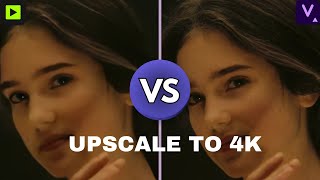
YouTube returned 6 videos for “Vance Video AI”, and we withheld 5: 5 did not mention Vance Video AI. Showing the 1 we can prove is about Vance Video AI.
Official links
Tools that pair well with Vance Video AI
Common stack mates teams adopt alongside Vance Video AI, with the specific reason each pairing earns its keep.

Topaz Labs
Topaz Labs uses AI photo and video enhancement to denoise, unblur, sharpen, and upscale images up to 16x — on desktop, in the browser, and

Pixelcut (now Pixa)
Pixelcut is an AI image and video editor for product photos, UGC ads, background removal and upscaling.

Envato Elements
Envato Elements bundles unlimited stock downloads with built-in AI video, image, voice and audio generation under one commercial license.
Alternatives to Vance Video AI
View all
Topaz Labs
Topaz Labs uses AI photo and video enhancement to denoise, unblur, sharpen, and upscale images up to 16x — on desktop, in the browser, and

Pixelcut (now Pixa)
Pixelcut is an AI image and video editor for product photos, UGC ads, background removal and upscaling.

Envato Elements
Envato Elements bundles unlimited stock downloads with built-in AI video, image, voice and audio generation under one commercial license.
Frequently Asked Questions
Topics
Used Vance Video AI? Help shape our editorial sentiment research.