
Wekraft
AI-first project management that syncs your GitHub activity so tickets update themselves
WeKraft is worth a look if your team's source of truth is GitHub and you are tired of a board that goes stale the moment a sprint starts. Its best-differentiated pieces are the code-linked status sync, AI epic breakdown, and Slack stand-up digests — those three remove the most PM busywork. Compared with Jira, you trade breadth of enterprise configuration for tighter GitHub coupling; compared with Linear, you get more automation but a less polished issue-tracking UX. The honest caveats: it is GitHub-only as documented, so GitLab and Bitbucket shops are out, and WeKraft sells through contact rather than publishing tiers, which makes budget approval harder before a conversation. Do not start
Verified 2h ago · liveness 58/100 · cite: rightaichoice.com/tools/wekraft
- Engineering teams whose code lives in GitHub
- Agile squads cutting manual PM overhead
- Seed-to-Series-B product teams wanting lightweight AI-assisted planning
- Teams looking to retire daily status stand-ups
- Non-technical teams such as marketing or design
- Teams on GitLab or Bitbucket
- Organizations needing deep enterprise reporting or compliance tooling
We scan live Reddit threads, YouTube comments, X posts, G2 reviews and other communities — and hand you an honest verdict in under a minute.
- Honest verdict, not marketing
- Real pros & cons from real users
- Attributed quotes with receipts
3 free scans · no card needed
Skip WeKraft if your repositories live on GitLab or Bitbucket, or if non-engineering departments need to run their own projects in the same tool.
Everything valuable depends on GitHub being your single source of code truth, so a GitLab or Bitbucket repo anywhere in the org means paying for functionality you cannot use.
WeKraft sells through a contact path rather than published tiers, which puts it in the same procurement bracket as enterprise-oriented Jira and Monday.com plans — you will need a sales conversation before you can compare numbers. Teams comparing on sticker price alone will find Linear and Asana easier to size up front. Best value lands with GitHub-native engineering teams of roughly 5-50 where the saved stand-up and status-sync time is measurable.
In short
Wekraft — AI-first project management that syncs your GitHub activity so tickets update themselves. Best for Engineering teams whose code lives in GitHub, Agile squads cutting manual PM overhead, Seed-to-Series-B product teams wanting lightweight AI-assisted planning. Contact Sales pricing.
What people actually say about Wekraft — is it worth it?
We ran a structured research pass across product reviews, community discussions, and post-purchase forum threads to surface the patterns vendors won't publish themselves. Below: the recurring strengths, the hidden costs people mention most, and the cohort that consistently regrets adopting this tool.
7 mentions across 1 source (Product Hunt) · researched Jul 2, 2026.
Average across the 1 source that answered — each source counts once, not each post.
- +Deep GitHub integration auto-syncs PRs, commits, and issues in real time.
- +AI breaks down complex epics into manageable tasks automatically.
- +Reduces context switching by unifying code and project management.
- +Automated sprint planning and backlog grooming saves admin time.
- +Real-time dashboards connect project status directly to code activity.
- −Very limited community feedback makes reliability unproven.
- −Multi-repo syncing may be tricky; not clarified by maker.
- −Activation milestone and pricing trigger are unclear to users.
- −Founders are students; enterprise support and scalability are uncertain.
- −No independent reviews from Reddit, HN, or other platforms.
- • Pricing tiers not publicly detailed; may surprise users at checkout.
Viability Score
How well maintained and how widely used is Wekraft? Built from what the vendor actually publishes (docs, changelog, tutorials, integrations, pricing), whether the site is live, and how much real users discuss it. How we calculate this
Last calculated: October 2026
How we score →Key Features
- GitHub integration auto-syncs pull requests into project status
- Auto-syncs commits and issues from GitHub
- AI assistant breaks down epics into actionable tasks
- AI suggests sprint assignments
- Automatic blocker flagging
- Customizable boards for agile workflows
- Workload heatmaps for team capacity
- Predictive delivery timelines from historical data
- Automated stand-up summaries via Slack
- Real-time progress dashboards tied to code activity
- AI-powered backlog grooming
- AI-powered sprint planning
- Unified workspace reducing context switching
- Slack integration for daily updates
About Wekraft
WeKraft is an AI-first project management platform aimed at software teams whose work already lives in GitHub. It pulls pull requests, commits, and issues into the workspace so project status reflects real code activity instead of manual ticket edits. Its AI assistant breaks epics into granular tasks, proposes sprint assignments, and flags blockers, while automated stand-up summaries push daily updates into Slack so you don't have to run a status meeting. On top of that it layers customizable boards, workload heatmaps for capacity planning, predictive delivery timelines derived from historical throughput, and real-time progress dashboards tied to code events. The pitch is narrow and clear: planning and execution in one place for GitHub-centric engineering squads, as an alternative to Jira or Asana. The trade-offs are equally clear — the documented integrations list is short (GitHub, Slack), and the product is not positioned for non-technical departments.
Behind the Verdict
WeKraft's core bet is that project management for engineering teams should be a byproduct of engineering work rather than a second job layered on top of it. Concretely, that means the board state is driven by GitHub events — pull requests, commits, issues — so a ticket moves when code moves instead of when someone remembers to drag a card. That single design decision cascades into everything else the product advertises. Where it looks strongest: 1. Code-linked status. Auto-sync of pull requests, commits, and issues into project status is the feature that justifies replacing a manual board. Teams that currently run Jira plus a GitHub integration bolted on will recognize the difference between "linked" and "driven by." 2. AI planning assistance. Epic-to-task breakdown, suggested sprint assignments, and automatic blocker flagging attack the two most tedious rituals in agile delivery: grooming and triage. If the suggestions are good, sprint planning compresses from an hour to a review pass. 3. Stand-up automation via Slack. Daily digests generated from actual activity remove the most commonly resented meeting on an engineering calendar. This is a small feature with outsized cultural payoff. 4. Capacity and forecast views. Workload heatmaps and predictive delivery timelines derived from historical data give engineering managers something to bring to a roadmap conversation other than optimism. Where to be cautious: - Single-VCS dependency. Everything valuable about WeKraft depends on GitHub being where your code lives. Teams with a GitLab or Bitbucket footprint, or a mix, get little of the benefit. - Scope of the published integration set. GitHub and Slack are the documented connections; if your delivery pipeline runs through other systems, validate fit in a trial rather than assuming parity with a mature PM suite. - Buying process. WeKraft sells through a contact path rather than a published tier list, so you cannot self-evaluate cost before talking to them. That is normal for this category but it does slow procurement. - Non-engineering departments. Boards, heatmaps, and code-linked status are engineering-native concepts. Marketing, design, or ops teams will find it a poor fit next to a general-purpose work tool. Who it fits: seed-to-Series-B product teams, platform and infrastructure squads, and any GitHub-heavy organization whose scrum master currently spends Friday afternoon reconciling a board with reality. Who it doesn't: agencies juggling client work across multiple repos and VCS providers, regulated enterprises that need a deep compliance and reporting layer, and non-technical teams that just want a kanban board.
Researching Wekraft? Get your full AI stack in 60 seconds.
Free, no signup — tell us your goal and get tools matched to your budget & existing stack.
Real-world workflow fit
Concrete scenarios for the personas Wekraft actually fits — and what changes day-one when you adopt it.
Connect the team's primary repos, let WeKraft sync existing pull requests, commits, and issues, then map the current sprint onto a customized board so status reflects live code activity instead of last week's updates.
Outcome: A board that stays accurate without anyone touching it, plus a Slack digest each morning replacing the daily stand-up.
Feed the upcoming epic into the AI assistant for a task breakdown, review the suggested sprint assignments during planning, and let automatic blocker flagging surface dependencies before they stall the sprint.
Outcome: Sprint planning compressed into a review pass, and blockers caught days earlier than a manual board would have shown them.
Use workload heatmaps to spot an overloaded engineer and predictive delivery timelines built from historical throughput to commit to a milestone date with evidence behind it.
Outcome: Capacity and delivery forecasts that can be defended in a roadmap conversation rather than estimated on instinct.
Use Cases
- Replace manual stand-up meetings with a daily Slack digest built from your GitHub activity.
- Break a large feature epic into granular, assignable tasks using AI suggestions.
- Track sprint velocity automatically because status is linked to real commits and pull requests.
- Get predictive milestone timelines based on your team's historical delivery data.
- Plan and code in one workspace to cut the context switching between a PM tool and GitHub.
Limitations
- The documented integration surface is narrow — GitHub and Slack — so the auto-sync value proposition only applies if GitHub is where your code lives; teams on GitLab or Bitbucket get little of the benefit.
- WeKraft is positioned around engineering workflows, so non-technical departments have no natural place in it.
as of 2026-10-01
Verification history
We have re-verified Wekraft 9 times since . Each pass re-reads the vendor's own pages and re-checks every listed field against that evidence; passes where nothing had changed are marked as such.
- — re-checked, vendor evidence unchanged
- — re-checked, vendor evidence unchanged
- — re-checked, vendor evidence unchanged
- — re-checked, vendor evidence unchanged
- — re-checked, vendor evidence unchanged
- — re-verified summary, description, our verdict, our analysis, pricing model, pricing tiers, features, integrations, who it suits, who should skip it
Showing the 6 most recent of 9 verification passes.
Free to cite with attribution — this page re-verifies continuously.
Where the pricing makes sense
The company stage and team size where Wekraft's pricing actually pencils out — and where peers do it cheaper.
WeKraft sells through a contact path rather than published tiers, which puts it in the same procurement bracket as enterprise-oriented Jira and Monday.com plans — you will need a sales conversation before you can compare numbers. Teams comparing on sticker price alone will find Linear and Asana easier to size up front. Best value lands with GitHub-native engineering teams of roughly 5-50 where the saved stand-up and status-sync time is measurable.
Setup time & first value
How long it actually takes to get something useful out of Wekraft — broken out by persona, not the marketing-page minute.
For a GitHub-native team, initial value comes fast: authorizing the GitHub connection and letting repositories sync gives you a live board the same day. Expect a few hours of mapping epics, boards, and sprint structure before AI breakdowns and assignments have enough context to be useful. Slack digest setup is minutes once the workspace is connected.
Switching to or from Wekraft
How to bring data in from common predecessors and how to get it back out — written for the switcher, not the buyer.
- →From Jira: start with one active squad rather than a full org migration, map epics and sprints into WeKraft, and let GitHub sync take over status updates that Jira required by hand.
- →From Trello or a board-only tool: connect GitHub first so tickets gain code-linked status, then rebuild your columns as WeKraft boards.
- →From Linear: export issue history for reference, recreate the active cycle, and rely on GitHub-driven status in place of manual issue movement.
- ↗To Jira: export epics, issues, and sprint history, then re-establish the GitHub link through Jira's own integration and accept a return to manually updated statuses.
- ↗To Linear: rebuild the backlog in Linear, reconnect GitHub, and expect a faster tracking UX but less automated planning assistance.
- ↗To Asana or Monday.com: rebuild projects as general work boards, reconnect GitHub, and plan for non-engineering departments to join the same workspace.
Integrations
Resources & Guides
Tutorials & Learning
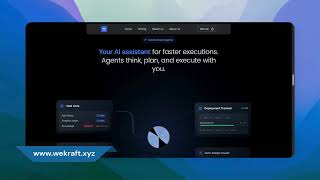
YouTube returned 6 videos for “Wekraft”, and we withheld 5: 5 could not be judged, because “Wekraft” is a single word that other videos use for other things. Showing the 1 we can prove is about Wekraft.
Official links
Tools that pair well with Wekraft
Common stack mates teams adopt alongside Wekraft, with the specific reason each pairing earns its keep.

Smartsheet
Smartsheet is work management software with spreadsheet, Gantt, and AI-powered project automation for enterprise PMOs and operations teams.

ONES.com
AI-native project and knowledge management that unifies Jira and Confluence work for enterprise R&D teams.

Luna
Luna is an AI project manager that connects your OKRs and roadmaps to the work happening in Jira.
Featured Head-to-Head Comparisons
Wekraft vs Bito
Choose Bito if your team already uses AI coding agents (Cursor, Claude Code, Codex) and needs deep, cross-repo context for code generation, impact analysis, and automated scoping—its latest features like conversational learning and Slack-based ticket management make it a powerful layer. Choose Wekraft if your primary pain point is project management overhead (status updates, sprint planning) and you are a GitHub-centric engineering team wanting AI-assisted task management. For teams that need both project management and AI coding agent context, Bito’s broader ecosystem (including Jira/Linear integration) may win, but Wekraft offers a more streamlined PM-focused experience.
Wekraft vs Cognition Ai
Choose Wekraft if you need an AI project manager to reduce overhead for your GitHub-centric engineering team. Choose Cognition AI if you need an autonomous AI developer that writes production code, automates bug fixes, and offers enterprise guarantees. These are complementary, not competing—Cognition AI focuses on execution, Wekraft on management.
Wekraft vs Poolside Ai
Wekraft is for agile teams that live in GitHub and want AI to reduce meeting overhead and automate backlog grooming. Poolside is for enterprises building high-stakes software that need autonomous agents with on-prem security and full auditability. Choose Wekraft if you manage projects; choose Poolside if you build complex software with AI.
Alternatives to Wekraft
View all
Smartsheet
Smartsheet is work management software with spreadsheet, Gantt, and AI-powered project automation for enterprise PMOs and operations teams.


Frequently Asked Questions
Categories
Used Wekraft? Help shape our editorial sentiment research.