Wuta Camera is live · pricing not published · last verified 30 Oct 2026 · viability monitor

Wuta Camera
Wuta Camera applies real-time AI beautification to selfies, vlogs and live streams as you shoot.
Beautification applied while you shoot, plus a phone-to-PC webcam tool, is a narrow but very real niche. If your laptop camera is the weak link on a Douyin or Kuaishou stream, Wuta Live Companion is a legitimate fix. If you need RAW files, layer compositing or commercial-rights materials for client work, the personal-use license rules it out.
Verdict generatedVerified 9h ago · liveness 60/100 · cite: rightaichoice.com/tools/wuta-camera
- Social media influencers who need a polished selfie on the first take
- Live streamers on Douyin or Kuaishou whose laptop camera is the weak link
- Everyday users who want natural enhancement rather than obvious filters
- Casual vloggers shooting and publishing straight from a phone
- Photographers who need RAW files and manual exposure control
- Editors who composite and retouch in layers
- Brands and agencies doing client work — VIP materials are licensed for personal use only
We scan live Reddit threads, YouTube comments, X posts, G2 reviews and other communities — and hand you an honest verdict in under a minute.
- Honest verdict, not marketing
- Real pros & cons from real users
- Attributed quotes with receipts
3 free scans · no card needed
Skip Wuta Camera if you need commercial licensing for beauty assets, manual exposure control, layer-based retouching, or a standalone desktop webcam tool that runs without the phone app.
VIP member materials and functions are licensed for personal use only, so using them in paid client or brand work is outside the license even after you pay.
Wuta Camera is a freemium consumer app: the core shooting, video, beautify, makeup, sticker and filter functions work without an account, and a VIP membership unlocks member-exclusive materials and functions. The user agreement states VIP assets are for personal use only, so budget for the fact that its pricing model is aimed at individual creators rather than teams or agencies.
In short
Wuta Camera — Wuta Camera applies real-time AI beautification to selfies, vlogs and live streams as you shoot. Best for Social media influencers who need a polished selfie on the first take, Live streamers on Douyin or Kuaishou whose laptop camera is the weak link, Everyday users who want natural enhancement rather than obvious filters. Pricing not published.
What is Wuta Camera?
Wuta Camera — Wuta Camera applies real-time AI beautification to selfies, vlogs and live streams as you shoot. Best for Social media influencers who need a polished selfie on the first take, Live streamers on Douyin or Kuaishou whose laptop camera is the weak link, Everyday users who want natural enhancement rather than obvious filters. Pricing not published.
Wuta Camera (无他相机) is a mobile camera that builds AI portrait beautification into the capture step rather than the editing step. The vendor, Shanghai Benqu Network Technology, cites more than 200 million downloads and leads with three named looks: natural beautification (自然美颜), clear virtual makeup (清透妆容) and ultra-clear filters (超清滤镜). The app runs on iOS and Android. The detail fine-tuning feature (细节微调) is the part that separates it from slider-per-session beautify apps. You tune individual facial features once, save a personal beauty preset, and reuse it across photos and video so the look stays consistent. Virtual makeup covers lipstick, blush and eyebrows, and a bare-skin makeup effect (素颜上妆) lays makeup over an unretouched face. You see the enhanced result in a live preview before you capture, and one tap handles both photo and video. Wuta Live Companion (无他伴侣) is a Windows desktop app that connects to the phone app and turns the phone into a PC webcam with live beauty at 1080p or 720p. It supports multi-platform live streaming, and the vendor's own setup note asks for at least 8 Mbps bitrate and 1920×1080 or 1080×1920 in your streaming software to reach full HD. Core shooting, video, beautify, makeup, sticker and filter functions work without an account; registration is only needed for community and add-on features. A VIP membership unlocks member-exclusive materials and functions, which the user agreement (updated 2025-08-20) licenses for personal use only. That last point matters: Wuta is built for creators whose face is the product, not for retouch workflows that need layers, RAW files or client-commercial rights.
Key features
- Real-time AI portrait beautification (自然美颜) applied while shooting
- Virtual makeup with lipstick, blush and eyebrows (清透妆容)
- Bare-skin makeup effect (素颜上妆) over an unretouched face
- Ultra-clear filters (超清滤镜) with adjustable intensity
- Detail fine-tuning (细节微调) for per-feature beauty adjustments
- Saved personal beauty presets reusable across scenes
- Live preview of the beautified result before capture
- One-tap photo capture
- One-tap video capture
- Beautification during video calls and live streams
- Wuta Live Companion (无他伴侣) Windows desktop app
- Phone-to-PC webcam output at 1080p or 720p with live beauty
- Streaming to platforms including Douyin and Kuaishou
- Core functions usable without registering an account
- iOS and Android apps plus a Windows companion
Behind the verdict
Pick Wuta when the capture is the deliverable. Selfies that need to land on the first take, short vlogs published straight from the phone, and live streams where you cannot fix the face afterward are all cases where shooting through a beautification camera beats shooting flat and editing later. The saved-preset workflow is the underrated piece: tune your features once, then stop fiddling with sliders before every shoot. Pass if you are a photographer who wants RAW and manual exposure control, or an editor who composites in layers. Wuta has no place in a retouch pipeline. Also skip it for brand and agency client work, because VIP materials and functions are licensed for personal use only under the user agreement. The closest alternative is a general-purpose editing app: shoot clean, fix in post. That gives you more control and commercial freedom, but it costs time per image and does nothing for a live stream. Wuta bets the other way, and for streamers that bet pays off. Where it bites in practice: the HD webcam output depends on your upload. The vendor's own note asks for 8 Mbps or more and a 1920×1080 or 1080×1920 setting in your streaming software. On a weak connection the app cannot outrun the pipe, so budget for that before you promise a client-facing 1080p stream. We would reach for Wuta Live Companion specifically when a laptop's built-in camera is the weak link and the stream is face-forward. For everything else, treat the phone app as the main event and the companion as a bonus.
Limitations
- Wuta Camera is a beautification camera, not an editing suite.
- There is no raw workflow, no manual ISO or shutter control, and no layer-based retouching, so photographers and retouchers will hit a wall fast.
- The desktop Wuta Live Companion is not standalone: it only works while connected to the Wuta Camera mobile app, so it cannot function as an independent webcam tool.
- The user agreement (updated 2025-08-20, effective 2025-08-27) states that VIP member materials and functions are licensed for personal use only and may not be used for commercial purposes, which rules out client and brand work under that license.
- Getting the advertised 1080p result depends on your own setup: the vendor's instructions require you to configure your streaming software to at least 8 Mbps bitrate and 1920×1080 or 1080×1920 resolution.
- The vendor also warns that its own site is the only authorized download source for the companion and that downloads from other sites are unauthorized.
as of 2026-10-09
Researching Wuta Camera? Get your full AI stack in 60 seconds.
Free, no signup — tell us your goal and get tools matched to your budget & existing stack.
Is Wuta Camera still active?
Wuta Camera is live · pricing not published · last verified 30 Oct 2026 · viability monitor.
Viability score
How well maintained and how widely used is Wuta Camera? Built from what the vendor actually publishes (docs, changelog, tutorials, integrations, pricing), whether the site is live, and how much real users discuss it. How we calculate this
Last calculated: October 2026
How we score →What do users say about Wuta Camera?
What people actually say about Wuta Camera — is it worth it?
Our community sentiment research written Jul 30, 2026 is more than 90 days old, so it is being re-reviewed against current data and is not shown.
How we verified this
Every listed fact about Wuta Camera— pricing, features, links, status — is re-read from the vendor's own pages by our verification pipeline and each change is logged with a date; the last pass ran on 30 Oct 2026. Pages mix model-assisted synthesis with human review; see how we verify.
Verification history
We have re-verified Wuta Camera 7 times since . Each pass re-reads the vendor's own pages and re-checks every listed field against that evidence; passes where nothing had changed are marked as such.
- — changed our verdict, description, summary, features, who it suits, who should skip it
- — changed description, who should skip it, summary, our verdict, features, who it suits
- — changed hidden costs, description, use cases, limitations, who should skip it, summary, our verdict, pricing fit, setup time, switching in, switching out, features
- — changed use cases, who it suits, description, our verdict, features, hidden costs, limitations, switching in, switching out, who should skip it, pricing fit, setup time, summary
- — changed domain expiry
- — changed who should skip it, setup time, pricing fit, hidden costs
Showing the 6 most recent of 7 verification passes.
Free to cite with attribution — this page re-verifies continuously.
How much does Wuta Camera cost in 2026?
Wuta Camera: Pricing not published. Pricing last verified 30 Oct 2026.
Where the pricing makes sense
The company stage and team size where Wuta Camera's pricing actually pencils out — and where peers do it cheaper.
Wuta Camera is a freemium consumer app: the core shooting, video, beautify, makeup, sticker and filter functions work without an account, and a VIP membership unlocks member-exclusive materials and functions. The user agreement states VIP assets are for personal use only, so budget for the fact that its pricing model is aimed at individual creators rather than teams or agencies.
Has Wuta Camera's pricing changed?
No plan price for Wuta Camera has moved since we began logging in Aug 2026; the pricing page is re-read on every verification pass.
Who should pick Wuta Camera?
Pick Wuta Camera if you are Social media influencers who need a polished selfie on the first take, Live streamers on Douyin or Kuaishou whose laptop camera is the weak link, Everyday users who want natural enhancement rather than obvious filters, Casual vloggers shooting and publishing straight from a phone.
Look elsewhere if you are Photographers who need RAW files and manual exposure control, Editors who composite and retouch in layers, Brands and agencies doing client work — VIP materials are licensed for personal use only, Developers looking for an API or SDK to embed beautification in their own product.
Skip it if Skip Wuta Camera if you need commercial licensing for beauty assets, manual exposure control, layer-based retouching, or a standalone desktop webcam tool that runs without the phone app.
GeneratedReal-world workflow fit
Concrete scenarios for the personas Wuta Camera actually fits — and what changes day-one when you adopt it.
Open the app, pick 自然美颜, drag the intensity sliders, and take a one-tap selfie without registering an account.
Outcome: A polished, natural-looking selfie in under a minute, with no signup step in the way.
Install Wuta Live Companion on Windows, connect it to the Wuta Camera phone app, download the 1080p build, and set the streaming software to 8 Mbps and 1920×1080 before going live.
Outcome: Your phone serves as a live PC webcam with beautification applied in real time during the stream.
Use the detail fine-tuning feature to build a saved preset with virtual makeup and an HD filter, then record video clips with that preset applied as you shoot.
Outcome: Consistent look across every clip without re-tuning the beauty effect each session.
Use cases
- Take a natural-looking selfie with one-tap beautification, no account required
- Turn your phone into a 1080p PC webcam with live beauty effects for streaming
- Go live on Douyin or Kuaishou using the Windows companion for real-time beautification
- Shoot vlog footage with smooth skin and virtual makeup applied as you record
- Build a personalized beauty preset with detail fine-tuning and reuse it across sessions
- Apply adjustable-intensity HD filters so your social posts look consistent
- Capture short video with virtual makeup for social platforms
- Run live beauty effects on a desktop stream when your laptop camera is the weak link
Setup time & first value
How long it actually takes to get something useful out of Wuta Camera — broken out by persona, not the marketing-page minute.
Mobile: minutes — install, open and shoot, since the core beauty, makeup, sticker and filter functions need no registration. Companion: about 15-30 minutes of real work including the Windows install plus configuring your streaming software to 8 Mbps and 1920×1080 (or 1080×1920) before the 1080p output looks right.
Switching to or from Wuta Camera
How to bring data in from common predecessors and how to get it back out — written for the switcher, not the buyer.
- →From a phone's built-in camera app: install Wuta Camera, set your preferred beauty preset with detail fine-tuning, and shoot your next selfie or vlog inside it instead.
- →From generic beauty-filter apps: rebuild your go-to look once using the adjustable-intensity beautify and makeup controls, then save it as a preset so it applies automatically.
- →From a laptop webcam for streaming: install Wuta Live Companion, connect the phone app, and route your streaming software to the phone-as-webcam source at 8 Mbps and 1920×1080.
- ↗To Lightroom or Photoshop: move to these when you need raw files, manual exposure control or layer-based retouching that Wuta Camera does not provide.
- ↗To a standalone webcam utility: switch when you need a desktop webcam tool that runs independently of a phone app.
Resources & guides
Tutorials & Learning
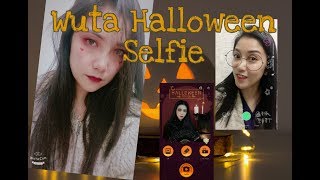
Complete Guide using WUTA CAMERA
Fora Change
how towuta cam best editing by CB editoWuta cam First Look
JBK Odia Toka
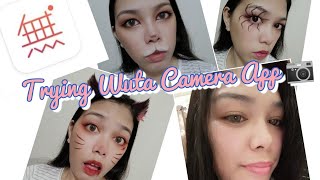
I Tried Wuta Camera App (Super Nice)
Kerans Vlog
YouTube returned 6 videos for “Wuta Camera”, and we withheld 2: 2 did not mention Wuta Camera. Showing the 4 we can prove are about Wuta Camera.
Official links
What are the best Wuta Camera alternatives?
The closest alternatives to Wuta Camera we list are Timestamp Camera, Pro Camera and B612 AI Photo&Video Editor. Ranked by direct product-type match, not category overlap.
| Alternative | Pricing | Starts at | Last verified |
|---|---|---|---|
| Timestamp Camera | Freemium | Pricing not published | — |
| Pro Camera | Free | Free | — |
| B612 AI Photo&Video Editor | Freemium | Pricing not published | — |
Alternatives to Wuta Camera
View all
Timestamp Camera
Mobile camera app that burns live date, time, GPS, weather and altitude onto photos and videos as you shoot them.

Pro Camera
Pro Camera is a mobile capture-and-edit app from SJSLAI combining pro shooting modes, computational photo processing, and on-device video editing.

B612 AI Photo&Video Editor
Free mobile camera and video editor from SNOW Corp. with real-time filters, one-tap AI beauty tools, and custom filter creation.
Tools that pair well with Wuta Camera
Common stack mates teams adopt alongside Wuta Camera, with the specific reason each pairing earns its keep.

Timestamp Camera
Mobile camera app that burns live date, time, GPS, weather and altitude onto photos and videos as you shoot them.

Pro Camera
Pro Camera is a mobile capture-and-edit app from SJSLAI combining pro shooting modes, computational photo processing, and on-device video editing.

B612 AI Photo&Video Editor
Free mobile camera and video editor from SNOW Corp. with real-time filters, one-tap AI beauty tools, and custom filter creation.
Wuta Camera vs its closest rival
Wuta Camera's closest head-to-head is with Qoves — Choose QOVES if you want a science-backed, non-surgical glow-up plan based on detailed facial analysis and research citations. Choose Wuta Camera if you need instant, real-time beautification for selfies, videos, or live streaming with easy-to-use filters and makeup effects. QOVES is for analytical self-improvement; Wuta is for content creators seeking polished visuals on the go. Verdict generated
Head-to-head comparisons
Wuta Camera vs Qoves
Choose QOVES if you want a science-backed, non-surgical glow-up plan based on detailed facial analysis and research citations. Choose Wuta Camera if you need instant, real-time beautification for selfies, videos, or live streaming with easy-to-use filters and makeup effects. QOVES is for analytical self-improvement; Wuta is for content creators seeking polished visuals on the go.
GeneratedWuta Camera vs Adobe Firefly Services
Choose Wuta Camera if you're a creator or streamer needing polished, real-time beautification with zero coding. Choose Adobe Firefly Services if you're an enterprise looking to automate high-volume image generation via APIs with commercial safety and compliance.
GeneratedWuta Camera vs The New Black
If you're in fashion or apparel e-commerce and need to go from concept to tech pack, The New Black is your tool—it’s built for designing garments, generating model shots, and publishing directly to Shopify and social media. For personal content creation focused on selfies, live streaming, and casual vlogging, Wuta Camera offers effortless AI beautification with real-time effects. They serve completely different needs; choose based on your workflow: professional apparel design vs. personal portrait enhancement.
GeneratedFrequently asked questions
Categories
Used Wuta Camera? Help shape our editorial sentiment research.