
X-Pilot AI
X-Pilot AI turns PDFs, slides and docs into editable, reviewable course and training videos.
Pick X-Pilot when the video has to survive a reviewer — a HIPAA module, an IGCSE revision series, a PLC walkthrough — because you can read the generated outline and fix a single scene by typing at it, and approved scenes re-render deterministically from code. That inspect-then-export loop is a real advantage over Synthesia and HeyGen, which win on presenter polish and template speed. If you need a scroll-stopping social clip in ten minutes, choose one of those instead; if you want a transcript you can't edit, NotebookLM's Video Overviews are the comparison point. Pricing runs Creator from $19/mo list, with a 40% monthly discount applied at checkout.
Verified 11h ago · liveness 72/100 · cite: rightaichoice.com/tools/x-pilot-ai
- Teachers and tutors building chapter-aligned IGCSE, IB, AP, SAT or JEE exam-prep video
- L&D and compliance teams converting HIPAA, OSHA, HACCP or SOP manuals into reviewable training video
- Course creators producing multi-chapter technical tutorials where versioned accuracy matters
- Professors and researchers turning lectures, papers and LaTeX into video
- Marketers who need fast talking-head or avatar-led explainer videos
- Social media creators producing short, rapid-turnaround clips
- Creative studios wanting animated storytelling or motion-graphics freedom
We scan live Reddit threads, YouTube comments, X posts, G2 reviews and other communities — and hand you an honest verdict in under a minute.
- Honest verdict, not marketing
- Real pros & cons from real users
- Attributed quotes with receipts
3 free scans · no card needed
Skip X-Pilot if you need a frame-level multi-track editor or a ten-minute avatar-led social clip, because its value comes from reviewing an outline and fixing scenes before a deterministic render, which is slower by design.
The pricing page states monthly paid plans carry a 40% promotion applied at checkout, but that discount does not stack with the annual billing discount, so you choose one or the other — not both.
Creator at $19/mo list (40% off applied at checkout on monthly paid plans, which cannot be combined with annual billing) is priced for a solo teacher or course creator building one chapter at a time — roughly a third of what a Synthesia or HeyGen presenter seat costs for comparable output volume. Above that, Professional, Ultra and Business tiers were truncated in this scrape, so budget-conscious teams should price those against Synthesia before committing.
In short
X-Pilot AI — X-Pilot AI turns PDFs, slides and docs into editable, reviewable course and training videos. Best for Teachers and tutors building chapter-aligned IGCSE, IB, AP, SAT or JEE exam-prep video, L&D and compliance teams converting HIPAA, OSHA, HACCP or SOP manuals into reviewable training video, Course creators producing multi-chapter technical tutorials where versioned accuracy matters. Free to start; paid plans from $19/mo.
No head-to-head comparison for X-Pilot AI yet — the alternatives below are the closest matches we list.
What people actually say about X-Pilot AI — is it worth it?
We scanned public community sources for X-Pilot AI on Oct 10, 2026 and could not establish that the discussion we found is about this tool rather than something else sharing its name. Only 0 of the posts we fetched could be positively tied to X-Pilot AI. Rather than publish a sentiment score built on the wrong subject, we publish nothing here and re-run the scan.
Viability Score
How well maintained and how widely used is X-Pilot AI? Built from what the vendor actually publishes (docs, changelog, tutorials, integrations, pricing), whether the site is live, and how much real users discuss it. How we calculate this
Last calculated: October 2026
How we score →Key Features
- PDF to video from past papers, cert manuals and training SOPs
- PPT to video with narrated slides and decks
- DOCX to video from Word manuals and procedures
- URL to video from articles, docs and knowledge-base pages
- Text or topic to video with AI-generated outline and scenes
- Script to course video from a finished narration script
- Editable outline and scene-by-scene review before export
- Natural-language video editor — select an element and edit by typing
- Knowledge visualization for formulas, diagrams, charts and code
- Deterministic code rendering so approved scenes stay approved
- Long-form course video projects beyond 20 minutes
- Chapter-based series with one editable project per chapter
- Education AI Avatar as a low-cost digital instructor
- Voice cloning with your own voice plus preset narrators
- 1080p MP4 export with SCORM/xAPI learning package output
About X-Pilot AI
X-Pilot AI is an AI video production platform for people whose videos have to be correct, not just polished. You give it a PDF of past papers or a certification manual, a PPT deck, a DOCX procedure, a URL, your notes, or a finished narration script, and it builds an outline, plans scenes, writes narration, adds knowledge visualizations, then renders a 1080p MP4 or a learning package. Four task-routed generators split the work: AI Educational Video Generator (K-12, IGCSE, IB, AP), AI Course Video Generator (one editable project per chapter, organized as a series), AI Training Video Generator (corporate, compliance, certification), and AI Explainer Video Generator (concepts, formulas, SaaS demos). What separates it from avatar-first tools is review before export: you inspect the generated outline, select any element in a scene and change it with a plain-language instruction, preview, and only then render — and approved scenes render deterministically from code, so a signed-off scene stays as approved. Knowledge visualization handles formulas, diagrams, charts and code, long-form projects run past 20 minutes, and an optional Education AI Avatar plus voice cloning cover the presenter layer. A developer surface (API reference, MCP integration, agent skills) lets you build video into your own product. Language coverage spans English, Español, 简体中文, Français, العربية, Deutsch, Português, 日本語 and 한국어.
Behind the Verdict
The design decision that matters here is reviewability. Most AI video tools hand you a finished render and ask whether you like it. X-Pilot hands you a source-grounded outline, a scene plan and narration first, then lets you click any element in a scene and rewrite it by typing an instruction. Because approved scenes are rendered deterministically from code rather than re-sampled from a model, the version you signed off on is the version that ships. For compliance training and exam prep — where a wrong dosage, a wrong formula, or a stale procedure is a real cost — that ordering is the whole product. The second differentiator is input breadth tied to output type. PDF to video (past papers, cert manuals, training SOPs), PPT to video, DOC to video, URL to video, text/topic to video, and script to course video are separate entry points, not one generic box. The chapter-per-project mode lets you build a series where each chapter stays independently editable, which matters when a syllabus changes and only Unit 4 needs regenerating. Where it gives ground: it is not a general-purpose video editor. There is no multi-track timeline and no frame-level cutting — refinement happens through scene review and typed instructions. Creative studios wanting motion-graphics freedom will find the pipeline constraining. Marketers chasing fast talking-head explainers will find the review step slow compared with Synthesia's template-and-avatar flow. Cost needs a caveat we couldn't fully resolve. The scraped pricing page confirms Creator at $19/mo list with a 40% checkout discount on monthly paid plans that does not stack with annual billing, but the Professional, Ultra and Business tiers were truncated in this run, so team-level cost and credit volumes need verifying directly on the pricing page before you commit a department to it. The developer docs, changelog and integrations page were also not reached, so treat API reference, MCP integration and agent skills as advertised on the site rather than as verified in this pass.
Researching X-Pilot AI? Get your full AI stack in 60 seconds.
Free, no signup — tell us your goal and get tools matched to your budget & existing stack.
Real-world workflow fit
Concrete scenarios for the personas X-Pilot AI actually fits — and what changes day-one when you adopt it.
Upload a PDF of past papers, let X-Pilot structure an outline and scene plan, then click into any scene and retype the explanation where the model misread the mark scheme.
Outcome: A chapter-aligned exam-prep video series where every approved scene renders deterministically, so the version your students watch is the version you signed off.
Drop a HIPAA or SOP manual in as a DOCX, review the generated outline and narration for accuracy, insert knowledge visualizations for the process diagram, then export MP4 plus a learning package.
Outcome: Reviewable training video with a traceable path back to source text, which is what an auditor asks for.
Build one editable project per chapter from a lecture deck or LaTeX paper, keep each chapter independently editable, and localize select chapters into Spanish or Japanese.
Outcome: A multi-chapter series that can be regenerated unit by unit when the syllabus changes, without redoing the whole course.
Use Cases
- Convert a 60-page PMP certification manual into a multi-chapter course video series.
- Turn a K-12 science syllabus into chapter-aligned video lessons for remote learning.
- Generate HIPAA compliance training videos from SOP documents, reviewed before export.
- Create an IGCSE or IB exam prep video series from past papers.
- Transform a PowerPoint lecture deck into narrated, reviewable course video.
- Produce bilingual child care SOP training videos in English and a target language.
- Build technical tutorials on API integration or LLM agents from Markdown docs.
- Create SaaS product walkthroughs from a script or outline.
Limitations
- X-Pilot is purpose-built for course and training video generated from source material — PDFs, slides, docs, URLs and scripts — so it is not a general-purpose editor: there is no multi-track timeline, and refinement happens through scene review and typed instructions rather than frame-level cutting.
- Capacity is credit-based, so the number of videos you get in a month depends on credits and project conditions even though projects can run past 20 minutes.
- The scraped pricing page shows only the Creator tier in full; Professional, Ultra and Business tier prices and credit volumes were truncated this run, so team-level cost needs verifying on the pricing page.
- The docs, developer pages and integrations page were not reached, so API availability and integration breadth are unresolved rather than absent.
- Marketing copy advertises nine output languages, but verify the specific locales your course needs before assuming coverage.
as of 2026-10-22
Verification history
We have re-verified X-Pilot AI 21 times since . Each pass re-reads the vendor's own pages and re-checks every listed field against that evidence; passes where nothing had changed are marked as such.
- — re-checked, vendor evidence unchanged
- — re-verified summary, description, our verdict, our analysis, pricing model, pricing tiers, features, integrations, who it suits, who should skip it
- — re-verified summary, description, our verdict, our analysis, pricing model, pricing tiers, features, integrations, who it suits, who should skip it
- — re-verified summary, description, our verdict, our analysis, pricing model, pricing tiers, features, integrations, who it suits, who should skip it
- — re-verified summary, description, our verdict, our analysis, pricing model, pricing tiers, features, integrations, who it suits, who should skip it
- — re-verified summary, description, our verdict, our analysis, pricing model, pricing tiers, features, integrations, who it suits, who should skip it
Showing the 6 most recent of 21 verification passes.
Free to cite with attribution — this page re-verifies continuously.
12-month cost
Project the real annual outlay, including the implied monthly cost when only an annual tier is published.
Vendor list price only. Add-on usage, seat overages, and contract minimums are surfaced under Hidden costs & gotchas.
Plans compared
For each published X-Pilot AI tier: who it actually fits, and what it adds vs. the previous tier. Cross-reference the cost calculator above for projected annual outlay.
Free
$0/mo
Ideal for
A teacher or trainer testing whether X-Pilot's outline-and-review flow fits before spending anything — the site advertises starting for free with no card.
What this tier adds
Free entry point: AI educational video generation from a topic or supported source file, AI outline and narration, and 1080p MP4 export.
Creator
$19/mo list ($11.40/mo effective at the 40% checkout promoti
Ideal for
Solo teacher, tutor or course creator producing one chapter at a time who needs editable scenes and long-form projects.
What this tier adds
Adds the natural-language editor, knowledge visualization, deterministic code rendering, projects beyond 20 minutes, and optional avatar and voice cloning — $19/mo list with a 40% checkout discount on monthly billing.
Where the pricing makes sense
The company stage and team size where X-Pilot AI's pricing actually pencils out — and where peers do it cheaper.
Creator at $19/mo list (40% off applied at checkout on monthly paid plans, which cannot be combined with annual billing) is priced for a solo teacher or course creator building one chapter at a time — roughly a third of what a Synthesia or HeyGen presenter seat costs for comparable output volume. Above that, Professional, Ultra and Business tiers were truncated in this scrape, so budget-conscious teams should price those against Synthesia before committing.
Setup time & first value
How long it actually takes to get something useful out of X-Pilot AI — broken out by persona, not the marketing-page minute.
Solo teacher or creator: first outline is typically minutes after uploading a PDF or deck, since the outline-and-scene-plan preview comes before any render. L&D team: budget an hour for the first compliance module because the review pass on narration and diagrams is where the time goes. Multi-chapter series: plan per-chapter review cycles rather than one sitting.
Switching to or from X-Pilot AI
How to bring data in from common predecessors and how to get it back out — written for the switcher, not the buyer.
- →From Synthesia or HeyGen: reuse your existing narration scripts through the Script to Course Video input instead of rebuilding scenes from templates.
- →From NotebookLM Video Overviews: export your source documents and re-upload as PDF or DOCX so the output becomes an editable project rather than a fixed render.
- →From manual slide-and-screen-recording: feed the existing PPT deck into PPT to Video and review the AI scene plan instead of recording slides by hand.
- ↗To Synthesia or HeyGen: export the approved 1080p MP4 and rebuild presenter segments on their avatar-and-template flow.
- ↗To NotebookLM: keep the source PDFs as-is, since both tools ingest the same document set.
- ↗To a traditional NLE: export the MP4 and re-cut, since X-Pilot has no project file that opens in Premiere or Resolve.
Integrations
Resources & Guides
- Resourcex-pilot.ai
X-Pilot Blog: Syllabus-to-Video Field Notes for Course Creators
Workflows, blueprints, and positioning deep-dives on turning lesson plans, certification blueprints, and training manuals into accurate video course series. For course creators and trainers who can
- Resourcex-pilot.ai
Resources — Guides, Examples, FAQ, Glossary | X-Pilot
Customer stories, video examples, guides, FAQ, glossary, and release notes. For course creators and trainers whose content can
Tutorials & Learning
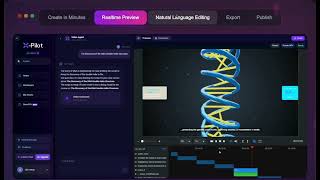
YouTube returned 6 videos for “X-Pilot AI”, and we withheld 5: 5 could not be judged, because “X-Pilot AI” is a single word that other videos use for other things. Showing the 1 we can prove is about X-Pilot AI.
Official links
Tools that pair well with X-Pilot AI
Common stack mates teams adopt alongside X-Pilot AI, with the specific reason each pairing earns its keep.

X-Pilot
X-Pilot turns PDFs, decks, DOCX manuals and URLs into editable course and training videos with source traceability
Colossyan
Colossyan turns PDFs, decks and URLs into presenter-led training video and courses with AI avatars, scene approval and SCORM export.

Powtoon
Powtoon Imagine turns documents, PDFs, and prompts into editable branded video using Veo 3, ElevenLabs, and HeyGen on one credit pool.
Alternatives to X-Pilot AI
View all

Frequently Asked Questions
Best-of guides
Used X-Pilot AI? Help shape our editorial sentiment research.