
X-Pilot
X-Pilot turns PDFs, PowerPoint decks, DOCX manuals, and URLs into editable course and training videos whose scenes trace back to your source.
If your learners would catch a wrong diagram or formula, X-Pilot's source-traceable scenes and deterministic rendering are the reason to pick it over avatar-first tools like Synthesia or HeyGen. The $19/mo Creator tier (or $15/mo billed yearly) already includes HD export, no watermark, an Education AI Avatar and three premium voice clones, so a solo teacher or compliance trainer can validate the accuracy claim cheaply. It is not a shortcut factory — you are expected to review and refine scenes before export — and it will not give you photorealistic presenters or flashy social clips. Run one real chapter of your own material through a free project before committing.
Verified 13d ago · liveness 57/100 · cite: rightaichoice.com/tools/x-pilot
- Teachers and exam-prep tutors building chapter-aligned lessons for K-12, IGCSE, IB, AP, SAT and JEE
- Corporate and certification trainers producing HIPAA, OSHA, PMP, FDNY and STCW compliance modules
- Course creators on Udemy and Teachable who need accurate technical content with code and formulas
- Professors and researchers turning lectures, papers and LaTeX into reviewable video modules
- Creators who need photorealistic AI avatars or virtual presenters — X-Pilot leans on screen-based knowledge
- Short-form social creators chasing fast, flashy TikTok or Reels clips
- Teams that need real-time collaborative editing or live streaming
We scan live Reddit threads, YouTube comments, X posts, G2 reviews and other communities — and hand you an honest verdict in under a minute.
- Honest verdict, not marketing
- Real pros & cons from real users
- Attributed quotes with receipts
3 free scans · no card needed
Skip X-Pilot if you need a photorealistic AI presenter on camera, stock-footage ad templates, or real-time collaborative editing — it is built for reviewable, source-traceable course and training video, not presenter-led or social-first production.
Monthly capacity is credit-metered: both Creator and Professional are sold as a credits-per-month allowance, and long, 4K or avatar-heavy videos burn through credits faster than a slide-based explainer.
X-Pilot sits in the affordable-middle band of AI video: the $19/mo Creator tier, or $15/mo billed yearly, undercuts presenter-led platforms like Synthesia and HeyGen by a wide margin while including HD export, no watermark, an Education AI Avatar and three premium voice clones. Professional is aimed at creators who need roughly 3x Creator credits plus complex videos. It is more expensive than a general-purpose chatbot summarizer, but you are paying for editable, source-traceable scenes and
In short
X-Pilot — X-Pilot turns PDFs, PowerPoint decks, DOCX manuals, and URLs into editable course and training videos whose scenes trace back to your source. Best for Teachers and exam-prep tutors building chapter-aligned lessons for K-12, IGCSE, IB, AP, SAT and JEE, Corporate and certification trainers producing HIPAA, OSHA, PMP, FDNY and STCW compliance modules, Course creators on Udemy and Teachable who need accurate technical content with code and formulas. Free to start; paid plans from $19/mo.
What's new in X-Pilot
Checked 5 days agoAcross the latest 2 updates: 1 feature update and 1 pricing change.
Gallery updated with new exam-prep, OSHA and certification training samples
X-Pilot refreshed its video examples gallery with exam-prep education AI avatar samples, OSHA powered industrial truck training clips and other certification training output.
X-Pilot pricing page lists Creator, Professional, Ultra and Business tiers
X-Pilot published four plan tiers with Creator as the entry-level paid plan at $19/mo standard or $15/mo billed yearly (20% annual saving), plus a 40% off promotion on monthly paid plans applied at checkout.
What people actually say about X-Pilot — is it worth it?
We scanned public community sources for X-Pilot on Jul 3, 2026 and could not establish that the discussion we found is about this tool rather than something else sharing its name. Our own analysis of that scan says the posts were off-subject. Rather than publish a sentiment score built on the wrong subject, we publish nothing here and re-run the scan.
Viability Score
How well maintained and how widely used is X-Pilot? Built from what the vendor actually publishes (docs, changelog, tutorials, integrations, pricing), whether the site is live, and how much real users discuss it. How we calculate this
Last calculated: October 2026
How we score →Key Features
- PDF to video generation
- PowerPoint to video generation
- DOCX to video generation
- URL to video generation
- Text and topic to video generation
- Script to course video
- Chapter-based series with one project per selected chapter
- Long-form course videos longer than 20 minutes
- Source traceability for every scene
- Natural-language video editor (select an element, edit by typing)
- Knowledge visualization for formulas, diagrams, charts and code
- Deterministic rendering of approved scenes from code
- Education AI Avatar as an optional digital instructor
- Voice cloning with up to 3 premium AI voice clones
- HD video export with no watermark on paid plans
About X-Pilot
X-Pilot is an AI video production platform built for course and training content, and its central promise is source fidelity: the visuals in the finished video stay faithful to the material you fed it. You start from a PDF (past papers, certification manuals, training SOPs), a PowerPoint deck, a DOCX manual, plain text notes, a URL, or a finished narration script. X-Pilot structures an outline, plans scenes, writes narration, and builds knowledge visualizations — formulas, diagrams, charts, code and process flows — rather than pulling stock footage. The workflow is deliberately reviewable. Scenes trace back to the source material, you can edit an entire project or a single selected element by typing plain-language instructions, preview the deterministic render, then export. Projects can cover one extended lesson running past 20 minutes, or you can start a separate project per chapter and organize them as a series. Paid plans add HD and higher-resolution export, watermark removal, custom branding, voice cloning, multilingual output, and SCORM/xAPI learning package export. An optional low-cost Education AI Avatar puts a digital instructor on screen. Who it is for: teachers and exam-prep tutors working to K-12, IGCSE, IB, AP, SAT and JEE syllabi; corporate and certification trainers producing HIPAA, OSHA, PMP, FDNY and STCW modules; course creators selling on Udemy and Teachable; professors turning lectures and papers into video modules; and marketing teams producing SaaS demos and API walkthroughs where on-screen visuals must match the product. Where Synthesia and HeyGen lead with presenter-led templates, X-Pilot is the accuracy-first pick for STEM, compliance and technical tutorials where a wrong formula or diagram is unacceptable. Against NotebookLM's generated Video Overviews, you get an editable, traceable production pipeline instead of a one-shot summary.
Behind the Verdict
X-Pilot's differentiator is not the video output, it is the audit trail. Every scene traces back to the PDF, deck or document it came from, and approved scenes are rendered deterministically from code rather than sampled fresh each run. For a compliance module where a wrong lockout/tagout step is a liability, or a physics lesson where a flipped sign is a parent complaint, that is the feature that matters — and it is exactly what presenter-led tools in the Synthesia and HeyGen camp do not give you. Knowledge visualization for formulas, diagrams, charts and code is the second half of the same argument: the screen shows the actual equation or process flow, not a stock clip of someone pointing at a whiteboard. The production model is honest about its own limits. You get an outline, planned scenes and narration that you review, then you edit the whole project or a single element by typing plain-language instructions. That means the tool is a drafting partner, not an autopilot — budget real review time per chapter. Long-form is genuinely supported (videos longer than 20 minutes, or one project per selected chapter organized as a series), and SCORM/xAPI package export is what makes the compliance and corporate-training use cases real rather than aspirational. Voice cloning lets you narrate in your own voice, and the optional Education AI Avatar is priced low specifically so a digital instructor is affordable at course scale. Where it fits least well: short-form social creators chasing fast TikTok or Reels clips, marketing teams who want a stock footage library and template-based ad videos, and anyone who needs photorealistic presenters or real-time collaborative editing. Those are different products, and X-Pilot does not pretend otherwise. The other honest caveat is cost shape. The tiers are credit-metered, so monthly capacity follows your credits and project conditions, and long 4K or avatar-heavy videos consume more than a slide-based explainer. Check the credit math against your realistic monthly output before you pick a tier — that is the number that decides whether Creator or Professional is the right fit.
Researching X-Pilot? Get your full AI stack in 60 seconds.
Free, no signup — tell us your goal and get tools matched to your budget & existing stack.
Real-world workflow fit
Concrete scenarios for the personas X-Pilot actually fits — and what changes day-one when you adopt it.
Uploads a HIPAA or OSHA SOP document as a DOCX, reviews the generated outline and scenes against the source, edits two narration lines by typing corrections, previews the deterministic render, then exports a SCORM package for the LMS.
Outcome: A compliant training module with scenes that trace back to the original SOP, published to the LMS without a re-shoot.
Feeds a chapter of past papers or lecture notes as a PDF, lets X-Pilot plan scenes and render equations and diagrams as knowledge visualizations, checks the formulas against the source, then builds one project per chapter and organizes them as a series.
Outcome: A syllabus-bound video series where the equations on screen match the syllabus, reusable across cohorts.
Starts from a raw text outline, uses a cloned voice to narrate in their own voice, previews and edits individual scene elements by typing, then exports an HD MP4 with custom branding and no watermark.
Outcome: A multi-module paid course produced without a studio, with visuals that match the technical content.
Use Cases
- Convert a 50-page PDF training manual into a course video with chapter markers and source-traceable scenes.
- Turn a PowerPoint lecture deck into an explainer video for a flipped classroom.
- Generate SCORM-compliant compliance training from SOP documents.
- Create syllabus-bound video series for IGCSE exam prep with precise equations rendered as knowledge visualizations.
- Produce multi-module Udemy courses from raw text outlines without hallucinated visuals.
- Build API or LLM-agent walkthroughs for a developer audience from product documentation URLs.
- Turn lecture notes, papers or LaTeX into reviewable video modules for university courses.
- Produce bilingual onboarding videos for new hires from an existing staff handbook.
Limitations
- X-Pilot is built around turning source material — PDF, PPT, DOCX, text, URL, script — into editable, chapter-organized course and training video projects, and that shapes what it does well and poorly.
- It is a review-first tool: you are expected to inspect scenes and edit them, in the full project or one element at a time, before export.
- It will not produce photorealistic presenters or template-based ad videos, and there is no real-time collaborative editing or live streaming.
- Capacity is credit-metered, so actual monthly video output depends on your credit balance and project conditions; longer, higher-resolution or avatar-heavy videos consume more than a slide-based explainer, and X-Pilot's own pricing page notes that capacity follows credits and project conditions.
- SCORM/xAPI export is the relevant entitlement for training teams — verify the plan you are considering covers it before you commit a course library to the platform.
as of 2026-09-25
Verification history
We have re-verified X-Pilot 9 times since . Each pass re-reads the vendor's own pages and re-checks every listed field against that evidence; passes where nothing had changed are marked as such.
- — re-verified summary, description, our verdict, our analysis, pricing model, pricing tiers, features, integrations, who it suits, who should skip it
- — re-checked, vendor evidence unchanged
- — re-verified summary, description, our verdict, our analysis, pricing model, pricing tiers, features, integrations, who it suits, who should skip it
- — re-verified summary, description, our verdict, our analysis, pricing model, pricing tiers, features, integrations, who it suits, who should skip it
- — re-verified summary, description, our verdict, our analysis, pricing model, pricing tiers, features, integrations, who it suits, who should skip it
- — re-verified summary, description, our verdict, our analysis, pricing model, pricing tiers, features, integrations, who it suits, who should skip it
Showing the 6 most recent of 9 verification passes.
Free to cite with attribution — this page re-verifies continuously.
12-month cost
Project the real annual outlay, including the implied monthly cost when only an annual tier is published.
Vendor list price only. Add-on usage, seat overages, and contract minimums are surfaced under Hidden costs & gotchas.
Plans compared
For each published X-Pilot tier: who it actually fits, and what it adds vs. the previous tier. Cross-reference the cost calculator above for projected annual outlay.
Free
$0/mo
Creator
$19/mo ($15/mo billed yearly)
Ideal for
Independent creator, solo teacher or single-trainer operation producing one course or a small series per month.
What this tier adds
Starting paid tier: 1,000 credits/month, HD export, no watermark, Education AI Avatar for course and training videos, 3 premium AI voice clones and custom branding.
Professional
Custom
Ideal for
Course creators and trainers shipping multiple lessons a month who need more render headroom and support for complex videos.
What this tier adds
Adds roughly 3x Creator's credits plus complex video support, versus Creator's single-tier 1,000-credit allowance.
Ultra
Custom
Ideal for
High-volume producers and small course businesses running continuous lesson output.
What this tier adds
A higher-capacity step above Professional for creators whose monthly video volume exceeds the Professional allowance.
Business
Custom
Ideal for
Teams and institutions deploying course and training video across multiple authors or departments.
What this tier adds
Business-level capacity and deployment above the individual Ultra tier, aimed at organizational rather than single-seat use.
Where the pricing makes sense
The company stage and team size where X-Pilot's pricing actually pencils out — and where peers do it cheaper.
X-Pilot sits in the affordable-middle band of AI video: the $19/mo Creator tier, or $15/mo billed yearly, undercuts presenter-led platforms like Synthesia and HeyGen by a wide margin while including HD export, no watermark, an Education AI Avatar and three premium voice clones. Professional is aimed at creators who need roughly 3x Creator credits plus complex videos. It is more expensive than a general-purpose chatbot summarizer, but you are paying for editable, source-traceable scenes and
Setup time & first value
How long it actually takes to get something useful out of X-Pilot — broken out by persona, not the marketing-page minute.
Solo creators and teachers: sign-up is free with no card, and a first editable project from a PDF or topic is typically the first session — figure under an hour to a previewable draft, plus your review time before export. Corporate and certification trainers: allow a day to run one real SOP chapter end to end and confirm the SCORM/xAPI export lands correctly in your LMS. Teams evaluating at scale
Switching to or from X-Pilot
How to bring data in from common predecessors and how to get it back out — written for the switcher, not the buyer.
- →From Synthesia or HeyGen: rebuild one existing lesson from the original source document so you can compare the traceable scenes against your presenter-led version.
- →From NotebookLM Video Overviews: take the same source documents and re-run them as an editable X-Pilot project so scenes can be reviewed and corrected before export.
- →From manual slide-and-screen-recording workflows: upload the existing PDF, deck or DOCX and reuse your narration script in the Script to Course Video path.
- ↗To Synthesia or HeyGen: if you decide you need a photorealistic on-camera presenter rather than screen-based knowledge visualization.
- ↗To a general LMS authoring tool: if you only need quiz-and-slide content and no generated video.
- ↗To NotebookLM: if you want a fast one-shot summary video and do not need an editable, traceable production pipeline.
Integrations
Resources & Guides
Tutorials & Learning
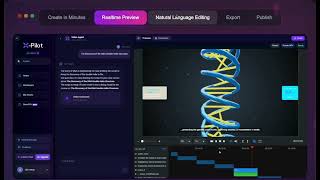
YouTube returned 6 videos for “X-Pilot”, and we withheld 5: 5 could not be judged, because “X-Pilot” is a single word that other videos use for other things. Showing the 1 we can prove is about X-Pilot.
Official links
Tools that pair well with X-Pilot
Common stack mates teams adopt alongside X-Pilot, with the specific reason each pairing earns its keep.

X-Pilot AI
X-Pilot AI turns PDFs, slides, and docs into editable, source-grounded course and training videos with scene-level review before export.

Powtoon
Powtoon's AI video platform turns documents, PDFs, and prompts into branded videos with Veo 3, ElevenLabs, and HeyGen.

Topview AI
AI video agent that turns a prompt, script, product URL, or reference clip into editable marketing videos and vertical micro-dramas.
Featured Head-to-Head Comparisons
X Pilot vs Praktika
Praktika and X-Pilot serve completely different needs: one is for speaking fluency via AI tutors, the other for creating accurate video courses from documents. If you're an intermediate language learner seeking conversational practice, choose Praktika. If you're an educator needing hallucination-free video content from syllabi, choose X-Pilot.
X Pilot vs Splice
Choose Splice if you’re a music producer craving the world’s largest royalty-free sample library and rent-to-own plugins like Serum 2. Choose X-Pilot if you’re an educator or corporate trainer who needs to turn documents into hallucination-free, accurate video courses—especially for technical subjects with formulas or code. They solve totally different problems, so your choice depends entirely on whether you make music or make courses.
Alternatives to X-Pilot
View all
X-Pilot AI
X-Pilot AI turns PDFs, slides, and docs into editable, source-grounded course and training videos with scene-level review before export.

Powtoon
Powtoon's AI video platform turns documents, PDFs, and prompts into branded videos with Veo 3, ElevenLabs, and HeyGen.

Topview AI
AI video agent that turns a prompt, script, product URL, or reference clip into editable marketing videos and vertical micro-dramas.
Frequently Asked Questions
Best-of guides
Used X-Pilot? Help shape our editorial sentiment research.