
xeditai
Multi-model AI workspace where you draft, compare, and refine structured documents across ChatGPT, Claude, and Gemini in one editable
XeditAI is worth a look if you already bounce between ChatGPT and Claude to get a second opinion on the same document — Parallel Mode and Strategy Mode collapse that loop into one editable canvas you own. If you just want a fast single-shot answer or prefer to standardize on one cheap model, this adds more structure than you're likely to use. Treat it as beta software and pilot it on a live document before you move a real workflow onto it.
Verified 4h ago · liveness 54/100 · cite: rightaichoice.com/tools/xeditai
- Founders writing specs, launch docs, and investor material
- Product teams producing PRDs, UX rationale, and release notes
- Creators and educators building blogs, videos, and courses
- Researchers drafting papers, reviews, and structured arguments
- Anyone wanting a fast single-shot chatbot answer
- Writers who prefer one-shot generation with no editing pass
- Teams standardizing on a single low-cost model
We scan live Reddit threads, YouTube comments, X posts, G2 reviews and other communities — and hand you an honest verdict in under a minute.
- Honest verdict, not marketing
- Real pros & cons from real users
- Attributed quotes with receipts
3 free scans · no card needed
Skip XeditAI if you want a fast single-shot answer from one model and never intend to edit, compare, or restructure the output—the editable document and multi-model comparison are the whole point here.
XeditAI advertises that you can test ChatGPT, Claude, Gemini, and Grok free, but the scraped pages carry no published tier list, seat counts, or usage limits, so a budget owner cannot model the ongoing cost from what the vendor currently shows. Treat it as a tool to trial on one real document before committing a team to it.
In short
xeditai — Multi-model AI workspace where you draft, compare, and refine structured documents across ChatGPT, Claude, and Gemini in one editable. Best for Founders writing specs, launch docs, and investor material, Product teams producing PRDs, UX rationale, and release notes, Creators and educators building blogs, videos, and courses. Free to use.
No head-to-head comparison for xeditai yet — the alternatives below are the closest matches we list.
Viability Score
How well maintained and how widely used is xeditai? Built from what the vendor actually publishes (docs, changelog, tutorials, integrations, pricing), whether the site is live, and how much real users discuss it. How we calculate this
Last calculated: October 2026
How we score →Key Features
- Multi-model chat inside one editable document
- Per-section model switching across GPT-4o, o1, Claude 3.5, Opus, Gemini Pro, Sonar, Grok, Qwen, Llama, Kimi, GLM,
- Parallel Mode: run multiple AI models at once and compare outputs side-by-side
- Strategy Mode: chain models with debate, scoring, and synthesis
- Ensemble Synthesis and Debate Arbitration multi-model workflows
- Editable rich-text story editor with structure and media embedding
- Templates for PRDs, BRDs, consulting reports, research summaries, scripts, and startup pitches
- Tone presets: Precise, Balanced, Creative
- Role-based targeting applied per template
- Suggest + Generate workflow with no prompt engineering required
- Cloud persistence for specs, contexts, and generations
- Curate actions: Edit, Regen, Copy, Add sections
- Export finished work to PDF, DOCX, or PPTX
- Browser-based workspace with step-by-step guides and video tutorials
About xeditai
XeditAI is a browser-based multi-model AI workspace that combines chat, a rich-text editor, and structured templates on one editable canvas. Rather than accepting a one-shot answer from a single model, you can target each section individually with the model you think fits it best — OpenAI GPT-4o, o1, Anthropic Claude 3.5, Opus, Google Gemini Pro, Perplexity Sonar, xAI Grok, TogetherAI Qwen and Llama, DeepInfra Kimi and GLM, and OpenRouter MiniMax and Nemotron — then keep what works using Edit, Regen, Copy, and Add sections instead of re-prompting from scratch. Two modes separate it from a standard chatbot. Parallel Mode runs multiple models simultaneously so you can read outputs side-by-side and stitch a composite document, while Strategy Mode chains models together with debate, scoring, and synthesis to converge on a stronger result. The vendor brands this an ensemble and debate-arbitration workflow. Templates and tone presets cover PRDs, BRDs, consulting reports, research summaries, scripts, and startup pitch decks, each with role and tone targeting (Precise, Balanced, Creative) so output matches the artifact you're producing. Cloud persistence stores specs, contexts, and generations in a hierarchy so work is saved and retrievable, and finishing artifacts is a Suggest + Generate flow touted as no prompt engineering required. Finished work exports to PDF, DOCX, or PPTX for stakeholders, publishing, or team handoff. The intended audience is founders, product teams, creators and educators, and researchers iterating on long documents across multiple models. Against single-model tools like ChatGPT or Claude, it trades polish and ecosystem breadth for model choice and an editable, human-owned structure. It is labeled beta on every page and is browser-based.
Behind the Verdict
Where XeditAI earns its place is in the gap between 'ask a chatbot' and 'finish a document.' If you write PRDs, BRDs, consulting reports, or research write-ups and you keep flipping tabs to compare what two models say, Parallel Mode gives you the side-by-side in one place. Strategy Mode goes further, chaining models through debate and scoring before synthesis. In practice, that's the feature we'd actually test first — not because multi-agent debate is magic, but because getting a second model to argue with the first is a genuinely useful editing pass. Pick this when the artifact matters more than the answer. Founders writing specs and investor docs, product teams producing UX rationale and release notes, researchers drafting structured arguments — these are the people who will get value from templated structure plus per-section model switching. The Suggest + Generate flow is pitched as zero prompt engineering; if that holds up on your templates, it lowers the setup cost considerably. Pass on it if your need is a quick question with a quick answer, or if your team has standardized on a single low-cost model and wants nothing to do with choice. The whole premise here is that different models are better at different sections — if you don't believe that, you're paying in complexity for a benefit you won't use. The closest alternative is not another single-model assistant but the habit of running two chatbot tabs and copy-pasting between them. XeditAI's bet is that the editable document, the templates, and the export to DOCX and PPTX are worth switching for. That's a reasonable bet for document-heavy work — less so if your output lives in chat threads. Caveats worth naming: the site labels the product beta everywhere, and it is browser-based, so don't expect a desktop
Researching xeditai? Get your full AI stack in 60 seconds.
Free, no signup — tell us your goal and get tools matched to your budget & existing stack.
Real-world workflow fit
Concrete scenarios for the personas xeditai actually fits — and what changes day-one when you adopt it.
Pick the Startup Pitch template, set tone to Precise, generate an outline with GPT-4o, then switch specific sections to Claude 3.5 and regenerate only the market and traction blocks until the numbers read the way you want.
Outcome: A single editable pitch document with the strongest version of each section, exported to PPTX or PDF for the deck.
Start from the Product Spec template, generate the overview, then run Parallel Mode on the requirements section to see GPT-4o and Gemini Pro side-by-side and copy the better phrasing into your master document.
Outcome: A PRD with requirements you can defend, exported to DOCX for engineering review.
Use Strategy Mode with Ensemble Synthesis to have several models draft the same findings section, then Debate Arbitration to surface where they disagree before you write the final synthesis.
Outcome: A research summary that flags contested points rather than smoothing them over, ready to share or publish.
Use Cases
- Comparing GPT-4o and Claude 3.5 side-by-side to draft a product spec
- Building a research report with Strategy Mode debate and synthesis
- Writing a startup pitch deck from a template with tone presets
- Drafting a BRD and following it through to a feature spec with Follow Up carryover
- Producing a consulting report or research summary for a client deliverable
- Running an OSS LLM evaluation workflow to compare open-model responses
- Iteratively editing multi-model output into a publishable blog or course script
Models Under the Hood
as of 2026-10-16
Limitations
- XeditAI runs in the browser and its cloud persistence, Parallel Mode, and real-time model switching all require an internet connection.
- Every page carries a beta label, so features and interfaces can still change underneath you.
- Multi-model comparison and Strategy Mode are heavier workflows than a single chat call—you spend more time reading and curating, and Parallel Mode multiplies the work per document rather than reducing it.
- The tool is document-centric, so if your task is a one-line answer or a quick lookup, the editor is overhead rather than help.
as of 2026-09-29
Verification history
We have re-verified xeditai 21 times since . Each pass re-reads the vendor's own pages and re-checks every listed field against that evidence; passes where nothing had changed are marked as such.
- — re-checked, vendor evidence unchanged
- — re-verified summary, description, our verdict, our analysis, pricing model, pricing tiers, features, integrations, who it suits, who should skip it
- — re-checked, vendor evidence unchanged
- — re-checked, vendor evidence unchanged
- — re-checked, vendor evidence unchanged
- — re-checked, vendor evidence unchanged
Showing the 6 most recent of 21 verification passes.
Free to cite with attribution — this page re-verifies continuously.
12-month cost
Project the real annual outlay, including the implied monthly cost when only an annual tier is published.
Vendor list price only. Add-on usage, seat overages, and contract minimums are surfaced under Hidden costs & gotchas.
Where the pricing makes sense
The company stage and team size where xeditai's pricing actually pencils out — and where peers do it cheaper.
XeditAI advertises that you can test ChatGPT, Claude, Gemini, and Grok free, but the scraped pages carry no published tier list, seat counts, or usage limits, so a budget owner cannot model the ongoing cost from what the vendor currently shows. Treat it as a tool to trial on one real document before committing a team to it.
Setup time & first value
How long it actually takes to get something useful out of xeditai — broken out by persona, not the marketing-page minute.
Sign-up to first artifact is minutes because you pick a model and a template, then click Suggest + Gen rather than writing prompts yourself. Expect 15-20 minutes to internalize the editor and around 25-30 minutes on Strategy Mode's Ensemble Synthesis and Debate Arbitration before you trust it on live work.
Switching to or from xeditai
How to bring data in from common predecessors and how to get it back out — written for the switcher, not the buyer.
- →From ChatGPT or Claude chat: paste your existing draft into the editor and keep refining it with Edit, Regen, and section-level model switching instead of starting a new thread.
- →From Notion or Google Docs: move the document into the editable story editor, then use templates to restructure it into the sections the model expects.
- →From a static AI writing tool: replace one-shot generation with the curate loop (Edit, Regen, Copy, Add sections) and export to PDF, DOCX, or PPTX when done.
- ↗To ChatGPT or Claude: export your finished document to PDF or DOCX and continue the conversation there, losing the per-section model switching and Parallel Mode comparison.
- ↗To Notion or Google Docs: export to DOCX and paste in to keep collaborative editing, giving up in-document generation.
- ↗To a single-model writing tool: export to DOCX or PPTX and rebuild your templates there, losing Strategy Mode's debate and scoring passes.
Resources & Guides
Tutorials & Learning
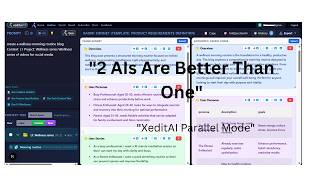
The AI Workflow That Creates Perfect Documents (Stop Wasting Time)
xeditai

xeditai.com #aitools #aiworkflow #trading #crypto #reddit #claude #chatgpt #productivity #coding
xeditai
YouTube returned 6 videos for “xeditai”, and we withheld 4: 4 could not be judged, because “xeditai” is a single word that other videos use for other things. Showing the 2 we can prove are about xeditai.
Official links
Tools that pair well with xeditai
Common stack mates teams adopt alongside xeditai, with the specific reason each pairing earns its keep.
Shortly AI
One chat workspace that runs 100+ AI models — Gemini, ChatGPT, Claude, Mistral, DeepSeek and Grok — on a single subscription.
SlidesAI
SlidesAI turns notes, prompts, PDFs and docs into editable Google Slides or PowerPoint decks, inside the tools you already use.

Z.ai
Z.ai is a free browser AI assistant and code generator built on the open-weights GLM model family.
Alternatives to xeditai
View allShortly AI
One chat workspace that runs 100+ AI models — Gemini, ChatGPT, Claude, Mistral, DeepSeek and Grok — on a single subscription.
Frequently Asked Questions
Best-of guides
Used xeditai? Help shape our editorial sentiment research.