
Zoomscape AI
AI-generated Zoom backgrounds from text prompts — 200 HD backgrounds for a one-time $10 payment, no subscription.
If your only goal is a distinctive video-call backdrop and you don't want another monthly charge, Zoomscape AI is a straightforward buy: a one-time $10 payment against 200 AI-generated backgrounds, unlimited gallery downloads and HD exports, according to the vendor's own homepage copy. That beats a design subscription for a single-purpose need, and it is meaningfully more specific than Canva or Adobe Express, which will happily generate a background but make you assemble the rest yourself. The trade-offs are real: it is browser-only, the branding features (custom text, logo integration) are still listed as coming soon, and if you need offline assets or a team-wide design system, a general
Verified 2d ago · liveness 62/100 · cite: rightaichoice.com/tools/zoomscape-ai
- Remote workers who want a personalized video-call backdrop
- Freelancers and consultants on frequent client calls
- Content creators who want a distinctive on-camera look
- Individuals who prefer a one-time purchase to another subscription
- Teams that need logo and custom-text branding on backgrounds today, since those features are still listed as coming soon
- Video editors doing complex background manipulation
- Users who need offline or desktop app access
We scan live Reddit threads, YouTube comments, X posts, G2 reviews and other communities — and hand you an honest verdict in under a minute.
- Honest verdict, not marketing
- Real pros & cons from real users
- Attributed quotes with receipts
3 free scans · no card needed
Skip Zoomscape AI if you need your own logo and custom text baked into backgrounds today — the homepage still lists both as coming soon — or if you need a desktop or offline workflow.
The advertised structure is a one-time $10 payment for 200 AI-generated backgrounds, unlimited gallery downloads and HD quality, with no subscription — which suits an individual who wants a backdrop library once rather than a recurring design-tool fee. If your needs extend beyond video-call backdrops into decks, thumbnails or photo editing, a general design suite is the more sensible spend, because this tool will not cover that ground.
In short
Zoomscape AI — AI-generated Zoom backgrounds from text prompts — 200 HD backgrounds for a one-time $10 payment, no subscription. Best for Remote workers who want a personalized video-call backdrop, Freelancers and consultants on frequent client calls, Content creators who want a distinctive on-camera look. Free to start; paid plans from $10.
What people actually say about Zoomscape AI — is it worth it?
We ran a structured research pass across product reviews, community discussions, and post-purchase forum threads to surface the patterns vendors won't publish themselves. Below: the recurring strengths, the hidden costs people mention most, and the cohort that consistently regrets adopting this tool.
18 mentions across 2 sources (YouTube, Product Hunt), 3 more we could not attribute · researched Sep 23, 2026.
Weighted by the 21 posts each of 2 sources contributed.
- +One-time $10 Pro price with no subscription — repeatedly the most-praised detail
- +Prompt-to-background in seconds makes it approachable for absolute beginners
- +200 AI backgrounds delivered instantly on Pro feels like strong value
- +Community gallery lets free users browse and share backgrounds
- +Web-based with no install — works on any machine with a browser
- −No community activity after mid-2023 — product may be abandoned or frozen
- −Brand logo and custom text overlays still 'coming soon,' never verified as shipped
- −Only generates 16:9-ish Zoom crops; users asked for other aspect ratios and got no answer
- −No animated or video backgrounds despite direct user requests
- −No Zoom Marketplace app, so every background is a manual download-upload loop
- • No hidden costs reported — the one-time model was specifically praised
- • Potential implicit cost: if generation quality keeps aging, you may re-buy elsewhere
Viability Score
How well maintained and how widely used is Zoomscape AI? Built from what the vendor actually publishes (docs, changelog, tutorials, integrations, pricing), whether the site is live, and how much real users discuss it. How we calculate this
Last calculated: September 2026
How we score →Key Features
- AI background generation from text prompts
- 200 AI-generated backgrounds included in the paid package
- Unlimited gallery downloads on the paid package
- HD quality exports
- Instant delivery, advertised at about six seconds per background
- Web-based, nothing to install
- Community gallery of backgrounds shared by other users
- Download for use as a Zoom virtual background
- Download for use in Google Meet
- Custom text and slogan integration (listed as coming soon)
- Brand logo integration into generated environments (listed as coming soon)
- Choice of home office or in-office setting for branded backdrops (announced with the branding feature)
About Zoomscape AI
Zoomscape AI is a web-based generator that turns a text description into a custom virtual background for video calls. You describe what you want, the AI produces the image (the site advertises roughly six seconds per result), you download the ones you like, and you upload them to Zoom. It is aimed at remote workers, freelancers and small teams who want their video-call window to say something about them rather than showing the same stock office everyone else uses. The site reports 44,896 backgrounds created for 15,021 customers. The paid package is a one-time $10 payment — the homepage lists 200 AI-generated backgrounds, unlimited gallery downloads and HD quality, with no subscription. A community gallery lets you browse and share other people's backgrounds. Two features are flagged as coming soon: uploading your own logo into generated environments, and custom text and slogan integration for branded backdrops. Zoomscape is deliberately narrow — it does backgrounds and only backgrounds, which is the difference between it and a general design tool like Canva or Adobe Express. It runs in the browser only, so there is no desktop or mobile app and you need a connection to use it.
Behind the Verdict
Zoomscape AI does one job and does it without ceremony. You type a description of the room or scene you want behind you, the AI returns an image, you download it, you upload it to Zoom. The vendor puts the generation time at around six seconds, and the homepage's whole pitch is built around that speed — 44,896 backgrounds created for 15,021 customers, with the four-step flow (define, generate, download, upload) repeated twice on the page. The commercial model is the most interesting part: a one-time $10 payment for 200 AI-generated backgrounds, unlimited gallery downloads and HD quality, with the homepage stating plainly that there is no subscription. For a freelancer or remote employee who wants a rotating set of backdrops and resents another recurring line item, that structure is the reason to choose it over a design suite. Strengths: the scope is narrow enough that there is nothing to learn — no layers, no canvas, no export settings beyond HD. The community gallery gives you a second source of images beyond your own prompts, and gallery downloads are unlimited on the paid package. The output is built specifically for the small rectangle of a video call, which is the exact constraint general design tools ignore. Weaknesses and where it does not fit: it is a web-only tool, so there is no desktop or mobile app and no offline use. The two capabilities that would make it useful for teams rather than individuals — logo integration and custom text or slogans — are both still labelled coming soon on the homepage, so a team wanting a cohesive branded backdrop cannot rely on them today. And it is not a general design tool: if you need thumbnails, slide decks or a photo edit, Canva or Adobe Express cover that ground and this does not. For enterprises weighing SSO and admin controls, this is the wrong category of product.
Researching Zoomscape AI? Get your full AI stack in 60 seconds.
Free, no signup — tell us your goal and get tools matched to your budget & existing stack.
Real-world workflow fit
Concrete scenarios for the personas Zoomscape AI actually fits — and what changes day-one when you adopt it.
You type a description of the kind of room you want behind you, let the generator produce a set of options, download the two or three you like, and upload them as virtual backgrounds in Zoom before your first call.
Outcome: You have a rotating set of backdrops you can swap between clients instead of the same default office image, with no design work and no recurring fee.
You generate several thematically different backgrounds — one neutral, one colorful — and switch them out depending on the guest or the topic of the episode.
Outcome: Your on-camera look changes episode to episode without buying physical set pieces or learning a design tool.
One person generates a set of backgrounds in a consistent style from a handful of prompts and shares the downloads with the rest of the team, who each set them in their own Zoom client.
Outcome: The team looks visually consistent on the call even though each person is calling from a different room — though logo and custom-text overlays are not available until those features ship.
Use Cases
- Generate a background that reflects your hobbies during client calls
- Create a branded backdrop for your team's weekly standup
- Design seasonal or event-specific backgrounds for webinars
- Produce a professional-looking backdrop without a physical studio setup
- Swap backgrounds between meetings so recurring calls don't look identical
Limitations
- Web-only: there is no desktop or mobile app, and the tool needs an internet connection, so you cannot generate or manage backgrounds offline.
- The two features that would extend it beyond personal use — uploading your own logo into generated environments and adding custom text or slogans — are both still marked coming soon on the homepage, so branded team backdrops are not something you can rely on now.
- The paid package is described as 200 AI-generated backgrounds rather than an unlimited generation allowance, so heavy experimentation has a ceiling.
- It is also a single-purpose tool: it makes video-call backgrounds and nothing else, so any other design work still needs a separate product.
as of 2026-09-27
Verification history
We have re-verified Zoomscape AI 8 times since . Each pass re-reads the vendor's own pages and re-checks every listed field against that evidence; passes where nothing had changed are marked as such.
- — re-checked, vendor evidence unchanged
- — re-checked, vendor evidence unchanged
- — re-checked, vendor evidence unchanged
- — re-checked, vendor evidence unchanged
- — re-checked, vendor evidence unchanged
- — re-verified summary, description, our verdict, our analysis, pricing model, pricing tiers, features, integrations, who it suits, who should skip it
Showing the 6 most recent of 8 verification passes.
Free to cite with attribution — this page re-verifies continuously.
12-month cost
Project the real annual outlay, including the implied monthly cost when only an annual tier is published.
Vendor list price only. Add-on usage, seat overages, and contract minimums are surfaced under Hidden costs & gotchas.
Where the pricing makes sense
The company stage and team size where Zoomscape AI's pricing actually pencils out — and where peers do it cheaper.
The advertised structure is a one-time $10 payment for 200 AI-generated backgrounds, unlimited gallery downloads and HD quality, with no subscription — which suits an individual who wants a backdrop library once rather than a recurring design-tool fee. If your needs extend beyond video-call backdrops into decks, thumbnails or photo editing, a general design suite is the more sensible spend, because this tool will not cover that ground.
Setup time & first value
How long it actually takes to get something useful out of Zoomscape AI — broken out by persona, not the marketing-page minute.
For an individual: a few minutes. You sign in, type a prompt, wait roughly six seconds for a generation, download what you like and upload it as a virtual background in Zoom — there is no software to install. For a small team doing this manually per person, budget a short session to agree on a style and distribute the downloaded files, since background assignment happens in each person's own Zoom
Switching to or from Zoomscape AI
How to bring data in from common predecessors and how to get it back out — written for the switcher, not the buyer.
- →From a stock photo library: pick or generate a background here, download the HD file, and upload it in Zoom instead of browsing stock sites.
- →From Canva or a similar design tool: generate the backdrop directly from a prompt rather than composing one from templates and layers.
- ↗To Canva or Adobe Express: move over when you need the backdrop to be one asset inside a broader brand kit covering decks, thumbnails and social posts.
Resources & Guides
Tutorials & Learning
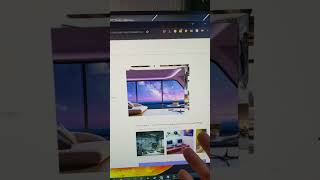
Awesome Streamer Tools Part 14 - ZoomScape.ai #shorts
LTColSmash
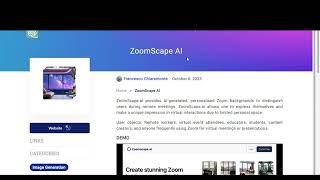
Beyond the Blank Wall: ZoomScape.ai - Where AI Paints Your Virtual Persona
chatgptdemofree
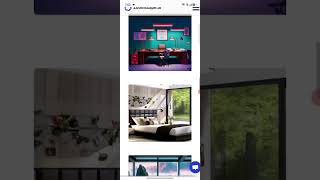
Revolutionize Your Zoom Meetings with ZoomScape.AI | Virtual Backgrounds Like Never Before!
Droll Depot
YouTube returned 6 videos for “Zoomscape AI”, and we withheld 3: 3 could not be judged, because “Zoomscape AI” is a single word that other videos use for other things. Showing the 3 we can prove are about Zoomscape AI.
Official links
Tools that pair well with Zoomscape AI
Common stack mates teams adopt alongside Zoomscape AI, with the specific reason each pairing earns its keep.
Playground AI
AI design studio that turns text prompts into logos, stickers, t-shirts, and print-ready merch
Magician
Magician is an AI Figma plugin for generating editable vector icons, UI copy, and images from text prompts.

Microsoft Designer
Microsoft Designer turns text prompts into social graphics and flyers inside Microsoft 365.
Featured Head-to-Head Comparisons
Zoomscape Ai vs Adobe Firefly Services
For a remote worker or freelancer wanting unique video call backgrounds quickly, Zoomscape AI is the simpler, cheaper choice. But if you're an enterprise team needing to automate thousands of images with legal safety and compliance, Adobe Firefly Services is the clear winner — despite its developer-centric approach and usage costs.
Zoomscape Ai vs Qoves
Choose QOVES if you want a research-backed, non-surgical facial enhancement plan rooted in deep biometric analysis. Choose Zoomscape AI if you need quick, personalized backgrounds for video calls at low or no cost. They serve entirely different needs.
Zoomscape Ai vs The New Black
If you're a fashion apparel brand needing AI design from concept to production, The New Black is the clear choice with tech pack exports and virtual try-on. For remote workers wanting unique video call backgrounds, Zoomscape AI is cheaper and purpose-built for that narrow use case. Buy for your niche, not for general AI image generation.
Alternatives to Zoomscape AI
View allPlayground AI
AI design studio that turns text prompts into logos, stickers, t-shirts, and print-ready merch
Magician
Magician is an AI Figma plugin for generating editable vector icons, UI copy, and images from text prompts.

Microsoft Designer
Microsoft Designer turns text prompts into social graphics and flyers inside Microsoft 365.
Frequently Asked Questions
Categories
Best-of guides
Topics
Used Zoomscape AI? Help shape our editorial sentiment research.