Pieces for Developers vs Terracotta AI
Side-by-side comparison of features, pricing, and ratings
At a glance
| Dimension | Pieces for Developers | Terracotta AI |
|---|---|---|
| Primary Function | Automatic personal workflow memory & search | Infrastructure-as-code governance for PRs |
| Integrations | Chrome, VS Code, JetBrains, Slack, Zoom, Gmail, Copilot, Cursor, Claude, Codex, Antigravity | GitHub, GitLab, Slack, Terraform, OpenTofu, Pulumi, CloudFormation, AWS, GCP, Azure |
| Key Feature | Automatic capture every 2 sec; LTM-2.5 engine; audio meeting capture; MCP server | IaC security & compliance checks; drift detection; cost analysis; auto-remediation PRs |
| Target User | Developers, teams, researchers, LLM assistant users | DevOps, platform teams, security engineers, regulated organizations |
| Privacy | On-device memory; granular controls (pause, delete, app-level disable) | Audit trail; fleet-wide governance dashboard |
If you need to remember every piece of context across your dev workflow—code, chats, meetings—Pieces for Developers is the auto-memory you didn't know you needed. If you're responsible for shipping Terraform safely and staying compliant, Terracotta AI's automated PR checks and drift detection are indispensable. They solve entirely different problems; choose based on whether your pain is 'I can't find that snippet' or 'I can't let that misconfig hit production.'
Pieces for Developers captures your focused app every 2 seconds, building an on-device AI memory layer you can query or pipe into any
Visit Website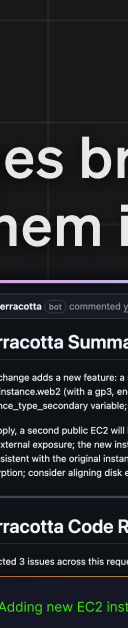
Terracotta AI reviews every Terraform pull request for security, compliance, cost, and drift — inside the PR, before you merge.
Visit WebsiteWhat real users say: Pieces for Developers vs Terracotta AI
Not marketing copy and not our opinion — a structured sweep of public discussion (reviews, forums, communities and video comments), showing what people praise and what they complain about for each tool.
Pieces for Developers
59 mentions across 3 sources · 58% positive — mixed (averaged across 3 sources)
YouTube, Product Hunt, Lemmy
What users praise
- • Automatic capture creates a searchable memory without manual logging.
- • MCP server integration feeds context into Claude, Cursor, Codex, and more.
- • Privacy-first design with on-device storage and granular controls.
- • Audio capture for meetings transcribes and stores call decisions.
What frustrates them
- • Constant capture may raise privacy concerns for sensitive work.
- • Performance overhead from capturing every 2 seconds could be an issue.
- • Primarily desktop; mobile capture is missing for on-the-go users.
- • Learning curve to configure privacy controls and integrations.
Researched Aug 24, 2026
Terracotta AI
14 mentions across 2 sources · 40% positive — mixed (averaged across 2 sources)
Hacker News, Lemmy
What users praise
- • Specialized in IaC — understands Terraform, Pulumi, CloudFormation semantics.
- • Natural language policy creation avoids complex scripting.
- • Y Combinator backed — some pedigree in startup execution.
- • Freemium model lowers barrier for individual developers.
What frustrates them
- • No independent user reviews or testimonials available.
- • Only found a single founder post — no real community.
- • Limited to three IaC frameworks — no CDK or Ansible.
- • Effectiveness at scale is completely unproven.
Researched Jul 3, 2026
Who should pick which
- Solo developer who context-switches oftenPick: Pieces for Developers
Automatically captures code, chats, and docs into a searchable timeline, so you never lose a thought. Free tier holds 9 months of history.
- DevOps engineer managing 50+ Terraform reposPick: Terracotta AI
Automates security, compliance, cost, and drift checks on every PR, surfacing issues as inline comments without pipeline changes.
- Team onboarding new membersPick: Pieces for Developers
Agentic long-term memory and scheduled summaries help new hires catch up on past decisions and workflow context quickly.
- Security engineer in a regulated industryPick: Terracotta AI
CIS/SOC2 rule libraries, tamper-evident audit trail, and auto-remediation PRs provide the compliance evidence required for audits.
- Developer using ChatGPT/Claude for codingPick: Pieces for Developers
The Pieces MCP Server feeds your captured context into the AI, reducing repetitive explanations and grounding suggestions in your actual codebase.
Frequently Asked Questions
Pieces for Developers vs Terracotta AI: which should you choose?
If you need to remember every piece of context across your dev workflow—code, chats, meetings—Pieces for Developers is the auto-memory you didn't know you needed. If you're responsible for shipping Terraform safely and staying compliant, Terracotta AI's automated PR checks and drift detection are indispensable. They solve entirely different problems; choose based on whether your pain is 'I can't find that snippet' or 'I can't let that misconfig hit production.'
Can Pieces for developers capture audio from meetings?
Yes, opt-in audio capture for Zoom, Google Meet, and Teams was added in February 2026; it transcribes and indexes conversations into your memory timeline.
Does Terracotta AI support Kubernetes manifests?
No—Terracotta is Terraform/OpenTofu/Pulumi/CloudFormation-centric. It does not manage Kubernetes YAML or application code.
Is Pieces for Developers memory stored in the cloud?
No, memories stay on-device by default. You have granular privacy controls to pause, delete, or disable capture per app.
Can Terracotta AI automatically fix violations?
Yes, it can open a fix PR on the branch for detected issues, via its auto-remediation feature.
What happens to Pieces for Developers memory after 9 months?
The free tier stores 9 months of history. The Team plan likely extends retention, but pricing isn't disclosed in the data.
Does Terracotta AI integrate with GitLab?
Yes, it integrates with both GitHub and GitLab as Git providers, posting inline PR comments.
Can Pieces for Developers search across my Git history?
It captures from VS Code, JetBrains, and other code editors, so git diffs visible in those apps are indexed, but it's not a git-history search—it's a timeline of what you saw.
What cloud providers does Terracotta AI support?
Multi-cloud: AWS, GCP, and Azure. Drift detection covers 119 AWS resource types.
More Pieces for Developers or Terracotta AI comparisons
Spider Cloud and Terracotta AI serve completely different domains: Spider Cloud is for AI agents needing real-time web data extraction, while Terracotta AI is for DevOps teams enforcing IaC security a
If you’re a developer overwhelmed by context-switching across chat, code, and meetings, Pieces gives you a searchable memory layer that works offline and respects privacy. If you’re extending SAP with
These tools solve entirely different problems. If you need to quickly turn an image into editable Three.js code for prototyping, Image to Threejs is your go-to. If you're a developer drowning in conte
Temporal AI and Terracotta AI serve completely different purposes: Temporal is for building reliable, stateful workflows (AI agents, microservices) with durable execution, while Terracotta is a narrow
Choose Voyage AI if your priority is high-accuracy retrieval for RAG on domain-specific enterprise data (finance, legal, code) and you need long-context, low-dimensional embeddings. Choose Terracotta
Choose Pieces if you're a developer who needs automatic, searchable recall of your workflow across apps. Choose Medo if you want to build apps without coding from natural language or files. They serve
Explore each tool further
Browse these categories
One email a week — new tools, honest comparisons, no spam.
Last reviewed: July 30, 2026