
Animaker Subtitles
Animaker's AI auto subtitle generator adds styled, animated captions to your video in one click and translates them into 134 languages.
Animaker Subtitles is a sensible pick if your captions need to look good, not just be accurate. The one-click 'Auto Subtitle' flow, the text editor for font/colour/size/positioning and the 20+ subtitle animations are the reasons to choose it over plainer transcription tools, and the 134-language auto-translate makes it easy to run one video across several markets. It is weakest for people who live in a subtitle timeline: there is no multi-track editing, and full use of the tool happens inside the Animaker workspace. If your priority is raw transcript accuracy and repurposing, look at Descript; if you want general cloud video editing with captions, look at Kapwing. Budget for exports — the
Verified 36m ago · liveness 68/100 · cite: rightaichoice.com/tools/animaker-subtitles
- Social media content creators
- Marketers running multi-language campaigns
- Educators and course creators
- Small businesses captioning their own video
- Editors who need multi-track timeline subtitle editing
- Anyone producing live streams that need real-time captions
- Buyers who want a standalone subtitle tool outside the Animaker ecosystem
We scan live Reddit threads, YouTube comments, X posts, G2 reviews and other communities — and hand you an honest verdict in under a minute.
- Honest verdict, not marketing
- Real pros & cons from real users
- Attributed quotes with receipts
3 free scans · no card needed
Skip Animaker Subtitles if you need multi-track subtitle timing on long-form video or a standalone desktop app — the caption editor here is caption-level and lives inside the Animaker browser workspace.
Exceeding your monthly Premium Exports quota is charged per video — $20 each on Basic, $15 on Starter, $10 on Pro — so a busy month gets expensive fast.
The self-serve tiers are priced for individual creators and small marketing teams: Basic at $10/mo and Starter at $19/mo are in the same range as Kapwing-style cloud editors, while Pro at $49/mo sits above many single-purpose subtitle tools and only makes sense when you need 2K output and 30 exports a month. Freelancers captioning a handful of videos a month will find Basic or Starter sufficient; agencies with heavy export volume should price Enterprise against Descript or Kapwing team plans
In short
Animaker Subtitles — Animaker's AI auto subtitle generator adds styled, animated captions to your video in one click and translates them into 134 languages. Best for Social media content creators, Marketers running multi-language campaigns, Educators and course creators. Free to start; paid plans from $10/mo.
What people actually say about Animaker Subtitles — is it worth it?
We ran a structured research pass across product reviews, community discussions, and post-purchase forum threads to surface the patterns vendors won't publish themselves. Below: the recurring strengths, the hidden costs people mention most, and the cohort that consistently regrets adopting this tool.
24 mentions across 2 sources (YouTube, Product Hunt) · researched Aug 21, 2026.
Average across the 2 sources that answered — each source counts once, not each post.
- +AI auto subtitles in one click saves hours of manual work.
- +Supports 134 languages with auto-translate for global reach.
- +20+ subtitle animation styles for engaging, branded videos.
- +Beginner-friendly three-step workflow: upload, generate, customize.
- +Full text editor for font, color, size, and positioning control.
- −Dangerous auto-renewal billing caught a user off guard with $1,200.
- −Free tier limits are unclear; users ask if AI subtitles are free.
- −Full editing power requires staying inside Animaker's platform.
- −Community support responses seem limited or delayed.
- −Manual subtitle entry is available but less automated than rivals.
- • Auto-renewal can incur large annual charges if not canceled (reported $1,200 case)
- • Free tier may force a watermark or limit AI subtitle usage
- • Commercial licensing of subtitles may require upgrading tiers
Viability Score
How well maintained and how widely used is Animaker Subtitles? Built from what the vendor actually publishes (docs, changelog, tutorials, integrations, pricing), whether the site is live, and how much real users discuss it. How we calculate this
Last calculated: October 2026
How we score →Key Features
- AI auto subtitle generation from uploaded video, triggered by one click on 'Auto Subtitle'
- Auto-translate subtitles into 134 languages
- 20+ subtitle animation styles
- Full-featured text editor for font, colour, size and positioning
- Manual subtitling for hand-written and hand-timed captions
- Export video with subtitles embedded
- Export subtitles as an SRT file
- Drag-and-drop video upload
- Browser-based online tool, no install required
- Free forever plan with no credit card required
- Resize videos (Starter plan and above)
- Create folders to organise projects (Starter plan and above)
- Custom character builder (Basic plan and above)
- Premium stock assets from the Animaker premium bundle (Basic plan and above)
- Premium music track downloads (Basic plan and above)
About Animaker Subtitles
Animaker Subtitles is an online auto subtitle generator inside the Animaker video platform. You upload a video by drag-and-drop, click 'Auto Subtitle', and Animaker's AI recognises the speech and adds subtitles to your video in a single step. From there a full-featured text editor lets you change font, colour, size and positioning to match brand guidelines, and you can apply more than 20 subtitle animation styles. Auto-translate covers 134 languages, so a single recording can be captioned for viewers in multiple markets, and manual subtitling is available if you would rather write and time the captions yourself. Finished videos can be downloaded with subtitles burned in, or exported as an SRT file. It sits inside the wider Animaker ecosystem — the same account also gives you the Animaker video maker, Vmaker AI, the Avatar Maker and the Picmaker social media tool — and Animaker states it has helped over 30M+ people create videos. It is aimed at social media creators, marketers, educators and small businesses who want attractive captions fast, rather than at editors who need a multi-track subtitle timeline. Because editing happens in Animaker's browser workspace, full use of the tool means working inside that platform rather than through a standalone desktop app.
Behind the Verdict
The core of Animaker Subtitles is deliberately narrow: upload, click 'Auto Subtitle', get captions. That is the right shape for the job most buyers actually have — a recorded lecture, a product demo, a YouTube upload, a training video that needs captions today rather than after a transcription-and-styling session. The text editor is where it earns its place among subtitle tools: you can adjust the font, colour, size and positioning of each caption so the subtitles match a brand style guide instead of looking bolted on, and the 20+ animation styles let captions behave like a design element. For social video, where subtitles are often a retention device as much as an accessibility feature, that combination is more useful than a plain SRT. Auto-translate to 134 languages is the other standout — a single recording can be captioned for several language markets without a separate translation pass, which matters to marketers and educators distributing the same video widely. Manual subtitling is there for people who want to write and time captions by hand. The honest trade-offs are structural. This is an online tool, so it needs a connection; the free plan renders subtitles but your export carries a watermark; and the paid ladder is really an export-and-resolution ladder, with Basic at $10/mo giving 720p and 5 Premium Exports per month, Starter at $19/mo giving 1080p and 10 exports, and Pro at $49/mo giving 2K and 30 exports — each with a per-extra-export fee ($20 on Basic, $15 on Starter, $10 on Pro). Animaker's pricing page also shows a promotional yearly rate on Starter (yearly $19/mo, you pay $228 yearly) against a monthly rate quoted at $35/mo, so annual commitment is where the discount lives; check which rate applies before you commit. Because editing lives inside Animaker, teams already using Vmaker AI, the Avatar Maker or the Animaker video maker get a coherent workflow, while anyone who only wants subtitles pays for a broader video suite. Buyers needing multi-track subtitle editing, subtitle timing precision on long films, or a standalone desktop app should look at Descript or dedicated subtitle software instead.
Researching Animaker Subtitles? Get your full AI stack in 60 seconds.
Free, no signup — tell us your goal and get tools matched to your budget & existing stack.
Real-world workflow fit
Concrete scenarios for the personas Animaker Subtitles actually fits — and what changes day-one when you adopt it.
You drop a finished 60-second vertical clip into Animaker, click 'Auto Subtitle', pick one of the 20+ animation styles, brand the caption font and colour, then download the captioned video for posting.
Outcome: A styled, muted-autoplay-friendly clip goes out the same session, with captions that look designed rather than auto-generated.
You upload one product demo, auto-generate the English subtitles, then use auto-translate to produce captioned versions in several of the 134 supported languages and download each cut.
Outcome: One recording serves several language markets without a separate translation and re-timing pass.
You caption a recorded lecture or training module with 'Auto Subtitle', fix any wording in the text editor, and export both the captioned video and the SRT file for your LMS.
Outcome: Accessible, searchable course material plus a subtitle file you can reuse or hand to another editor.
Use Cases
- Add subtitles to a recorded lecture so students can follow along without headphones.
- Translate a product demo into multiple languages to reach viewers in other markets.
- Apply animated caption styles to a social media clip to hold attention on mute.
- Write and time subtitles by hand for a film or documentary project.
- Subtitle a YouTube upload so it meets accessibility expectations.
- Caption employee training videos so the content is searchable and skimmable.
- Export an SRT file to hand off subtitles to another editing tool.
Limitations
- Animaker Subtitles runs in the browser, so you need a stable internet connection to caption a video.
- The free forever plan exports with a watermark; paid plans lift that and raise both export limits and resolution — Basic is 720p, Starter 1080p and Pro 2K.
- Export allowances are modest at each tier (5, 10 and 30 Premium Exports per month respectively), and going over costs $20, $15 or $10 per additional export depending on plan.
- Subtitle editing is caption-level rather than timeline-level: there is no multi-track subtitle editing, so long-form film work is out of scope.
- Full customisation of a project happens inside the Animaker workspace rather than in a standalone tool.
as of 2026-10-08
Verification history
We have re-verified Animaker Subtitles 9 times since . Each pass re-reads the vendor's own pages and re-checks every listed field against that evidence; passes where nothing had changed are marked as such.
- — re-checked, vendor evidence unchanged
- — re-checked, vendor evidence unchanged
- — re-checked, vendor evidence unchanged
- — re-checked, vendor evidence unchanged
- — re-verified summary, description, our verdict, our analysis, pricing model, pricing tiers, features, integrations, who it suits, who should skip it
- — re-checked, vendor evidence unchanged
Showing the 6 most recent of 9 verification passes.
Free to cite with attribution — this page re-verifies continuously.
12-month cost
Project the real annual outlay, including the implied monthly cost when only an annual tier is published.
Vendor list price only. Add-on usage, seat overages, and contract minimums are surfaced under Hidden costs & gotchas.
Plans compared
For each published Animaker Subtitles tier: who it actually fits, and what it adds vs. the previous tier. Cross-reference the cost calculator above for projected annual outlay.
Free
$0/mo
Ideal for
A creator testing auto subtitles on one or two personal videos before spending anything.
What this tier adds
Free entry point with AI auto subtitles, manual subtitling, animations and 134-language auto-translate, but exports carry an Animaker watermark.
Basic
$10/mo
Ideal for
A hobbyist or solo creator posting occasional 720p videos who needs watermark-free output.
What this tier adds
Adds 720p quality and 5 Premium Exports per month, plus a custom character builder and stock/assets bundles; extra exports cost $20 each.
Starter
$19/mo
Ideal for
A working social creator or small marketer publishing regularly at 1080p.
What this tier adds
Raises output to 1080p and 10 Premium Exports per month, adds video resizing and folder creation, and lowers the extra-export rate to $15.
Pro
$49/mo
Ideal for
A marketer or agency producing 2K video at volume who needs a larger monthly export allowance.
What this tier adds
Raises output to 2K and 30 Premium Exports per month, expands custom characters to 30 and assets to 45/mo, and drops the extra-export rate to $10.
Enterprise
Contact Us
Ideal for
Organisations that need unlimited 4K exports and unlimited custom characters.
What this tier adds
Goes beyond the self-serve ceiling with unlimited 4K video exports, unlimited custom characters and a larger premium asset bundle; priced on contact.
Where the pricing makes sense
The company stage and team size where Animaker Subtitles's pricing actually pencils out — and where peers do it cheaper.
The self-serve tiers are priced for individual creators and small marketing teams: Basic at $10/mo and Starter at $19/mo are in the same range as Kapwing-style cloud editors, while Pro at $49/mo sits above many single-purpose subtitle tools and only makes sense when you need 2K output and 30 exports a month. Freelancers captioning a handful of videos a month will find Basic or Starter sufficient; agencies with heavy export volume should price Enterprise against Descript or Kapwing team plans
Setup time & first value
How long it actually takes to get something useful out of Animaker Subtitles — broken out by persona, not the marketing-page minute.
Sign-up to first captioned video is minutes: create a free Animaker account, drag and drop your file, and click 'Auto Subtitle'. Expect longer on long recordings, since you should review the generated text and timing before export. Social creators can be posting inside a single session; educators captioning an hour-long lecture should budget review time on top of generation.
Switching to or from Animaker Subtitles
How to bring data in from common predecessors and how to get it back out — written for the switcher, not the buyer.
- →From YouTube's built-in captions: download the SRT, then re-style it in Animaker's text editor if you want animated, brand-matched captions.
- →From a manual transcription workflow: upload the video and replace the hand-typed script with 'Auto Subtitle' output, editing only the errors.
- →From Kapwing: re-upload your source video and rebuild the caption styling with Animaker's 20+ subtitle animations.
- ↗To Descript: export your Animaker SRT file and import it alongside the source video for transcript-driven editing.
- ↗To Kapwing: take the SRT export from Animaker and apply captions in Kapwing's editor if you need its timeline tools.
- ↗To a video editor such as Premiere or DaVinci Resolve: download the SRT and import it as a subtitle track in your NLE.
Integrations
Resources & Guides
Tutorials & Learning
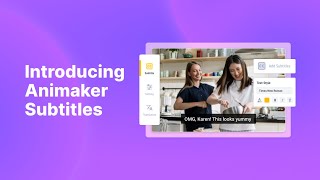
Introducing Animaker Subtitles!
Animaker
How to generate subtitles automatically in Animaker
Swift Elearning Services
YouTube returned 6 videos for “Animaker Subtitles”, and we withheld 4: 4 did not mention Animaker Subtitles. Showing the 2 we can prove are about Animaker Subtitles.
Official links
Tools that pair well with Animaker Subtitles
Common stack mates teams adopt alongside Animaker Subtitles, with the specific reason each pairing earns its keep.

Capzy
AI subtitle generator that turns videos up to an hour long into SRT captions with translation to 60+ languages.

Auto Caption Video Subtitles
Mobile app that adds on-device AI captions to short-form video in 99+ languages with 40+ animated styles.

Nova A.I.
Browser-based online video editor with auto subtitles, 75-language translation, text-to-speech voiceovers, and one-click social resizing.
Featured Head-to-Head Comparisons
Animaker Subtitles vs Splice
Choose Splice if you need royalty-free samples and rent-to-own plugins like Serum 2. Choose Animaker Subtitles if you need fast, styled AI subtitles in 134 languages. They serve completely different needs—music production vs. video accessibility.
Animaker Subtitles vs Landr Mastering
If you need styled, multilingual subtitles for videos fast, Animaker Subtitles is your tool. If you're a musician seeking affordable, professional-sounding masters, LANDR Mastering is the proven choice. Choose based on your core task: video accessibility vs audio polish.
Animaker Subtitles vs Storyfile
Choose Animaker Subtitles if you need fast, styled subtitles for social videos or marketing at a low cost—its free plan and 100+ languages make it a no-brainer. Choose StoryFile if your goal is to preserve a person's authentic conversational presence for an exhibit or legacy, like George Takei at the Japanese American National Museum, but be prepared for enterprise-level investment.
Alternatives to Animaker Subtitles
View allCapzy
AI subtitle generator that turns videos up to an hour long into SRT captions with translation to 60+ languages.

Auto Caption Video Subtitles
Mobile app that adds on-device AI captions to short-form video in 99+ languages with 40+ animated styles.

Frequently Asked Questions
Categories
Best-of guides
Used Animaker Subtitles? Help shape our editorial sentiment research.