
CursorClip
Native Mac screen recorder that auto-zooms on your cursor and clicks so demos look guided without editing.
If you record product demos, devlogs, or course modules on a Mac and want them polished the moment you stop recording, CursorClip is the pragmatic buy — auto cursor zoom responds to movement and clicks, and the $70 one-time Lifetime license does most of what Screen Studio charges a subscription for. The 2.0.0 release (September 2026) closed the biggest historical gap: linked output formats now generate landscape, portrait, and square versions from one recording, and keyboard-shortcut overlays and click ripples make tutorials read clearly without a separate editor. Skip it if you need Windows or Linux capture, cloud collaboration, multi-track editing, or captions — none of those exist here.
Verified 13d ago · liveness 77/100 · cite: rightaichoice.com/tools/cursorclip
- Indie developers recording product demos and devlogs
- Educators and course creators building tutorial videos
- Founders producing onboarding and feature walkthroughs
- Solo Mac creators who want record-to-share without opening an editor
- Windows or Linux users needing cross-platform screen recording
- Teams needing cloud collaboration, shared projects or review workflows
- Editors needing multi-track timelines, captions or subtitle generation
We scan live Reddit threads, YouTube comments, X posts, G2 reviews and other communities — and hand you an honest verdict in under a minute.
- Honest verdict, not marketing
- Real pros & cons from real users
- Attributed quotes with receipts
3 free scans · no card needed
Skip CursorClip if you record on Windows or Linux, need cloud-shared project review with your team, or want generated captions and a multi-track timeline in the same app.
Recording and editing are free indefinitely, but nothing leaves the app without a license — export is the paywall, not recording.
For a solo Mac creator, CursorClip's $70 one-time Lifetime license sits far below a Screen Studio subscription and below most per-seat recorder plans. If you won't commit to Lifetime, $29/yr billed annually is the cheapest path and is about 73% less than twelve $9/mo monthly payments. Teams that need seat management and shared review should budget for a collaboration-first recorder instead, since CursorClip sells individual licenses.
In short
CursorClip — Native Mac screen recorder that auto-zooms on your cursor and clicks so demos look guided without editing. Best for Indie developers recording product demos and devlogs, Educators and course creators building tutorial videos, Founders producing onboarding and feature walkthroughs. Free to start; paid plans from $9/mo.
What's new in CursorClip
Checked 5 days agoAcross the latest 5 updates: 4 changelog entries and 1 community discussion.
CursorClip vs ScreenKite (2026): Price, macOS and Features
Vendor comparison post pits CursorClip against ScreenKite on price, license, macOS support, captions and editing. Facts checked 2 October 2026.
CursorClip 2.0.3 ships smart microphone handling and sharper exports
Version 2.0.3 adds default-microphone fallback and mic memory, mic silence warnings on macOS 15+, an export audio check, sharper shadowed exports and faster export start.
CursorClip 2.0.2 hotfix fixes window recording and interrupted recordings
Version 2.0.2 fixes window recordings failing on Stop, preserves partial recordings when a capture is cut off, reduces macOS 27 freezes and stops crashes with 3+ channel audio interfaces.
CursorClip 2.0.1 fixes discard error, improves diagnostics
Version 2.0.1 fixes an editor error after discarding a recording and improves playback, export, audio and support diagnostics.
CursorClip 2.0.0 adds Notes teleprompter, linked output formats, layouts
Version 2.0.0 adds a Notes teleprompter with saved drafts and auto-scroll, linked landscape/portrait/square outputs from one recording, new layouts with Smart Camera, and post-recording crop.
What people actually say about CursorClip — is it worth it?
We ran a structured research pass across product reviews, community discussions, and post-purchase forum threads to surface the patterns vendors won't publish themselves. Below: the recurring strengths, the hidden costs people mention most, and the cohort that consistently regrets adopting this tool.
20 mentions across 3 sources (Hacker News, YouTube, Bluesky) · researched Jul 5, 2026.
Average across the 3 sources that answered — each source counts once, not each post.
- +Native macOS app, launches in under 2 seconds.
- +One-time $59 payment, no subscription or watermark.
- +Auto-zoom eliminates manual editing for demos.
- +Works fully offline, no account required.
- +Exports up to 4K 60fps MP4 and GIF.
- −No transcript-based editing (like Descript).
- −Mac-only app — no Windows or Linux version.
- −Lacks free tier; only 14-day refund trial.
- −No integrations with browsers or other tools.
- −Small user community for support.
- • None — no subscriptions or watermarks
Viability Score
How well maintained and how widely used is CursorClip? Built from what the vendor actually publishes (docs, changelog, tutorials, integrations, pricing), whether the site is live, and how much real users discuss it. How we calculate this
Last calculated: October 2026
How we score →Key Features
- Auto zoom on cursor movement and clicks while recording
- Responsive, Balanced, or Steady camera follow modes for zoom framing
- Record full screen, a specific window, or a defined region
- Bulk zoom toggle and bulk zoom cleanup for long projects (v1.3.2)
- Webcam capture alongside screen with screen, camera, PIP, side-by-side and stacked layouts
- Smart Camera adjusts the camera overlay around recorded activity
- Linked output formats: landscape, portrait and square versions from one recording
- Notes teleprompter with saved drafts, paragraph navigation and optional auto-scroll
- Post-record crop with freeform or fixed ratios and exact pixel control
- Saved Looks for canvas, cursor, motion and camera appearance
- Cursor packs, Touch Dot, hidden cursor, click ripples and press feedback
- Keyboard-shortcut overlays with configurable keycaps and linger time
- Custom zoom frames with a visual selection overlay
- Camera and cursor motion blur during zooms and pans
- Color-managed export: Automatic, Rec. 709 or Display P3; GIFs in sRGB
About CursorClip
CursorClip is a native macOS screen recorder built around automatic cursor zoom — as you move and click, the recording zooms on what matters, so walkthroughs look deliberately guided instead of static. You record the full screen, a specific window, or a defined region, with webcam footage layered beside the screen and system audio plus microphone on the same track. Recording and editing are free with no account; export needs a paid license. The one-time Lifetime license is $70, subscriptions are $9/mo or $29/yr, and every paid plan carries a 14-day money-back guarantee. Version 2.0.0 (September 15, 2026) added a Notes teleprompter, linked landscape/portrait/square output formats from one recording, Smart Camera layouts with Cut/Fade/Morph transitions, post-record crop, saved Looks, bundled cursor packs with click ripples, keyboard-shortcut overlays, custom zoom frames, camera and cursor motion blur, and color-managed export (Rec. 709 or Display P3). The app is about 18 MB, launches in under two seconds, runs offline after a one-time activation, and is marketed directly against Screen Studio's subscription model.
Behind the Verdict
CursorClip's whole thesis is that the boring part of a demo video is the zoom, and it should happen while you record rather than in a timeline afterward. The app watches where the pointer goes and what you click, then frames the view around it, with Responsive, Balanced, or Steady follow modes to control how fast the view catches up. Version 2.0.0, shipped September 15, 2026, is the release that turns this from a clever one-trick recorder into a small studio: linked output formats let you cut landscape, portrait, and square versions where cuts and timing stay shared while each format keeps its own framing; Smart Camera adjusts the camera overlay around recorded activity across screen, camera, picture-in-picture, side-by-side, and stacked layouts with Cut, Fade, and Morph transitions; saved Looks capture your canvas, cursor, motion, and camera appearance for reuse; and keyboard-shortcut overlays with configurable keycaps make tutorials legible without capturing ordinary typed text (capture is opt-in and needs separate consent). Color-managed export now offers Automatic, Standard Color (Rec. 709), or Wide Color (Display P3) for video, with GIFs in sRGB. That's a lot of new surface, and CursorClip's own changelog flags the tradeoff: projects saved with newer features may not open in older versions, so keep a copy before you roll back. The reliability work is equally concrete — 1.5.7 (July 2026) smoothed Bluetooth and wireless mic audio, pause/resume sync across voice, screen and camera, disk-space checks before export, multi-display window selection, and faster camera preview; 2.0.1 and 2.0.2 (September 16 and 19, 2026) added real support diagnostics, made interrupted recordings keep what was captured, stopped three-channel-plus audio interfaces from crashing a recording, and reduced macOS 27 freezes. Where it fits: solo Mac creators shipping demos on a schedule who would otherwise open a video editor. Where it doesn't: a team that needs shared review, cloud storage of projects, or cross-platform capture, or an editor who needs multi-track timelines and generated subtitles. The 18 MB native build with no Electron layer is a genuine differentiator against wrapper-style Mac apps, and the offline-after-one-time-activation model means your recording workflow doesn't depend on a network.
Researching CursorClip? Get your full AI stack in 60 seconds.
Free, no signup — tell us your goal and get tools matched to your budget & existing stack.
Real-world workflow fit
Concrete scenarios for the personas CursorClip actually fits — and what changes day-one when you adopt it.
Hit record, talk through the new feature from the webcam overlay while CursorClip auto-zooms on each click, then export once and get landscape for the devlog plus a square cut for the feed.
Outcome: A polished demo posted the same session, with no timeline edit and no second export pass.
Draft the script in the Notes teleprompter, record with keyboard-shortcut overlays on so students can see each shortcut, then crop a distracting sidebar out of the recording after the fact.
Outcome: A tutorial that reads clearly on first watch and matches the previous lessons via a saved Look.
Record a defined screen region showing the failing click, let CursorClip highlight the click ripple, and export a short GIF sized for the ticket.
Outcome: Engineering sees exactly which control failed, without a screen-share call.
Use Cases
- Record product demos where auto cursor zoom keeps attention on the active control
- Produce one recording and export landscape, portrait, and square cuts for different channels
- Build tutorial videos with webcam overlay, system audio and keycap overlays
- Rehearse from the Notes teleprompter before recording a course module
- Make onboarding walkthroughs that guide new users through a workflow
- Capture support bug reports where clicks and cursor position highlight the issue
- Export GIFs of UI interactions for documentation or social posts
- Save and reuse a Look so every video in a series matches
Limitations
- CursorClip is macOS-only and requires macOS 13.5 or newer (the site says macOS 13.5+); there is no Windows or Linux build.
- It runs as a native 27.4 MB app (no Electron) on Intel and Apple Silicon, limited to 3 Macs per license.
- Recording and editing are free for as long as you like, but exporting requires a paid license ($70 lifetime, or $29/year or $9/month subscriptions).
- 14-day money-back guarantee; all prices exclude applicable taxes.
as of 2026-09-25
Verification history
We have re-verified CursorClip 9 times since . Each pass re-reads the vendor's own pages and re-checks every listed field against that evidence; passes where nothing had changed are marked as such.
- — re-verified summary, description, our verdict, our analysis, pricing model, pricing tiers, features, integrations, who it suits, who should skip it
- — re-verified summary, description, our verdict, our analysis, pricing model, pricing tiers, features, integrations, who it suits, who should skip it
- — re-verified summary, description, our verdict, our analysis, pricing model, pricing tiers, features, integrations, who it suits, who should skip it
- — re-verified summary, description, our verdict, our analysis, pricing model, pricing tiers, features, integrations, who it suits, who should skip it
- — re-checked, vendor evidence unchanged
- — re-verified summary, description, our verdict, our analysis, pricing model, pricing tiers, features, integrations, who it suits, who should skip it
Showing the 6 most recent of 9 verification passes.
Free to cite with attribution — this page re-verifies continuously.
12-month cost
Project the real annual outlay, including the implied monthly cost when only an annual tier is published.
Vendor list price only. Add-on usage, seat overages, and contract minimums are surfaced under Hidden costs & gotchas.
Plans compared
For each published CursorClip tier: who it actually fits, and what it adds vs. the previous tier. Cross-reference the cost calculator above for projected annual outlay.
Free
$0
Ideal for
Mac users who want to try auto cursor zoom and the editor before spending anything, or who record but don't need to publish.
What this tier adds
Starting tier: record and edit with no account and no time limit, but export is locked.
Monthly
$9/mo
Ideal for
Creators with a short project window — one demo or course module — who want a month of exports without a long commitment.
What this tier adds
Adds unlimited watermark-free exports, offline activation and cancel-anytime billing for $9/mo.
Annual
$29/yr
Ideal for
Solo creators and educators who export regularly across a year and want the lowest ongoing cost.
What this tier adds
$29/yr billed annually unlocks the same exports and saves about 73% versus twelve $9/mo monthly payments.
Lifetime
$70 one-time
Ideal for
Indie devs and course creators who intend to keep making demos for years and would rather own the tool than rent it.
What this tier adds
One-time $70 replaces renewal entirely, with no annual fee and protection against future price increases.
Where the pricing makes sense
The company stage and team size where CursorClip's pricing actually pencils out — and where peers do it cheaper.
For a solo Mac creator, CursorClip's $70 one-time Lifetime license sits far below a Screen Studio subscription and below most per-seat recorder plans. If you won't commit to Lifetime, $29/yr billed annually is the cheapest path and is about 73% less than twelve $9/mo monthly payments. Teams that need seat management and shared review should budget for a collaboration-first recorder instead, since CursorClip sells individual licenses.
Setup time & first value
How long it actually takes to get something useful out of CursorClip — broken out by persona, not the marketing-page minute.
Download, open, and grant Screen Recording and Microphone permissions on first launch — the app now offers to move itself to Applications when opened from the disk image. Solo creators typically record their first clip within a few minutes. Activating a license is a one-time step and checks run quietly in the background afterward. Team rollouts are per-seat, so each Mac is a separate install.
Switching to or from CursorClip
How to bring data in from common predecessors and how to get it back out — written for the switcher, not the buyer.
- →From OBS: Skip scene and source configuration entirely — pick a screen, window or region and hit record.
- →From Screen Studio: Import your instincts, not your files — recreate recurring styles as a saved Look in CursorClip.
- →From QuickTime Player: Swap the plain capture for auto cursor zoom, webcam overlay and click ripples with no separate edit.
- →From Loom: Move to an offline-after-activation desktop recorder; CursorClip stores projects locally rather than in a cloud library.
- ↗To Screen Studio: Move if you need its specific editing model — expect a recurring subscription instead of the $70 one-time license.
- ↗To a cloud review tool: Move if shared links, comments and team libraries matter more than local files.
- ↗To OBS: Move if you need multi-source scenes, streaming, or Windows and Linux capture.
Resources & Guides
Tutorials & Learning
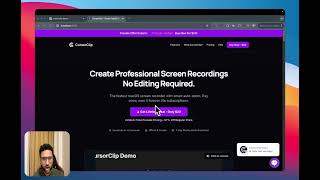
YouTube returned 6 videos for “CursorClip”, and we withheld 5: 5 could not be judged, because “CursorClip” is a single word that other videos use for other things. Showing the 1 we can prove is about CursorClip.
Official links
Tools that pair well with CursorClip
Common stack mates teams adopt alongside CursorClip, with the specific reason each pairing earns its keep.

FocuSee
Auto-editing screen recorder for Windows and Mac that turns raw captures into polished demos with auto-zoom, cursor effects, and AI subtitles.

Supercut for Windows
Native Windows 10+ 4K screen recorder with AI-assisted editing and instant sharing, from $15 per seat per month billed yearly.

Kite
Mac screen recorder with AI auto-enhance, 3D mockups, and AI voiceovers that turn raw captures into polished product demos.
Featured Head-to-Head Comparisons
Cursorclip vs Splice
Splice and CursorClip serve completely different needs—audio production vs. screen recording. Splice is a must for music producers seeking royalty-free samples and rent-to-own plugins, while CursorClip is ideal for Mac users who need polished demo videos with auto zoom and no editing. Choose Splice for sound libraries and DAW workflow; pick CursorClip for quick, professional screen captures.
Cursorclip vs Storyfile
Choose CursorClip if you're a solo Mac user needing to quickly produce polished screen recordings with auto-zoom and no editing — think product demos, tutorials, bug reports. Choose StoryFile only if you're an institution or family seeking to preserve real human conversations via AI-powered interactive video exhibits. They solve completely different problems.
Cursorclip vs Landr Mastering
For video makers who need polished screen demos without editing, CursorClip is a no-brainer at ~$20 one-time. LANDR mastering is great for musicians wanting quick, cheap masters, but it can't fix bad mixes. Buy CursorClip if you're on Mac and record tutorials; buy LANDR if you're an indie artist mastering tracks on a budget.
Alternatives to CursorClip
View all
FocuSee
Auto-editing screen recorder for Windows and Mac that turns raw captures into polished demos with auto-zoom, cursor effects, and AI subtitles.

Supercut for Windows
Native Windows 10+ 4K screen recorder with AI-assisted editing and instant sharing, from $15 per seat per month billed yearly.

Frequently Asked Questions
Categories
Topics
Used CursorClip? Help shape our editorial sentiment research.