DebuggAI is live · free plan, paid from $20/mo · last verified 30 Oct 2026 · viability monitor

DebuggAI
DebgAI tests your web app in a real browser like a customer would, and comments the pass/fail with video on each pull request.
If your bug reports keep arriving from customers rather than CI, DebuggAI is a low-friction route to real-browser coverage of signup, login and checkout — connect a GitHub repo, and the AI explores your app and posts pass/fail with video back on the PR. The tradeoff is control: this is managed, exploratory web testing, so teams needing bespoke scripted logic or backend/API assertions will outgrow it, mobile is out of scope, and a mature Playwright or Cypress suite already covers these flows better. Start on Free with a public repo and judge the result quality before paying.
Verdict generatedVerified 5h ago · liveness 65/100 · cite: rightaichoice.com/tools/debuggai
- Frontend developers opening frequent PRs who want browser coverage without writing tests
- Small teams with no dedicated QA function
- Open source maintainers testing public repos on the Free tier
- Teams whose AI coding assistants ship code faster than review can verify
- Teams that need mobile app testing
- Projects requiring API or backend assertions
- Organizations with strict on-premise or self-hosted requirements
We scan live Reddit threads, YouTube comments, X posts, G2 reviews and other communities — and hand you an honest verdict in under a minute.
- Honest verdict, not marketing
- Real pros & cons from real users
- Attributed quotes with receipts
3 free scans · no card needed
Skip DebuggAI if you need API or backend assertions, mobile app coverage, or a self-hosted runner — it tests web UI flows through a real browser and nothing else.
Each test is a full multi-minute browser pass — the public example runs show individual tests in the 300-second range, so a busy repo burns through the Free tier's 100 tests/mo quickly.
Free covers public repos at 100 tests/mo, Pro at $20/mo adds private repos and 1,000 tests, Grow at $40/mo lifts that to 5,000 with team management, and Enterprise is custom for unlimited tests plus SSO/SAML. For a small frontend team this undercuts a QA hire by a wide margin; against a mature Playwright suite (free, plus CI minutes) you're paying for maintenance-free breadth, not depth.
In short
DebuggAI — DebgAI tests your web app in a real browser like a customer would, and comments the pass/fail with video on each pull request. Best for Frontend developers opening frequent PRs who want browser coverage without writing tests, Small teams with no dedicated QA function, Open source maintainers testing public repos on the Free tier. Free to start; paid plans from $20/mo.
What is DebuggAI?
DebuggAI — DebgAI tests your web app in a real browser like a customer would, and comments the pass/fail with video on each pull request. Best for Frontend developers opening frequent PRs who want browser coverage without writing tests, Small teams with no dedicated QA function, Open source maintainers testing public repos on the Free tier. Free to start; paid plans from $20/mo.
DebuggAI is a managed browser-testing service for web apps. You connect a GitHub repo once — the vendor's own setup timer breaks that into about 2 seconds to link the project, 45 seconds to get a copy of your app running, 3 seconds for the secure connection, and roughly 2m15s of the AI driving a real browser through your pages. After that it starts testing every change automatically, with no servers to run, no config, and no test scripts to maintain. What it actually does is explore your app the way a customer would — pages, buttons, signup, login and checkout journeys — then report what broke. Results land as comments from the debugg-ai bot on your pull requests, with screenshots and a video recording of every run, so a failure can be replayed step by step instead of guessed at. You can also run tests on demand, which spins up a real browser in seconds and can point at a work-in-progress version of your app over a secure connection. Around that core sit several other modes: PR Copilot inside your editor, AI Test Suites generated from plain English, a Playwright Testing mode, User Acceptance Testing for release sign-off, AI PR Reviews before merge, and an MCP Server that lets Claude, Cursor or Codex trigger a run from a prompt. It suits frontend developers opening frequent PRs, small teams with no dedicated QA, and open-source maintainers who can use the Free tier on public repos. It is deliberately high-level functional coverage, not a unit-testing replacement: mobile apps and backend or API assertions are outside its scope, and teams needing bespoke scripted logic and fixtures will outgrow it.
Key features
- AI explores your web app like a customer and generates the tests itself
- Automatic testing on every change after a one-time GitHub connection
- Pass/fail PR comments from the debugg-ai bot with screenshots and video
- Video replay of any failing run, step by step
- On-demand testing in a real browser within seconds
- Point DebuggAI at a work-in-progress version over a secure connection
- AI Test Suites generated from plain-English descriptions
- Playwright Testing mode without the Playwright setup
- PR Copilot reviews and tests inside your editor
- AI PR Reviews that catch issues before merge
- User Acceptance Testing (UAT) for release sign-off
- Text-Based Tests
- MCP Server so Claude, Cursor or Codex can trigger a run from a prompt
- Fully managed infrastructure — no servers, config or maintenance
- Responsive-design validation across viewport sizes using AI-generated tests
Behind the verdict
DebuggAI's pitch is narrow and honest: your AI coding assistant now ships code faster than review can verify, so put a real browser on every pull request. The mechanics match that. You connect a GitHub repo once, the service gets a copy of your app running, opens a secure connection, and the AI explores pages, buttons and flows as a customer would. Results come back as a comment from the debugg-ai bot on the PR, each test listing what it checked, whether it passed, how long it took, and a link to the recording. The public example on their site shows responsive-design and call-to-action checks running in the 300-plus second range with viewable recordings. Where it earns its place is breadth for zero maintenance. The vendor's claim is that it explores every page, button and flow your customers actually use, so you get coverage of paths nobody remembered to write a test for. On-demand runs spin up a browser in seconds and can point at a work-in-progress version over a secure connection, which is useful before a CI pipeline exists. The surrounding modes — PR Copilot in your editor, plain-English AI Test Suites, Playwright Testing, AI PR Reviews, and an MCP Server so Claude, Cursor or Codex can fire a run from a prompt — mean the trigger can live wherever you already are. Where it stops is equally clear. This is high-level functional coverage, positioned by the vendor itself as catching UI issues that unit tests miss, not replacing unit tests. There are no API or backend assertions, no mobile, no on-premise option described, and no way to write dense scripted assertions and fixtures. Products behind heavy third-party widgets or strictly gated flows are harder for an exploratory agent to get through, and your app has to be reachable for the secure-connection step. Run time is the other thing to watch: multi-minute browser passes per PR are fine on a small repo and less fine at volume, which is where the test quotas on the paid tiers start to matter. Treat it as a smoke-and-journey layer over signup, login and checkout, keep your coded framework for the detail work, and the value is straightforward.
Models under the hood
as of 2026-10-24
Limitations
- DebuggAI is designed for high-level functional coverage, and the vendor positions it as catching UI issues that unit tests miss — not as a replacement for detailed unit testing.
- It is web-only: mobile apps and backend or API assertions sit outside its scope.
- Because the AI has to reach your app the way a customer would, products behind heavy third-party widgets or strictly gated flows are harder to explore automatically, and your app must be reachable for the secure-connection step to run.
- No on-premise or self-hosted deployment is described — access is encrypted, isolated and temporary rather than permanent.
- Teams with custom scripting logic, fixtures or dense assertion libraries will hit a ceiling and should keep a coded framework alongside it.
as of 2026-10-30
Researching DebuggAI? Get your full AI stack in 60 seconds.
Free, no signup — tell us your goal and get tools matched to your budget & existing stack.
Is DebuggAI still active?
DebuggAI is live · free plan, paid from $20/mo · last verified 30 Oct 2026 · viability monitor.
Viability score
How well maintained and how widely used is DebuggAI? Built from what the vendor actually publishes (docs, changelog, tutorials, integrations, pricing), whether the site is live, and how much real users discuss it. How we calculate this
Last calculated: October 2026
How we score →What do users say about DebuggAI?
How we verified this
Every listed fact about DebuggAI— pricing, features, links, status — is re-read from the vendor's own pages by our verification pipeline and each change is logged with a date; the last pass ran on 30 Oct 2026. Pages mix model-assisted synthesis with human review; see how we verify.
Verification history
We have re-verified DebuggAI 11 times since . Each pass re-reads the vendor's own pages and re-checks every listed field against that evidence; passes where nothing had changed are marked as such.
- — changed pricing fit, limitations, who should skip it, setup time, hidden costs, switching in, use cases, switching out, summary, who it suits, our verdict, description, features
- — changed pricing page
- — changed who should skip it, who it suits, description, summary, our verdict, pricing tiers
- — changed setup time, pricing fit, features, limitations, who should skip it, our verdict, description, switching in, pricing tiers, use cases, switching out, who it suits, hidden costs
- — changed SSL certificate
- — changed who should skip it, pricing tiers, features, our verdict, summary, description, who it suits
Showing the 6 most recent of 11 verification passes.
Free to cite with attribution — this page re-verifies continuously.
How much does DebuggAI cost in 2026?
DebuggAI: Free to start; paid plans from $20/mo. Pricing last verified 30 Oct 2026.
Plans compared
Every published DebuggAI tier, its price as the vendor publishes it, who it fits, and what it adds over the tier below. The 12-month cost projection follows.
| Plan | Price | Billing | Who it's for |
|---|---|---|---|
| Free | Free | — | Open source maintainers and solo developers testing a public repo who want to judge result quality before paying anything.Adds: Starting tier: public repos only, 100 tests/mo, PR comments, community support, no credit card required. |
| Pro | $20/mo | monthly | A professional developer or small private-repo team that needs PR-level browser coverage without a QA function.Adds: Adds private repos, raises the cap from 100 to 1,000 tests/mo, and adds priority support and advanced analytics. |
| Grow | $40/mo | monthly | A growing team running DebuggAI across several repos or several developers, where 1,000 tests/mo would run out.Adds: Raises the cap to 5,000 tests/mo, adds team management, and unlocks add-on usage for going past the quota. |
| Enterprise | Custom | quote | Organizations that need single sign-on, unlimited test volume, and vendor-built custom integrations.Adds: Adds unlimited tests, SSO/SAML, dedicated support and custom integrations on top of everything in Grow. |
12-month cost
Project the real annual outlay, including the implied monthly cost when only an annual tier is published.
Vendor list price only. Add-on usage, seat overages, and contract minimums are surfaced under Hidden costs & gotchas.
Where the pricing makes sense
The company stage and team size where DebuggAI's pricing actually pencils out — and where peers do it cheaper.
Free covers public repos at 100 tests/mo, Pro at $20/mo adds private repos and 1,000 tests, Grow at $40/mo lifts that to 5,000 with team management, and Enterprise is custom for unlimited tests plus SSO/SAML. For a small frontend team this undercuts a QA hire by a wide margin; against a mature Playwright suite (free, plus CI minutes) you're paying for maintenance-free breadth, not depth.
Has DebuggAI's pricing changed?
No plan price for DebuggAI has moved since we began logging in Aug 2026; the pricing page is re-read on every verification pass.
Who should pick DebuggAI?
Pick DebuggAI if you are Frontend developers opening frequent PRs who want browser coverage without writing tests, Small teams with no dedicated QA function, Open source maintainers testing public repos on the Free tier, Teams whose AI coding assistants ship code faster than review can verify.
Look elsewhere if you are Teams that need mobile app testing, Projects requiring API or backend assertions, Organizations with strict on-premise or self-hosted requirements, Teams with mature Playwright or Cypress suites already covering these flows.
Skip it if Skip DebuggAI if you need API or backend assertions, mobile app coverage, or a self-hosted runner — it tests web UI flows through a real browser and nothing else.
GeneratedReal-world workflow fit
Concrete scenarios for the personas DebuggAI actually fits — and what changes day-one when you adopt it.
You connect your GitHub repo once, the AI gets a copy of the app running and starts exploring, and the debugg-ai bot comments pass/fail with a recording on each pull request.
Outcome: A broken checkout or login flow shows up as a red PR comment with video before it merges, instead of in a customer support ticket days later.
Critical journeys like signup and checkout get covered by AI Test Suites written in plain English, with UAT runs used as the sign-off step before a deploy.
Outcome: The team ships without a QA hire, and release sign-off has a recorded, replayable artifact rather than a manual click-through.
Through the MCP Server you ask your assistant to test the app in plain English, and it triggers an on-demand run against a work-in-progress version over the secure connection.
Outcome: You get a real-browser verdict on a change without leaving the editor or waiting on CI.
Use cases
- Run functional tests on every pull request to catch broken signup, login or checkout flows before merge.
- Cover critical user journeys without writing or maintaining test code.
- Validate responsive layout across viewport sizes with AI-generated tests.
- Replay a failing run frame by frame to see exactly which step broke.
- Test a feature against your local dev server without waiting for a CI pipeline.
- Ask Claude or Cursor to test your app in plain English via the MCP Server.
- Run user acceptance testing as a release sign-off before a deploy.
Setup time & first value
How long it actually takes to get something useful out of DebuggAI — broken out by persona, not the marketing-page minute.
The vendor's own timer puts first results at roughly 2 minutes: about 2 seconds to link a GitHub project, 45 seconds to get a copy of your app running, 3 seconds for the secure connection, then around 2m15s for the AI to test in a real browser. No code changes are needed. On-demand runs spin up a browser in seconds once connected.
Switching to or from DebuggAI
How to bring data in from common predecessors and how to get it back out — written for the switcher, not the buyer.
- →From manual QA click-throughs: connect the repo, let the AI explore the app, and use the recorded runs as your regression record.
- →From Cypress: keep your coded specs for detail work and add DebuggAI on PRs for exploratory coverage of flows nobody wrote a spec for.
- →From Playwright: use the built-in Playwright Testing mode to get real browser runs without maintaining the Playwright setup yourself.
- ↗To Playwright: port the flows DebuggAI covered into coded specs with your own fixtures and assertions when you need scripted control.
- ↗To Cypress: rebuild critical journeys as coded specs and keep a managed tool only for exploratory smoke coverage.
Resources & guides
Tutorials & Learning
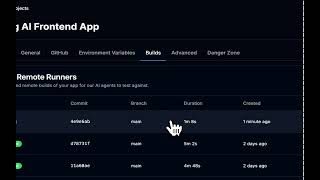
YouTube returned 6 videos for “DebuggAI”, and we withheld 5: 5 could not be judged, because “DebuggAI” is a single word that other videos use for other things. Showing the 1 we can prove is about DebuggAI.
Official links
What are the best DebuggAI alternatives?
The closest alternatives to DebuggAI we list are TesterArmy, Visual PR Testing with AI and TestDriver AI. Ranked by direct product-type match, not category overlap.
| Alternative | Pricing | Starts at | Last verified |
|---|---|---|---|
| TesterArmy | Freemium | Pricing not published | — |
| Visual PR Testing with AI | Contact Sales | Custom pricing | — |
| TestDriver AI | Paid | Pricing not published | — |
Alternatives to DebuggAI
View all
TesterArmy
TesterArmy runs plain-English AI QA tests on your web, iOS and Android app — on every pull request.

Visual PR Testing with AI
Visual PR testing with AI agents that test every pull request in its preview environment before review starts.

TestDriver AI
TestDriver runs AI UI testing on every pull request — a vision agent that clicks through real desktop sandboxes.
Tools that pair well with DebuggAI
Common stack mates teams adopt alongside DebuggAI, with the specific reason each pairing earns its keep.

TesterArmy
TesterArmy runs plain-English AI QA tests on your web, iOS and Android app — on every pull request.

Visual PR Testing with AI
Visual PR testing with AI agents that test every pull request in its preview environment before review starts.

TestDriver AI
TestDriver runs AI UI testing on every pull request — a vision agent that clicks through real desktop sandboxes.
DebuggAI vs its closest rival
DebuggAI's closest head-to-head is with Locus Robotics — Locus Robotics and DebuggAI serve completely different domains. If you run a high-volume warehouse needing physical automation to boost picking productivity, Locus Robotics is the clear choice. If you ship frontend code and want zero-config AI testing integrated into GitHub PRs, DebuggAI is far more relevant. There is no direct competition. Verdict generated
Head-to-head comparisons
Debuggai vs Locus Robotics
Locus Robotics and DebuggAI serve completely different domains. If you run a high-volume warehouse needing physical automation to boost picking productivity, Locus Robotics is the clear choice. If you ship frontend code and want zero-config AI testing integrated into GitHub PRs, DebuggAI is far more relevant. There is no direct competition.
GeneratedDebuggai vs Truleo
Truleo and DebuggAI serve completely different markets. Choose Truleo if you're a law enforcement agency needing to unify siloed crime data into actionable leads. Choose DebuggAI if you're a developer wanting instant, zero-config browser testing on GitHub PRs. There is no overlap in use cases.
GeneratedDebuggai vs Presto Voice
If you need automated browser testing for web apps shipping frequent GitHub PRs, DebuggAI is your best bet — it's zero-config and freemium. For QSR chains aiming to automate drive-thru ordering and boost revenue via upselling, Presto Voice is the strong choice, especially with recent high-profile adopters like Dairy Queen. The tools serve entirely different domains, so your decision hinges on whether you're in software development or restaurant operations.
GeneratedFrequently asked questions
Categories
Topics
Used DebuggAI? Help shape our editorial sentiment research.