
TestDriver AI
TestDriver runs AI UI testing on every GitHub pull request — black-box E2E tests that self-heal.
TestDriver is the rare AI testing tool whose pricing model actually reflects CI cost — $20/month/seat plus $0.14 per testing minute means a busy pipeline can quietly outgrow the headline number, and the included 120 minutes are a one-time trial allowance rather than a monthly quota. The black-box, vision-first approach is genuinely useful for third-party apps, Chrome extensions, VS Code extensions and Windows desktop apps, where Playwright and Cypress selectors fail. But if your app is already well-covered by Playwright and you don't need desktop or extension testing, there's little reason to switch — the comparison table TestDriver publishes shows Playwright MCP also runs your app and
Verified 5d ago · liveness 78/100 · cite: rightaichoice.com/tools/testdriver-ai
- QA teams that need black-box regression tests on apps they don't own or can't instrument
- Engineering orgs needing E2E coverage on Chrome extensions, VS Code extensions, or Windows desktop apps
- Teams whose Playwright/Cypress suites break constantly on redesigns and want self-healing
- Regulated or high-volume teams needing self-hosted testing with custom VM images (Enterprise)
- Teams that need pixel-perfect visual approval gates on every UI change
- Projects with mature Playwright or Cypress suites and no desktop or extension surfaces to cover
- Teams that need Android or iOS testing today — both listed as Coming Soon
We scan live Reddit threads, YouTube comments, X posts, G2 reviews and other communities — and hand you an honest verdict in under a minute.
- Honest verdict, not marketing
- Real pros & cons from real users
- Attributed quotes with receipts
3 free scans · no card needed
Skip TestDriver if you need Android or iOS testing today — the pricing page lists both as Coming Soon — or if your app's visual sign-off requires a pixel-perfect approval gate rather than screenshot comparison.
The 120 included testing minutes are a one-time trial allowance, not a monthly grant — after that, every sandbox minute is billed at $0.14 metered by the second on top of your seat fee.
$20/month/seat plus $0.14/testing minute fits mid-size GitHub-centric teams with modest CI volume; a large contributor base or heavy per-second sandbox usage pushes real cost well past the headline seat number. Enterprise (custom, self-hosted, unlimited minutes) is priced for regulated orgs, while teams already covered by a free Playwright or Cypress suite get no cost justification here.
In short
TestDriver AI — TestDriver runs AI UI testing on every GitHub pull request — black-box E2E tests that self-heal. Best for QA teams that need black-box regression tests on apps they don't own or can't instrument, Engineering orgs needing E2E coverage on Chrome extensions, VS Code extensions, or Windows desktop apps, Teams whose Playwright/Cypress suites break constantly on redesigns and want self-healing. Free to start; paid plans from $20/user/mo.
What's new in TestDriver AI
Checked 5 days agoAcross the latest 4 updates: 1 feature update, 1 launch, 1 changelog entry and 1 news mention.
How TestDriver Saves Up to 94% vs. Manual Testing
TestDriver publishes a cost and speed comparison of manual QA testers versus its own pricing plans, claiming up to 94% savings across tiers.
v2.1.0: Visual Testing & Performance Improvements
Adds visual regression testing via screenshot baselines, a library of 20+ pre-built test templates for auth, checkout, forms and navigation, Slack result notifications, and test groups; suites over 20 tests run 40% faster.
v2.0.0: Major Release: Rebuilt AI Engine
Rebuilds the AI engine for 10x faster execution with up to 10 parallel workers, adds a new AI Vision engine with 95% fewer false positives, an interactive CLI test recorder and a local result viewer. Minimum Node.js becomes 18.0.0.
v1.5.0: GitHub Actions & Team Features
Ships the official testdriverai/action@v1 GitHub Actions integration, team management with Admin/Editor/Viewer roles, test history with pass/fail trends, and webhook notifications to any HTTP endpoint.
Viability Score
How well maintained and how widely used is TestDriver AI? Built from what the vendor actually publishes (docs, changelog, tutorials, integrations, pricing), whether the site is live, and how much real users discuss it. How we calculate this
Last calculated: October 2026
How we score →Key Features
- AI vision agent generates E2E tests from plain English descriptions
- Reviews every pull request automatically and runs the changed flow in a real sandbox
- Self-healing tests via vision fingerprint cache when elements move or change
- Contributes generated Vitest test files back as a GitHub pull request
- Black-box testing without DOM, CSS selectors, or source access
- Tests web apps, Chrome extensions, VS Code extensions, and Windows desktop apps
- Visual regression testing via screenshot comparison between runs (v2.1)
- Parallel test execution up to 10 concurrent workers (v2.0)
- Interactive CLI test recorder for capturing test steps by clicking through the app
- Local result viewer with video replays of every run
- Network logs with full request/response headers, payloads, and timing
- CPU, RAM, and network profiling during test runs
- 20+ pre-built test templates for auth, checkout, forms, and navigation flows
- Test groups and Slack notifications for pass/fail reporting
- Export results to JUnit XML for existing reporters
About TestDriver AI
TestDriver positions itself as an AI QA engineer that reviews every pull request by actually running your app. Tag @testdriverai in a GitHub PR and a vision agent reads the diff, launches a real desktop sandbox, clicks and types through the changed flow like a person would, and opens a follow-up PR with generated Vitest test code. There is no DOM, no selectors, and no source access required. The coverage targets are the interesting part. Beyond standard web apps, TestDriver handles Chrome extensions, VS Code extensions, and native Windows desktop apps — surfaces where selector-based tools like Playwright and Cypress historically struggle. It also claims support for canvas, video players, iFrames, OAuth flows, file uploads, PDFs, and LLM chatbots, which are the exact places CSS-selector suites tend to fall apart. Mac desktop apps are listed as Coming Soon, as are Android and iOS targets. Self-healing is the core mechanic. Every element TestDriver finds gets a vision fingerprint cached on first pass, so passing tests replay instantly without re-calling the AI — the changelog says the v2.0 engine cut false positives by 95% and a later release reports false positives for loading-state detection down 60%. When a UI shifts and the cached element no longer matches, the agent re-invokes the vision model, relocates the element, and updates the cache. The v2.0 major release rebuilt the engine for 10x faster parallel execution (up to 10 concurrent workers); v2.1.0 added visual regression testing, a 20+ test template library (auth, checkout, forms, navigation), test groups, and Slack notifications, plus a 40% speedup on suites over 20 tests. Observability is solid: video replays of every run, inspectable network request/response headers, payloads and timing, CPU/RAM/network profiles, and step-by-step action logs. Tests are plain Vitest, run identically locally and in CI, support a --watch mode and an interactive CLI recorder, and export to JUnit XML for existing reporters. Pricing is $20/month/seat with 120 testing minutes included — and those minutes are a one-time trial allowance, not a monthly allotment. After that, testing is metered at $0.14 per minute, billed by the second, on top of the seat fee. A seat is any GitHub user who gets a TestDriver review or runs a test in the billing period, so cost scales with contributors rather than with console users (inviting teammates to the web console is free and unlimited). Teams that live in GitHub and want end-to-end coverage of third-party or extension surfaces should look here first; teams needing pixel-perfect visual approval gates or mobile testing today should look elsewhere.
Behind the Verdict
TestDriver's pitch is narrower and more specific than most AI-QA marketing: it reviews pull requests by executing the running application in a real desktop sandbox rather than reading a diff. The workflow is GitHub-native — you tag @testdriverai on a PR, the vision agent reads the diff, generates an end-to-end test, runs it on a cloud Windows or Linux VM, and then opens a fresh PR containing the generated Vitest test file for your review. That last step is what separates it from a pure CI notifier: coverage lands in your repo as reviewable code, not as a dashboard artifact. The technical bet is vision + caching. Elements found by the agent get a vision fingerprint cached on first pass, so passing tests replay without re-invoking the model. When the UI shifts, the cached element misses, the agent re-locates it and updates the cache. The v2.0.0 release (Feb 15, 2025) reports 10x faster execution with up to 10 concurrent workers, a 40% smaller and 3x faster model versus 1.x, memory usage down 60% for large suites, and 95% fewer false positives. v2.1.0 (Feb 20, 2025) added visual regression testing, a 20+ template library for auth/checkout/forms/navigation flows, test groups, and Slack notifications, and cut loading-state false positives by 60%. Where it is genuinely differentiated: black-box surfaces. The vendor explicitly targets third-party web apps you don't own, Chrome extensions with popups and background pages, VS Code extensions in real development environments, Windows desktop apps, and rich media — canvas, video players, iFrames, OAuth flows, file uploads, PDFs, LLM chatbots. Selector-based suites are weakest exactly there. Where it is weaker: platform coverage is uneven. Mac desktop apps, Android and iOS are all listed as Coming Soon on the pricing page, so mobile-dependent teams are out today. Visual testing exists via screenshot comparison with baseline snapshots on any test step, but this is not a pixel-perfect visual approval gate product — if you need design-review-grade diffing with human sign-off, look at dedicated visual tools. And if you already have mature Playwright or Cypress suites with no desktop or extension surfaces, migration effort is hard to justify against an incumbent that costs nothing. Cost is the biggest practical caution. $20/month/seat sounds flat until you read the seat definition: every GitHub user who gets a review or runs a test in the billing period counts. On a repo with many contributors that multiplies quickly, and the $0.14/minute sandbox meter runs on top — billed by the second, on every PR generation and test run. Charges are non-refundable, including the charge made when a trial converts, so teams should cancel before day 14 if they don't intend to buy. Enterprise shifts to self-hosted with unlimited testing minutes, root access, custom VM images, VPN deployment and bring-your-own-keys — aimed at regulated organisations that can't let a cloud agent view their UI. Compared with alternatives:
Researching TestDriver AI? Get your full AI stack in 60 seconds.
Free, no signup — tell us your goal and get tools matched to your budget & existing stack.
Real-world workflow fit
Concrete scenarios for the personas TestDriver AI actually fits — and what changes day-one when you adopt it.
Tag @testdriverai on a pull request that changes the sign-up form; the vision agent reads the diff, provisions a Windows sandbox, walks the flow, and opens a follow-up PR containing tests/signup.test.mjs in Vitest.
Outcome: The regression test lands in the repo alongside the change it protects, reviewed as a normal diff instead of hand-written boilerplate.
Add a test for a popup-and-background-page flow you can't instrument with selectors; TestDriver drives the browser extension black-box inside its sandbox.
Outcome: E2E coverage exists on a surface where Playwright selectors would not reach, and the vision cache means repeat runs skip the AI call.
Install the testdriverai/action@v1 GitHub Actions integration so tests run unattended on every commit, with results posted to a Slack channel via the v2.1 Slack integration.
Outcome: A pipeline that reports pass/fail on every PR, with JUnit XML exports flowing into existing reporters and video replays available for any failure.
Use Cases
- Create an E2E test for a sign-up flow by mentioning @testdriverai on a GitHub PR.
- Add regression tests for a Chrome extension without accessing its source code.
- Run visual snapshot comparisons to catch unintended UI changes across releases.
- Automate testing of Windows desktop apps with plain English test descriptions.
- Set up CI/CD pipeline with Slack alerts for test pass/fail on every commit.
- Use the interactive recorder to record a checkout flow and replay it in CI.
- Test third-party web apps you don't own and have no source access to.
Models Under the Hood
as of 2026-09-23
Limitations
- Pricing starts at $20 per seat per month with 120 testing minutes included, and those minutes are a one-time trial allowance rather than a monthly allotment.
- After the trial, testing is billed at $0.14 per minute, metered by the second.
- A 'seat' is any GitHub user who gets a TestDriver review or runs a test in the billing period, so costs scale with contributors.
- Charges are non-refundable, including the charge made when a trial converts.
- Mac desktop apps, Android and iOS targets are all listed as Coming Soon, so mobile and macOS-dependent teams are unserved today.
- Visual regression is screenshot comparison with baseline snapshots, not a pixel-perfect approval gate.
- Pro excludes root access and custom VM images, which are Enterprise-only.
as of 2026-10-03
Verification history
We have re-verified TestDriver AI 7 times since . Each pass re-reads the vendor's own pages and re-checks every listed field against that evidence; passes where nothing had changed are marked as such.
- — re-verified summary, description, our verdict, our analysis, pricing model, pricing tiers, features, integrations, who it suits, who should skip it
- — re-verified summary, description, our verdict, our analysis, pricing model, pricing tiers, features, integrations, who it suits, who should skip it
- — re-verified summary, description, our verdict, our analysis, pricing model, pricing tiers, features, integrations, who it suits, who should skip it
- — re-verified summary, description, our verdict, our analysis, pricing model, pricing tiers, features, integrations, who it suits, who should skip it
- — re-verified summary, description, our verdict, our analysis, pricing model, pricing tiers, features, integrations, who it suits, who should skip it
- — re-checked, vendor evidence unchanged
Showing the 6 most recent of 7 verification passes.
Free to cite with attribution — this page re-verifies continuously.
12-month cost
Project the real annual outlay, including the implied monthly cost when only an annual tier is published.
Vendor list price only. Add-on usage, seat overages, and contract minimums are surfaced under Hidden costs & gotchas.
Plans compared
For each published TestDriver AI tier: who it actually fits, and what it adds vs. the previous tier. Cross-reference the cost calculator above for projected annual outlay.
Free Trial (Pro)
$0
Ideal for
A team evaluating TestDriver on one or two repositories before committing to a paid plan. Start here if you want to see generated tests land as PRs.
What this tier adds
Free entry point: 14 days or 120 testing minutes, whichever comes first, with a card required at checkout but not charged.
Pro
$20/month/seat
Ideal for
GitHub-centric teams running TestDriver directly from PRs, with moderate CI volume and mainly web, Chrome-extension, VS Code-extension, or Windows desktop surfaces to cover.
What this tier adds
Adds ongoing usage past the trial at $20/month/seat plus $0.14 per testing minute metered by the second; the 120 minutes are one-time only.
Enterprise
Custom
Ideal for
Regulated or high-volume organizations that need self-hosting, root access, custom VM images, VPN deployment, and bring-your-own-keys.
What this tier adds
Swaps metered cloud billing for unlimited testing minutes, self-hosted deployment, root access and custom VM images, plus guided setup, test maintenance, failure investigation and private Slack support.
Where the pricing makes sense
The company stage and team size where TestDriver AI's pricing actually pencils out — and where peers do it cheaper.
$20/month/seat plus $0.14/testing minute fits mid-size GitHub-centric teams with modest CI volume; a large contributor base or heavy per-second sandbox usage pushes real cost well past the headline seat number. Enterprise (custom, self-hosted, unlimited minutes) is priced for regulated orgs, while teams already covered by a free Playwright or Cypress suite get no cost justification here.
Setup time & first value
How long it actually takes to get something useful out of TestDriver AI — broken out by persona, not the marketing-page minute.
Add TestDriver to GitHub and tag @testdriverai on a PR — the first generated test typically runs within the initial PR review cycle. Local teams can install the CLI, record a flow with the interactive recorder, and run it with testdriver run. Enterprise self-hosted with guided setup and custom VM images takes longer and involves a sales conversation.
Integrations
Resources & Guides
Tutorials & Learning
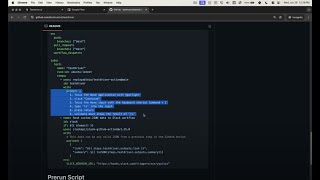
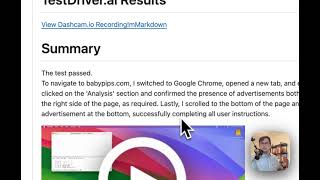
YouTube returned 6 videos for “TestDriver AI”, and we withheld 4: 4 could not be judged, because “TestDriver AI” is a single word that other videos use for other things. Showing the 2 we can prove are about TestDriver AI.
Official links
Tools that pair well with TestDriver AI
Common stack mates teams adopt alongside TestDriver AI, with the specific reason each pairing earns its keep.

Human Behavior
AI session replay that watches every session, triages the bugs it finds, and opens pull requests to fix them.

Ito AI
Runtime code review that builds and runs your app on every pull request to catch behavioral bugs static reviewers miss.

Ito
Ito builds and runs your app on every pull request, then drives it with computer-use agents to catch runtime bugs before merge.
Featured Head-to-Head Comparisons
Testdriver Ai vs Presto Voice
TestDriver AI and Presto Voice serve completely different markets—one is for software QA teams, the other for QSR drive-thru automation. If your need is automated UI testing with self-healing AI tests, TestDriver AI is a solid freemium option. If you run a multi-location drive-thru chain wanting voice AI to boost revenue and accuracy, Presto Voice is the specialized solution. There is no direct competition; choose based on your industry.
Testdriver Ai vs Locus Robotics
If you need to physically move inventory in a warehouse, Locus Robotics is the clear choice with its proven AMR fleet and Locus Array autonomous fulfillment. For digital quality assurance, TestDriver AI offers an innovative black-box testing approach that saves time and money, especially with its self-healing tests and 94% cost reduction vs manual testing. These tools serve completely different domains, so the right pick depends entirely on whether your bottleneck is physical logistics or software reliability.
Testdriver Ai vs Truleo
Truleo and TestDriver AI serve entirely different markets: Truleo is purpose-built for law enforcement intelligence, while TestDriver targets software QA. Your choice depends on your sector. If you're a police department needing to unify data from RMS, CAD, and jail calls to generate leads, Truleo is the clear pick. If you're a development team wanting AI-powered, self-healing UI tests with no DOM access, TestDriver wins.
Alternatives to TestDriver AI
View all
Human Behavior
AI session replay that watches every session, triages the bugs it finds, and opens pull requests to fix them.


Frequently Asked Questions
Categories
Used TestDriver AI? Help shape our editorial sentiment research.