
Fillout.com
Fillout is an all-in-one form builder for forms, quizzes, surveys, scheduling, payments, PDFs and e-signatures with unlimited seats.
Fillout wins on economics and breadth: unlimited seats on every tier, unlimited forms, and payments, scheduling, PDFs and signatures inside the same builder. Starter at $15/mo annual and Pro at $40/mo annual undercut Typeform or Jotform once your team grows past a handful of seats, and Business at $75/mo annual drops response caps entirely. Only reach for something else if you need design-first form flair or a specialised widget library.
Verified 1d ago · liveness 77/100 · cite: rightaichoice.com/tools/fillout-com
- Teams needing secure data intake wired into HubSpot, Salesforce or Airtable
- Non-profits and government agencies that need white-label branded forms
- Businesses automating client intake, order forms and event registration
- Marketers building branded lead gen forms, quizzes and surveys
- Developers wanting a fully customizable open-source form builder
- Teams needing offline data collection in the field
- Enterprise buyers requiring on-premise deployment
We scan live Reddit threads, YouTube comments, X posts, G2 reviews and other communities — and hand you an honest verdict in under a minute.
- Honest verdict, not marketing
- Real pros & cons from real users
- Attributed quotes with receipts
3 free scans · no card needed
Skip Fillout if you need a fully customizable open-source builder, offline data collection, on-premise deployment, or you routinely exceed 5,000 responses per month and cannot move to the Business plan.
Custom domain, custom code, partial submissions and form analytics are all locked to Business at $75/mo annual, so growing teams often need to jump two tiers at once.
Flat pricing with unlimited seats makes Fillout cheaper than per-seat rivals at team scale: Starter is $15/mo annual versus Typeform's per-response tiers, and Pro at $40/mo annual covers branding that Typeform often gates higher. Jotform is comparably priced on entry but charges more for the payments and PDF features Fillout bundles. Business at $75/mo annual is where Fillout gets pricey for a form tool — only justified once you need unlimited responses, analytics and custom domains.
In short
Fillout.com — Fillout is an all-in-one form builder for forms, quizzes, surveys, scheduling, payments, PDFs and e-signatures with unlimited seats. Best for Teams needing secure data intake wired into HubSpot, Salesforce or Airtable, Non-profits and government agencies that need white-label branded forms, Businesses automating client intake, order forms and event registration. Free to start; paid plans from $15/mo.
What people actually say about Fillout.com — is it worth it?
We ran a structured research pass across product reviews, community discussions, and post-purchase forum threads to surface the patterns vendors won't publish themselves. Below: the recurring strengths, the hidden costs people mention most, and the cohort that consistently regrets adopting this tool.
38 mentions across 3 sources (Hacker News, Product Hunt, Bluesky) · researched Jul 3, 2026.
Average across the 3 sources that answered — each source counts once, not each post.
- +Generous free tier with unlimited seats and forms.
- +Beautiful, intuitive drag-and-drop form builder.
- +Powerful Airtable integration praised by multiple users.
- +Combines forms, payments, scheduling, and PDFs in one.
- +Responsive and supportive founding team.
- −Airtable integration is great but maybe too niche.
- −Some advanced CSS/JS customization is not possible.
- −Free tier has submission and file upload limits.
- −New tool; smaller template library than older competitors.
- −Heavy forms might slow down slightly on load.
- • Stripe payment processing fees (standard 2.9% + $0.30) are additional
Viability Score
How well maintained and how widely used is Fillout.com? Built from what the vendor actually publishes (docs, changelog, tutorials, integrations, pricing), whether the site is live, and how much real users discuss it. How we calculate this
Last calculated: October 2026
How we score →Key Features
- Drag-and-drop form builder with 50+ field types
- Multi-page forms, quizzes and surveys
- Conditional logic, page logic and condition groups
- Answer piping, calculations and scoring
- Stripe payment collection inside forms
- Calendly scheduling forms and multi-calendar connections
- PDF generation from submissions
- Fillout Workflows automation
- E-signature collection
- Login forms to edit existing responses
- File uploads: 20 MB max on Free, Starter and Pro, 1 GB+ on Business
- Pre-fill and hidden fields via URL parameters
- Custom domains, custom CSS, custom fonts and favicon
- Partial submissions and pre-fetch data (Business)
- Form analytics, conversion tracking, drop-off rates and Meta Pixel (Business)
About Fillout.com
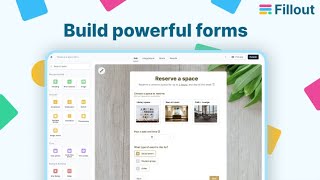
Fillout is a drag-and-drop form builder that packs forms, quizzes, surveys, scheduling, payments, PDF generation, workflows and e-signatures into one product. Teams use it for client intake, event registration, job applications, feedback surveys and internal requests, then push the answers straight into the tools they already run on. The builder ships 50+ field types, multi-page layouts, conditional and page logic, answer piping, calculations and scoring, plus URL pre-fill and hidden fields. Sharing is flexible: embed forms as a popup, slider, side tab or full-screen on any site, or hand out a link, QR code or custom domain. Branding goes deep — pre-built themes, custom fonts, logo, favicon, custom CSS, white-label emails and your own domain — which is why government and non-profit teams use it for public-facing data intake. Connect 50+ native integrations including Airtable, Notion, HubSpot, Salesforce, Stripe, Google Sheets, Slack and Calendly, with Workflows, webhooks, Zapier and Make for the rest. Two things separate Fillout from most form tools. First, unlimited seats and unlimited forms on every plan — you invite the whole company and only response volume scales. Second, the extras live inside the form: collect a Stripe payment, book a Calendly slot, generate a PDF and capture a signature without leaving the flow. Business adds unlimited responses, custom domains, partial submissions, pre-fetch data, form analytics, drop-off rates and Meta Pixel. It is SOC 2 Type II compliant with 256-bit AES encryption. Fillout's parent company Restly, Inc. was renamed to Zite in March 2026; Fillout continues as a product under the new brand and nothing changes for existing users. Best for teams that want one subscription for client intake, branded lead capture and scheduled payments instead of stitching a form builder, a scheduler and a payment tool together.
Behind the Verdict
The reason to pick Fillout is arithmetic. Per-seat form builders get expensive the moment you add a fifth teammate; Fillout charges one flat fee and lets everyone in, so the cost is a function of responses, not headcount. If your marketing, ops and HR teams all need forms, that gap widens fast. We would reach for it when a form is really a small app. Job application with resume upload plus a PDF confirmation, an event registration that takes payment and books a Calendly slot, a client intake that ends in an e-signature — Fillout keeps all of that in one flow instead of four browser tabs. The Business tier is where most serious deployments land, because that is where unlimited responses, custom domain, partial submissions and drop-off analytics live. Without it you are capped at 1,000 to 5,000 responses a month, and 20 MB file uploads until Business lifts the ceiling to 1 GB+. The closest alternative depends on what you value. Typeform still has the edge on design-led, conversational forms and a broader integration catalogue. Jotform carries a wider library of specialised widgets and payment gateways for niche workflows. Google Forms is free and familiar but stops well short of payments, scheduling, PDFs and white-labeling. If you want fully custom open-source control, or you collect data offline in the field, none of these are the right shape — Fillout is a hosted, cloud-only product. The March 2026 rename to Zite under parent company Restly, Inc. is worth knowing but not worth worrying about: Fillout keeps shipping as a product and existing users see no change. Where it bites is mild — the marketing site now points at both brands, so expect a little brand confusion when you search for docs or pricing. Our call: start free, and if you outgrow 1,000 responses a
Researching Fillout.com? Get your full AI stack in 60 seconds.
Free, no signup — tell us your goal and get tools matched to your budget & existing stack.
Real-world workflow fit
Concrete scenarios for the personas Fillout.com actually fits — and what changes day-one when you adopt it.
Builds a multi-step demo request form with the AI Form Builder, adds conditional logic to route enterprise vs SMB leads, and connects HubSpot plus a Slack notification.
Outcome: Qualified leads land in HubSpot automatically and sales is pinged in Slack within seconds of submission.
Creates a branded intake form on Pro with a Stripe deposit, Calendly scheduling and a PDF summary of the brief.
Outcome: Client pays, books a kickoff call and receives a PDF brief attached to the project record without any manual back-and-forth.
Deploys a white-label internal request form on Business with a custom domain, approval workflow, e-signature and audit logs.
Outcome: Staff submit requests under the organization's own domain and signed approvals are stored automatically as PDFs.
Use Cases
- Multi-step lead gen form with conditional logic that routes submissions into HubSpot and pings your sales team on Slack.
- Client intake form that collects a Stripe payment, books a Calendly follow-up and generates a PDF summary.
- Internal IT asset request form with approval workflows and automatic PDF records.
- Branded event registration with custom CSS, QR-code sharing and calendar sync.
- Employee feedback survey with anonymous submissions and analytics.
- Partner onboarding portal with login forms, 1 GB file uploads and e-signatures for contracts.
- Quiz or assessment built with the AI Quiz Maker and scored with calculations.
- White-label data intake for government or non-profit teams using custom domains on Business.
Limitations
- Response volume is the main resource constraint, with 1,000 responses/month on Free, 2,000 on Starter, 5,000 on Pro and unlimited responses only on the Business tier.
- Seats are unlimited on every plan including Free, so collaboration is not the limiting factor.
- Advanced capabilities such as custom domains, custom code, partial submissions, pre-fetch data, form analytics and priority support are gated behind the top Business plan.
as of 2026-09-23
Verification history
We have re-verified Fillout.com 10 times since . Each pass re-reads the vendor's own pages and re-checks every listed field against that evidence; passes where nothing had changed are marked as such.
- — re-verified summary, description, our verdict, our analysis, pricing model, pricing tiers, features, integrations, who it suits, who should skip it
- — re-checked, vendor evidence unchanged
- — re-verified summary, description, our verdict, our analysis, pricing model, pricing tiers, features, integrations, who it suits, who should skip it
- — re-checked, vendor evidence unchanged
- — re-verified summary, description, our verdict, our analysis, pricing model, pricing tiers, features, integrations, who it suits, who should skip it
- — re-checked, vendor evidence unchanged
Showing the 6 most recent of 10 verification passes.
Free to cite with attribution — this page re-verifies continuously.
12-month cost
Project the real annual outlay, including the implied monthly cost when only an annual tier is published.
Vendor list price only. Add-on usage, seat overages, and contract minimums are surfaced under Hidden costs & gotchas.
Plans compared
For each published Fillout.com tier: who it actually fits, and what it adds vs. the previous tier. Cross-reference the cost calculator above for projected annual outlay.
Free
$0/mo
Ideal for
Solo builders, small teams and anyone testing Fillout before paying — unlimited seats and forms make it usable with a whole small company.
What this tier adds
Starting tier: $0/mo forever with unlimited forms and seats, 1,000 responses/month, payments, scheduling, PDF generation and Fillout Workflows, plus a Fillout branding badge.
Starter
$15/mo billed annually ($19/mo monthly)
Ideal for
Small teams running real lead capture or bookings that need CAPTCHA, login forms, redirects and scheduled follow-ups.
What this tier adds
Adds 2,000 responses/month, all question types, custom endings, login forms, redirect on completion, CAPTCHA, premium field types, Calendly scheduling and signature collection over Free.
Pro
$40/mo billed annually ($49/mo monthly)
Ideal for
Marketers and agencies that need fully unbranded, on-brand forms with custom fonts, favicon and CSS.
What this tier adds
Adds 5,000 responses/month, removal of all Fillout branding, custom share links, custom fonts and favicon, custom CSS, white-label emails and printable submission PDFs over Starter.
Business
$75/mo billed annually ($99/mo monthly)
Ideal for
High-volume or white-label operations — government, non-profits and internal tools teams that need a custom domain and analytics.
What this tier adds
Adds unlimited responses, form analytics and conversion tracking, drop-off rates, Meta Pixel, custom domain, custom code, partial submissions, pre-fetch data, 1 GB+ uploads and priority support over Pro.
Where the pricing makes sense
The company stage and team size where Fillout.com's pricing actually pencils out — and where peers do it cheaper.
Flat pricing with unlimited seats makes Fillout cheaper than per-seat rivals at team scale: Starter is $15/mo annual versus Typeform's per-response tiers, and Pro at $40/mo annual covers branding that Typeform often gates higher. Jotform is comparably priced on entry but charges more for the payments and PDF features Fillout bundles. Business at $75/mo annual is where Fillout gets pricey for a form tool — only justified once you need unlimited responses, analytics and custom domains.
Setup time & first value
How long it actually takes to get something useful out of Fillout.com — broken out by persona, not the marketing-page minute.
Most people build and publish a working form in under 30 minutes using a pre-built template or the AI Form Builder; connecting HubSpot, Notion or Slack adds another 5-10 minutes. A fully branded setup with custom domain, workflows and analytics on Business is typically a half-day project, most of which is DNS and workflow design.
Switching to or from Fillout.com
How to bring data in from common predecessors and how to get it back out — written for the switcher, not the buyer.
- →From Google Forms: import existing forms directly with the Google Forms importer, then restyle with themes and add conditional logic.
- →From Typeform: rebuild in the drag-and-drop editor, mapping question types, then reconnect HubSpot or Slack in the Integrations tab.
- →From Jotform: recreate multi-page layouts and reattach Stripe payments, Calendly scheduling and PDF generation inside Fillout Workflows.
- →From PDF/paper intake: use the PDF to Form converter in the AI tools to generate a starting form, then refine fields manually.
- ↗To Typeform: export submissions as CSV, rebuild question blocks in Typeform's designer, and re-link integrations manually.
- ↗To Jotform: export responses, recreate conditional logic and payment fields, and reconfigure its own integration catalog.
- ↗To Google Forms: export CSV responses, rebuild simple questions, and accept the loss of payments, e-signatures and workflows.
- ↗To a custom-built form: pull the Fillout REST API to sync submissions and replace scheduling, payments and PDF steps with your own stack.
Integrations
Resources & Guides
- Resourcefillout.com
Help · Fillout.com
Helpful link from fillout.com
- Resourcefillout.com
Api Reference · Fillout.com
Helpful link from fillout.com
- Resourcefillout.com
Integrations · Fillout.com
Helpful link from fillout.com
- Resourcefillout.com
Logic · Fillout.com
Helpful link from fillout.com
- Resourcefillout.com
Blog · Fillout.com
Helpful link from fillout.com
Tutorials & Learning
YouTube returned 6 videos for “Fillout.com”, and we withheld 5: 5 did not mention Fillout.com. Showing the 1 we can prove is about Fillout.com.
Official links
Tools that pair well with Fillout.com
Common stack mates teams adopt alongside Fillout.com, with the specific reason each pairing earns its keep.

Instabase
Enterprise agentic automation platform that turns multi-document packets into auditable, verifiable intelligence.
Relevance AI
No-code enterprise platform for building a workforce of specialist AI agents with built-in evals and governance.

Anakin.ai
No-code AI platform bundling text, image, video and voice generation, agents, workflows and batch processing under one credit plan.
Featured Head-to-Head Comparisons
Fillout Com vs Locus Robotics
Don't compare them. Locus Robotics and Fillout.com solve completely different problems. If you need to automate physical warehouse operations (picking, putaway, replenishment) and boost productivity 2-3x, go with Locus Robotics. If you need a no-code form builder with scheduling, payments, and workflow automation for online data intake, choose Fillout. Your choice depends entirely on whether your pain point is physical fulfillment or digital data collection.
Fillout Com vs Presto Voice
Presto Voice and Fillout.com serve completely different needs. Presto Voice is a specialized drive-thru voice AI for QSR chains, focused on automating orders and upselling to boost revenue. Fillout.com is a versatile no-code form builder that adds scheduling, payments, and workflow automation. Choose Presto if you run a drive-thru chain aiming for operational efficiency and incremental sales. Choose Fillout if you need customizable data intake forms with integrated payments and scheduling across any industry.
Fillout Com vs Truleo
Truleo and Fillout.com serve entirely different needs. Truleo is a specialized law enforcement intelligence platform that connects siloed data (RMS, CAD, jail calls) and automates lead generation—essential for detectives but irrelevant outside that niche. Fillout.com is a versatile no-code form builder for any team, handling data intake, payments, scheduling, and workflows. Choose Truleo if you're in policing; otherwise, Fillout.com is the flexible choice.
Alternatives to Fillout.com
View all
Instabase
Enterprise agentic automation platform that turns multi-document packets into auditable, verifiable intelligence.
Relevance AI
No-code enterprise platform for building a workforce of specialist AI agents with built-in evals and governance.

Frequently Asked Questions
Best-of guides
Used Fillout.com? Help shape our editorial sentiment research.