
Gmail in the Gemini Era
Gmail's Gemini 3 rebuild turns your inbox into a question-answering, thread-summarizing assistant
The free half of this is the story: AI Overview conversation summaries rollout to everyone at no cost as of January 8, 2026, alongside Help Me Write, Suggested Replies, and AI Inbox filtering. That makes Gmail's AI a genuine upgrade rather than a paywall tease. Inbox Q&A and Proofread sit behind Google AI Pro or Ultra, and Inbox Q&A is the one feature that actually changes how you work. If you already pay for Google's AI plan, you get it without switching apps. If your inbox is a liability you triage daily, that's cheap. If you check mail twice a day, stay free.
Verified 14d ago · liveness 68/100 · cite: rightaichoice.com/tools/gmail-in-the-gemini-era
- High-volume inbox owners who lose time hunting for old emails
- Google Workspace teams who want AI inside Gmail rather than a separate app
- Professionals who write a lot of email and want faster drafting and proofing
- Non-technical users who'd rather ask a question than master search operators
- Anyone wanting a general-purpose assistant for questions outside email
- Outlook, Apple Mail, or third-party client users
- Organizations requiring on-premises processing or strict data residency
We scan live Reddit threads, YouTube comments, X posts, G2 reviews and other communities — and hand you an honest verdict in under a minute.
- Honest verdict, not marketing
- Real pros & cons from real users
- Attributed quotes with receipts
3 free scans · no card needed
Skip Gmail in the Gemini Era if your mail lives in Outlook or Apple Mail, or if you need an assistant that answers questions about the world rather than about your inbox.
Inbox Q&A and Proofread need a Google AI Pro or Ultra subscription, so the question-answering feature that changes how you work is the one you pay for.
The core of it — AI Overview thread summaries, Help Me Write, Suggested Replies, AI Inbox filtering and AI spam blocking — costs nothing on top of Gmail, which sits well below standalone AI assistants. Inbox Q&A and Proofread require Google AI Pro or Ultra. It fits individuals and Workspace teams already paying for Google AI; it fits poorly anyone who needs a separate general-purpose assistant instead.
In short
Gmail in the Gemini Era — Gmail's Gemini 3 rebuild turns your inbox into a question-answering, thread-summarizing assistant. Best for High-volume inbox owners who lose time hunting for old emails, Google Workspace teams who want AI inside Gmail rather than a separate app, Professionals who write a lot of email and want faster drafting and proofing. Free to start; paid plans from $19.99/mo.
What's new in Gmail in the Gemini Era
Checked 6 days agoAcross the latest 1 update: 1 launch.
What people actually say about Gmail in the Gemini Era — is it worth it?
We ran a structured research pass across product reviews, community discussions, and post-purchase forum threads to surface the patterns vendors won't publish themselves. Below: the recurring strengths, the hidden costs people mention most, and the cohort that consistently regrets adopting this tool.
32 mentions across 2 sources (YouTube, Lemmy) · researched Aug 31, 2026.
Average across the 2 sources that answered — each source counts once, not each post.
- +Synthesizes long threads into concise summaries, saving time.
- +Natural-language search finds old emails effortlessly.
- +Help Me Write helps draft and polish emails quickly.
- +Personalized context from Google apps enhances relevance.
- +Smart filtering highlights to-dos and VIPs automatically.
- −Best features (Q&A, proofread) require paid plan.
- −Privacy concerns about Gemini reading personal emails.
- −AI features are hard to turn off for some users.
- −Feels like Google is pushing AI where it's not wanted.
- −Missing shared/delegation features in new AI inbox.
- • Google AI Pro/Ultra subscription required for the most useful AI features
- • Potential integration costs if migrating from other email clients
- • No enterprise pricing transparency; must contact sales for Workspace plans
Viability Score
How well maintained and how widely used is Gmail in the Gemini Era? Built from what the vendor actually publishes (docs, changelog, tutorials, integrations, pricing), whether the site is live, and how much real users discuss it. How we calculate this
Last calculated: October 2026
How we score →Key Features
- AI Overview thread summaries that condense long conversations into key points
- Inbox Q&A in natural language powered by Gemini 3 reasoning
- Natural-language questions across years of messages, e.g. finding a contractor quote from last year
- Help Me Write drafting emails from scratch or polishing existing drafts
- Suggested Replies with one-click responses that match your writing tone
- Proofread for advanced grammar, tone and style checks
- AI Inbox that filters clutter and highlights to-dos
- VIP identification from email frequency, contacts, and inferred relationships
- Personalized briefing that catches you up on what matters
- Help Me Write drawing on context from other Google apps (next month)
- AI-powered spam blocking
- Privacy protections keeping inbox analysis under your control
- Built into the existing Gmail interface with no separate app
- Available across Google Workspace accounts
About Gmail in the Gemini Era
Gmail in the Gemini Era is Google's rebuild of its inbox around Gemini 3, announced January 8, 2026. The headline piece is AI Overviews: open any thread with dozens of replies and Gmail condenses the whole conversation into a short summary of key points, and you can ask your inbox a plain-language question like "Who was the plumber that gave me a quote for the bathroom renovation last year?" Gemini's reasoning pulls the exact details back without search operators. AI Overview conversation summaries roll out to everyone at no cost. Composing gets the same treatment — Help Me Write drafts or polishes, Suggested Replies offer one-click responses written in your tone, and Proofread checks grammar, tone and style. A new AI Inbox filters clutter and behaves like a briefing, surfacing to-dos and flagging VIPs based on who you email often, who's in your contacts, and relationships Gemini infers from message content. It's built into the Gmail you already use rather than a separate app, and it's aimed at the 3 billion people already living in Gmail — especially anyone who treats their inbox as a liability they triage daily. It answers questions about your mail, not the world, so it isn't a general-purpose assistant.
Behind the Verdict
What Google did here is narrower and more useful than a general assistant. AI Overviews take two shapes, and both are grounded in your own mail: a summary of a long thread when you open it, and an AI Overview answer when you ask a question in natural language. The plumber example is the tell — this is reasoning across a year of messages to return a specific fact, which is exactly the chore keyword search was never good at. For anyone who has become a reluctant power searcher, that alone justifies attention. The composing layer is less novel but more frequently used. Help Me Write drafts from scratch or polishes what you typed. Suggested Replies read conversation context and offer one-click responses in your tone, which is a real step up from early Smart Replies. Proofread adds grammar, tone and style checks before send. Google also says Help Me Write will draw on context from your other Google apps next month for better personalization. The AI Inbox is the most opinionated piece: it filters clutter and behaves like a personalized briefing, surfacing to-dos and flagging VIPs from email frequency, contacts, and relationships Gemini infers from message content. Google says that analysis runs under its standard privacy protections with your data staying under your control — but note the analysis does happen, and email content is processed by Gemini. Where it doesn't fit: it answers questions about your mail, not the world. It's Gmail-only, so Outlook, Apple Mail and third-party client users get none of this. Organizations needing on-premises processing or strict data residency are out of scope. Light email users will never hit the need for inbox Q&A. And if you want fully manual control over filtering and prioritization, the AI Inbox is working against your instincts rather than with them. The strongest argument for Gmail's version over a standalone assistant is that the context is already there — no exporting, no pasting, no separate tab.
Researching Gmail in the Gemini Era? Get your full AI stack in 60 seconds.
Free, no signup — tell us your goal and get tools matched to your budget & existing stack.
Real-world workflow fit
Concrete scenarios for the personas Gmail in the Gemini Era actually fits — and what changes day-one when you adopt it.
You open a 40-message thread with a client and read the AI Overview summary of key points instead of scrolling the chain, then use Help Me Write to draft the reply and Proofread to check tone before sending.
Outcome: Thread triage that used to take fifteen minutes takes about two, and the reply is drafted and tone-checked in the same window.
You ask your inbox, in plain language, who gave the quote for a project last year. Gemini 3 reasons across your messages and returns the exact details without keyword operators.
Outcome: A fact you'd have spent twenty minutes excavating from search results arrives in one question.
You let AI Inbox filter clutter and highlight to-dos, with VIPs flagged from who you email often and who's in your contacts, and read the personalized briefing at the start of the day.
Outcome: You start the day with what actually matters instead of an undifferentiated pile of mail.
Use Cases
- Summarize a 40-reply thread into key points with an AI Overview
- Ask your inbox who gave you a quote last year and get the exact details
- Draft a professional email from scratch with Help Me Write
- Send a one-click Suggested Reply written in your own tone
- Let AI Inbox surface urgent messages and hide newsletters
- Catch grammar and tone problems with Proofread before sending
- Search years of email with a conversational question instead of operators
- Get a personalized briefing on to-dos and VIP senders
Models Under the Hood
as of 2026-10-08
Limitations
- This answers questions about your mail, not the world, so it is not a substitute for a general assistant.
- It lives inside Gmail — Outlook, Apple Mail and third-party client users get none of it.
- Inbox Q&A and Proofread sit behind Google AI Pro or Ultra, while AI Overview conversation summaries, Help Me Write and Suggested Replies are available at no cost.
- Email content is processed by Gemini AI; Google states the analysis runs under its standard privacy protections with your data staying under your control.
- AI can misread context in complex threads, and features depend on an internet connection.
- Organizations needing on-premises processing or strict data residency are out of scope.
as of 2026-09-24
Verification history
We have re-verified Gmail in the Gemini Era 9 times since . Each pass re-reads the vendor's own pages and re-checks every listed field against that evidence; passes where nothing had changed are marked as such.
- — re-verified summary, description, our verdict, our analysis, pricing model, pricing tiers, features, integrations, who it suits, who should skip it
- — re-checked, vendor evidence unchanged
- — re-verified summary, description, our verdict, our analysis, pricing model, pricing tiers, features, integrations, who it suits, who should skip it
- — re-checked, vendor evidence unchanged
- — re-checked, vendor evidence unchanged
- — re-verified summary, description, our verdict, our analysis, pricing model, pricing tiers, features, integrations, who it suits, who should skip it
Showing the 6 most recent of 9 verification passes.
Free to cite with attribution — this page re-verifies continuously.
12-month cost
Project the real annual outlay, including the implied monthly cost when only an annual tier is published.
Vendor list price only. Add-on usage, seat overages, and contract minimums are surfaced under Hidden costs & gotchas.
Plans compared
For each published Gmail in the Gemini Era tier: who it actually fits, and what it adds vs. the previous tier. Cross-reference the cost calculator above for projected annual outlay.
Free
$0/mo
Ideal for
Anyone already in Gmail who wants AI thread summaries, faster drafting and clutter filtering without adding a subscription — including lighter users testing whether AI in the inbox earns its place.
What this tier adds
Starting tier: AI Overview conversation summaries for long threads, Help Me Write, Suggested Replies, AI Inbox filtering with to-do highlighting, and AI-powered spam blocking at no cost.
Google AI Pro / Ultra
$19.99/mo
Ideal for
High-volume inbox owners and Workspace users who want to question years of mail in plain language and need advanced proofing before they hit send.
What this tier adds
Adds inbox Q&A with AI Overviews, natural-language questions across years of messages, and Proofread for advanced grammar, tone and style checks, on top of everything in the free tier.
Where the pricing makes sense
The company stage and team size where Gmail in the Gemini Era's pricing actually pencils out — and where peers do it cheaper.
The core of it — AI Overview thread summaries, Help Me Write, Suggested Replies, AI Inbox filtering and AI spam blocking — costs nothing on top of Gmail, which sits well below standalone AI assistants. Inbox Q&A and Proofread require Google AI Pro or Ultra. It fits individuals and Workspace teams already paying for Google AI; it fits poorly anyone who needs a separate general-purpose assistant instead.
Setup time & first value
How long it actually takes to get something useful out of Gmail in the Gemini Era — broken out by persona, not the marketing-page minute.
If you already use Gmail, there's nothing to install — AI Overview conversation summaries, Help Me Write, Suggested Replies and AI Inbox are in the Gmail you already open, so first value can be the first thread you summarize. Inbox Q&A and Proofread require an active Google AI Pro or Ultra subscription on the same account, so for those add the time it takes that plan to activate.
Switching to or from Gmail in the Gemini Era
How to bring data in from common predecessors and how to get it back out — written for the switcher, not the buyer.
- →From Outlook or Apple Mail: INSUFFICIENT_DATA — no import path is described in the sources for this feature set.
- →From a standalone AI writing assistant: paste or draft in Help Me Write and use Proofread for tone and style checks before sending.
- →From manual Gmail search operators: replace the query with a plain-language inbox question once you're on Google AI Pro or Ultra.
- ↗To Outlook or Apple Mail: INSUFFICIENT_DATA — the sources describe no path for carrying Gmail's AI features across.
- ↗To a standalone general-purpose assistant: keep Gmail for mail and use the other tool for questions about the world, since this one answers only about your inbox.
Integrations
Resources & Guides
Tutorials & Learning
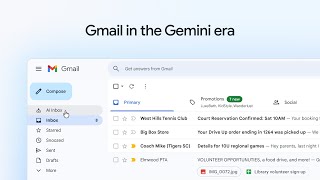
Gmail in the Gemini era: Explore the new features
Google Workspace
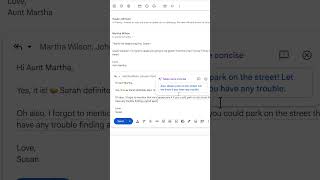
Gmail in the Gemini era: Explore the new features
Google Workspace
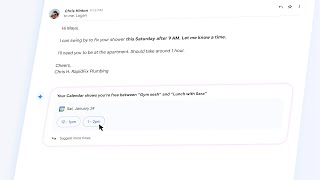
Gmail in the Gemini era: Get things done faster
Google Workspace
YouTube returned 6 videos for “Gmail in the Gemini Era”, and we withheld 3: 3 did not mention Gmail in the Gemini Era. Showing the 3 we can prove are about Gmail in the Gemini Era.
Official links
Tools that pair well with Gmail in the Gemini Era
Common stack mates teams adopt alongside Gmail in the Gemini Era, with the specific reason each pairing earns its keep.

Shortwave AI Assistant
Shortwave is an AI email assistant for Gmail that triages, drafts, schedules, and searches your inbox with Claude 4.6 models.

Spike
AI-first email app that turns your inbox into a chat-style hub for email, docs, tasks, and calls

Mailbutler
AI email assistant and tracking extension that runs inside Apple Mail, Gmail, and Outlook instead of replacing your inbox.
Featured Head-to-Head Comparisons
Gmail In The Gemini Era vs Gem
Choose Gem if you are a recruiting team that needs an AI-powered ATS/CRM to automate sourcing, screening, and fraud detection. Choose Gmail in the Gemini Era if you want AI assistance for email productivity—summaries, smart replies, and drafting—tied directly to your inbox. They serve entirely different domains, so selection depends on whether your primary need is hiring or email management.
Gmail In The Gemini Era vs Guesty
These tools serve entirely different needs. Gmail in the Gemini Era is for anyone wanting to supercharge personal email productivity with AI summaries and writing assistance, while Guesty is a specialized platform for vacation rental operators to automate guest communication, channel management, and reconciliation. Choose Gmail if you live in your inbox; choose Guesty if you manage multiple rental properties.
Gmail In The Gemini Era vs Poke Interaction Co
For deep Gmail integration and AI-powered email productivity, Gmail in the Gemini Era is the obvious choice—especially if you're already in Google Workspace. But if you want an AI assistant that lives in your messaging apps and manages email, calendar, health data, and automations from one chat, Poke offers a more versatile, cross-platform experience. Choose Gmail for email-centric AI, Poke for a personal AI concierge across apps.
Gmail In The Gemini Era vs Writingmate
Choose Gmail in the Gemini Era if your priority is supercharging your email workflow with AI summaries, smart replies, and inbox Q&A — all for free. Choose Writingmate if you need a Swiss army knife of AI models (chat, image, video) and are willing to pay $20/month to consolidate multiple subscriptions. For most users, Gmail is a no-brainer upgrade to what you already use; Writingmate is best for power users who juggle models for diverse creative or analytical tasks.
Alternatives to Gmail in the Gemini Era
View all
Shortwave AI Assistant
Shortwave is an AI email assistant for Gmail that triages, drafts, schedules, and searches your inbox with Claude 4.6 models.

Spike
AI-first email app that turns your inbox into a chat-style hub for email, docs, tasks, and calls

Mailbutler
AI email assistant and tracking extension that runs inside Apple Mail, Gmail, and Outlook instead of replacing your inbox.
Frequently Asked Questions
Used Gmail in the Gemini Era? Help shape our editorial sentiment research.