
Jotform AI Data Assistant
Jotform AI Data Assistant turns form submissions into AI-built tables, charts, and bulk actions — no spreadsheet export.
For Jotform customers, this is the cheapest path to stop exporting submissions to a spreadsheet — AI table building, bulk actions, and follow-up routing folded into the account you already have. The ChatGPT and Claude connectors make the same data queryable from assistants you already use. It will not replace a BI stack, and if your data doesn't live in Jotform it does nothing for you.
Verified 1h ago · liveness 79/100 · cite: rightaichoice.com/tools/jotform-ai-data-assistant
- Teams already collecting data through Jotform forms who want AI tables without a separate BI subscription
- Ops and admin teams triaging high volumes of submissions and pending responses
- Support and feedback teams categorizing and routing responses from the submission inbox
- Event, admissions, and program coordinators sending follow-ups to many people at once
- Teams that do not collect their data through Jotform — nothing here works without that
- Organizations needing BI-grade modeling across warehouses or multiple unrelated SaaS sources
- Buyers who need HIPAA-compliant handling without moving to Jotform's Gold or Enterprise plan
We scan live Reddit threads, YouTube comments, X posts, G2 reviews and other communities — and hand you an honest verdict in under a minute.
- Honest verdict, not marketing
- Real pros & cons from real users
- Attributed quotes with receipts
3 free scans · no card needed
Skip Jotform AI Data Assistant if your data lives in a warehouse or several unrelated SaaS tools rather than in Jotform forms — it only analyzes submissions you collected through Jotform and will not replace a BI platform.
The free Starter plan excludes HIPAA compliance features, so any team handling medical or patient data has to move up to Gold or Enterprise before they can use it legitimately.
Jotform's ladder runs Starter at $0, then Bronze, Silver, and Gold as paid tiers with unpublished pricing, then Enterprise as contact-sales. Nonprofits and educational institutions get up to 50% off Bronze, Silver, and Gold and 30% off Enterprise, which materially changes the math for those buyers. Against a standalone BI subscription, the paid tiers are usually cheaper for a team whose data already lives in Jotform; against Jotform's own free Starter plan, the cost is real once you need
In short
Jotform AI Data Assistant — Jotform AI Data Assistant turns form submissions into AI-built tables, charts, and bulk actions — no spreadsheet export. Best for Teams already collecting data through Jotform forms who want AI tables without a separate BI subscription, Ops and admin teams triaging high volumes of submissions and pending responses, Support and feedback teams categorizing and routing responses from the submission inbox. Free to use.
What's new in Jotform AI Data Assistant
Checked 5 days agoAcross the latest 5 updates: 1 launch and 4 news mentions.
Announcing Jotform AI Data Assistant
Jotform introduced the AI Data Assistant, which turns form submissions into AI-built tables, insights, charts, and bulk-action workflows inside Jotform Tables and the submission inbox.
7 data tasks you should stop exporting to a spreadsheet
Jotform published a guide on handling common data tasks in Jotform rather than exporting submissions to a spreadsheet, framing the AI Data Assistant as the replacement.
YWCA Greater Pittsburgh uses Jotform Enterprise to expand its community impact
Customer story covering how YWCA Greater Pittsburgh uses Jotform Enterprise to scale its community programs.
The College Football Playoff streamlines national championship operations with Jotform & Square
Customer story on the College Football Playoff using Jotform with Square for event operations around the national championship.
From dental chair to downloads: How Dr. Len Tau uses Jotform to run the Raving Patients podcast
Customer story on how a dentist manages podcast workflows with Jotform.
What people actually say about Jotform AI Data Assistant — is it worth it?
We ran a structured research pass across product reviews, community discussions, and post-purchase forum threads to surface the patterns vendors won't publish themselves. Below: the recurring strengths, the hidden costs people mention most, and the cohort that consistently regrets adopting this tool.
26 mentions across 2 sources (YouTube, Product Hunt) · researched Aug 26, 2026.
Average across the 2 sources that answered — each source counts once, not each post.
- +Transforms form submissions into actionable insights, reducing manual spreadsheet sorting.
- +Natural language query feature lets users get instant answers from form data.
- +Deep integration with Jotform's ecosystem, trained on form structure for accuracy.
- +Real-time processing of new submissions feeds insights immediately.
- +Automates summary generation for open-ended answers, saving time.
- −Limited to Jotform users; not useful outside their platform.
- −Handling of messy open-ended answers is unproven and raises concerns.
- −Long-term reliability at scale not yet demonstrated.
- −Requires a Jotform subscription; free tier may be limited.
- −Pricing details are unclear; potential hidden costs for advanced workflows.
- • AI features may consume higher-tier limits, requiring upgrades for heavy use.
- • Additional costs for exceeding submission limits on free tier.
Viability Score
How well maintained and how widely used is Jotform AI Data Assistant? Built from what the vendor actually publishes (docs, changelog, tutorials, integrations, pricing), whether the site is live, and how much real users discuss it. How we calculate this
Last calculated: October 2026
How we score →Key Features
- Build ready-to-use tables from a natural-language prompt
- AI summarization of table data with patterns and items needing attention
- Turn table data into charts, trends, grids, and key metrics
- Natural-language queries against your Jotform form data
- Voice input: speak your request instead of typing it
- Automate workflows by having AI interpret incoming data
- Bulk actions applied to many records from one prompt
- AI-powered replies, updates, and routing from the submission inbox
- Manage submissions with AI: mark pending responses, archive canceled registrations
- Custom table views filtered and sorted by your priorities
- Insights that surface patterns, outliers, and important takeaways
- Share tables with edit or comment access for specific people
- ChatGPT app connector for working with Jotform data
- Claude app connector for working with Jotform data
- MCP server support for connecting assistants to your Jotform account
About Jotform AI Data Assistant
The AI Data Assistant is the analysis layer inside Jotform Tables and the submission inbox, launched August 25, 2026. If your data already arrives through Jotform forms, you describe the table or workflow you want in plain language and the assistant builds a ready-to-use table — then keeps working on the records that land in it. It's aimed at ops, admin, admissions, and event teams sitting on a pile of submissions they'd otherwise be exporting to a spreadsheet. The scope goes past reading data. You can ask it to interpret incoming submissions and produce the output your process needs — categorizing feedback as positive, negative, or neutral, for example — or apply one action to many records from a single prompt, like sending reminders to every patient whose insurance information is missing. Insights surface patterns, outliers, and takeaways, and table data becomes charts, trends, grids, and key metrics. The collaboration and follow-up pieces matter as much as the analysis: share tables with specific people at edit or comment access, create focused views filtered and sorted by your priorities, and send AI-powered replies, updates, and routing from the submission inbox. You can also speak a request instead of typing it. Jotform ships connectors that put the same account inside other assistants — a ChatGPT app, a Claude app, and an MCP server. Compared with standalone BI platforms, this is deliberately narrower: it analyzes data you collected through Jotform, not warehouses or several unrelated SaaS systems. The value is that it sits inside an account you probably already pay for, with no separate analytics subscription.
Behind the Verdict
The question I'd ask before anything else: does your data actually arrive through Jotform forms? If yes, this is close to free leverage. Most form-driven teams lose hours a week copying submissions into Sheets or Excel just to chart them, and the prompt-to-table flow here removes that step entirely. Describe the table, get the table. Where it earns its keep is volume. Triage-heavy teams — admissions, patient intake, event registration, support feedback — get the most from bulk actions and the inbox follow-up tools. Sending reminders to every record missing a piece of information, or categorizing a few hundred feedback responses in one pass, is the kind of chore this was built to eat. We'd reach for it when the job is operational rather than analytical: keep tables clean, act on records in bulk, route replies, and keep a focused view of what's pending. The insights and chart output are a useful summary layer on top, not a modeling environment. Where it bites: everything is scoped to Jotform-collected data. If your numbers live in a warehouse and this is one of several sources, you'll end up exporting again — the exact thing the tool is supposed to end. Teams needing BI-grade joins across unrelated SaaS systems should buy a standalone analytics platform and keep Jotform as the collection layer. One caveat worth flagging for regulated work: if HIPAA handling matters, plan to be on Gold or Enterprise rather than the entry tiers. That changes the math on whether this is really "free." The closest alternative isn't a competitor product so much as the status quo: Jotform submissions piped into Google Sheets or Excel and analyzed there. That path is familiar but manual and easy to break. For everyone already inside Jotform, this is the more coherent option — just don't
Researching Jotform AI Data Assistant? Get your full AI stack in 60 seconds.
Free, no signup — tell us your goal and get tools matched to your budget & existing stack.
Real-world workflow fit
Concrete scenarios for the personas Jotform AI Data Assistant actually fits — and what changes day-one when you adopt it.
You collect order and request forms in Jotform and currently export submissions weekly to build a status sheet by hand. You describe the table you want in the AI prompt — import an order file and create a delivery calendar — and it builds the table for you.
Outcome: A ready-to-use table exists on day one, and AI summaries highlight which records need attention instead of you scanning every row.
Open-ended feedback arrives constantly and someone has to read it and sort it. You have AI interpret incoming submissions and categorize feedback as positive, negative, or neutral as it arrives, then build a custom table view filtered to pending requests and sorted by urgency.
Outcome: Sentiment is applied on arrival, and the team works a prioritized queue rather than a raw inbox.
Applicants need personalized confirmations and some patients still owe missing insurance information. You apply a bulk action from one prompt — send reminders to every patient whose insurance information is missing — then use AI-powered replies and routing from the submission inbox.
Outcome: Dozens of individual follow-ups go out from a single prompt instead of being sent one at a time.
Use Cases
- Summarize open-ended survey responses from recent Jotform submissions without exporting them
- Detect sudden changes in customer satisfaction scores across weekly feedback forms
- Generate a daily briefing of new submissions that highlights urgent items
- Ask 'How many users reported login issues this month?' in plain language
- Trigger Slack notifications when feedback sentiment drops below a threshold
- Export AI-generated insights to Google Sheets for further analysis
- Send reminders to every patient whose insurance information is missing, from one prompt
- Categorize incoming feedback as positive, negative, or neutral as it arrives
Limitations
- The AI Data Assistant works only on data collected through Jotform forms and submissions inside Jotform Tables and the submission inbox, so it isn't a general-purpose analytics tool for outside data sources.
- Capabilities cover AI-built tables, summaries, charts, bulk actions, inbox follow-ups, and collaboration, and the product is offered through Jotform's free-to-paid plans.
- All processing is cloud-based within Jotform, with connections to assistants via the ChatGPT and Claude app connectors and an MCP server.
as of 2026-10-13
Verification history
We have re-verified Jotform AI Data Assistant 5 times since . Each pass re-reads the vendor's own pages and re-checks every listed field against that evidence; passes where nothing had changed are marked as such.
- — re-verified summary, description, our verdict, our analysis, pricing model, pricing tiers, features, integrations, who it suits, who should skip it
- — re-verified summary, description, our verdict, our analysis, pricing model, pricing tiers, features, integrations, who it suits, who should skip it
- — re-verified summary, description, our verdict, our analysis, pricing model, pricing tiers, features, integrations, who it suits, who should skip it
- — re-checked, vendor evidence unchanged
- — re-checked, vendor evidence unchanged
Free to cite with attribution — this page re-verifies continuously.
12-month cost
Project the real annual outlay, including the implied monthly cost when only an annual tier is published.
Vendor list price only. Add-on usage, seat overages, and contract minimums are surfaced under Hidden costs & gotchas.
Plans compared
For each published Jotform AI Data Assistant tier: who it actually fits, and what it adds vs. the previous tier. Cross-reference the cost calculator above for projected annual outlay.
Starter
$0
Ideal for
An individual or small team that wants to start collecting form data and try the AI Data Assistant before paying anything.
What this tier adds
Free entry point: all standard features, form templates, payment integrations, and widgets are included, but forms and signed documents carry Jotform branding and HIPAA compliance features are excluded.
Bronze
Custom
Ideal for
Startups and freelancers who need more submissions and storage than the free tier allows and want their forms unbranded.
What this tier adds
Lowest-priced paid plan — adds higher submission and storage limits than Starter and removes Jotform branding. Nonprofits and education get up to 50% off.
Silver
Custom
Ideal for
Small to mid-tier businesses scaling their data collection as the organization grows.
What this tier adds
Adds higher limits than Bronze, positioned for organizations that have outgrown the entry paid tier. Up to 50% nonprofit and education discount applies.
Gold
Custom
Ideal for
Medical and regulated teams handling patient data or e-signatures who need HIPAA compliance without going to Enterprise.
What this tier adds
Adds optional HIPAA compliance features, encrypted handling for PHI submitted through forms, integrations, widgets, and group approvals — the highest limits outside Enterprise.
Enterprise
Custom
Ideal for
Multi-team organizations that need a shared platform with SSO, custom domains, and enhanced security.
What this tier adds
The only multiuser Jotform plan — adds custom domains, Single Sign-On, enhanced security plus HIPAA features, and a 30% nonprofit and education discount. Contact sales.
Where the pricing makes sense
The company stage and team size where Jotform AI Data Assistant's pricing actually pencils out — and where peers do it cheaper.
Jotform's ladder runs Starter at $0, then Bronze, Silver, and Gold as paid tiers with unpublished pricing, then Enterprise as contact-sales. Nonprofits and educational institutions get up to 50% off Bronze, Silver, and Gold and 30% off Enterprise, which materially changes the math for those buyers. Against a standalone BI subscription, the paid tiers are usually cheaper for a team whose data already lives in Jotform; against Jotform's own free Starter plan, the cost is real once you need
Setup time & first value
How long it actually takes to get something useful out of Jotform AI Data Assistant — broken out by persona, not the marketing-page minute.
If you already have a Jotform account with forms collecting data: minutes to first value — open the AI prompt in Tables, describe the table or workflow you want, and it builds it. Teams new to Jotform should budget an afternoon to create the forms and confirm your submission limits; the AI layer needs records before it has anything to summarize.
Switching to or from Jotform AI Data Assistant
How to bring data in from common predecessors and how to get it back out — written for the switcher, not the buyer.
- →From spreadsheet exports: stop exporting submissions to CSV and describe the table directly in the AI Data Assistant prompt instead.
- →From manual Jotform Tables triage: have AI summarize key details and flag items needing attention rather than reading every row yourself.
- →From standalone feedback tagging tools: categorize incoming submissions as positive, negative, or neutral inside the Jotform submission inbox.
- →From spreadsheet-based follow-up lists: use bulk actions to send reminders to many records from one prompt.
- ↗To a standalone BI platform: export AI-generated insights to Google Sheets or Microsoft Excel, or pull data through the Jotform API for warehouse ingestion.
- ↗To a dedicated CRM: route new submissions to Salesforce or HubSpot through Jotform's integrations.
- ↗To an automation platform: connect Zapier or Make to move submission data into other systems.
- ↗To a different form builder: submissions already collected stay in Jotform Tables unless you export them first.
Integrations
Resources & Guides
Tutorials & Learning
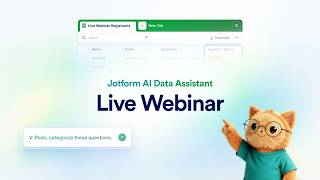
Webinar: Jotform AI Data Assistant
Jotform
How to Use Jotform AI Agents to Collect Data
Jotform、Jotform AI Agents

August 2026 | Announcing AI Data Assistant
Jotform
YouTube returned 6 videos for “Jotform AI Data Assistant”, and we withheld 3: 3 did not mention Jotform AI Data Assistant. Showing the 3 we can prove are about Jotform AI Data Assistant.
Official links
Tools that pair well with Jotform AI Data Assistant
Common stack mates teams adopt alongside Jotform AI Data Assistant, with the specific reason each pairing earns its keep.

Formula Bot
Better Analyst (formerly Formula Bot) turns plain-English questions into charts, dashboards, and automated data workflows.

Outerbase
AI interface for the database you already run — ask plain-English questions, edit tables like a spreadsheet, embed live charts anywhere.
Hightouch
Hightouch is a warehouse-native CDP and agentic marketing platform that activates customer data across 300+ ad, CRM, and lifecycle tools.
Featured Head-to-Head Comparisons
Jotform Ai Data Assistant vs Air Ai
If you're in defense or military logistics, Air AI is the only choice — it's built for enterprise readiness with concrete, massive efficiency gains. For everyday business users already on Jotform, the AI Data Assistant is a no-brainer addition to turn form data into insights without leaving your workflow. Pick based on your domain: you're unlikely to need both.
Jotform Ai Data Assistant vs Nectar Energy
These tools serve entirely different worlds. Choose Nectar Energy if you manage commercial buildings and need automated HVAC/lighting control plus ESG compliance — it's a specialized operational tool. Pick Jotform AI Data Assistant if you already collect data via Jotform and want to turn responses into insights — it's a lightweight analytics layer. Don't compare them as interchangeable AI assistants; your need dictates the winner.
Jotform Ai Data Assistant vs Truleo
If you're a law enforcement agency drowning in siloed data, Truleo is the clear choice—it's built to find leads across RMS, CAD, BWC, and jail calls, turning 40-minute reports into 7-minute tasks. But for any business already using Jotform to collect feedback, the AI Data Assistant is a no-brainer add-on, instantly surfacing trends and anomalies without any technical lift. Pick Truleo for investigative depth, pick Jotform for seamless form-to-insight convenience.
Alternatives to Jotform AI Data Assistant
View allFormula Bot
Better Analyst (formerly Formula Bot) turns plain-English questions into charts, dashboards, and automated data workflows.
Frequently Asked Questions
Best-of guides
Used Jotform AI Data Assistant? Help shape our editorial sentiment research.