
MyMap AI
Browser-based AI canvas that turns a plain-English prompt into mind maps, flowcharts, and presentation decks.
Where MyMap AI wins is the blank-page problem: you type one sentence and get a structured, editable draft instead of an empty grid of shapes. The auto-picked diagram type (SWOT, fishbone, flowchart, mind map) plus conversational node-level editing means you can iterate on a single node without redrawing the board. Frame-to-slide and one-click PDF export make it unusually easy to go from thinking to something you can hand a client. The catch is ceiling, not capability — heavy diagramming, fine vector control, and shared team canvas workflows still belong to Miro or Lucidchart, and the credit meter is the real limit on how much you generate. If you swap diagrams for a living, you'll outrun
Verified 3d ago · liveness 65/100 · cite: rightaichoice.com/tools/mymap-ai
- Process consultants turning interview transcripts into swimlanes and SOPs for client decks
- Quality and compliance teams producing A3s, 5 Whys, and audit trees that export to PDF
- Students and educators converting lecture notes, slides, or YouTube links into revision maps
- Family therapists drawing three-generation genograms with standard symbols
- Designers needing Illustrator-level vector editing and precise control over every shape
- Teams whose workflow depends on shared canvases inside Slack, Notion, Jira, or Confluence
- High-volume generators who will burn through 1,000 monthly Pro credits quickly
We scan live Reddit threads, YouTube comments, X posts, G2 reviews and other communities — and hand you an honest verdict in under a minute.
- Honest verdict, not marketing
- Real pros & cons from real users
- Attributed quotes with receipts
3 free scans · no card needed
Skip MyMap AI if you need Illustrator-level vector precision, offline desktop access, or diagramming that lives inside a shared Slack, Notion, Jira, or Confluence canvas rather than a separate browser tab.
The free tier gives only 20 AI credits a month, so routine testing and iterating eats the quota fast and pushes you toward a paid plan sooner than expected
MyMap AI sits at the affordable end of AI visual tools: Free at $0/mo, Pro at $12/mo billed annually (save $96/year), and Max at $100/mo billed monthly for heavy generation. That undercuts per-seat professional diagramming suites like Miro or Lucidchart for solo consultants and small compliance teams, and the 14-day $1 trial softens trying Pro. Max at $100/mo is a premium price for a single-user tool — most individual buyers should stay on Pro and manage generation volume.
In short
MyMap AI — Browser-based AI canvas that turns a plain-English prompt into mind maps, flowcharts, and presentation decks. Best for Process consultants turning interview transcripts into swimlanes and SOPs for client decks, Quality and compliance teams producing A3s, 5 Whys, and audit trees that export to PDF, Students and educators converting lecture notes, slides, or YouTube links into revision maps. Free to start; paid plans from $12/mo.
What's new in MyMap AI
Checked 3 days agoAcross the latest 1 update: 1 feature update.
What people actually say about MyMap AI — is it worth it?
We ran a structured research pass across product reviews, community discussions, and post-purchase forum threads to surface the patterns vendors won't publish themselves. Below: the recurring strengths, the hidden costs people mention most, and the cohort that consistently regrets adopting this tool.
9 mentions across 2 sources (YouTube, Lemmy) · researched Aug 13, 2026.
Average across the 2 sources that answered — each source counts once, not each post.
- +Real-time streaming of nodes makes idea visualization feel instant
- +Supports 10 AI models including Claude Opus 4.7 and GPT-5.5
- +Generates multiple diagram types: mind maps, flowcharts, SWOT, Gantt
- +Free tier with no credit card, plus guest mode for quick trials
- +Beginner-friendly drag-and-drop editing on infinite canvas
- −Lacks integrations with Slack, Jira, or other team tools
- −Free tier credit cap is limiting for active users
- −Some reviews question if it deserves the high praise
- −Heavy diagramming may hit performance limits with large canvases
- −Advanced features like database schemas may feel gimmicky for some
- • Credit overages can force unexpected upgrades
- • Annual billing lock-in at $12/mo — monthly may cost more
Viability Score
How well maintained and how widely used is MyMap AI? Built from what the vendor actually publishes (docs, changelog, tutorials, integrations, pricing), whether the site is live, and how much real users discuss it. How we calculate this
Last calculated: October 2026
How we score →Key Features
- Turn natural language into mind maps, flowcharts, timelines, and presentations
- Auto-selects diagram type from the prompt — SWOT, fishbone, flowchart, mind map
- Edit a single node by describing the change in chat
- Frame any region of the board and it becomes a presentation slide
- Export as PNG, SVG, PDF, Markdown, or share link
- Ingest a sentence, pasted notes, PDF, Word doc, or YouTube link as source material
- Real-time generation: nodes and edges draw live as the AI thinks
- Mix mind maps, swimlanes, Kanban, genograms, ERD, BPMN, UML, and Sankey on one board
- Tiered model access: economic models on Free, premium models on Pro and Max
- Present decks directly in the browser, one page per frame
- Drag-and-drop editing of canvas elements after generation
- Template gallery including customer journey, Business Model Canvas, and A3 problem solving
- Genogram support with standard family-therapy symbols
- Sign up inline with email code or Google without leaving the canvas
About MyMap AI
MyMap AI is a browser-based infinite canvas where you describe what you're working on and the AI picks the diagram type, draws it, and lays it out as you watch. You don't choose a template first — a strategy question comes back as a SWOT, a "why did this happen" becomes a fishbone, and a process with a decision turns into a flowchart with the loop drawn. The vendor reports 200K+ users, 2M+ maps created, and 50M+ AI messages. The workflow has four moves: bring anything (a sentence, pasted notes, a PDF, a Word doc, or a YouTube link), let it get drawn, frame any part of the board into slides you can present from the browser, then export as PNG, SVG, PDF, Markdown, or a share link. Editing is conversational — select a node, say what should change, and the assistant rewrites just that node and leaves the rest of the board alone. Model access is tiered. The free tier runs economic models — DeepSeek V4 Flash, Qwen 3 (235B), Gemini 3.7 Flash, Minimax M2.5, DeepSeek V3.2, and Kimi K2.5 — while Pro and Max unlock premium models including GPT-5.6 Terra, Claude Opus 5, Claude Sonnet 5, Gemini 3.1 Pro, Grok 4.20, GPT-5.2, DeepSeek V4 Pro, DeepSeek R1, GLM-5, and Qwen3 Max. A free account is needed to create and save a map, but you can write your prompt first and sign up inline with an email code or Google. Named audiences are process consultants mapping onboarding across HR, IT, and a manager; quality and compliance teams producing A3s, 5 Whys, and audit trees that fit one page; students and educators turning lectures into revision maps; and family therapists drawing three-generation genograms with standard symbols.
Behind the Verdict
MyMap AI's bet is that the hardest part of diagramming is the first move, not the last one. Instead of handing you a shape library and a blank grid, it asks what you're working on and picks the structure — a strategy question becomes a SWOT, a causality question becomes a fishbone, a process with a decision becomes a flowchart with the loop drawn. That inversion is why the product reads differently from Miro or Lucidchart, where the diagram type is your decision and the AI is a bolt-on. The strongest piece of the product is conversational editing. Select a node, describe the change, and the assistant rewrites that node, adds anything missing, and leaves the rest of the board alone. In practice that's the difference between regenerating a whole map (and losing your edits) and nudging one countermeasure to add an owner and a due week. Multiply that across a day's work and it's the reason the generate-then-edit loop holds up. Frames-to-slides is the underrated second half. Once you have a board — a swimlane, an org chart, a roadmap — framing a region turns it into a slide and the deck exports one page per frame. For consultants, compliance teams, and educators who need a handoff artifact rather than a wall of nodes, that closes the gap between "I mapped it" and "I can present it." The weaknesses are structural rather than incidental. Credits are the throttle: the free tier allows 20 credits a month and Pro gives 1,000, and heavy generation with premium models (Claude Opus 5, GPT-5.6 Terra) burns through that faster than the headline number suggests. There's no offline mode, and the canvas assumes a live connection. AI-generated layouts are editable but not Illustrator-precise — if your deliverable is a pixel-tuned vector, this isn't the tool. And for teams whose diagramming lives inside Slack, Notion, Jira, or Confluence, MyMap is a separate destination you visit rather than a thing that happens where your work already is. Where it fits: solo operators and small teams who need a one-page visual fast — client-facing process maps, A3 problem-solving reports, audit trees, revision maps from a lecture, multi-generation genograms. Where it doesn't: design shops needing precise vector control, and high-volume generators for whom the credit meter becomes the binding constraint. Model access is tiered, so check which model you need before you pick a plan: the economic models (DeepSeek V4 Flash, Qwen 3 235B, Gemini 3.7 Flash, Minimax M2.5, DeepSeek V3.2, Kimi K2.5) are free on every plan, while GPT-5.6 Terra, Claude Opus 5, and Claude Sonnet 5 sit behind Pro and Max.
Researching MyMap AI? Get your full AI stack in 60 seconds.
Free, no signup — tell us your goal and get tools matched to your budget & existing stack.
Real-world workflow fit
Concrete scenarios for the personas MyMap AI actually fits — and what changes day-one when you adopt it.
You paste a client interview transcript into a new MyMap board and ask it to map the onboarding process across HR, IT, and the manager. MyMap picks a swimlane, draws the lanes, and lays out the steps as you watch. You select the handoff node where HR passes to IT, say it should include a background-check wait, and the assistant updates that node alone.
Outcome: A client-ready swimlane and SOP without drawing a single box, edited conversationally and exported to PDF for the deck.
You type "A3 for the Q1 nonconformance on line 4" and MyMap builds an A3 problem-solving template. You then ask it to expand the root-cause section into a 5 Whys, and it adds the chain to the same board without disturbing the countermeasure table above.
Outcome: A one-page A3 and audit tree that exports to PDF for the certifier, produced in a single sitting.
You drop a lecture's YouTube link into MyMap and ask for a revision map. The AI ingests the source, picks a mind map, and branches the lecture into topics. You frame the three densest branches, turn them into slides, and present from the browser.
Outcome: Revision notes transformed into a structured study map and a short slide deck without manual note-taking.
Use Cases
- Convert meeting notes into a flowchart instantly
- Create a timeline for a project plan using natural language
- Generate a mind map from a list of ideas within seconds
- Design a process diagram for a team presentation
- Visualize survey results as charts without manual data entry
- Prepare study materials by transforming notes into diagrams
Models Under the Hood
as of 2026-09-01
Limitations
- The credit system caps heavy usage: the free tier allows 20 credits per month, and even Pro's 1,000 credits can run out if you generate many diagrams, especially with premium models.
- A constant internet connection is required — there's no offline mode.
- The AI-generated output can lack the precision a professional designer would need, and there's no robust real-time multi-user collaborative editing.
- If the prompt-to-structure engine can't infer a diagram type or symbol you need, there's no obvious manual escape hatch.
as of 2026-10-05
Verification history
We have re-verified MyMap AI 10 times since . Each pass re-reads the vendor's own pages and re-checks every listed field against that evidence; passes where nothing had changed are marked as such.
- — re-verified summary, description, our verdict, our analysis, pricing model, pricing tiers, features, integrations, who it suits, who should skip it
- — re-checked, vendor evidence unchanged
- — re-checked, vendor evidence unchanged
- — re-checked, vendor evidence unchanged
- — re-checked, vendor evidence unchanged
- — re-checked, vendor evidence unchanged
Showing the 6 most recent of 10 verification passes.
Free to cite with attribution — this page re-verifies continuously.
12-month cost
Project the real annual outlay, including the implied monthly cost when only an annual tier is published.
Vendor list price only. Add-on usage, seat overages, and contract minimums are surfaced under Hidden costs & gotchas.
Plans compared
For each published MyMap AI tier: who it actually fits, and what it adds vs. the previous tier. Cross-reference the cost calculator above for projected annual outlay.
Free
$0/mo
Ideal for
Solo users testing prompt-to-diagram on real work — a student turning one lecture into a study map, or a consultant trying one client flow before committing
What this tier adds
Free entry point: 20 credits a month, up to 3 editable maps, economic models (DeepSeek V4 Flash, Qwen 3 235B, Gemini 3.7 Flash), no credit card required
Pro
$12/mo billed annually (save $96/year)
Ideal for
Working consultants, compliance teams, and educators who generate diagram after diagram and need premium models on every message
What this tier adds
Adds 1,000 monthly credits, unlimited maps, premium model access (Claude Opus 5, GPT-5.6 Terra, Claude Sonnet 5, Gemini 3.1 Pro, Grok 4.20), and frame-to-slide decks with PDF export
Max
$100/mo billed monthly
Ideal for
Heavy single-user generators who exhaust Pro's 1,000 credits and need a higher allowance for continuous premium-model generation
What this tier adds
Raises the credit allowance for heavy generation while keeping premium models including Claude Opus 5 and GPT-5.6 Terra, unlimited maps, and multi-format deck export
Where the pricing makes sense
The company stage and team size where MyMap AI's pricing actually pencils out — and where peers do it cheaper.
MyMap AI sits at the affordable end of AI visual tools: Free at $0/mo, Pro at $12/mo billed annually (save $96/year), and Max at $100/mo billed monthly for heavy generation. That undercuts per-seat professional diagramming suites like Miro or Lucidchart for solo consultants and small compliance teams, and the 14-day $1 trial softens trying Pro. Max at $100/mo is a premium price for a single-user tool — most individual buyers should stay on Pro and manage generation volume.
Setup time & first value
How long it actually takes to get something useful out of MyMap AI — broken out by persona, not the marketing-page minute.
Consultants and compliance teams reach a first usable diagram in minutes: sign up inline with an email code or Google, type one sentence, and MyMap draws the structure for you. Students and educators get a revision map from a YouTube link or pasted notes in the same first session. Family therapists should budget a little longer to check that the genogram symbols come out the way their discipline
Switching to or from MyMap AI
How to bring data in from common predecessors and how to get it back out — written for the switcher, not the buyer.
- →From a blank Miro or Lucidchart board: paste your source notes or transcript into MyMap and let it generate the first draft, then refine node by node in chat
- →From ChatGPT or a text-only AI chat: move the same prompt into MyMap and get a structured canvas instead of paragraphs, then keep editing visually
- →From hand-drawn or slide-based A3s and process maps: type the problem or process description and MyMap picks the A3, flow or swimlane structure for you
- →From a notes app: paste lecture or meeting notes as source material and let MyMap branch them into a mind map or flow
- ↗To Miro or Lucidchart: export your map as PNG, SVG, or PDF and rebuild editable shapes on the new canvas if you need shared team boards
- ↗To a slide tool: export the framed deck as PDF and drop the pages into your presentation software
- ↗To docs or a wiki: export to Markdown to preserve the text structure of nodes and branches
Resources & Guides
Tutorials & Learning
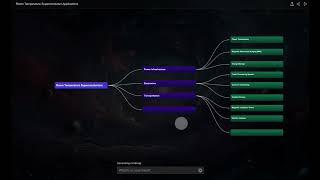
YouTube returned 6 videos for “MyMap AI”, and we withheld 5: 5 could not be judged, because “MyMap AI” is a single word that other videos use for other things. Showing the 1 we can prove is about MyMap AI.
Official links
Tools that pair well with MyMap AI
Common stack mates teams adopt alongside MyMap AI, with the specific reason each pairing earns its keep.

Napkin AI
Napkin AI turns plain text into diagrams, flowcharts, mind maps, and infographics — no prompts required.

Whimsical
Whimsical's AI turns a text prompt into an editable flowchart, mind map, or wireframe on a shared infinite canvas built for product teams.

CanvasGPT
A visual AI workspace that turns an infinite canvas into mind maps, research, media, and shareable web tools.
Featured Head-to-Head Comparisons
Mymap Ai vs Polycam
If you need to create 3D models of real-world spaces, objects, or floor plans, Polycam is the clear choice — its LiDAR and photogrammetry are unmatched. If your goal is to turn text into clear diagrams like mind maps or flowcharts, MyMap AI is simpler and faster. These tools serve completely different needs; pick based on whether you need to scan the physical world or visualize ideas.
Mymap Ai vs Gem
Gem and MyMap AI serve entirely different needs. If you're a recruiter or talent acquisition professional needing an all-in-one AI-powered platform to source, screen, schedule, and manage candidates, Gem is the clear choice. If you're a student, project manager, or educator looking to instantly convert text into diagrams, MyMap AI offers a simple, freemium solution. Choose based on your primary workflow: hiring or visualizing.
Mymap Ai vs Poke Interaction Co
Choose Poke if you want an AI assistant that handles email, calendar, reminders, and automations inside your messaging apps—ideal for productivity power users. Pick MyMap AI if you need quick, AI-generated diagrams, mind maps, or flowcharts from text descriptions—perfect for visual communicators. They serve completely different needs; the right one depends on whether you prioritize task management or visual creation.
Alternatives to MyMap AI
View all


Frequently Asked Questions
Best-of guides
Used MyMap AI? Help shape our editorial sentiment research.