
Nero Software
Nero Platinum Suite 2026 is a Windows-only media suite with local AI upscaling, editing, backup, and disc tools.
Buy the $44.95/year Nero Platinum Subscription if you're on Windows 11 or 10 and want AI photo and video upscaling that runs locally, plus editing, backup, and burning in one install. You get the newest version every year, the PRO editions of TuneItUp and the AI Image Upscaler, and 100 Nero AI credits at each renewal, and Nero states the subscription price is guaranteed not to increase. The $119.00 one-time Nero Platinum Unlimited only makes sense if you actively dislike subscriptions and accept a version-locked suite with no future feature updates and only the basic upscaler editions. If you need advanced color grading, multicam, or cross-platform work, look to a dedicated NLE instead.
Verified 7d ago · liveness 79/100 · cite: rightaichoice.com/tools/nero-software
- Windows 11/10 home users who want one suite covering editing, backup, burning and PC tuning
- Photographers who want local AI photo enhancement instead of uploading images to a cloud service
- Buyers who prefer a one-time $119.00 purchase over a recurring subscription
- People with large photo and music libraries needing AI tagging, duplicate detection and encrypted backup
- Mac or Linux users — the suite is Windows 11/10 only
- Developers who need a cloud AI API or SDK to embed upscaling in their own product
- Professional video editors who need multicam or advanced color grading
We scan live Reddit threads, YouTube comments, X posts, G2 reviews and other communities — and hand you an honest verdict in under a minute.
- Honest verdict, not marketing
- Real pros & cons from real users
- Attributed quotes with receipts
3 free scans · no card needed
Skip Nero Software if you're on Mac or Linux, or if you need a cloud AI API to embed into your own product rather than a Windows desktop suite.
AI features run on Nero AI credits — the Subscription refreshes 100 with each renewal, but the $119.00 Unlimited plan gets 100 once, so heavy upscaling on Unlimited means buying more.
The $44.95/year Nero Platinum Subscription fits a single Windows household that wants one suite instead of separate editors, backup tools and burners. The $119.00 one-time Nero Platinum Unlimited competes on the anti-subscription argument rather than price, and it's cheaper than roughly two and a half years of the annual plan. Both undercut a monthly creative-suite subscription, but neither buys you a professional NLE.
In short
Nero Software — Nero Platinum Suite 2026 is a Windows-only media suite with local AI upscaling, editing, backup, and disc tools. Best for Windows 11/10 home users who want one suite covering editing, backup, burning and PC tuning, Photographers who want local AI photo enhancement instead of uploading images to a cloud service, Buyers who prefer a one-time $119.00 purchase over a recurring subscription. Free to start; paid plans from $44.95/yr.
What's new in Nero Software
Checked 7 days agoAcross the latest 1 update: 1 launch.
What people actually say about Nero Software — is it worth it?
We ran a structured research pass across product reviews, community discussions, and post-purchase forum threads to surface the patterns vendors won't publish themselves. Below: the recurring strengths, the hidden costs people mention most, and the cohort that consistently regrets adopting this tool.
34 mentions across 2 sources (YouTube, Lemmy) · researched Aug 16, 2026.
Average across the 2 sources that answered — each source counts once, not each post.
- +Powerful AI upscaling recovers media that other tools couldn't
- +Local AI processing ensures privacy without cloud uploads
- +Comprehensive suite covers video, photo, audio, backup, and burning
- +Long-time users report reliability and advanced capabilities
- +Includes 8K playback and AI-based photo tagging for media management
- −Activation code problems frustrate some buyers
- −No support for Spanish, French, or other languages
- −Blu-ray copying inclusion is unclear to users
- −Perpetual license is version-locked without updates
- −User interface feels dated compared to modern tools
- • One-time purchase doesn't include future upgrades
- • Subscription required for full AI features and updates
- • Possible extra charges for cloud storage beyond included limits
Viability Score
How well maintained and how widely used is Nero Software? Built from what the vendor actually publishes (docs, changelog, tutorials, integrations, pricing), whether the site is live, and how much real users discuss it. How we calculate this
Last calculated: October 2026
How we score →Key Features
- Local AI image upscaling and sharpening on your own PC
- Local AI video upscaling and enhancement
- Nero AI Image Upscaler with redesigned interface and additional local AI models (2026)
- Nero AI Photo Tagger with face naming and AI scene recognition
- Nero Video editing with switchable light and dark user interface
- Hundreds of theme templates for holidays, occasions and events
- Video effects: picture-in-picture, alpha channel, tilt-shift, slow motion, time-lapse
- 8K video playback
- Duplicate music and video file detection in Nero DuplicateManager (2026)
- DVD and Blu-ray burning, ripping and copying with Nero Burning ROM
- Encrypted backup with 256-bit encryption and incremental snapshots via Nero BackItUp
- Cloud backup to Google Drive, OneDrive, MagentaCLOUD, HiDrive, pCloud and QLOUD
- Video and audio format conversion with Nero Recode
- Screen and webcam recording
- Audio editing and effects in Nero WaveEditor
About Nero Software
Nero Software's flagship is Nero Platinum Suite 2026, a Windows 11/10 collection that bundles media editing, organizing, backup, conversion, and optical disc tools into a single purchase. The headline in 2026 is local AI processing: the Nero AI Image Upscaler got a redesigned interface and additional local models, and AI video upscaling runs on your own PC rather than uploading your files to a server. Version 2026 also added duplicate music and video detection to Nero DuplicateManager and a light/dark UI switch in Nero Video. Alongside the AI tools you get Nero Video for editing and themed slideshows, Nero AI Photo Tagger for face naming and AI scene recognition, Nero MediaHome as your media hub, Nero Recode for format conversion, Nero Burning ROM for burning, ripping, and copying, Nero BackItUp for 256-bit encrypted backups to local drives or cloud services such as Google Drive and OneDrive, Nero WaveEditor for audio, and Nero TuneItUp PRO for PC cleanup and driver updates. You buy it one of two ways: $44.95/year for the Nero Platinum Subscription, which delivers each new version automatically and includes the PRO editions of TuneItUp and AI Image Upscaler plus 100 Nero AI credits with every renewal; or $119.00 once for Nero Platinum Unlimited, which is version-locked and receives no feature updates. It suits Windows home users, photographers, and people with large photo and music libraries who want one install instead of six subscriptions, and who still rip or burn to disc.
Behind the Verdict
Nero's pitch in 2026 is unusually concrete for a long-lived consumer suite: the AI work happens on your machine, not in someone else's data centre. The local AI Image Upscaler got a new interface and more local models in the 2026 release, and local AI video upscaling is part of the Platinum umbrella — for photographers scanning prints or families digitising old tapes, that means no upload queue and no per-image cloud credit meter. The rest of the suite is breadth: Nero Video for editing, themed slideshows, picture-in-picture, alpha channel, tilt-shift, slow motion and time-lapse, and 8K playback; Nero AI Photo Tagger for face naming and AI scene recognition so you can search a library that has grown past manual sorting; Nero MediaHome as the hub; Nero Recode for format conversion; Nero Burning ROM for burning, ripping and copying; Nero BackItUp for 256-bit encrypted, incremental backups to local drives or Google Drive, OneDrive, MagentaCLOUD, HiDrive, pCloud and QLOUD; Nero WaveEditor; Nero TuneItUp PRO for cleanup and driver updates; screen and webcam recording; bootable USB creation; and online video downloading. The 2026 additions are practical rather than flashy — duplicate music and video detection in Nero DuplicateManager answers the 'why is my SSD full' question, and a light/dark UI switch in Nero Video is the kind of thing you only miss when it's absent. Gripes: this is Windows 11/10 only, so Mac and Linux users are out entirely; the suite trades depth in any single discipline for breadth across many, so a professional editor will find the NLE thin; and AI credits are a metered layer on top of what looks like a flat price. The two-tier structure is genuinely transparent — subscription gets you every new version, PRO editions and 100 credits per renewal, Unlimited freezes the version and the basic upscaler editions — and Nero explicitly states it has never raised the subscription price or restricted existing features. That's a rare claim in consumer software, and it's the strongest argument for the annual plan over the one-time buy.
Researching Nero Software? Get your full AI stack in 60 seconds.
Free, no signup — tell us your goal and get tools matched to your budget & existing stack.
Real-world workflow fit
Concrete scenarios for the personas Nero Software actually fits — and what changes day-one when you adopt it.
Install Nero Platinum Suite 2026, point the AI Image Upscaler at a folder of scanned prints, and let the local models sharpen and upscale them on the PC.
Outcome: Enlarged, sharper images ready for printing or archiving, with nothing uploaded to a server and no per-image cloud fee.
Import into Nero MediaHome, use AI Photo Tagger for face naming and scene recognition, then run Nero DuplicateManager to clear duplicate and similar images.
Outcome: A searchable, deduplicated library sorted by person, scene, location and timeline instead of folders of unnamed files.
Edit a holiday movie in Nero Video with theme templates and effects, export, then burn it to Blu-ray with Nero Burning ROM.
Outcome: A physical disc copy that survives drive failures, plus a digital export for streaming to the TV.
Use Cases
- Upscale low-resolution family photos locally with AI, then print or archive them without uploading anything.
- Enhance old home videos with local AI upscaling to make legacy footage watchable on a modern TV.
- Organize a large photo library using AI scene recognition and face naming so you can search by person or place.
- Find and delete duplicate music and video files with Nero DuplicateManager to reclaim disk space.
- Burn a finished home movie to Blu-ray, or rip an old disc collection with Nero Burning ROM.
- Create a bootable USB drive for Windows installation or system recovery with Nero USBxCopy.
- Back up photos and documents with 256-bit encryption and incremental snapshots to local drives or cloud storage.
- Edit a holiday video with theme templates, then export it and stream it to the TV.
Limitations
- Nero Platinum Suite is Windows 11 and 10 only — there is no Mac or Linux version.
- The suite trades depth for breadth: you get editing, organizing, backup and burning in one install, but not the multicam or advanced color grading a dedicated NLE offers.
- AI features are metered by Nero AI credits: the Subscription includes 100 credits refreshed with every renewal, while Unlimited gets 100 credits once.
- Some AI capabilities also ship as separate Nero AI products rather than inside the suite.
- The Unlimited tier is version-locked, so features added after purchase stay out.
as of 2026-10-02
Verification history
We have re-verified Nero Software 6 times since . Each pass re-reads the vendor's own pages and re-checks every listed field against that evidence; passes where nothing had changed are marked as such.
- — re-verified summary, description, our verdict, our analysis, pricing model, pricing tiers, features, integrations, who it suits, who should skip it
- — re-verified summary, description, our verdict, our analysis, pricing model, pricing tiers, features, integrations, who it suits, who should skip it
- — re-verified summary, description, our verdict, our analysis, pricing model, pricing tiers, features, integrations, who it suits, who should skip it
- — re-verified summary, description, our verdict, our analysis, pricing model, pricing tiers, features, integrations, who it suits, who should skip it
- — re-verified summary, description, our verdict, our analysis, pricing model, pricing tiers, features, integrations, who it suits, who should skip it
- — re-verified summary, description, our verdict, our analysis, pricing model, pricing tiers, features, integrations, who it suits, who should skip it
Free to cite with attribution — this page re-verifies continuously.
12-month cost
Project the real annual outlay, including the implied monthly cost when only an annual tier is published.
Vendor list price only. Add-on usage, seat overages, and contract minimums are surfaced under Hidden costs & gotchas.
Plans compared
For each published Nero Software tier: who it actually fits, and what it adds vs. the previous tier. Cross-reference the cost calculator above for projected annual outlay.
Nero Platinum Subscription
$44.95/year
Ideal for
Windows home users and photographers who want each new suite version automatically and don't mind $44.95/year recurring.
What this tier adds
Starting tier: includes every new version automatically, the PRO editions of TuneItUp and AI Image Upscaler, and 100 Nero AI credits with each renewal.
Nero Platinum Unlimited
$119.00 one-time
Ideal for
Buyers who actively prefer a one-time $119.00 payment over a subscription and are content to stay on the version they bought.
What this tier adds
Pays once for unlimited duration but is version-locked with no feature updates, and ships only the basic TuneItUp and AI Image Upscaler editions plus 100 credits one-time.
Where the pricing makes sense
The company stage and team size where Nero Software's pricing actually pencils out — and where peers do it cheaper.
The $44.95/year Nero Platinum Subscription fits a single Windows household that wants one suite instead of separate editors, backup tools and burners. The $119.00 one-time Nero Platinum Unlimited competes on the anti-subscription argument rather than price, and it's cheaper than roughly two and a half years of the annual plan. Both undercut a monthly creative-suite subscription, but neither buys you a professional NLE.
Setup time & first value
How long it actually takes to get something useful out of Nero Software — broken out by persona, not the marketing-page minute.
Expect roughly 30–60 minutes for a Windows home user: download Nero Start, activate the licence, and let it pull the suite modules. Photographers organising a large library should budget an afternoon for the first AI tagging and duplicate scan, since those run across the whole collection. The AI upscalers work from a single click once a folder is selected.
Switching to or from Nero Software
How to bring data in from common predecessors and how to get it back out — written for the switcher, not the buyer.
- →From separate free tools: consolidate photo editing, conversion, burning and backup into one Nero Platinum install instead of running a different utility for each task.
- ↗To a professional NLE: move editing work to a dedicated editor if you need multicam or advanced color grading, keeping Nero for upscaling, burning and backup.
Integrations
Resources & Guides
Tutorials & Learning
How to Create DVD Video Disc | Nero Burning ROM Tutorial
Nero Software
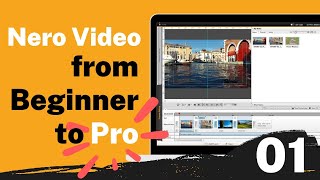
Nero Video Tutorial for Beginners #01: Know the basic interface
Nero Software
How to Burn Music to Audio CD in 3 Steps | Nero Burning ROM Tutorial
Nero Software
YouTube returned 6 videos for “Nero Software”, and we withheld 3: 3 did not mention Nero Software. Showing the 3 we can prove are about Nero Software.
Official links
Tools that pair well with Nero Software
Common stack mates teams adopt alongside Nero Software, with the specific reason each pairing earns its keep.

DaVinci Resolve
DaVinci Resolve 21 is Blackmagic's all-in-one editing, color, VFX, audio, and photo suite, free to download with a $295 one-time Studio license.
Topaz Video AI
Topaz Video AI is a desktop and cloud video enhancement suite for AI upscaling, denoising, deinterlacing, and frame interpolation.

PixelMotion
Turn product photos into professional marketing videos with 57 AI models, from $29/mo.
Featured Head-to-Head Comparisons
Nero Software vs Splice
Nero and Splice serve completely different needs: Nero is a Windows-centric multimedia utility suite for photo/video enhancement and PC management, while Splice is a cloud-based music production platform offering samples and rent-to-own plugins. Choose Nero if you need local AI upscaling and disc burning on Windows; choose Splice if you're a music producer seeking affordable, royalty-free sounds and plugin rentals.
Nero Software vs Storyfile
If you need a local Windows multimedia suite with AI upscaling for photos/videos and disc burning, Nero Software is the affordable choice. For interactive, historically accurate conversational AI exhibits preserving real people's stories, StoryFile is unmatched — as proven by its latest partnerships with CNN and national museums. There's no direct overlap, so your use case decides.
Nero Software vs The New Black
Nero Software is ideal for Windows users needing a comprehensive local media suite with AI enhancement and backup tools, especially those who prefer a one-time purchase. The New Black is purpose-built for fashion designers and brands to generate apparel concepts using AI, offering a free tier. Choose Nero for multimedia management and optimization; choose The New Black for AI-powered fashion design.
Alternatives to Nero Software
View all
DaVinci Resolve
DaVinci Resolve 21 is Blackmagic's all-in-one editing, color, VFX, audio, and photo suite, free to download with a $295 one-time Studio license.
Topaz Video AI
Topaz Video AI is a desktop and cloud video enhancement suite for AI upscaling, denoising, deinterlacing, and frame interpolation.

PixelMotion
Turn product photos into professional marketing videos with 57 AI models, from $29/mo.
Frequently Asked Questions
Used Nero Software? Help shape our editorial sentiment research.